Indledning
This manual provides comprehensive instructions for the assembly, operation, and maintenance of your RAIJINTEK NYX PRO Showcase Big-Tower chassis. Please read this manual thoroughly before beginning installation to ensure proper setup and safe usage. This chassis is designed for high-performance PC builds, offering extensive compatibility and a unique aesthetic.
Sikkerhedsoplysninger
Overhold altid følgende sikkerhedsforanstaltninger:
- Ensure all power is disconnected from components before installation or maintenance.
- Håndter hærdede glaspaneler forsigtigt for at forhindre brud.
- Wear anti-static wrist straps when handling sensitive electronic components.
- Hold små dele og værktøj væk fra børn.
- Do not attempt to modify the chassis structure.
Pakkens indhold
Kontroller, at alle komponenter er til stede, før du fortsætter med monteringen:
- RAIJINTEK NYX PRO Showcase Big-Tower Chassis
- Tilbehørsæske (skruer, afstandsstykker, kabelbindere osv.)
- Brugervejledning (dette dokument)

Image: The RAIJINTEK NYX PRO Showcase Big-Tower chassis in white, showcasing its unique open-frame design and tempered glass panels.
Specifikationer
| Feature | Detalje |
|---|---|
| Modelnavn | NYX PRO (0R20B00183) |
| Sagstype | Big-Tower / Showcase |
| Materiale | Hærdet glas, stål |
| Farve | White (Blanc) |
| Produktmål (L x B x H) | 59.5 x 26.5 x 65.8 cm |
| Varens vægt | 14.17 kg |
| Bundkort kompatibilitet | Udvidet ATX, ATX, Micro-ATX, Mini-ITX |
| Afkølingsmetode | Water, Air (supports various fan sizes up to 120mm) |
| Anbefalet brug | Gaming PC Builds |
Opsætning og installation
Follow these steps for proper assembly of your PC components within the NYX PRO chassis.
1. Klargøring af chassiset
Carefully unbox the chassis and place it on a stable, flat surface. Identify the various access points and removable panels.
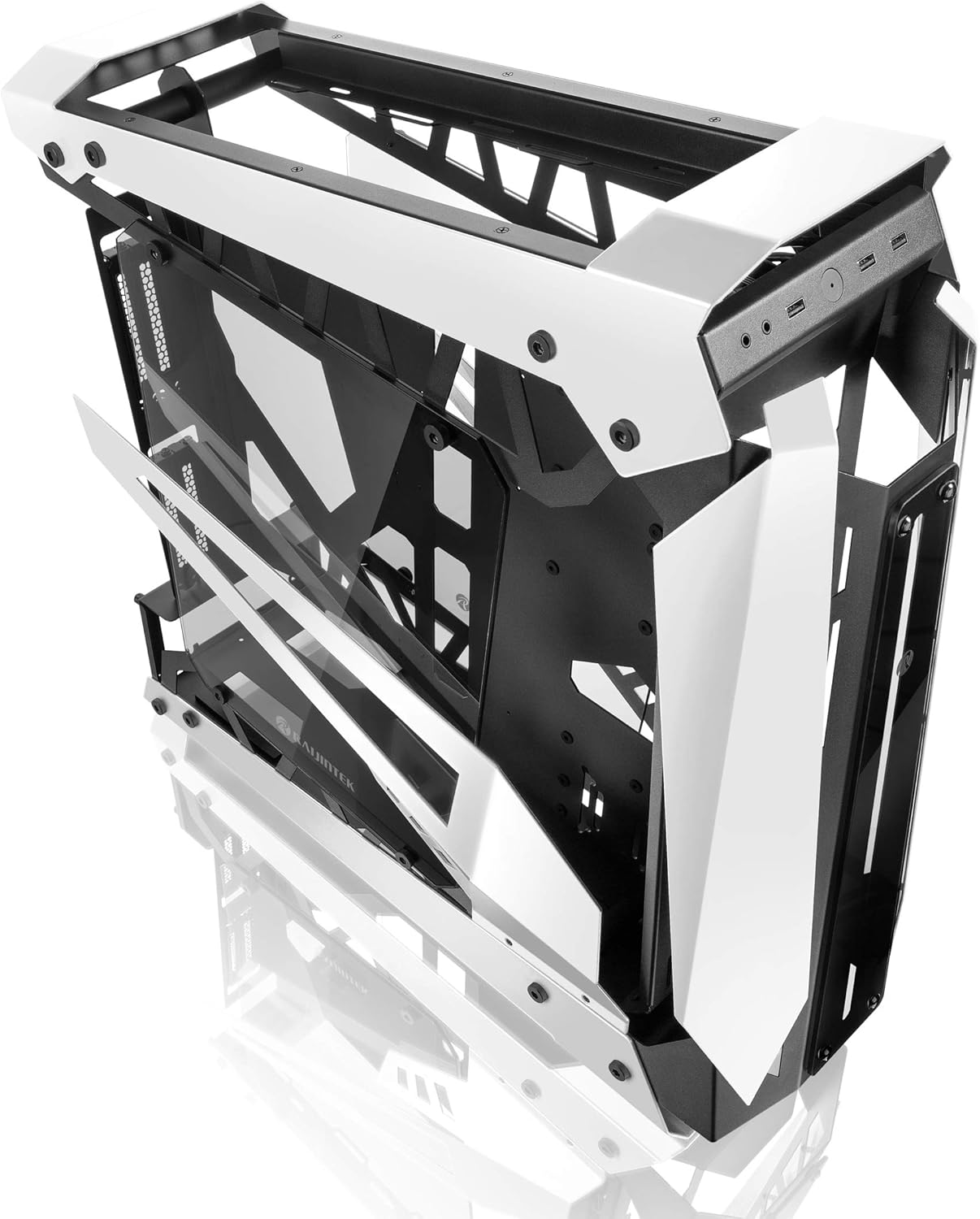
Image: The RAIJINTEK NYX PRO chassis with its top and front panels opened, revealing the internal structure and component mounting areas.
2. Installation af bundkort
- Install the necessary motherboard standoffs into the motherboard tray according to your motherboard's form factor (E-ATX, ATX, Micro-ATX, Mini-ITX).
- Placer forsigtigt bundkortet på afstandsstykkerne, og juster skruehullerne.
- Fastgør bundkortet med de medfølgende skruer.

Billede: En intern view of the RAIJINTEK NYX PRO chassis, showing the spacious interior for motherboard and component installation.
3. Installation af strømforsyningsenhed (PSU)
Locate the PSU mounting area, typically at the rear or bottom of the chassis. Secure the PSU with screws.
4. Installation af lagerdrev
The NYX PRO supports multiple storage drives. Identify the 2.5" and 3.5" drive bays and secure your SSDs/HDDs using the provided mounting hardware.
5. Installation af grafikkort (GPU)
Insert your graphics card into the appropriate PCIe slot on the motherboard. Secure it with the retention mechanism and screws. Note the vertical GPU mounting option for showcase builds.

Image: The RAIJINTEK NYX PRO chassis showcasing installed components with RGB lighting, highlighting the open design and visibility of internal parts.
6. Cooling System Installation (Fans/Radiators)
Install case fans or liquid cooling radiators in the designated mounting points. Ensure proper airflow direction for optimal cooling.
7. Kabelforvaltning
Utilize the cable routing cutouts and tie-down points to manage cables neatly. This improves airflow and aesthetics.

Billede: En side view of the RAIJINTEK NYX PRO chassis, emphasizing its angular design and the large tempered glass side panel.
8. Front I/O-forbindelser
Connect the front panel USB, audio, power, and reset headers to the corresponding pins on your motherboard.
Betjeningsvejledning
Once all components are installed and secured, and all cables are connected:
- Tilslut din skærm, tastatur, mus og andet tilbehør til de relevante porte på dit bundkort og grafikkort.
- Tilslut strømkablet til strømforsyningen og en stikkontakt.
- Flip the power switch on the PSU to the "ON" position.
- Press the power button on the front panel of the chassis to power on your system.

Billede: Et nærbillede view of the front I/O ports on the RAIJINTEK NYX PRO chassis, including USB and audio jacks.
Opretholdelse
Regular maintenance helps ensure the longevity and optimal performance of your PC and chassis.
- Støvrensning: Periodically clean dust filters and internal components using compressed air or a soft brush. Ensure the system is powered off and unplugged before cleaning.
- Vedligeholdelse af hærdet glas: Clean tempered glass panels with a soft, lint-free cloth and a non-abrasive glass cleaner. Avoid harsh chemicals.
- Kabelhåndteringstjek: Occasionally check cable routing to ensure no cables are obstructing airflow or fan blades.
Fejlfinding
Hvis du støder på problemer, kan du overveje følgende almindelige fejlfindingstrin:
- Systemet tænder ikke:
- Check if the PSU switch is in the "ON" position.
- Sørg for, at strømkablet er korrekt tilsluttet til både strømforsyningen og stikkontakten.
- Verify that the front panel power button header is correctly connected to the motherboard.
- Confirm all internal power cables (24-pin ATX, CPU, GPU) are firmly seated.
- Ingen skærmoutput:
- Ensure your monitor is connected to the graphics card (not the motherboard's integrated graphics, unless you are using integrated graphics).
- Sæt grafikkortet tilbage i dets PCIe-slot.
- Kontroller valg af skærmindgang.
- Overophedning:
- Ensure all case fans are spinning and oriented correctly for airflow.
- Clean dust from fans and radiators.
- Kontroller, at CPU-køleren sidder korrekt og har god kontakt med CPU'en.
Garanti og support
For warranty information and technical support, please refer to the official Raijintek webwebstedet eller kontakt deres kundeserviceafdeling. Gem din købsbevis til garantikrav.
Official Raijintek Webwebsted: www.raijintek.com


