1. Introduktion
This manual provides essential information for the safe and effective use of your Insta360 ONE R Twin Edition action camera. The Insta360 ONE R is a modular action camera system designed for versatility, offering both 5.7K 360-degree and 4K wide-angle shooting capabilities. It features FlowState stabilization for smooth footage and is waterproof up to 5 meters when assembled correctly with the mounting bracket.
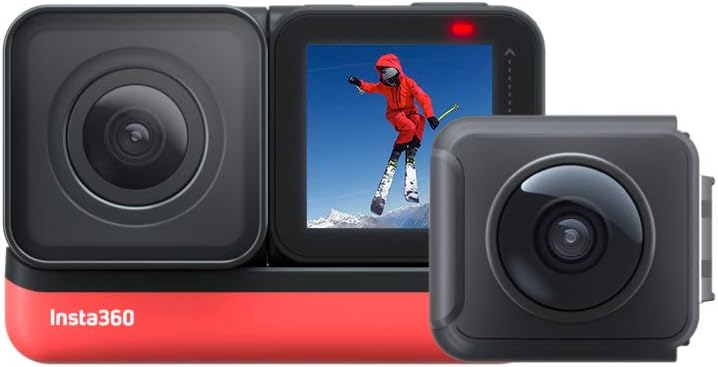
Image 1.1: The Insta360 ONE R Twin Edition, showcasing its modular design with the 4K wide-angle lens and the 360-degree dual lens module.
2. Pakkens indhold
The Insta360 ONE R Twin Edition package includes the following components:
- ONE R Core (Processor) x 1
- 360-Degree Dual-Lens Module x 1
- 4K Wide-Angle Module x 1
- Battery Base x 1
- Lens Cap x 1 (for 360 module)
- Monteringsbeslag x 1
- USB Type-C ladekabel x 1
- Lynvejledning x 1

Billede 2.1: Overview of all included components in the Insta360 ONE R Twin Edition package.
3. Opsætning
3.1 Samling af kameraet
The Insta360 ONE R is a modular camera. To assemble, align the chosen lens module (360-degree or 4K wide-angle) with the ONE R Core and the Battery Base. Press them firmly together until they click into place. Ensure all connections are secure to maintain waterproofing.
- Select your desired lens module (360-degree or 4K Wide-Angle).
- Connect the lens module to the ONE R Core.
- Attach the Battery Base to the assembled Core and Lens module.
- Insert a microSD card (UHS-I V30 speed class or above, exFAT format, up to 256GB recommended) into the slot on the Core.
- Place the assembled camera into the Mounting Bracket for protection and accessory attachment.

Billede 3.1: Eksploderet view of the Insta360 ONE R modules and mounting bracket.
3.2 Opladning af batteriet
Connect the camera to a power source using the provided USB Type-C cable. The indicator light will show charging status. A full charge takes approximately 65 minutes with a 5V 2A charger.
4. Betjening
4.1 Tænd/sluk og grundlæggende betjeningselementer
- Tænd: Tryk på Power-knappen.
- Sluk: Tryk og hold tænd/sluk-knappen nede.
- Record/Shutter: Press the Shutter Button to start/stop recording or take a photo.
- Skift tilstande: Swipe on the touchscreen or use the Mode Button (if available on your Core version).
4.2 Switching Lens Modules
The Insta360 ONE R allows you to switch between the 360-degree and 4K wide-angle modules to suit different shooting scenarios. Power off the camera, carefully disassemble the current module, and then attach the desired module as described in Section 3.1.

Image 4.1: Visual comparison of footage captured with the 4K Wide-Angle and 5.7K 360-degree modules.
4.3 Nøglefunktioner
- 5.7K 360-Degree & 4K Wide-Angle: Optag fordybende 360-graders filmtage at 5.7K resolution or crisp 4K wide-angle video at 60fps.
- FlowState-stabilisering: Achieve gimbal-like stabilization without the need for additional equipment, even in low-light conditions, thanks to advanced scene-detection algorithms.
- IPX8 Vandtæt: The camera is waterproof to 5 meters (16.4 feet) when assembled in the mounting bracket, making it suitable for various water activities. For deeper dives or rougher conditions, a dedicated dive case is recommended.
- Invisible Selfie Stick: When using the 360-degree module, the selfie stick is automatically removed from your footage during editing, creating a drone-like or third-person perspective.
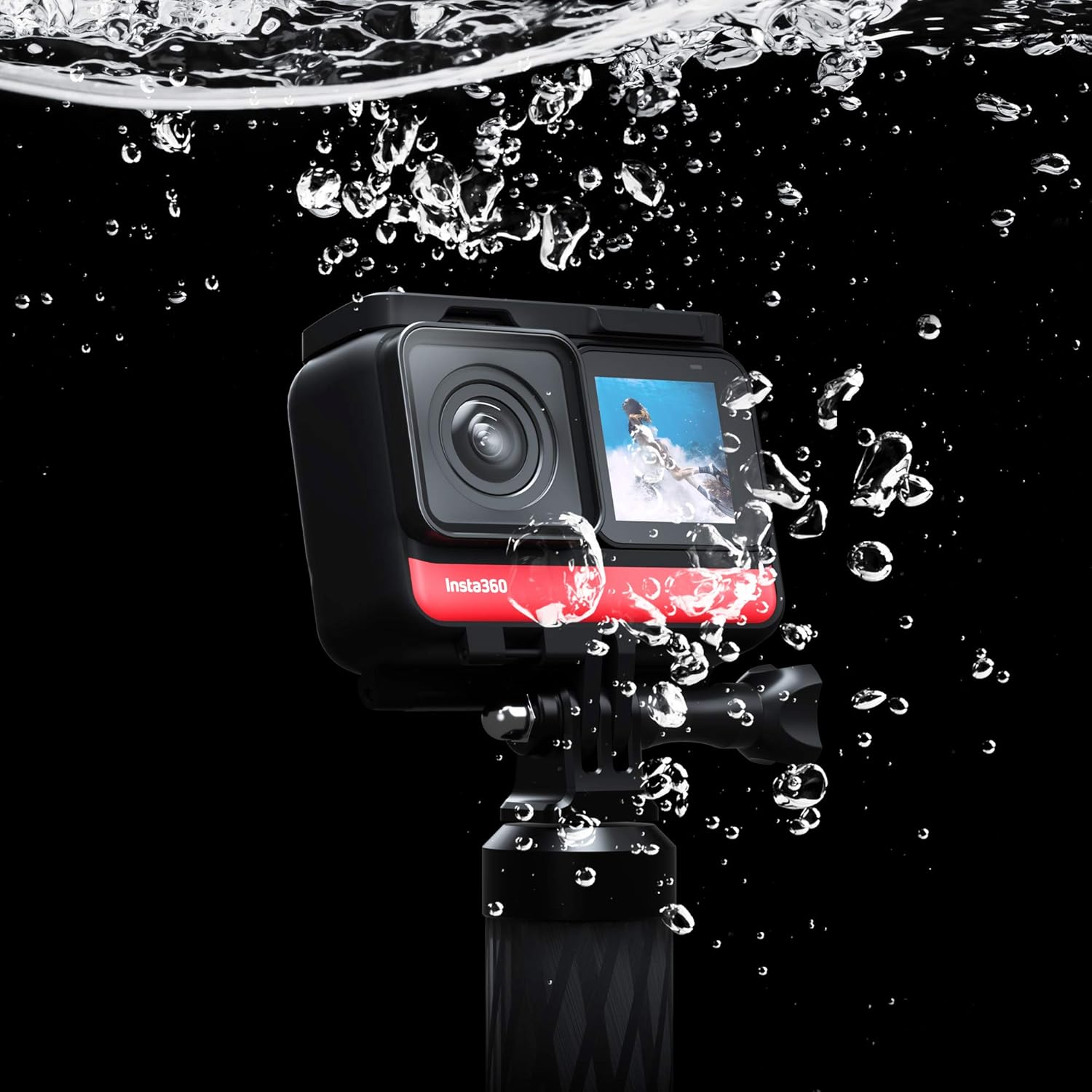
Image 4.2: The Insta360 ONE R demonstrating its waterproof design.

Billede 4.3: Eks.ample of the "Invisible Selfie Stick" feature in action.

Image 4.4: The Insta360 ONE R mounted on a bike, ready for action.
4.4 Mobile App and Editing
The Insta360 mobile app (available for smartphones and tablets) provides comprehensive editing tools, including AI-powered features for reframing 360 footage, applying effects like "Tiny Planet," and automatic video editing (FlashCut). It also allows for remote control of the camera via Bluetooth or Wi-Fi (5G).
5. Vedligeholdelse
- Rengøring af linser: Brug en blød, fnugfri klud, der er specielt designet til kameralinser. Undgå slibende materialer eller barske kemikalier.
- Rengøring af krop: Tør kamerahuset af med en ren,amp cloth. Ensure all ports are dry before use, especially after exposure to water.
- Opbevaring: Store the camera in a cool, dry place away from direct sunlight and extreme temperatures. Use the provided lens cap for the 360-degree module to protect the delicate lenses.
- Batteripleje: For long-term storage, charge the battery to approximately 50-60% and remove it from the camera. Recharge periodically if stored for extended periods.
6. Fejlfinding
- Kamera tænder ikke:
Ensure the battery is charged. Reassemble the modules to confirm secure connections. If issues persist, try a different battery base if available.
- Footage is Unstable/Shaky:
Verify that FlowState stabilization is enabled in the camera settings. Ensure the camera is securely mounted and not experiencing excessive vibration beyond its stabilization capabilities.
- Overophedning:
High-resolution recording, especially in warm environments, can cause the camera to heat up. If the camera stops recording due to overheating, allow it to cool down before resuming use. Consider reducing resolution or frame rate in hot conditions.
- Vandlækage:
Ensure the camera modules are correctly and firmly assembled, and the mounting bracket is properly closed. The IPX8 rating applies only when the camera is correctly assembled within its mounting bracket. Inspect seals for damage.
- Problemer med appforbindelse:
Ensure Wi-Fi and Bluetooth are enabled on your mobile device. Restart both the camera and the mobile app. Update the camera firmware and app to the latest versions.
7. Specifikationer
| Feature | Detalje |
|---|---|
| Mærke | Insta360 |
| Produkt Modelnummer | Insta360 ONE R (Twin Edition) |
| Skærmstørrelse | 1 tommer |
| Optisk zoom | 1x |
| Brændvidde (vidvinkel) | 1000 mm (ækvivalent) |
| Focal Length (Tele) | 1 mm (ækvivalent) |
| F-Value (Wide) | f/3 |
| F-Value (Tele) | f/1.3 |
| Billedstabilisering | Digital (FlowState) |
| Shooting Functions | Sports, Panorama |
| Farve | Sort |
| Kompatible enheder | Smartphones, tablets |
| Produktdimensioner | 10 x 10 x 10 cm; 70 g |
| Fotosensorteknologi | CMOS |
| Videooptagelsesopløsning | 5.7K |
| Flash-hukommelsestype | SDXC Card (up to 256GB) |
| Videooptagelsesformat | MP4, MOV |
| Lydformat | AAC |
| Forbindelsesteknologi | Bluetooth, USB, Wi-Fi |
8. Garanti og support
For warranty information, product registration, and technical support, please visit the official Insta360 webwebstedet eller kontakt deres kundeservice. Gem din købsbevis til garantikrav.
Officiel Insta360 Webwebsted: www.insta360.com


