1. Introduktion
Thank you for choosing the eKids Kids Bluetooth Wireless Headphones. These headphones are designed to provide a safe and enjoyable audio experience for children, featuring volume-limiting technology to protect young ears. They offer versatile connectivity options, comfortable wear, and a durable, foldable design for easy portability.
This manual provides detailed instructions on how to set up, operate, and maintain your headphones, ensuring optimal performance and longevity.
2. Pakkens indhold
- eKids Kids Bluetooth Wireless Headphones
- USB opladningskabel
- 3.5 mm lydkabel
3. Produktet er slutview

Figur 1: Forside view of the eKids Kids Bluetooth Wireless Headphones, showcasing the white design with black ear cushions.

Figur 2: Detaljeret view highlighting key features such as the adjustable headband, foldable design for portability, soft ear cushions, charging port, and line-in audio port.

Figure 3: Illustration of the headphone controls including power/pairing/charging LED indicators, USB charging port, AUX jack, microphone, volume up/skip forward, play/pause/power on/off, hang up/answer phone, and volume down/skip back buttons. Also shows product dimensions.
Nøglefunktioner:
- Bluetooth-forbindelse: Wirelessly stream high-quality stereo sound from compatible devices.
- Volume Reduced for Child Safety: Incorporates volume-limiting technology to protect young ears.
- Indbygget mikrofon: Facilitates clear communication for video calls and online learning.
- Kablet mulighed: Includes a 3.5mm audio cable for listening when Bluetooth is unavailable or the battery is low.
- Lang batterilevetid: Up to 18 hours of continuous Bluetooth playtime.
- Custom Fit: Adjustable headband and soft ear cushions for comfortable wear.
- Sammenfoldeligt design: Sikrer nem opbevaring og bærbarhed.
4. Kom godt i gang
4.1 Opladning af hovedtelefonerne
Before first use, fully charge the headphones. Connect the included USB charging cable to the USB charging port on the headphones (refer to Figure 3 for location) and plug the other end into a USB power source (e.g., computer USB port, USB wall adapter). The LED indicator will show charging status.
- Opladningstid: Cirka 2-3 timer for fuld opladning.
- LED-indikator: Red light indicates charging; light turns off when fully charged.
4.2 Tænd/sluk
- For at tænde: Press and hold the Power/Play/Pause button (refer to Figure 3) for approximately 3 seconds until the LED indicator flashes.
- For at slukke: Press and hold the Power/Play/Pause button for approximately 3 seconds until the LED indicator turns off.
4.3 Bluetooth -parring
Sådan tilslutter du dine hovedtelefoner trådløst til en enhed:
- Sørg for, at hovedtelefonerne er slukket.
- Press and hold the Power/Play/Pause button for approximately 5-7 seconds until the LED indicator flashes red and blue alternately. This indicates pairing mode.
- Aktiver Bluetooth på din enhed (smartphone, tablet, computer) og søg efter tilgængelige enheder.
- Select "eKids Headphones" from the list of found devices.
- Når de er parret, blinker LED-indikatoren på hovedtelefonerne langsomt blåt.
4.4 Kabelforbindelse
You can use the headphones with the included 3.5mm audio cable when Bluetooth is not desired or the battery is depleted.
- Plug one end of the 3.5mm audio cable into the AUX jack on the headphones (refer to Figure 3).
- Plug the other end into the headphone jack of your audio device.
- Hovedtelefonerne skifter automatisk til kablet tilstand.

Figure 4: Illustration demonstrating the flexibility of switching between wired mode (using the 3.5mm audio cable) and wireless Bluetooth mode, highlighting the battery life for wireless use.
5. Betjening af hovedtelefonerne
5.1 Kontrolknapper til musikafspilning
Use the control buttons on the headphones (refer to Figure 3) to manage your audio:
- Afspil/pause: Tryk én gang på tænd/sluk/afspil/pause-knappen.
- Lydstyrke op: Tryk på knappen Lydstyrke op.
- Skrue ned for lyden: Tryk på knappen Lydstyrke ned.
- Spring fremad: Tryk og hold på lydstyrke op-knappen.
- Spring tilbage: Tryk og hold lydstyrke ned-knappen.
5.2 Phone Call Controls
Når du er tilsluttet via Bluetooth, kan du administrere telefonopkald:
- Besvar/afslut opkald: Tryk én gang på tænd/sluk/afspil/pause-knappen.
- Afvis opkald: Press and hold the Power/Play/Pause button for approximately 2 seconds.
5.3 Volume Limiting Feature
These headphones are designed with a built-in volume limiter to ensure safe listening levels for children. This feature cannot be disabled, providing peace of mind during extended use.
6. Kompatibilitet
The eKids Kids Bluetooth Wireless Headphones are compatible with a wide range of devices:
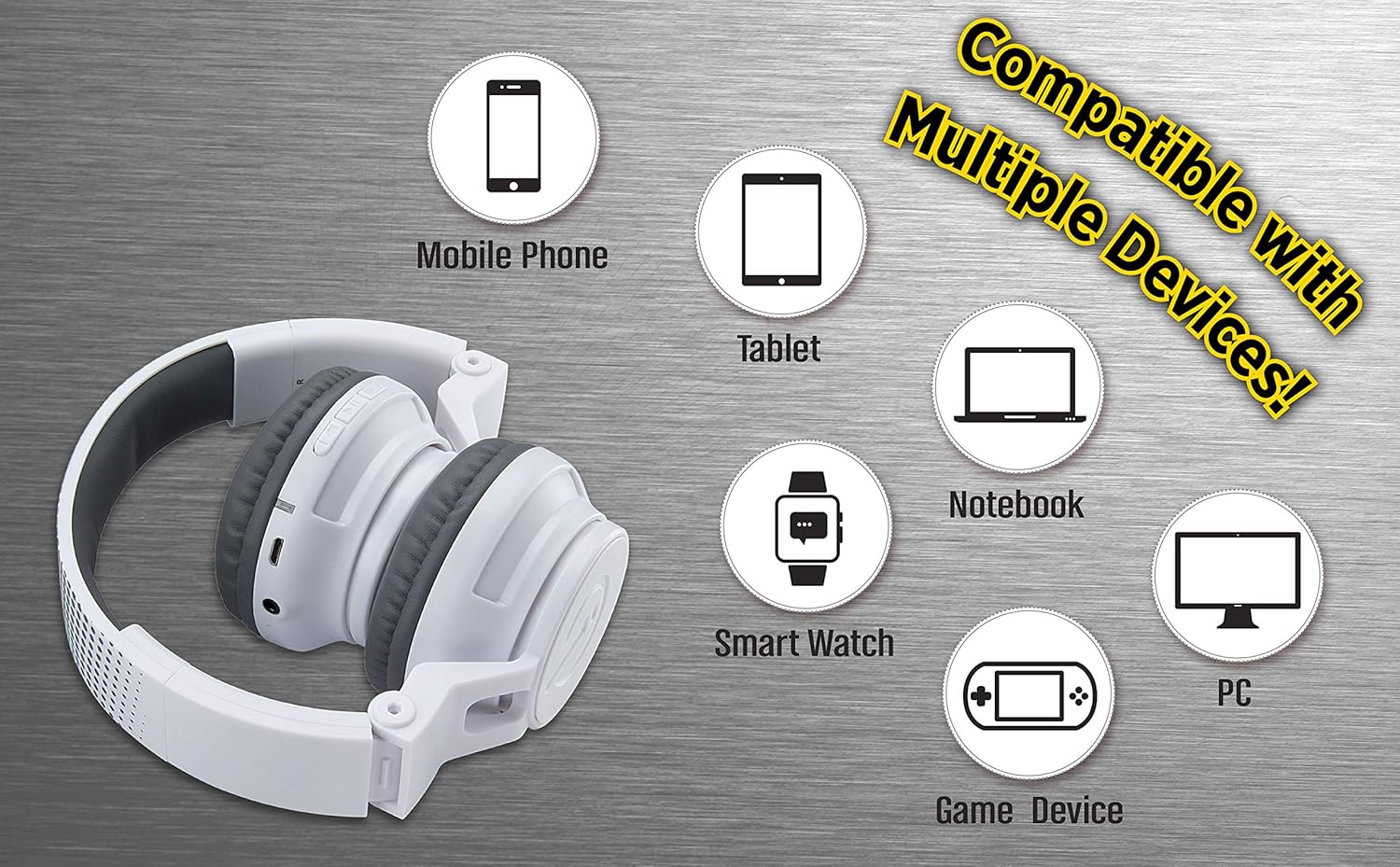
Figure 5: Visual representation of device compatibility, showing the headphones connecting to mobile phones, tablets, notebooks, smartwatches, PCs, and game devices.
- Smartphones (iOS og Android)
- Tabletter
- Computere (PC, bærbare computere)
- Gaming Devices (with 3.5mm audio jack)
7. Pleje og vedligeholdelse
- Rensning: Brug en blød, tør klud til at rengøre hovedtelefonerne. Brug ikke flydende rengøringsmidler eller aerosoler.
- Opbevaring: When not in use, fold the headphones to their compact size and store them in a cool, dry place away from direct sunlight and extreme temperatures.
- Undgå fugt: Disse hovedtelefoner er ikke vandafvisende. Hold dem væk fra vand og overdreven fugt.
- Håndteres med forsigtighed: Undgå at tabe hovedtelefonerne eller udsætte dem for kraftige stød.
8. Fejlfinding
8.1 Ingen strøm
- Ensure the headphones are fully charged. Connect to a power source using the USB charging cable.
- Kontroller, at opladningskablet og strømkilden fungerer korrekt.
8.2 Kan ikke parres via Bluetooth
- Sørg for, at hovedtelefonerne er i parringstilstand (LED'en blinker skiftevis rødt og blåt).
- Ensure Bluetooth is enabled on your device and it is within range (typically 10 meters).
- Glem enheden fra din enheds Bluetooth-indstillinger, og prøv at parre igen.
- Genstart både hovedtelefonerne og din enhed.
8.3 No Sound in Wired Mode
- Ensure the 3.5mm audio cable is securely plugged into both the headphones and the audio device.
- Check the volume level on both the headphones and the audio device.
- Test the audio cable with another device if possible to rule out a faulty cable.
8.4 Lav lydstyrke
- Remember that these headphones have a built-in volume limiter for child safety.
- Increase the volume on both the headphones and the connected device.
9. Specifikationer
| Modelnummer | EK-B50W.EXV0 |
| Forbindelsesteknologi | Trådløs (Bluetooth), Kablet (3.5 mm jack) |
| Trådløs kommunikationsteknologi | Bluetooth |
| Batterilevetid | Up to 18 hours (Bluetooth playtime) |
| Ørestykke form | On Ear |
| Særlige funktioner | Adjustable Headband, Foldable, Microphone Included, Volume Reduced |
| Kompatible enheder | Smartphones, tablets, computere, tv'er |
| Materiale | Plast |
| Varens vægt | 14.7 ounce (0.42 kilo) |
| Pakkedimensioner | 8.5 x 8.5 x 3.75 tommer |
| Vandmodstandsniveau | Ikke vandafvisende |
| UPC | 092298949741 |
10. Officiel produktvideo
Video: eKids Kids Bluetooth Wireless Headphones. This video provides a visual overview of the headphones' features and functionality, including their design, connectivity options, and child-safe volume limiting.
11. Garanti og support
For warranty information and customer support, please refer to the documentation included with your purchase or visit the official eKids webwebsted. Gem din købsbevis til garantikrav.
For yderligere hjælp kan du også besøge eKids Store on Amazon.


