1. Introduktion
Cloud b Tranquil Turtle er designet til at skabe et beroligende og afslappende miljø, der hjælper børn med at falde i søvn med sin unikke lysprojektion og blide lyde. Denne manual indeholder vigtige oplysninger om opsætning, betjening og vedligeholdelse af din Tranquil Turtle.

Figur 1: Cloud b Rolig Skildpadde Natlampe (Pink)
2. Produktfunktioner
- Ocean Wave Projection: Projekter, der flytter havbølger op på loftet og skaber en fredfyldt undervandseffekt.
- Beroligende lyde: Tilbyder to beroligende lydmuligheder: en blid melodi og hviskende bølger.
- Justerbare indstillinger: Giver mulighed for tilpasning af lysstyrke og bølgebevægelse, så den passer til individuelle præferencer.
- Automatisk slukning: Har en 23-minutters timer, der automatisk slukker lys og lyd for at spare batteristrøm og fremme dyb søvn.
- Blød plyskrop: Skildpaddens krop er lavet af et blødt og behageligt plysmateriale.
- Langtidsholdbare LED'er: Udstyret med LED'er, der ikke opvarmes, hvilket sikrer sikkerheden.
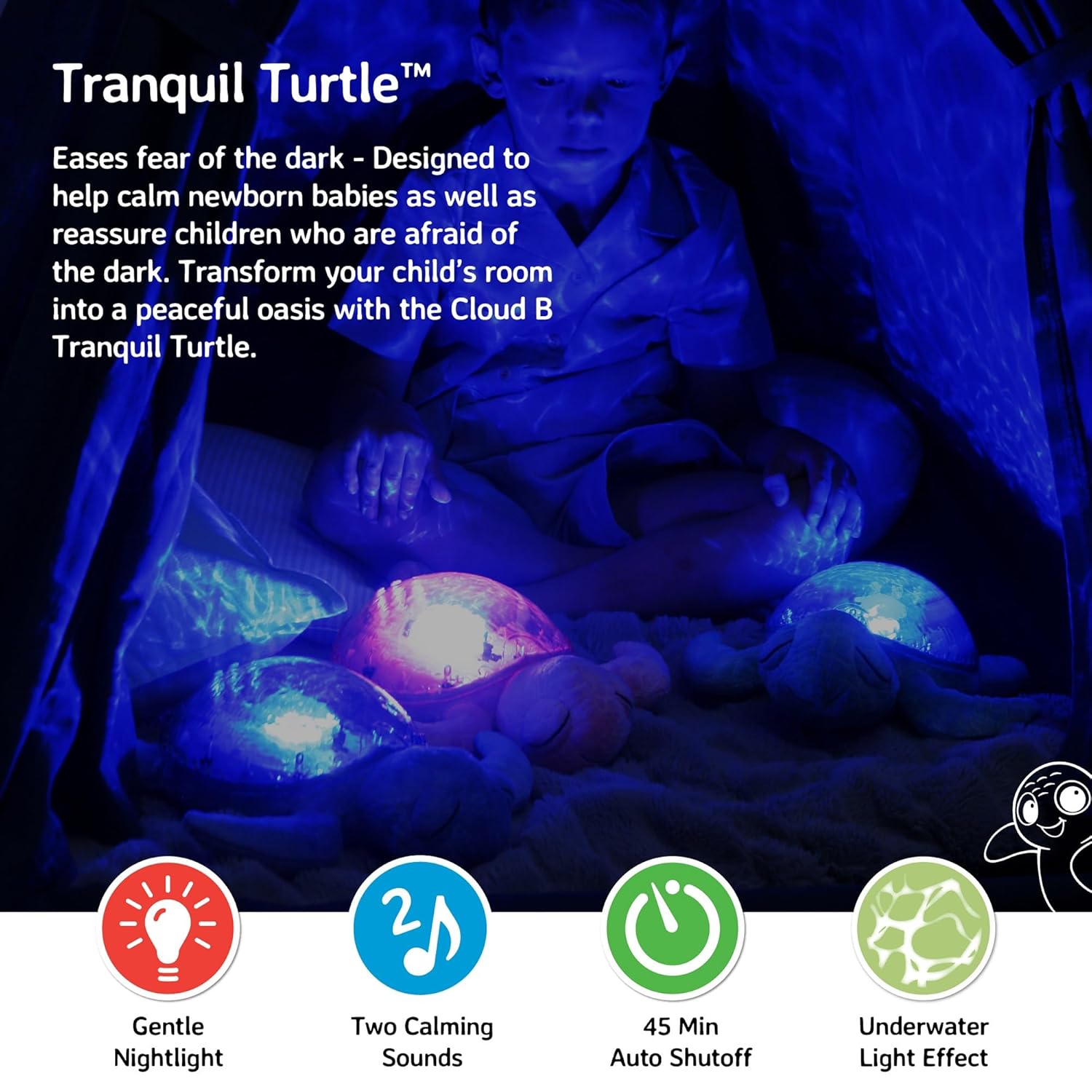
Figur 2: Projektion af havbølger i et børneværelse
3. Pakkens indhold
Sørg for at alle varer er til stede i pakken:
- 1 x Cloud b Rolig Skildpadde Natlampe
- 3 x AA-batterier (forinstalleret eller medfølger separat)
4. Opsætning
4.1 Batteriinstallation
Den rolige skildpadde kræver 3 AA-batterier. Disse er typisk inkluderet i dit køb.
- Find batterirummet på undersiden af skildpadden. Det er dækket af en stofflap, der er fastgjort med velcro.
- Åbn stofklappen for at afdække plastikdækslet til batterierne.
- Skru den lille skrue på batteridækslet af med en stjerneskruetrækker.
- Fjern batteridækslet.
- Isæt 3 AA-batterier, og sørg for at polerne (+/-) vender korrekt som angivet inde i batterirummet.
- Sæt batteridækslet på igen og fastgør det med skruen.
- Luk stofklappen.

Figur 3: Batterirum og betjeningselementer på undersiden
4.2 Indledende placering
Placer den rolige skildpadde på en plan overflade i det rum, hvor den skal bruges. For optimal projektion, placer den på gulvet eller et lavt bord midt i rummet.
5. Betjeningsvejledning
Betjeningsknapperne er placeret på skildpaddens plastikskal.
5.1 Tænd/sluk
Tryk på Power knap (normalt markeret med et strømsymbol) på skildpaddens skjold for at tænde eller slukke enheden.
5.2 Lysprojektion
Den rolige skildpadde projicerer en beroligende undervandslyseffekt. Du kan justere lysets egenskaber:
- Lysstyrke: Brug lysstyrkejusteringshjulet/kontakten (placeret i nærheden af batterirummet på undersiden) til at øge eller mindske intensiteten af det projicerede lys.
- Bølgebevægelse: Tryk på Knap til bølgebevægelse (ofte markeret med et bølgesymbol) for at skifte mellem statiske og bevægelige havbølgeprojektioner.

Figur 4: Kontrolknapper på skildpaddens skjold
5.3 lydtilstande
Den rolige skildpadde tilbyder to beroligende lydmuligheder:
- Blid melodi: En blød, beroligende musikalsk melodi.
- Hviskende bølger: Realistiske havbølgelyde.
Tryk på Lydtilstandsknap (ofte markeret med en node) for at skifte mellem disse to lyde. Brug Lydstyrkeknapper (markeret med '+' og '-') for at justere lydniveauet.
5.4 Automatisk slukning
Tranquil Turtle er designet til automatisk at slukke efter 23 minutter. Denne funktion er med til at sikre et helt mørkt og roligt miljø for optimal søvn og sparer batterilevetid.
Video 1: Demovideo af Tranquil Turtle (demonstration af funktioner leveret af sælger)
Denne video demonstrerer lysprojektionen, lydmulighederne og den overordnede funktionalitet af Tranquil Turtle.
6. Vedligeholdelse
6.1 Rengøring
For at rengøre din Tranquil Turtle skal du forsigtigt tørre overfladen af med enamp klud. Enheden må ikke nedsænkes i vand, og der må ikke anvendes skrappe rengøringsmidler, da dette kan beskadige de elektroniske komponenter.
6.2 Udskiftning af batteri
Når lyset dæmpes, eller lydene bliver forvrængede, er det tid til at udskifte batterierne. Følg trinene til batteriinstallation i afsnit 4.1.
7. Fejlfinding
| Problem | Mulig årsag | Løsning |
|---|---|---|
| Intet lys eller lyd | Batterierne er døde eller forkert isat; Strømafbryderen er slukket. | Udskift batterierne, og sørg for at polariteten vender korrekt; Sørg for at hovedafbryderen (på undersiden) er i 'ON'-positionen. |
| Lyset er svagt | Lavt batteriniveau; Lysstyrken er for lav. | Udskift batterierne; Juster lysstyrkehjulet/kontakten til en højere indstilling. |
| Bølgerne bevæger sig ikke | Indstillingen for bølgebevægelse er slået fra. | Tryk på knappen Bølgebevægelse for at aktivere bevægelse. |
| Lyden er forvrænget eller for lav | Lavt batteriniveau; Lydstyrken er for lav. | Udskift batterierne; Brug lydstyrkeknapperne til at øge lydniveauet. |
8. Specifikationer
- Produktdimensioner: 11.02 x 9.84 x 4 tommer
- Varens vægt: 1.21 pund
- Modelnummer: CB7423-PK
- Materiale Type: Plastik (skal), Plys (krop)
- Strømkilde: 3 AA batterier (medfølger)
- Automatisk slukningstimer: 23 minutter
- Oprindelsesland/-region: Kina
9. Garanti og support
Cloud b-produkter er fremstillet af materialer af høj kvalitet og gennemgår grundige tests. For information om garantidækning eller produktsupport, besøg venligst den officielle Cloud b-butik eller kontakt deres kundeservice direkte.


