Indledning
Tak for købetasing the WorkPro™ LED USB Desk Lamp with Wireless Charger. This manual provides detailed instructions for the safe and efficient use of your new desk lampLæs venligst denne manual grundigt inden brug, og gem den til senere brug.
Vigtige sikkerhedsoplysninger
- Udsæt ikke lamp for vand eller for høj fugtighed.
- Skil ikke apparatet ad eller forsøg at reparere det.amp dig selv. Overlad al service til kvalificeret personale.
- Sørg for, at strømkilden passer til lamp's requirements (e.g., 7 watts).
- Behold lamp væk fra varmekilder og direkte sollys.
- Use only the provided power adapter or a compatible one.
- Tag stikket ud af lamp under tordenvejr eller ved ubrugt i længere perioder.
Hvad er der i æsken
Når du åbner pakken, skal du kontrollere, at alle komponenter er til stede og ubeskadigede:
- WorkPro™ LED USB-skrivebord Lamp
- Strømadapter
- Fjernbetjening
- Brugervejledning (dette dokument)
Opsætning og montering
Udpakning af L'etamp
Fjern forsigtigt alle komponenter fra emballagen. Gem emballagen til senere opbevaring eller transport.
Placering af Lamp
Placer lamp on a stable, flat surface, such as a desk or table. Ensure there is enough space around the lamp for proper ventilation and adjustment.

Image: The WorkPro LED USB Desk Lamp positioned on a desk, showcasing dens slanke design og stabile base.
Tilslutning af strøm
Find strømindgangsporten på bagsiden af l'en.amp base. Insert the power adapter cable firmly into the port. Plug the other end of the power adapter into a standard electrical outlet.

Billede: Et nærbillede view af lamp's base, highlighting the USB charging ports and the power input connection point.
Betjeningsvejledning
Lamp Controls (Touch Control)
Lamp features touch controls integrated into its base for easy operation.
- Tænd/sluk: Lightly touch the power icon on the base to turn the lamp til eller fra.
- Justering af lysstyrke: Touch the brightness control area to cycle through 5 brightness levels.
- Farvetemperaturjustering: Touch the color temperature control area to cycle through 5 color modes (3000K-6000K).
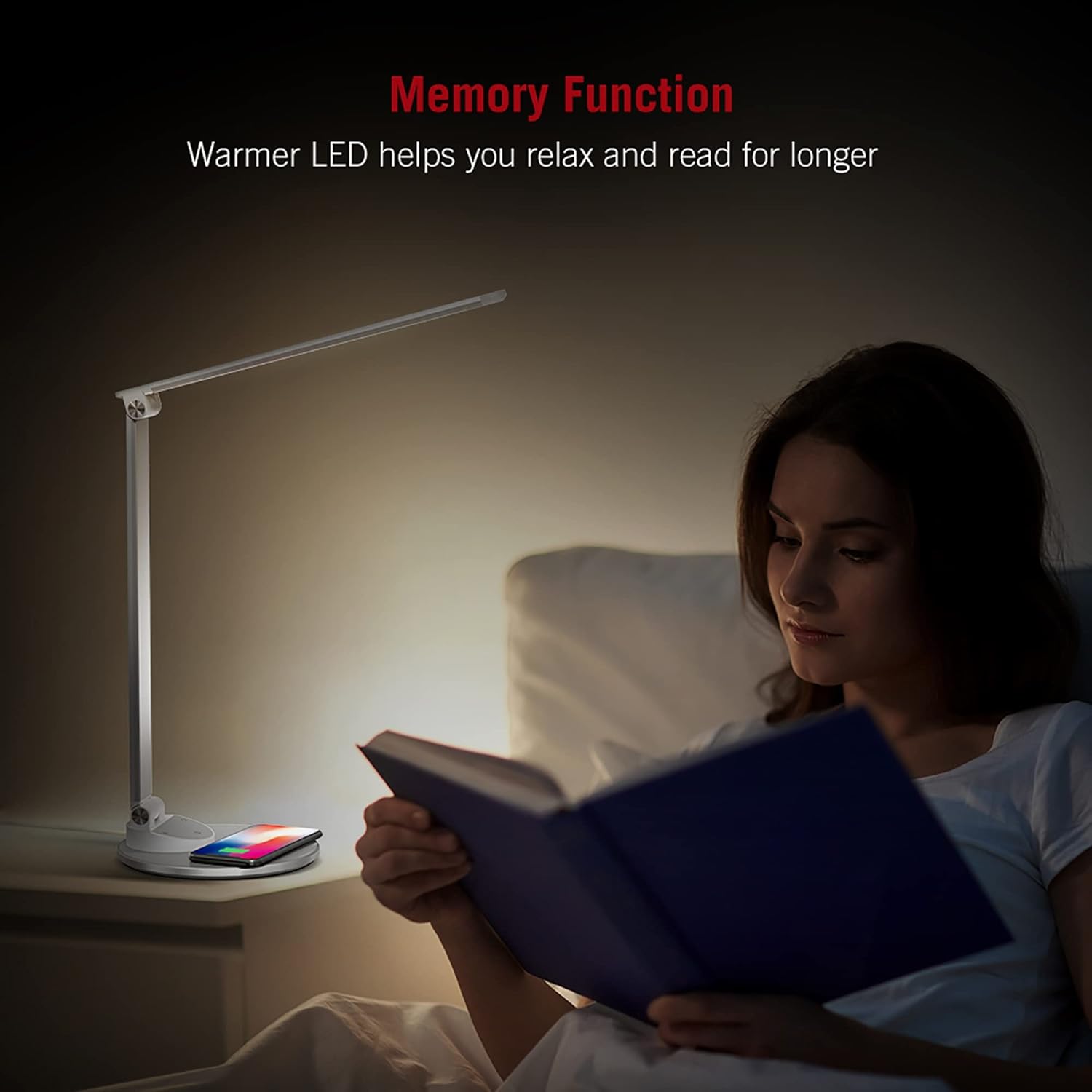
Image: An illustration demonstrating the five available color temperature modes (from warm to cool white) and five brightness levels of the WorkPro desk lamp.
Justering af Lamp Arm
Lamp features an adjustable arm for multi-angle lighting. Gently adjust the arm and head to your desired position. The lamp arm can be adjusted up to 135 degrees and the base arm up to 145 degrees.

Image: A diagram illustrating the adjustable angles of the lamp's arm (135 degrees) and its base (145 degrees), allowing for flexible positioning.
Trådløs opladningsfunktion
Lamp base includes a built-in wireless charging pad. To use, place your Qi-compatible device (e.g., smartphone) centered on the charging pad. The device should begin charging automatically.
- Sørg for, at din enhed understøtter trådløs Qi-opladning.
- Remove any thick cases that might interfere with charging.
- A charging indicator (if present on your device) will confirm charging status.

Image: The WorkPro desk lamp with a smartphone resting on its integrated wireless charging pad, demonstrating the charging feature.
USB-opladningsporte
Lamp also features USB ports for wired charging of other devices. Connect your device's USB cable to the port on the lamp grundlag.
Billede: Et nærbillede view af lamp's base, highlighting the USB charging ports and the power input connection point.
Hukommelsesfunktion
Lamp is equipped with a memory function that recalls your last used brightness and color temperature settings when turned back on.

Image: A person reading in bed, illuminated by the WorkPro lamp, demonstrating how the warmer LED settings can aid relaxation and extended reading.
Vedligeholdelse og pleje
- Rensning: Afbryd lamp Sluk for strømmen før rengøring. Brug en blød, tør klud til at tørre l'en af.amp's surfaces. Do not use abrasive cleaners, solvents, or harsh chemicals.
- Opbevaring: Hvis du opbevarer lamp i længere tid, skal du tage stikket ud og opbevare den et køligt og tørt sted, helst i sin originale emballage.
- LED lys: The LED lights are integrated and not user-replaceable. Do not attempt to replace them.
Fejlfinding
| Problem | Mulig årsag | Løsning |
|---|---|---|
| Lamp tændes ikke. | Not plugged in; power outlet not working; power adapter faulty. | Ensure power adapter is securely plugged into lamp and outlet. Test outlet with another device. Try a different compatible power adapter. |
| Trådløs opladning virker ikke. | Enheden er ikke Qi-kompatibel; enheden er ikke korrekt justeret; tykt telefoncover; fremmedlegemer på puden. | Verify device supports Qi charging. Re-position device on the center of the pad. Remove phone case. Remove any metal objects or cards from the pad. |
| Lamp flickers or light is unstable. | Unstable power supply; faulty lamp. | Try plugging into a different outlet. If problem persists, contact customer support. |
Produktspecifikationer
| Feature | Detalje |
|---|---|
| Modelnummer | WP2000S |
| Mærke | WorkPro |
| Lyskildetype | LED |
| Wattage | 7 watt |
| Farvetilstande | 5 (3000K-6000K) |
| Lysstyrkeniveauer | 5 |
| Kontrolmetode | Røre |
| Særlige funktioner | Adjustable Arm, Energy Efficient, Wireless Charging, USB Charging Ports, Memory Function |
| Materiale | Metal, Porcelain |
| Produktdimensioner | 17.75 x 8.5 x 3 tommer |
| Varens vægt | 3.49 pund (1.59 kilo) |
| Strømkilde | Elektrisk med ledning |
| Forbindelsesteknologi | USB |
| UPC | 735854860363 |
Garantioplysninger
Specifikke garantioplysninger findes typisk i din købsdokumentation eller på producentens officielle website. Please refer to the warranty card included in your product packaging or visit the WorkPro official webwebstedet for den mest opdaterede garantipolitik.
Kundesupport
For technical assistance, troubleshooting beyond this manual, or warranty claims, please contact WorkPro customer support:
- WorkPro Store on Amazon: Visit WorkPro Store
- Refer to your product packaging for direct contact information (phone number, email address) if available.


