1. Introduktion
Tak for købetasing the Audibax Oregon 60 Moving Head LED Light. This professional lighting fixture is designed to provide dynamic and vibrant lighting effects for various events and venues. Featuring a powerful 60W RGBW LED and an additional LED ring, the Oregon 60 offers versatile color mixing and precise beam control. To ensure safe and optimal performance, please read this manual thoroughly before operation and retain it for future reference.
2. Sikkerhedsinstruktioner
Overhold altid følgende sikkerhedsforanstaltninger for at forhindre elektrisk stød, brand eller personskade:
- Strømforsyning: Tilslut kun enheden til en jordet stikkontakt med den korrekte lydstyrke.tage as specified on the device.
- Fugtighed: Do not expose the unit to rain or moisture. Avoid using it in damp eller våde omgivelser.
- Varme: Keep the unit away from heat sources. Ensure adequate ventilation to prevent overheating.
- Service: Forsøg ikke at reparere enheden selv. Overlad al service til kvalificeret personale.
- Montering: Ensure the unit is securely mounted using appropriate hardware. Always use a safety cable when suspending the unit.
- Direct Eye Exposure: Avoid direct eye exposure to the light source. The light output can be harmful to the eyes.
- Rensning: Afbryd strømmen før rengøring. Brug en blød, tør klud.
3. Pakkens indhold
Ved udpakning skal du kontrollere, at alle nedenstående varer er til stede og i god stand:
- Audibax Oregon 60 Moving Head LED Light
- Strømkabel
- Monteringsbeslag (hvis medfølger)
- Brugervejledning (dette dokument)
4. Produktet er slutview
The Audibax Oregon 60 is a compact yet powerful moving head fixture. It features a main 60W RGBW LED for vibrant color mixing and an additional LED ring for dynamic visual effects. The unit includes a display and control buttons for easy navigation of settings, as well as DMX input/output for professional control.

Figur 4.1: Front view of the Audibax Oregon 60 Moving Head LED Light with its main LED and surrounding LED ring illuminated in blue and red, showcasing its dynamic lighting capabilities.
4.1 Frontpanel og betjeningselementer
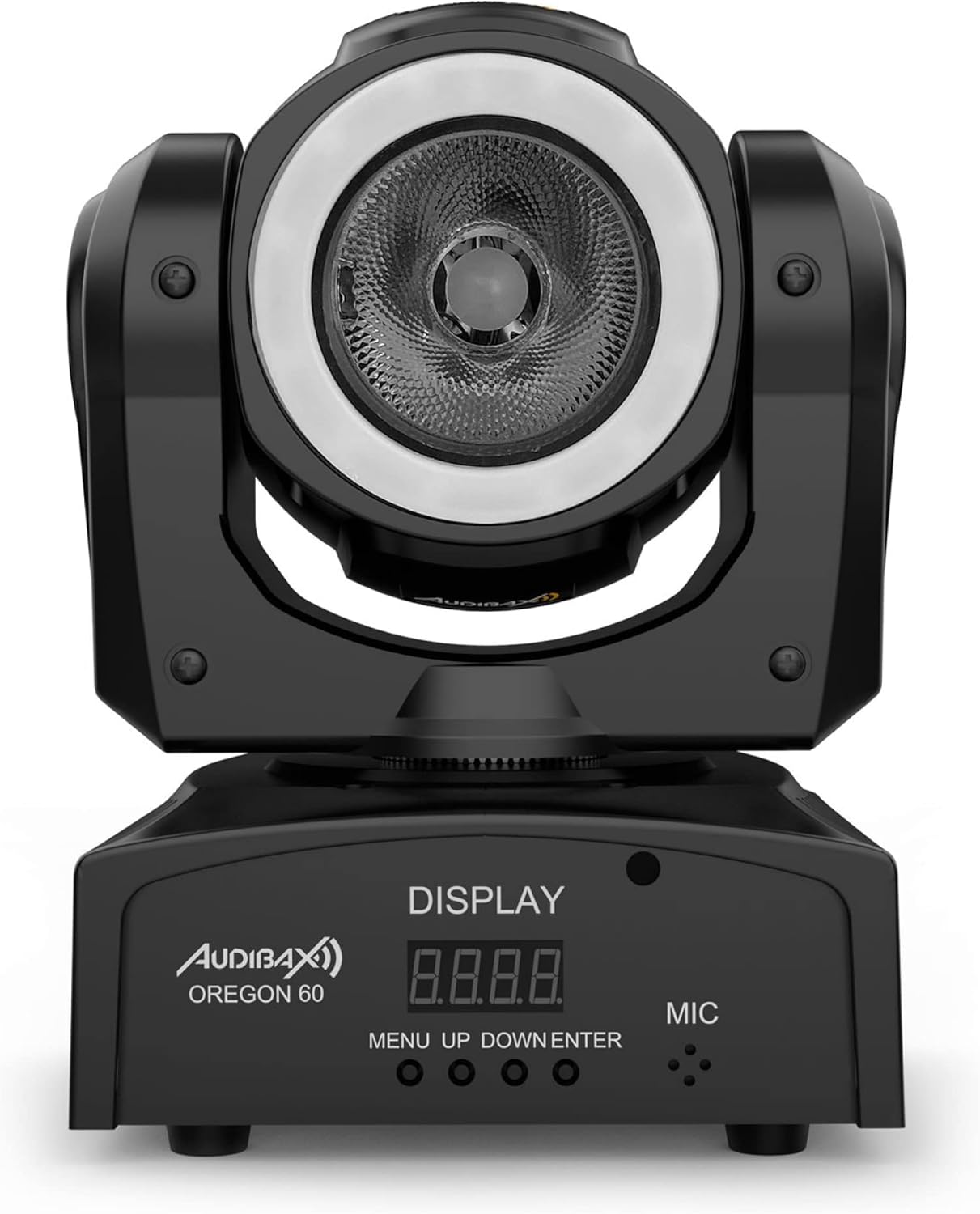
Figur 4.2: Detaljeret front view of the Audibax Oregon 60, highlighting the digital display and the 'MENU', 'UP', 'DOWN', and 'ENTER' control buttons, along with the built-in microphone.
- Vise: Digital screen for menu navigation and status indication.
- MENU knap: Accesses the main menu and navigates back.
- OP/NED knapper: Naviger gennem menupunkter og juster værdier.
- ENTER knap: Confirms selections and saves settings.
- MIC: Built-in microphone for sound-activated modes.
4.2 Bagpanel og tilslutninger

Figur 4.3: Rear panel of the Audibax Oregon 60, displaying the DMX IN and OUT ports, and the power input socket, along with a caution label.
- DMX IN: 3-pin XLR input for DMX control signal.
- DMX UD: 3-pin XLR output for linking to other DMX fixtures.
- STRØM IND: IEC power input socket for connecting the main power cable.
5. Opsætning
5.1 Montering
The Audibax Oregon 60 can be mounted in various positions (floor, truss, wall) using the included mounting bracket. Always ensure the mounting surface or truss is capable of supporting the fixture's weight and use a safety cable for overhead installations.
- Fastgør monteringsbeslaget sikkert til armaturet med de medfølgende skruer.
- Secure the fixture to a truss or suitable surface using a clamp (not included) and the mounting bracket.
- For overhead mounting, always attach a safety cable to the designated safety point on the fixture and secure it to the truss or support structure.
5.2 Strømtilslutning
Connect the supplied power cable to the POWER IN socket on the rear of the fixture and then to a grounded electrical outlet.
5.3 DMX-tilslutning (valgfrit)
For DMX control, connect a DMX controller to the DMX IN port of the first fixture. Use DMX OUT to link to the DMX IN of subsequent fixtures in a daisy chain. Ensure the last fixture in the chain has a DMX terminator (not included) connected to its DMX OUT port.
6. Driftstilstande
The Audibax Oregon 60 offers several operating modes, which can be selected via the onboard display and control buttons.
6.1 Menunavigation
Tryk på MENU button to enter the main menu. Use the UP og NED buttons to scroll through options. Press ENTER to select an option or confirm a setting. Press MENU again to go back or exit the menu.
6.2 DMX-tilstand
In DMX mode, the fixture is controlled by an external DMX controller. Set the DMX address using the menu. Refer to the DMX channel chart (usually provided in a separate DMX manual or appendix) for specific control functions.
- Trykke MENU for at få adgang til hovedmenuen.
- Navigate to the DMX Address setting (e.g., "Addr").
- Bruge OP/NED to set the desired DMX start address.
- Trykke ENTER for at bekræfte.
6.3 Auto-tilstand
Auto mode runs pre-programmed light shows without the need for an external controller.
- Trykke MENU for at få adgang til hovedmenuen.
- Navigate to "Auto" or a similar option.
- Trykke ENTER to select. You may have options to choose different auto programs or adjust speed.
6.4 Lydaktiveret tilstand
In sound-activated mode, the fixture reacts to ambient sound via its built-in microphone.
- Trykke MENU for at få adgang til hovedmenuen.
- Navigate to "Sound" or a similar option.
- Trykke ENTER to select. The fixture will now react to music or sound.
6.5 Master/Slave-tilstand
This mode allows multiple Oregon 60 units to synchronize their operation without a DMX controller. One unit acts as the Master, and others as Slaves.
- Hovedenhed: Set one fixture to "Master" mode (e.g., "Mstr" in the menu) and select an Auto or Sound program.
- Slave Units: Set all other fixtures to "Slave" mode (e.g., "Slav" in the menu).
- Connect the DMX OUT of the Master unit to the DMX IN of the first Slave unit. Continue daisy-chaining DMX OUT to DMX IN for all subsequent Slave units.
- The Slave units will now mimic the Master unit's program.
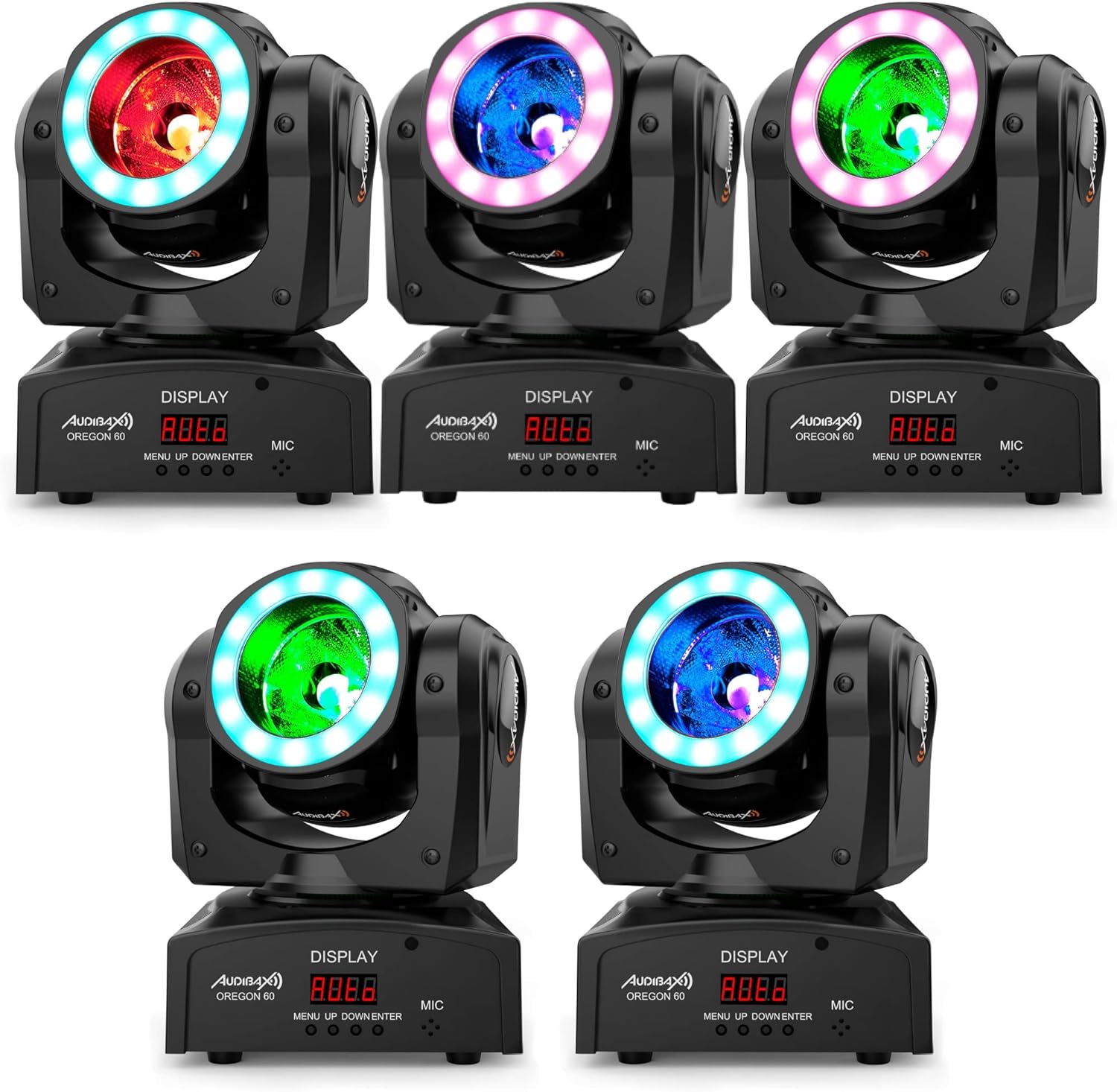
Figur 6.1: An array of Audibax Oregon 60 moving head lights, each emitting different colors (red, blue, green), demonstrating their synchronized or varied lighting capabilities in a multi-unit setup.
7. Vedligeholdelse
Regular maintenance ensures the longevity and optimal performance of your Audibax Oregon 60.
- Rensning: Rengør linserne og det ydre med jævne mellemrum.asing with a soft, lint-free cloth. Do not use abrasive cleaners or solvents. Ensure the unit is disconnected from power before cleaning.
- Ventilation: Sørg for, at ventilationsåbningerne er fri for støv og snavs.
- Inspektion: Regularly check power cables, DMX cables, and mounting hardware for any signs of wear or damage. Replace damaged components immediately.
8. Fejlfinding
If you encounter issues with your Audibax Oregon 60, refer to the following common problems and solutions:
| Problem | Mulig årsag | Løsning |
|---|---|---|
| Ingen strøm | Power cable not connected; no power from outlet; faulty cable. | Check power cable connection; test outlet with another device; replace power cable. |
| Ingen DMX kontrol | Incorrect DMX address; faulty DMX cable; DMX terminator missing; DMX controller issue. | Verify DMX address setting; check DMX cable connections; ensure DMX terminator is used on the last fixture; test with a different DMX controller. |
| Fixture not moving/responding | Incorrect operating mode selected; DMX signal issue; internal fault. | Check selected operating mode (Auto, Sound, DMX); troubleshoot DMX connection; if problem persists, contact support. |
| Light output is dim or inconsistent | Dirty lens; overheating; internal LED issue. | Clean the lens; ensure proper ventilation; if problem persists, contact support. |
9. Specifikationer
Technical specifications for the Audibax Oregon 60 Moving Head LED Light:
- Model: Oregon 60
- Produktmål (L x B x H): 29 x 20 x 23 cm
- Vægt: 2.5 kilo
- Lyskilde: 60W RGBW LED + LED Ring
- Materiale: Polyurethan
- Strømkilde: El-kabel
- Kontroltilstande: DMX, Auto, Sound-Activated, Master/Slave
- Producentens modelnummer: 10157450
10. Garanti og support
Audibax products are designed and manufactured to the highest quality standards. For information regarding warranty terms and conditions, please refer to the warranty card included with your product or visit the official Audibax website. For technical support, spare parts, or service inquiries, please contact Audibax customer service through their official channels.
Fabrikant: Audibax
ASIN: B084296QTH


