Indledning
This manual provides detailed instructions for the setup, operation, and maintenance of your SOLIOM S600 Outdoor WiFi Security Camera. The S600 is a solar-powered, pan-tilt camera designed for outdoor surveillance, featuring 1080p HD video, color night vision, two-way audio, and motion detection capabilities.
Sikkerhedsoplysninger
Antenna is not waterproof downwards, so do not point the antennas downwards to the earth.
Hvad er der i æsken
- 1x S600 Security Camera
- 1 x solpanel
- 1 x USB kabel
- 1x brugervejledning
- 1x beslag
- 1x Fitting Bag
- 1x 1/4-Inch Collet
Opsætning
1. Første opladning
Before first use, ensure the camera's built-in battery is fully charged using the provided USB cable. This ensures optimal performance from the start.
2. Installation af SD-kort
The camera supports a micro memory card up to 128GB for local video storage. Insert the card into the designated slot (usually under a protective cover) and format it via the Soliom+ app for proper functionality.
3. Nulstilling af kameraet
To reset the camera, locate the reset button (often a small pinhole) and press and hold it until you hear an audible prompt indicating a system reset.
4. Connecting to Solar Panel
Connect the solar panel cable to the camera's power input. Ensure the connection is secure and the screw cap is tightened to maintain weather resistance. The solar panel will continuously charge the camera's battery when exposed to direct sunlight.
5. Download og parring af app
- Download the 'Soliom+' app from your mobile phone's app store.
- Opret en ny konto, eller log ind, hvis du allerede har en.
- Follow the in-app instructions to add a new device. Ensure your phone is connected to a 2.4GHz WiFi network (5G WiFi is not supported).
- The app will generate a QR code. Position your phone so the camera lens can scan this QR code. You will hear a confirmation sound when pairing is successful.
6. Installation
Mount the camera using the provided bracket and fitting bag. It is recommended to install the camera in a direction not higher than 9 feet from the ground for optimal detection and interaction. Adjust the solar panel's angle to maximize direct sunlight exposure for efficient charging. Ensure antennas are adjusted to the proper position for best signal reception.
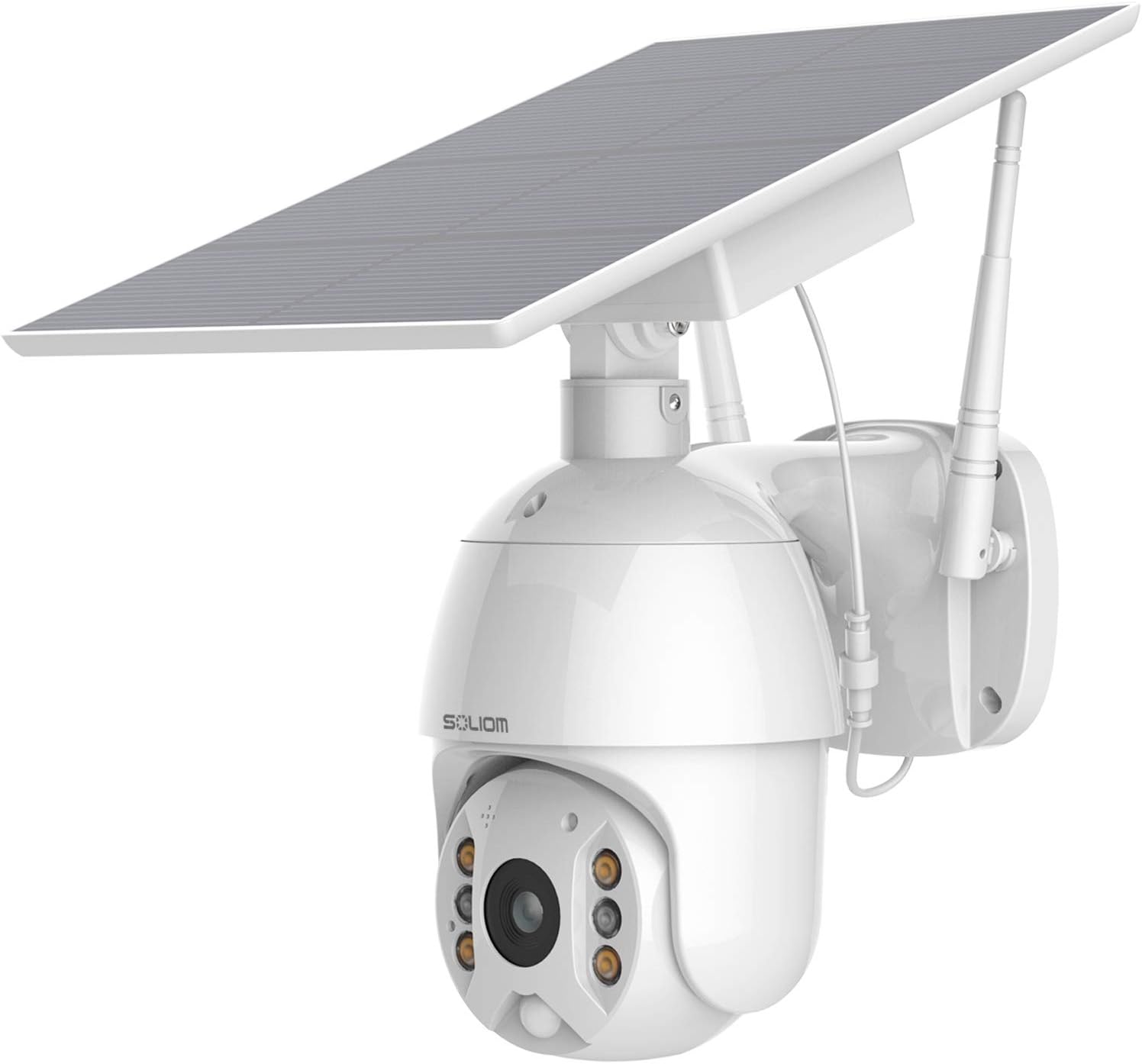
Image: SOLIOM S600 camera with attached solar panel, ready for installation.
Video: Step-by-step guide on how to pair the SOLIOM S600 camera with the Soliom+ app.
Video: Instructions on how to set up and install the Soliom S600 Solar Camera.
Drift
1. Panorerings- og vippekontrol
The camera can be controlled remotely via the Soliom+ app, allowing 320° horizontal pan and 90° vertical tilt for a flexible view. Digital zoom (3X) is also available.
2. Full 1080P HD and Color Night Vision
The camera provides 1080p full HD video during the daytime. At night, motion-activated spotlights and 4 white LEDs enable clear color night vision up to 32 feet in low light conditions.

Image: The SOLIOM S600 camera's spotlight activated, illuminating a dark area for color night vision.
3. Tovejslyd
Utilize the built-in microphone and speaker for clear two-way communication with visitors or to deter intruders directly through the app.

Image: A person speaking through the Soliom+ app's two-way audio feature to a delivery person at the door.
4. Accurate and Fast PIR Motion Detection
The camera features a 120° detecting angle with a highly sensitive PIR motion sensor and software pixel analysis technology to reduce false alarms and capture human movements effectively.

Image: The SOLIOM S600 camera detecting an intruder and emitting a siren alert.
5. Secure and Alternative Data Storage
Videos can be saved to a micro memory card (up to 128GB) or to cloud storage (one-month free trial available). All videos can be replayed and downloaded directly via the app. RTMPS streaming encryption is used for secure data storage with Amazon cloud web service.

Image: A smartphone displaying the Soliom+ app interface, highlighting options for cloud storage and memory card recording.
6. Schedule Working Time & Siren Alert
The Soliom+ app allows you to schedule the camera's working times and configure siren alerts based on your preferences.

Image: A smartphone screen displaying the 'Schedule Working Time & Siren Alert' settings within the Soliom+ app.
Opretholdelse
- Regularly clean the solar panel to ensure maximum charging efficiency.
- Check all cable connections periodically to ensure they remain secure and waterproof.
- Sørg for, at kameralinsen er ren for at få en klar billedkvalitet.
- Periodisk vedrview optaget footage and app settings to ensure optimal performance and security.
Fejlfinding
- 5G WiFi Incompatibility: This camera does not support 5G WiFi. Ensure your router is configured to use a 2.4GHz network for connection.
- Forbindelsesproblemer: If the camera frequently disconnects, check your WiFi signal strength at the camera's location. Ensure the camera is within range of your 2.4GHz WiFi network.
- Blurry Night Images: Ensure there are no objects directly in front of the camera that might be blocking the night vision infrared or spotlight LEDs.
- Missing Mounting Hardware: If any parts are missing, contact SOLIOM customer support for assistance.
Specifikationer
| Feature | Værdi |
|---|---|
| Indendørs/Udendørs brug | Udendørs |
| Strømkilde | Solcelledrevet |
| Forbindelsesprotokol | Wi-Fi (kun 2.4 GHz) |
| Videooptagelsesopløsning | 1080p |
| Pan / tilt vinkel | 320° vandret, 90° lodret |
| Digital Zoom | 3X |
| Night Vision Range | Up to 32 feet (Color Night Vision) |
| Bevægelsesdetektion | PIR Motion Sensor (120° detecting angle) |
| To-vejs lyd | Ja |
| Opbevaringsmuligheder | Micro SD-kort (op til 128 GB), Cloud-lagring |
| Vandmodstandsniveau | IP65 |
| Varens vægt | 2 pund |
| Emnemål L x B x H | 6.69 x 4.72 x 10.24 tommer |
Garanti og support
For warranty information and technical support, please refer to the official SOLIOM website or the documentation included with your product. You can also contact SOLIOM customer service directly through the Soliom+ app or their support channels.


