1. Introduktion
This manual provides essential instructions for the safe installation, operation, and maintenance of your Legrand Arteor USB Charger Module, Model 573422. Please read this manual thoroughly before installation and retain it for future reference.
2. Sikkerhedsoplysninger
ADVARSEL: Electrical shock hazard. Installation must be performed by a qualified electrician in accordance with all local and national electrical codes. Disconnect power at the circuit breaker before installation or servicing.
- Udsæt ikke enheden for fugt eller ekstreme temperaturer.
- Forsøg ikke at adskille eller modificere enheden.
- Sørg for korrekt jordforbindelse, hvor det er nødvendigt.
- Brug kun med kompatible USB-enheder.
3. Pakkens indhold
Kontroller, at alle komponenter er til stede, før du fortsætter installationen:
- 1x Legrand Arteor USB Charger Module (IS13252 Part 1 / IEC 60950,1)

Figur 1: Forside view of the Legrand Arteor USB Charger Module, showing two USB-A ports and a battery charging icon.
4. Opsætning og installation
This USB charger module is designed for integration into a compatible Legrand Arteor mounting frame and plate. Professional installation is recommended.
- Strømafbrydelse: Before beginning any electrical work, ensure the main power supply to the circuit is turned off at the circuit breaker. Verify with a voltage tester.
- Modulindsættelse: Carefully insert the USB charger module into the designated slot within the Arteor mounting frame. Ensure it clicks securely into place.
- Ledningsforbindelser: Connect the electrical wires (Live, Neutral, Earth) to the corresponding terminals on the rear of the module. Refer to the wiring diagram provided with your Arteor mounting frame or consult a qualified electrician. Ensure all connections are tight and secure.
- Montering af monteringsplade: Once the module is wired and secured in the frame, attach the Arteor cover plate according to its specific instructions.
- Strømgendannelse: Gendan strømmen ved afbryderen.

Figur 2: Side view of the module, illustrating its compact design for integration into a wall plate.

Figur 3: Vinklet view showing the rear housing and terminal access for wiring.
5. Betjeningsvejledning
The Legrand Arteor USB Charger Module provides convenient power for charging compatible USB devices.
- Tilslut enhed: Plug a standard USB-A charging cable into one of the two USB ports on the module.
- Begynd opladning: Connect the other end of the USB cable to your compatible device (e.g., smartphone, tablet, PC). The device should begin charging automatically.
- Opladningsindikation: The module does not feature an explicit charging indicator light. Refer to your device's screen for charging status.
- Afbryd enhed: Once charging is complete, safely disconnect your device and then the USB cable from the module.
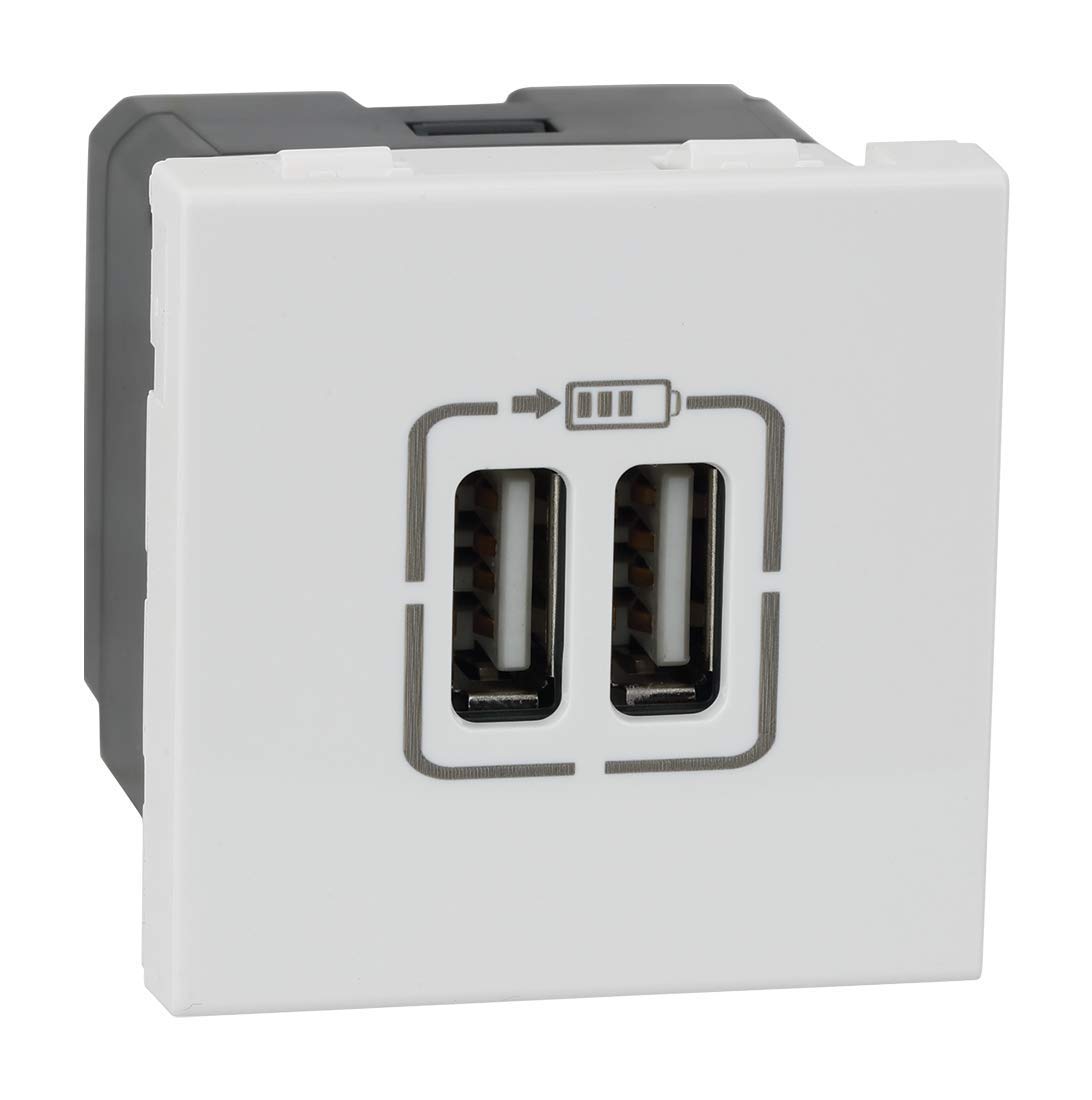
Figur 4: Vinklet front view highlighting the two USB-A charging ports.
6. Vedligeholdelse
- Rensning: Disconnect power before cleaning. Wipe the surface of the module with a soft, dry, or slightly damp klud. Brug ikke slibende rengøringsmidler, opløsningsmidler eller for meget fugt.
- Inspektion: Periodically inspect the module and surrounding plate for any signs of damage, loose connections, or discoloration. If any issues are observed, disconnect power and consult a qualified electrician.
7. Fejlfinding
| Problem | Mulig årsag | Løsning |
|---|---|---|
| Enheden oplader ikke. | Ingen strøm til modulet. Defekt USB-kabel. Inkompatibel enhed. Modulfejl. | Tjek afbryderen. Prøv et andet USB-kabel. Ensure device is USB-compatible. Kontakt en kvalificeret elektriker. |
| Langsom opladning. | High power demand from device. Defekt USB-kabel. | Ensure device is not running power-intensive applications. Try a different, high-quality USB cable. |
8. Specifikationer
- Modelnummer: 573422
- Mærke: Legrand
- Connector Type: USB-A
- Samlet antal USB-porte: 2
- Input bindtage: 5 Volts (from mains supply via internal conversion)
- Udgangsstrøm: 3 Amps (Total)
- Materiale: Polycarbonat
- Farve: Hvid
- Produktdimensioner: 4.5 x 4.5 x 4.2 cm
- Varens vægt: 80 g
- Standarder: IS13252 (Part 1) / IEC 60950,1
9. Garantioplysninger
This Legrand Arteor USB Charger Module comes with a 2 års garanti provided by the manufacturer from the date of purchase. Please retain your proof of purchase for warranty claims. The warranty covers manufacturing defects under normal use conditions. It does not cover damage resulting from improper installation, misuse, accidents, or unauthorized modifications.
10. Kundesupport
For technical assistance, warranty claims, or further information, please contact Legrand customer service. Refer to the Legrand official webwebstedet eller produktemballagen for aktuelle kontaktoplysninger.
Legrand-embedsmand Webwebsted: www.legrand.co.in


