1. Produktet er slutview
The Sigma 18-35mm f/1.8 DC HSM Art Lens for Canon EF is a high-performance lens designed for APS-C format cameras. It features a constant f/1.8 maximum aperture, making it suitable for low-light photography and achieving shallow depth of field. This bundle includes essential accessories to enhance your photography experience.
Nøglefunktioner:
- Bright f/1.8 constant maximum aperture for stellar low-light shots.
- Part of Sigma's esteemed Art line, ideal for creative applications.
- Wide-to-normal zoom catering to APS-C Canon EF-mount cameras, with a 28.8-56mm equivalent focal length range.
- Employs Five Special Low Dispersion (SLD) elements for reduced chromatic aberrations.
- Four aspherical elements ensuring limited distortion and heightened sharpness.
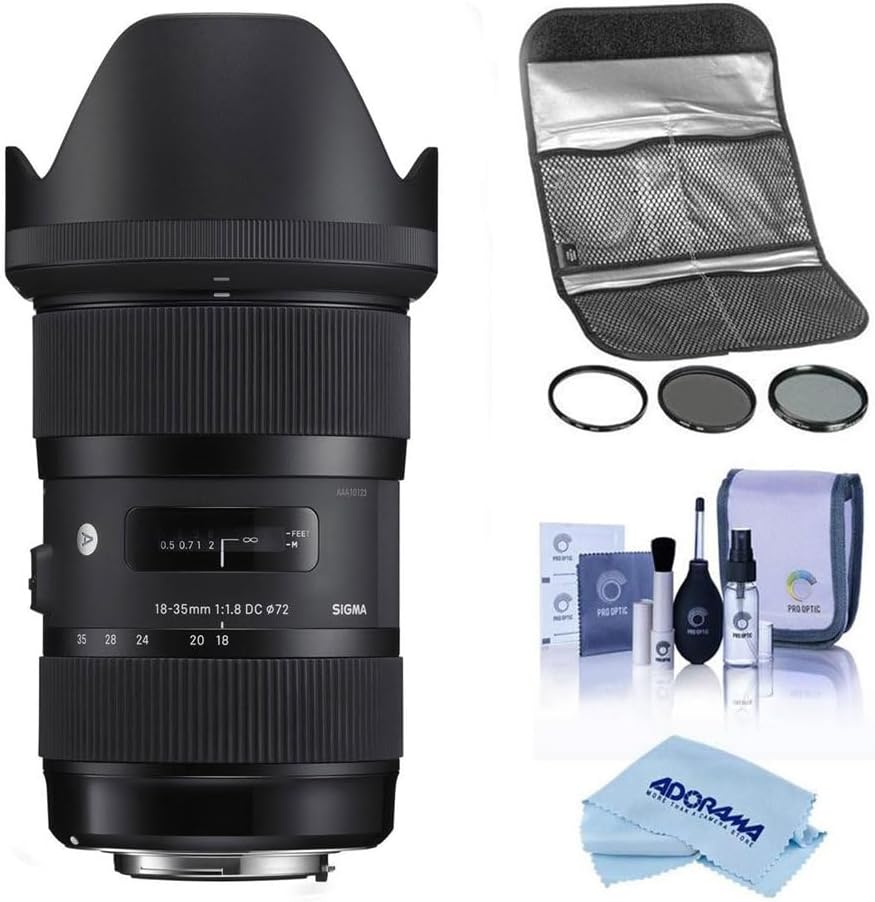
Image 1: The Sigma 18-35mm f/1.8 DC HSM Art Lens bundled with a Hoya 72mm Filter Kit II, a comprehensive cleaning kit, and a microfiber cleaning cloth.
2. Pakkens indhold
Bekræft at alle varer er til stede i din pakke:
- Sigma 18-35mm f/1.8 DC HSM Art Lens
- Modlysblænde
- Frontlinsedæksel
- Bageste objektivdæksel
- Hoya 72mm Filter Kit II (UV, CPL, ND filters)
- Lens Filter Pouch
- Pro Optic Cleaning Kit (Lens cleaning fluid, lens brush, air blower, lens tissues)
- Microfiber klud
3. Opsætning
3.1 Montering af objektivet
- Sørg for, at dit kamera er slukket.
- Remove the rear lens cap from the Sigma lens and the body cap from your Canon EF-mount camera.
- Align the red index mark on the lens barrel with the red index mark on your camera's lens mount.
- Sæt objektivet i kamerafatningen, og drej det med uret, indtil det klikker på plads. Tving ikke objektivet.
- Attach the lens hood by aligning its mark with the mark on the front of the lens and twisting until it locks.
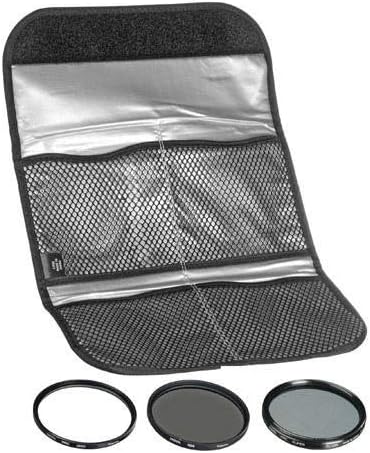
Image 2: The rear of the Sigma 18-35mm lens, showing the Canon EF mount for attachment to the camera body.
3.2 Installing Filters
The Hoya 72mm Filter Kit II includes UV, Circular Polarizer (CPL), and Neutral Density (ND) filters. These can be screwed onto the front of the lens.
- Carefully remove the lens cap.
- Gently screw the desired 72mm filter onto the front thread of the lens until it is secure. Do not overtighten.
- For the CPL filter, rotate the outer ring to adjust the polarization effect.

Image 3: The Hoya 72mm Filter Kit II, including UV, CPL, and ND filters, stored in a protective pouch.
4. Betjening af objektivet
4.1 Focus Modes (AF/MF)
The lens features a switch to select between Autofocus (AF) and Manual Focus (MF).
- Sæt kontakten til AF for automatic focusing. The camera will control the focus.
- Sæt kontakten til MF for manual focusing. Rotate the focus ring on the lens to adjust focus manually.

Image 4: The side of the Sigma 18-35mm lens, highlighting the AF/MF focus mode switch.
4.2 Zoomning
Rotate the zoom ring on the lens to adjust the focal length between 18mm (wide-angle) and 35mm (standard).

Image 5: The Sigma 18-35mm lens, showing the zoom and focus rings.
4.3 Blænde
This lens features a constant f/1.8 maximum aperture across its entire zoom range. This wide aperture allows for excellent performance in low-light conditions and provides significant control over depth of field, enabling subjects to stand out against blurred backgrounds.
Note: This lens does not include built-in image stabilization. For video recording or in very low light conditions, using a tripod is recommended to minimize camera shake.
5. Vedligeholdelse
5.1 Cleaning the Lens and Accessories
Regular cleaning helps maintain the optical performance and longevity of your lens and filters. Use the included Pro Optic Cleaning Kit and microfiber cloth.
- Use the air blower to remove loose dust and debris from the lens and filter surfaces.
- For stubborn dust or smudges, use the lens brush gently.
- Apply a small amount of lens cleaning fluid to a clean lens tissue or the microfiber cloth, then gently wipe the lens surface in a circular motion. Avoid applying fluid directly to the lens.
- Ensure the lens and filters are dry before reattaching caps or storing.

Image 6: The Pro Optic Cleaning Kit, including lens cleaning fluid, a lens brush, and an air blower.

Image 7: A microfiber cleaning cloth, suitable for delicate lens surfaces.
5.2 Opbevaring
- Sæt altid det forreste og bageste objektivdæksel på, når objektivet ikke er i brug.
- Opbevar linsen et køligt, tørt sted, væk fra direkte sollys og ekstreme temperaturer.
- If storing for extended periods, consider using a dehumidifier or desiccant to prevent mold growth.
6. Fejlfinding
If you encounter issues with your lens, consider the following common solutions:
- Slørede billeder:
- Check if the lens is properly attached to the camera.
- Ensure the focus mode is set correctly (AF for autofocus, MF for manual focus).
- Verify that the camera's autofocus points are correctly selected and focusing on your intended subject.
- In low light, use a tripod or increase ISO to avoid camera shake, as this lens does not have image stabilization.
- Lens Not Focusing:
- Confirm the AF/MF switch on the lens is set to AF.
- Clean the electrical contacts on both the lens and camera body with a clean, dry cloth.
- Sørg for, at der er tilstrækkeligt lys til, at autofokussystemet kan fungere effektivt.
- Dust or Spots on Images:
- Clean the front and rear elements of the lens using the provided cleaning kit.
- Check your camera's sensor for dust. Refer to your camera's manual for sensor cleaning procedures or consult a professional.
7. Specifikationer
| Feature | Detalje |
|---|---|
| Mærke | Sigma |
| Modelnummer | 18-35mm F/1.8 |
| Brændvidde | 18-35 millimeter |
| Maksimal blænde | f/1.8 |
| Linsetype | Standard, Wide Angle |
| Kompatible monteringer | CanonEF |
| Produktdimensioner | 7.1 x 4.8 x 4.7 tommer |
| Varens vægt | 3.51 pund |
| ASIN | B083B6DF9B |
| Dato først tilgængelig | 31. december 2019 |
8. Garanti og support
This Sigma lens is backed by Sigma's full factory warranty and repair services. For specific warranty details and service inquiries, please refer to the official Sigma website or contact an authorized Sigma dealer.
Købasing from an authorized dealer ensures you receive genuine Sigma products and access to official support.
Video 1: Information regarding purchasing from an authorized Sigma dealer and warranty details.


