1. Introduktion og overview
The Denon Home 350 is a versatile wireless speaker designed to deliver high-fidelity audio throughout your home. Featuring advanced acoustic hardware, built-in HEOS technology, Bluetooth, and AirPlay 2, it supports multi-room streaming and a wide range of music sources. This manual provides essential information for setting up, operating, and maintaining your Denon Home 350 speaker.

2. Produktfunktioner
2.1 Lydydelse
The Denon Home 350 is engineered for detailed and immersive sound. It features two 0.75-inch tweeters and two 6.5-inch woofers, powered by efficient Class D amplifiers, ensuring accurate audio output across all frequencies. The speaker's acoustic design is optimized to fill large spaces with vibrant clarity.

2.2 Multi-Room and Streaming Capabilities
With built-in HEOS technology, the Denon Home 350 allows for seamless multi-room audio. You can play the same song in every room or different songs in each connected room. It supports streaming from popular services like Spotify, TIDAL, Pandora, Deezer, and Sirius XM. Connectivity options include Wi-Fi, AirPlay 2, Bluetooth, USB, and Aux input, supporting high-resolution formats such as ALAC, FLAC, WAV up to 192 kHz/24-bit, plus DSD 2.8 MHz and 5.6 MHz tracks.
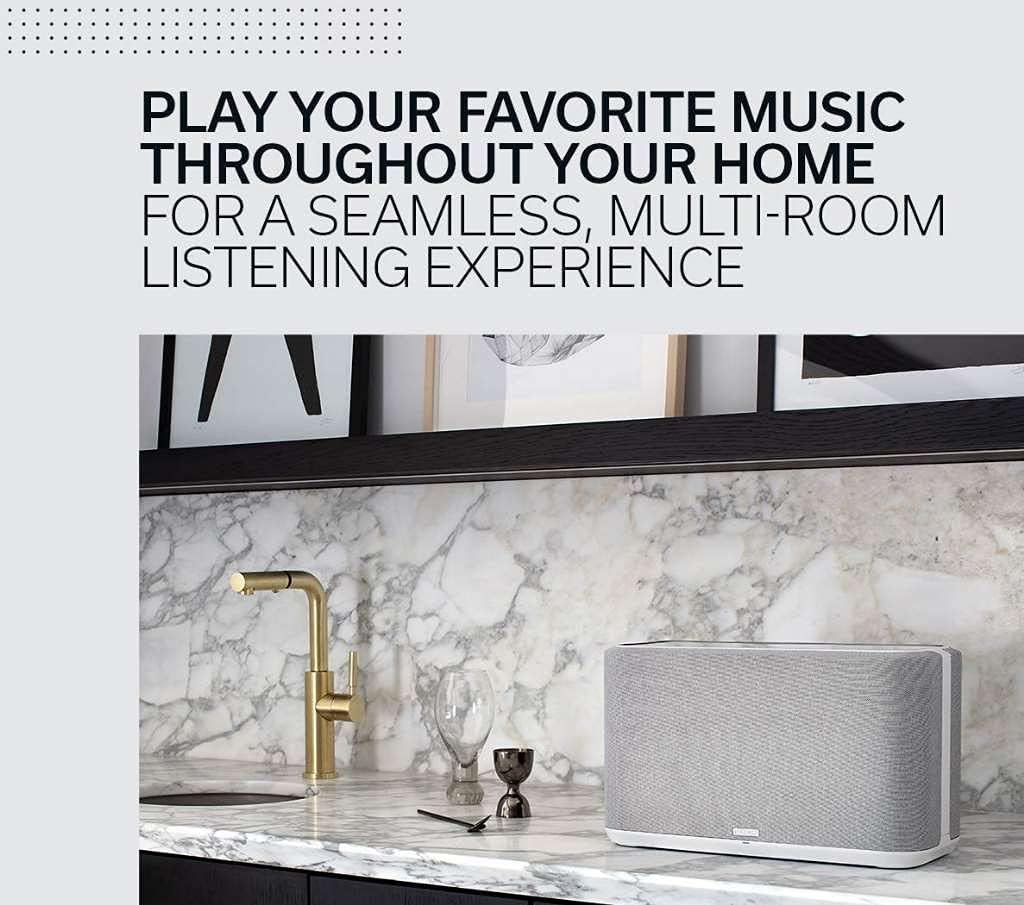
2.3 Integration and Expansion
For an enhanced audio experience, two Denon Home 350 speakers can be paired for a stereo setup. For a complete 5.1 cinematic immersion, they can be connected as rear surrounds to a Denon Home Soundbar 550 and Subwoofer.

3. Opsætningsvejledning
Follow these steps for the initial setup of your Denon Home 350 Wireless Speaker:
- Pakker ud: Tag forsigtigt højttaleren og alt tilbehør ud af emballagen.
- Placering: Place the speaker in your desired location. Ensure it is on a stable surface.
- Tilslut strøm: Plug the power cord into the AC inlet on the back of the speaker and then into a wall outlet. The light on the front of the speaker will begin to blink blue and then turn solid amber when ready.
- Download HEOS-appen: Download the HEOS app from the App Store (iOS) or Google Play Store (Android) on your smartphone or tablet.
- Launch App & Add Device: Open the HEOS app. Go to the Settings menu (gear icon) and select "Add Device." Follow the on-screen instructions.
- Tilslut højttaler: When prompted, press the "CONNECT" button on the back of the speaker. The light on the front will blink green. Press "NEXT" in the app.
- Wi-Fi oplysninger: Enter your network's Wi-Fi information, including the password, when prompted by the app.
- Firmwareopdatering: The app will verify and update the speaker's firmware to the latest version. This process may take a few minutes.
- Komplet opsætning: Once the firmware update is complete, your Denon Home 350 is ready for use. If you have multiple Denon Home speakers, connect all of them before selecting "DONE" in the app.

4. Betjeningsvejledning
4.1 Tryk på kontrolelementer
The Denon Home 350 features proximity-sensing, light-up touch controls on its top panel. These controls allow you to:
- Adjust Volume: Slide your finger along the volume control or tap the +/- buttons.
- Afspil/pause: Tryk på knappen Afspil/pause.
- Skip Tracks: Use the forward/backward buttons.
- Quick Select Buttons: Three reprogrammable quick-select buttons allow instant access to your preferred stations or services.
4.2 Bluetooth -parring
To pair a Bluetooth device with your Denon Home 350:
- Press and hold the Bluetooth button on the back of the speaker until the status light blinks blue.
- Enable Bluetooth on your mobile device and select "Denon Home 350" from the list of available devices.
- Når der er forbindelse, lyser statuslampen konstant blåt.
4.3 Stemmekontrol
The Denon Home 350 supports voice control. You can use integrated voice assistants (e.g., Alexa) to control playback, switch sources, and manage your music. Ensure the microphone is not muted via the mic mute switch if you wish to use voice commands.
5. Vedligeholdelse
To ensure the longevity and optimal performance of your Denon Home 350 speaker, follow these maintenance guidelines:
- Rensning: Wipe the speaker with a soft, dry cloth. Do not use liquid cleaners or solvents, as they may damage the finish.
- Vandtæthed: The Denon Home 350 is NOT water resistant. Avoid exposing it to water or moisture.
- Placering: Undgå at placere højttaleren i direkte sollys, i nærheden af varmekilder eller i områder med høj luftfugtighed.
6. Fejlfinding
If you encounter issues with your Denon Home 350, try the following basic troubleshooting steps:
- Ingen strøm: Ensure the power cord is securely connected to both the speaker and a working wall outlet.
- Ingen lyd: Check the volume level on both the speaker and your music source. Verify that the correct input source is selected in the HEOS app.
- Problemer med Wi-Fi-forbindelse: Ensure your Wi-Fi router is powered on and functioning correctly. Try restarting your router and the speaker. Re-run the setup process in the HEOS app if necessary.
- Problemer med Bluetooth-parring: Ensure the speaker is in Bluetooth pairing mode (blinking blue light). Check that no other device is currently connected to the speaker via Bluetooth.
- App Not Detecting Speaker: Ensure your mobile device is connected to the same Wi-Fi network as the speaker. Try restarting the HEOS app.
7. Specifikationer
| Feature | Beskrivelse |
|---|---|
| Modelnavn | DENONHOME350WT |
| Mærke | Denon |
| Højttaler type | BT-højttaler |
| Lydudgangstilstand | Stereoanlæg |
| Højttaler Maksimal udgangseffekt | 60 watt |
| Frekvensrespons | 20 KHz |
| diskanter | To 0.75 tommer |
| Bashøjttalere | To 6.5 tommer |
| Forbindelsesteknologi | Bluetooth, WiFi |
| Bluetooth rækkevidde | 10 meter |
| Kontrolmetode | Voice, Touch |
| Produktdimensioner | 15" D x 9.2" B x 7.2" H |
| Varens vægt | 18.5 pund |
| Materiale | Plast |
| Vandmodstandsniveau | Ikke vandafvisende |
8. Garanti og support
The Denon Home 350 Wireless Speaker comes with a limited warranty. For detailed warranty information, product support, or to contact customer service, please visit the official Denon website or refer to the literature pack included with your product.
Official Denon Support: www.denon.com/en-us/support


