1. Introduktion
This manual provides detailed instructions for setting up and operating your Rapoo 8000M Multi-Mode Wireless Keyboard and Mouse Combo. This combo offers versatile connectivity options, including Bluetooth 3.0, Bluetooth 4.0, and 2.4 GHz wireless, allowing seamless switching between multiple devices.
The Rapoo 8000M is designed for productivity and convenience, featuring a compact, spill-resistant keyboard and a silent, high-performance optical mouse.
2. Pakkens indhold
Kontroller venligst, at alle varer er til stede i din pakke:
- Trådløst tastatur
- Trådløs mus
- USB-modtager (til 2.4 GHz-forbindelse)
- 2 AA alkaliske batterier (forudinstalleret)
- Hurtig startvejledning

Image: Rapoo 8000M Multi-Mode Wireless Keyboard and Mouse Combo, showcasing both the keyboard and mouse in white.
3. Opsætningsvejledning
3.1. Batteriinstallation
The Rapoo 8000M combo comes with pre-installed batteries. If replacement is needed:
- Find batterirummet på undersiden af tastaturet og musen.
- Åbn dækslet til rummet.
- Insert 2 AA alkaline batteries into the keyboard and 1 AA alkaline battery into the mouse, ensuring correct polarity (+/-).
- Luk dækslet forsvarligt.
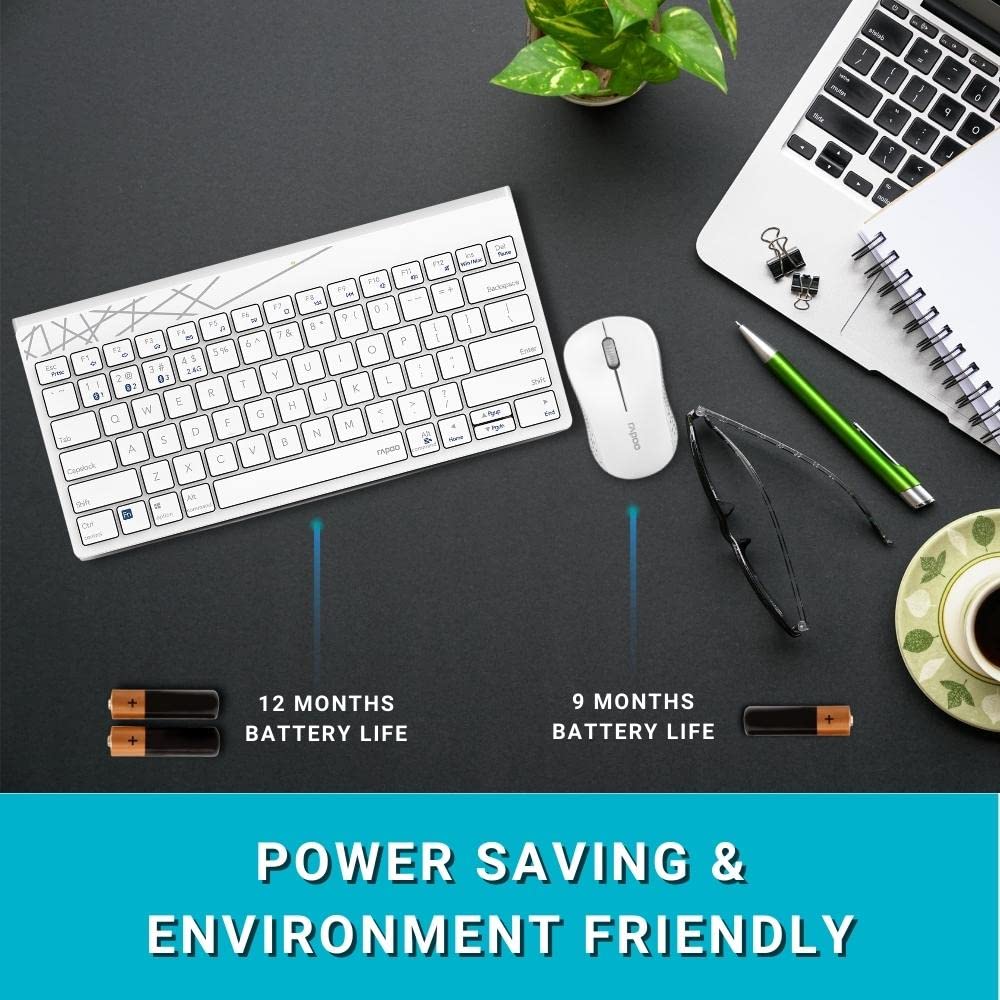
Image: Illustration of the Rapoo 8000M keyboard and mouse, highlighting their extended battery life.
3.2. 2.4 GHz trådløs forbindelse
For 2.4 GHz wireless connectivity:
- Remove the USB receiver from its storage slot, typically found in the mouse battery compartment.
- Sæt USB-modtageren i en ledig USB-port på din computer.
- The keyboard and mouse should automatically connect. If not, ensure the devices are powered on and within range.
3.3. Bluetooth-forbindelse
The Rapoo 8000M supports Bluetooth 3.0 and 4.0. You can pair up to three Bluetooth devices.
- Tastaturparring:
Tryk og hold på Fn + 1, Fn + 2, eller Fn + 3 key combination for 3 seconds to select a Bluetooth channel. The indicator light will flash slowly. - Aktiver Bluetooth på din enhed (computer, tablet, smartphone) og søg efter nye enheder.
- Select "Rapoo 8000M Keyboard" from the list of available devices. Follow any on-screen prompts to complete pairing.
- Museparring:
Press the Bluetooth button on the underside of the mouse to switch to a Bluetooth channel (indicated by a slow flash). - On your device, search for new Bluetooth devices and select "Rapoo 8000M Mouse". Follow any on-screen prompts.

Image: The Rapoo 8000M keyboard and mouse connected to a desktop, laptop, and tablet, demonstrating multi-device connectivity.
4. Betjeningsvejledning
4.1. Skift mellem enheder
Sådan skifter du mellem tilsluttede enheder:
- Tastatur: Trykke Fn + 1, Fn + 2, Fn + 3 to switch to the corresponding Bluetooth device, or Fn + 4 for the 2.4 GHz connection.
- Mus: Press the Bluetooth button on the underside of the mouse to cycle through the paired Bluetooth devices and the 2.4 GHz connection.
4.2. Multimediegenvejstaster
The keyboard features multimedia hotkeys for quick access to various functions. These keys are typically located on the F-row and can be activated by pressing them directly or in combination with the Fn key, depending on your keyboard's default mode.
- F1-F12: Functions may include media player control (play/pause, next/previous track), volume adjustment, mute, homepage, and more. Refer to the keycap legends for specific functions.
4.3. Mouse DPI
The mouse operates at 1300 DPI, providing accurate and smooth cursor control on various surfaces.
5. Vedligeholdelse
5.1. Rensning
The keyboard features a spill-resistant design, offering protection against accidental liquid spills. However, it is recommended to clean the keyboard and mouse regularly to maintain performance and hygiene.
- Brug en blød, damp klud til at tørre overfladerne af.
- Undgå at bruge skrappe kemikalier eller slibende materialer.
- For spills, immediately disconnect the device, wipe dry, and allow it to air dry completely before reuse.

Image: Close-up of the Rapoo 8000M keyboard with water splashing on it, illustrating its spill-resistant design.
5.2. Batterilevetid
With Rapoo's energy-saving technology and power switch, the keyboard and mouse can achieve a battery life of up to 9 months. To conserve battery:
- Turn off the devices using their respective power switches when not in use for extended periods.
- Replace batteries when performance degrades.

Image: The Rapoo 8000M mouse, highlighting its silent click design for a quiet working environment.
6. Fejlfinding
If you encounter issues with your Rapoo 8000M combo, refer to the following common problems and solutions:
- No Connection / Device Not Detected:
- Ensure batteries are correctly installed and charged.
- For 2.4 GHz, ensure the USB receiver is securely plugged into a working USB port.
- For Bluetooth, ensure Bluetooth is enabled on your device and the keyboard/mouse are in pairing mode or selected channel.
- Try re-pairing the devices (refer to Section 3.3).
- Try a different USB port for the receiver. - Taster reagerer ikke / Musen sporer ikke:
- Check battery levels and replace if necessary.
- Ensure the device is connected to the correct channel (2.4 GHz or Bluetooth 1/2/3).
- Clean the optical sensor of the mouse if tracking is erratic.
- Ensure no physical obstructions are blocking the keys or mouse movement. - Intermitterende forbindelse:
- Move the devices closer to the receiver or Bluetooth-enabled device.
- Avoid using the devices near strong interference sources (e.g., Wi-Fi routers, other wireless devices).
- Ensure your computer's Bluetooth drivers are up to date.
7. Specifikationer
| Feature | Beskrivelse |
|---|---|
| Mærke | Rapoo |
| Model | 8000M |
| Forbindelsesteknologi | Bluetooth 3.0, Bluetooth 4.0, 2.4 GHz Wireless |
| Kompatible enheder | Personal Computer (Windows OS), Tablets, Smartphones |
| Mus DPI | 1300 DPI Optical |
| Særlige funktioner | Multi-Mode, Multi-Device Switching, Multimedia Hotkeys, Spill-Resistant Keyboard, Silent Mouse Design |
| Batterilevetid | Op til 9 måneder |
| Strømkilde | Battery Powered (2 AA for keyboard, 1 AA for mouse) |
| Produktdimensioner | 36.4 x 14.8 x 3.4 cm (Keyboard); 350 g (Total Item Weight) |

Image: The Rapoo 8000M keyboard and mouse, illustrating their compact dimensions for productivity.
8. Garanti og support
The Rapoo 8000M Multi-Mode Wireless Keyboard and Mouse Combo is covered by a 3 års garanti fra købsdatoen. Denne garanti dækker fabrikationsfejl og sikrer pålidelig drift under normal brug.
For garantikrav, teknisk support eller yderligere assistance, kontakt venligst Rapoos kundeservice via deres officielle webwebstedet eller forhandleren, hvor produktet blev købt. Gem din købsbevis for at validere garantien.
For mere information, besøg den officielle Rapoo Store on Amazon.


