Femometer digitalt termometer DMT-2032 brugermanual
Model: DMT-2032 | Brand: femometer
1. Introduktion
The Femometer Digital Thermometer DMT-2032 is designed for accurate and reliable temperature measurement for all ages, including babies, children, and adults. It features a clear LCD display, memory recall, fever alert, and the ability to switch between Celsius and Fahrenheit. This manual provides essential information for safe and effective use of your thermometer.
2. Sikkerhedsoplysninger
- Do not boil the thermometer. Clean the probe with alcohol or soap and water.
- Undgå at tabe termometeret eller udsætte det for kraftigt stød.
- Do not store the unit in direct sunlight, at high temperatures, or in high humidity or dust. Performance may be degraded.
- Opbevar termometeret utilgængeligt for børn.
- If the thermometer has been stored at temperatures below freezing, allow it to warm naturally to room temperature before use.
- Udtalelser vedrørende kosttilskud er ikke blevet evalueret af FDA og er ikke beregnet til at diagnosticere, behandle, helbrede eller forebygge nogen sygdom eller sundhedstilstand.
3. Produktet er slutview
The Femometer Digital Thermometer DMT-2032 is a compact and easy-to-use device for monitoring body temperature. It includes a temperature sensing probe, an LCD display, and a single button for operation.

Billede 3.1: Overview of the Femometer Digital Thermometer highlighting its key features such as last reading memory, one-button measurement, suitability for all ages, temperature sensing probe, included battery, and LCD display.

Image 3.2: The Femometer Digital Thermometer (green color) shown alongside its retail packaging, which indicates features like waterproof design and soft beep.
4. Opsætning
4.1 Pakkens indhold
Your Femometer Digital Thermometer package should contain:
- 1 x Femometer Digital Thermometer (Model DMT-2032)
- 1 x LR44 battery (pre-installed)
- 1 x opbevaringskasse
- 1 x brugermanual
4.2 Batteriinstallation/udskiftning
The thermometer comes with an LR44 battery pre-installed. When the low battery indicator appears on the display, replace the battery as follows:
- Træk forsigtigt batteridækslet af for enden af termometret.
- Fjern det gamle batteri.
- Insert a new LR44 battery with the positive (+) side facing up.
- Sæt batteridækslet forsvarligt på plads.
5. Betjeningsvejledning
5.1 Tage en måling
- Press the power button to turn on the thermometer. A short beep will sound, and the display will show the last measured temperature for approximately 2 seconds.
- After the last reading, the display will show "Lo" with a flashing "℉" or "℃", indicating the thermometer is ready for measurement.
- Place the thermometer in the desired measurement position (oral, rectal, or underarm).
- The measurement is complete when a series of beeps sounds and the temperature reading stops flashing.
- Fjern termometeret og aflæs temperaturen.
- Press the power button to turn off the thermometer, or it will automatically shut off after approximately 10 minutes of inactivity to conserve battery life.
5.2 Målemetoder
The Femometer Digital Thermometer can be used for oral, rectal, or underarm temperature measurement.

Image 5.1: The thermometer is suitable for various measurement sites including oral, rectal, and underarm, catering to babies, children, and adults.
- Oral anvendelse: Place the probe tip under the tongue as close as possible to the heat pocket. Keep the mouth closed during measurement.
- Rektal brug: Lubricate the probe tip with a water-soluble jelly. Gently insert the tip no more than 1/2 inch into the rectum. This method is generally used for infants and young children.
- Anvendelse under arm (aksillær): Place the probe tip in the armpit and press the arm firmly against the body. This method is less accurate than oral or rectal measurements.

Image 5.2: Demonstrates oral temperature measurement by an adult.

Image 5.3: Illustrates rectal temperature measurement for an infant.

Image 5.4: Shows underarm temperature measurement by an adult.
5.3 Switching Temperature Units (℉/℃)
To switch between Fahrenheit (℉) and Celsius (℃):
- Sørg for, at termometret er slukket.
- Press and hold the power button for approximately 3-5 seconds until the unit changes.
- Release the button, and the new unit will be displayed.

Image 5.5: Illustration of how to switch the temperature display between Fahrenheit (℉) and Celsius (℃).

Billede 5.6: Detaljeret view of the thermometer's display demonstrating the ability to switch between ℉ and ℃ units.
5.4 Hukommelsesgenkaldelse
The thermometer automatically stores the last measured temperature. To view the last reading:
- Tryk på tænd/sluk-knappen for at tænde termometeret.
- The last measured temperature will be displayed for approximately 2 seconds before showing "Lo" and flashing.
5.5 Fever Alert
The thermometer includes a fever alert feature. If the measured temperature exceeds a certain threshold (typically 37.8℃ / 100℉), a rapid series of beeps will sound to indicate a fever.
6. Vedligeholdelse
6.1 Rengøring og desinfektion
The waterproof tip allows for easy and hygienic cleaning.
- After each use, clean the thermometer probe with a soft cloth and 70% isopropyl alcohol, or wash with soap and cool water.
- Nedsænk ikke hele termometret i vand eller andre rengøringsopløsninger.
- Lad termometeret lufttørre helt, inden det opbevares.

Image 6.1: The waterproof tip of the thermometer facilitates easy and hygienic cleaning.
6.2 Opbevaring
Store the thermometer in its protective plastic case when not in use.
- Keep the thermometer in a dry, cool place, away from direct sunlight and extreme temperatures.
- Sørg for, at batteridækslet er forsvarligt lukket.

Image 6.2: The thermometer fits perfectly into its storage case, making it convenient for travel and family use.
7. Fejlfinding
Refer to the table below for common error messages and their solutions.

Image 7.1: Troubleshooting guide for common display messages and their corresponding solutions.
| Fejlmeddelelse | Problem | Løsning |
|---|---|---|
| Lo | Temperature taken is lower than 90.0℉ (32.0℃). | Turn off, wait one minute, and take a new temperature via close contact and sufficient rest. |
| Hi | Temperature taken is higher than 109.9℉ (42.9℃). | Turn off, wait one minute, and take a new temperature via close contact and sufficient rest. |
| Err | Systemet fungerer ikke korrekt. | Unload the battery, wait for 1 minute, and repower it. If the message reappears, contact the retailer for service. |
| Flashing Battery Icon | Dead battery; battery icon is flashing, cannot be measurable. | Replace the battery (LR44). |
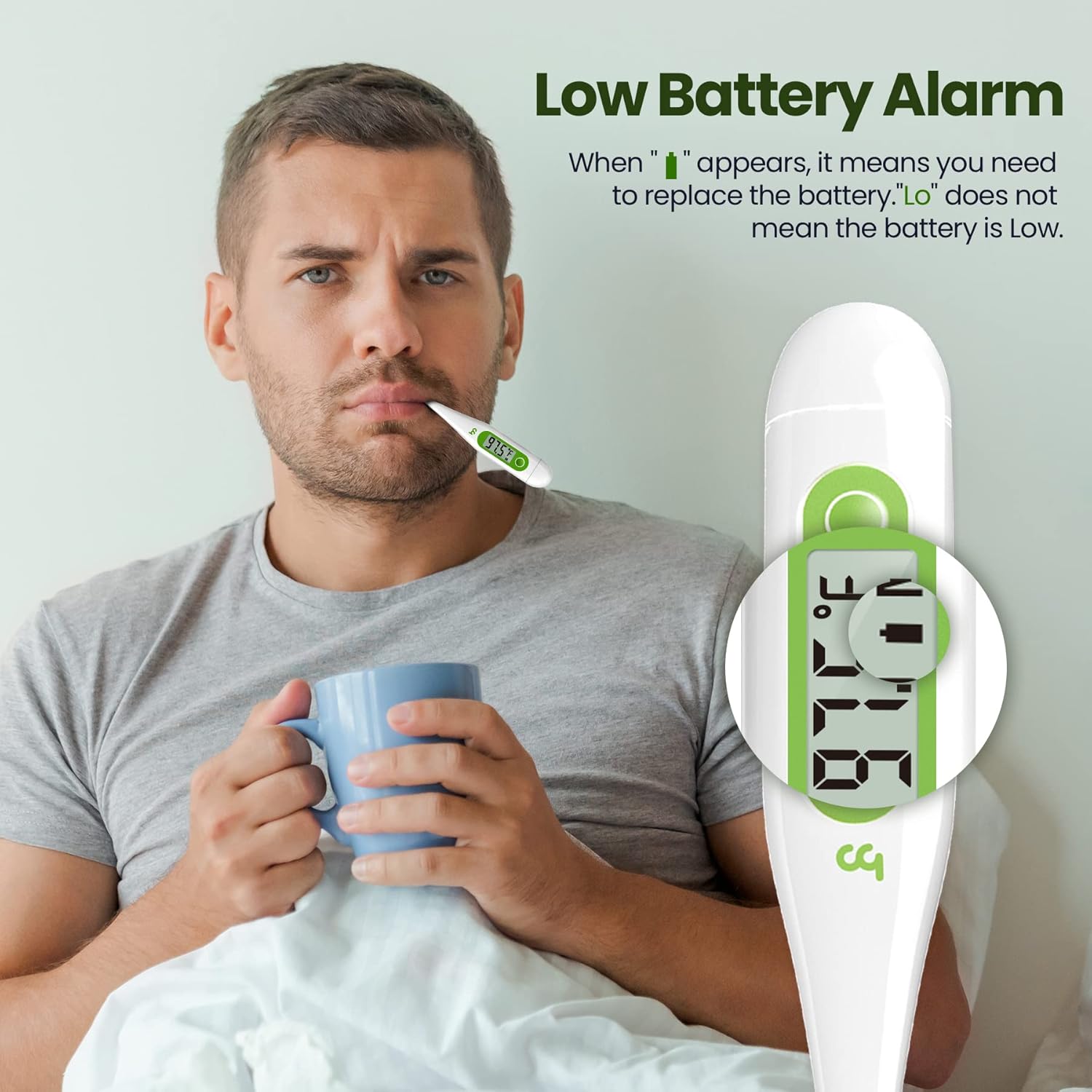
Image 7.2: The thermometer display showing a low battery alarm, indicating it's time for battery replacement.
8. Specifikationer
| Feature | Detalje |
|---|---|
| Modelnummer | DMT-2032 |
| Produktdimensioner | 5.9 x 2.1 x 0.8 tommer |
| Vægt | 1.13 ounce |
| Strømkilde | 1 x LR44 battery (included) |
| Måleområde | 32.0℃ - 42.9℉ (90.0℉ - 109.9℉) |
| Nøjagtighed | ±0.1℃ / ±0.2℉ |
| Display Type | Digital LCD |
| Særlige funktioner | Fever Alert, Memory Recall, C/F Switchable, Low Battery Alert, Auto Power Off |
| Materiale | Plast |
| Produktpleje | Tør Clean |
| Certificeringer | FDA |
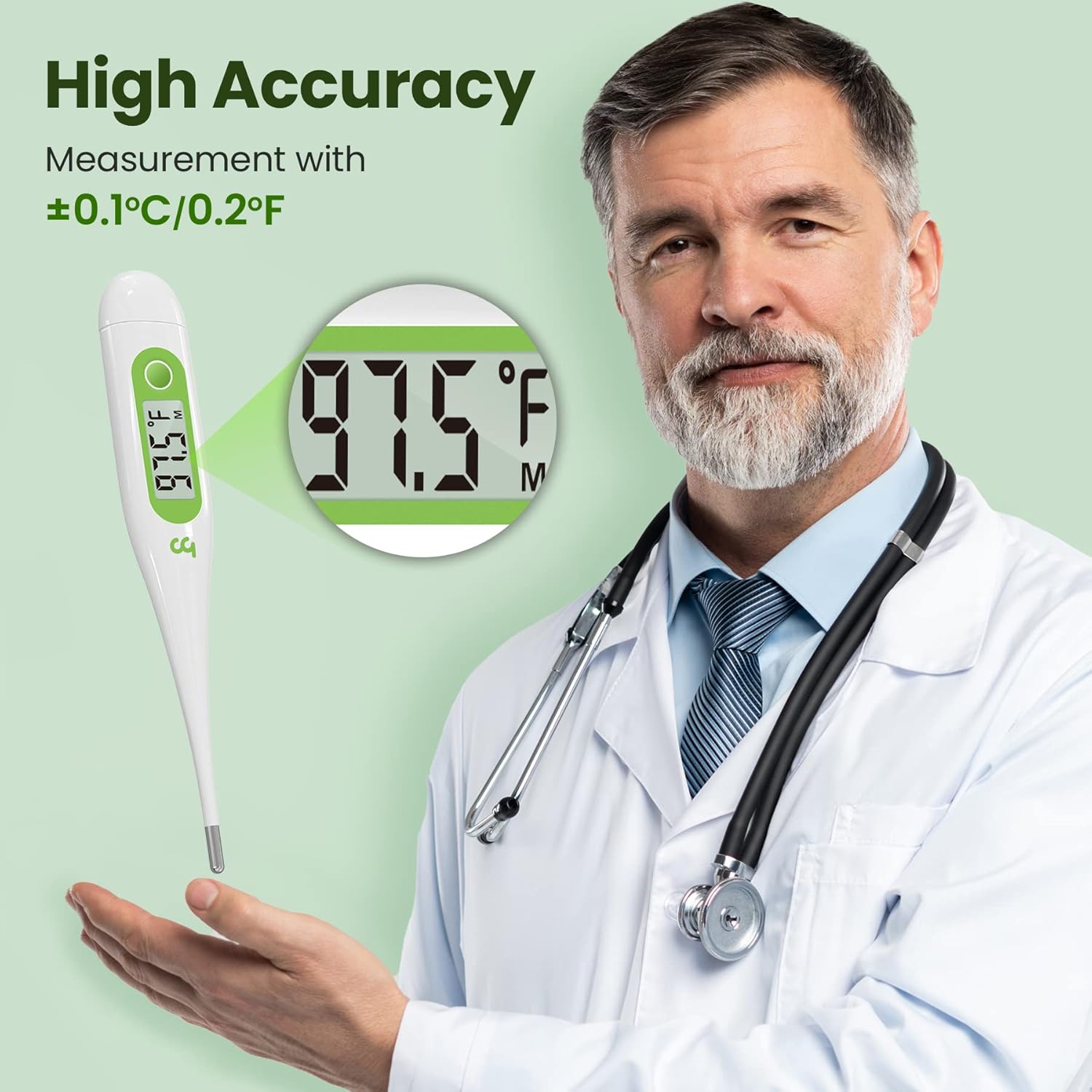
Image 8.1: The Femometer Digital Thermometer offers high accuracy with a measurement tolerance of ±0.1℃ / ±0.2℉.

Image 8.2: The thermometer provides high precision measurements, essential for accurate temperature monitoring.
9. Garanti og support
Femometer products are designed for reliability and ease of use. For any questions or support, please refer to the contact information provided with your purchase or visit the official Femometer webwebsted.
- The product is FDA certified.
- This product is HSA/FSA eligible.

Image 9.1: The Femometer Digital Thermometer is HSA/FSA eligible and holds FDA certification, ensuring quality and compliance.


