1. Produktet er slutview
The Philips ActionFit SN503 Wireless Bluetooth Earphones are designed for active lifestyles, featuring heart rate monitoring and IPX5 water resistance. This manual provides instructions for setup, operation, and maintenance to ensure optimal performance.
Hvad er der i æsken
- Philips ActionFit SN503 Earphones
- USB opladningskabel
- Ear Caps (3 sizes: Small, Medium, Large)

Image 1.1: Philips ActionFit SN503 Earphones with USB cable and ear caps.
2. Opsætning
2.1 Opladning af øretelefonerne
Before first use, fully charge the earphones. A full charge takes approximately 2 hours.
- Connect the supplied USB cable to the charging port on the earphones.
- Tilslut den anden ende af USB-kablet til en strømforsynet USB-port (f.eks. en computer eller USB-vægadapter).
- LED-indikatoren viser opladningsstatus og slukker, når den er fuldt opladet.
2.2 Bluetooth -parring
The earphones feature smart pairing for quick connection.
- Sørg for, at høretelefonerne er slukkede.
- Press and hold the multi-function button until the LED indicator flashes blue and red alternately, indicating pairing mode.
- Aktiver Bluetooth på din Bluetooth-aktiverede enhed (smartphone, tablet) og søg efter tilgængelige enheder.
- Select "Philips SN503" from the list of devices.
- Once paired, the LED indicator will flash blue periodically, and a voice prompt will confirm the connection.
The earphones will automatically reconnect to the last paired device when turned on, if the device's Bluetooth is active and within range.
2.3 Sådan tager du øretelefonerne på
For optimal sound quality and heart rate monitoring accuracy, ensure a secure and comfortable fit.
- Select the ear caps that best fit your ears from the three provided sizes.
- Insert the earbud into your ear canal and rotate it slightly to ensure the soft rubberized wing tip sits securely in your outer ear.
- Adjust the cable for comfort, ensuring it does not pull on the earbuds during activity.

Image 2.1: Proper wearing of the Philips ActionFit SN503 earphones.
3. Betjeningsvejledning
3.1 Grundlæggende kontroller
The inline remote control allows for media playback and call management.
- Tænd/sluk: Tryk og hold multifunktionsknappen nede.
- Afspil/pause: Tryk én gang på multifunktionsknappen.
- Næste nummer: Dobbelttryk på multifunktionsknappen.
- Forrige nummer: Tryk tre gange på multifunktionsknappen.
- Lydstyrke op: Tryk på '+'-knappen.
- Skrue ned for lyden: Tryk på '-' knappen.
- Besvar/afslut opkald: Tryk én gang på multifunktionsknappen under et indgående opkald eller et aktivt opkald.
- Afvis opkald: Tryk og hold multifunktionsknappen nede under et indgående opkald.
- Aktiver stemmeassistent: Press and hold the multi-function button (when not on a call).
3.2 Pulsovervågning
The built-in heart rate monitor tracks your heartbeat with precision, providing data to compatible fitness-tracking applications.
- Ensure the earphones are securely fitted in your ears.
- Connect the earphones to your smartphone via Bluetooth.
- Open a compatible fitness-tracking app (e.g., Strava, Runkeeper) on your smartphone.
- Follow the app's instructions to connect to the heart rate sensor.
- Your heart rate data will be displayed and recorded by the application.
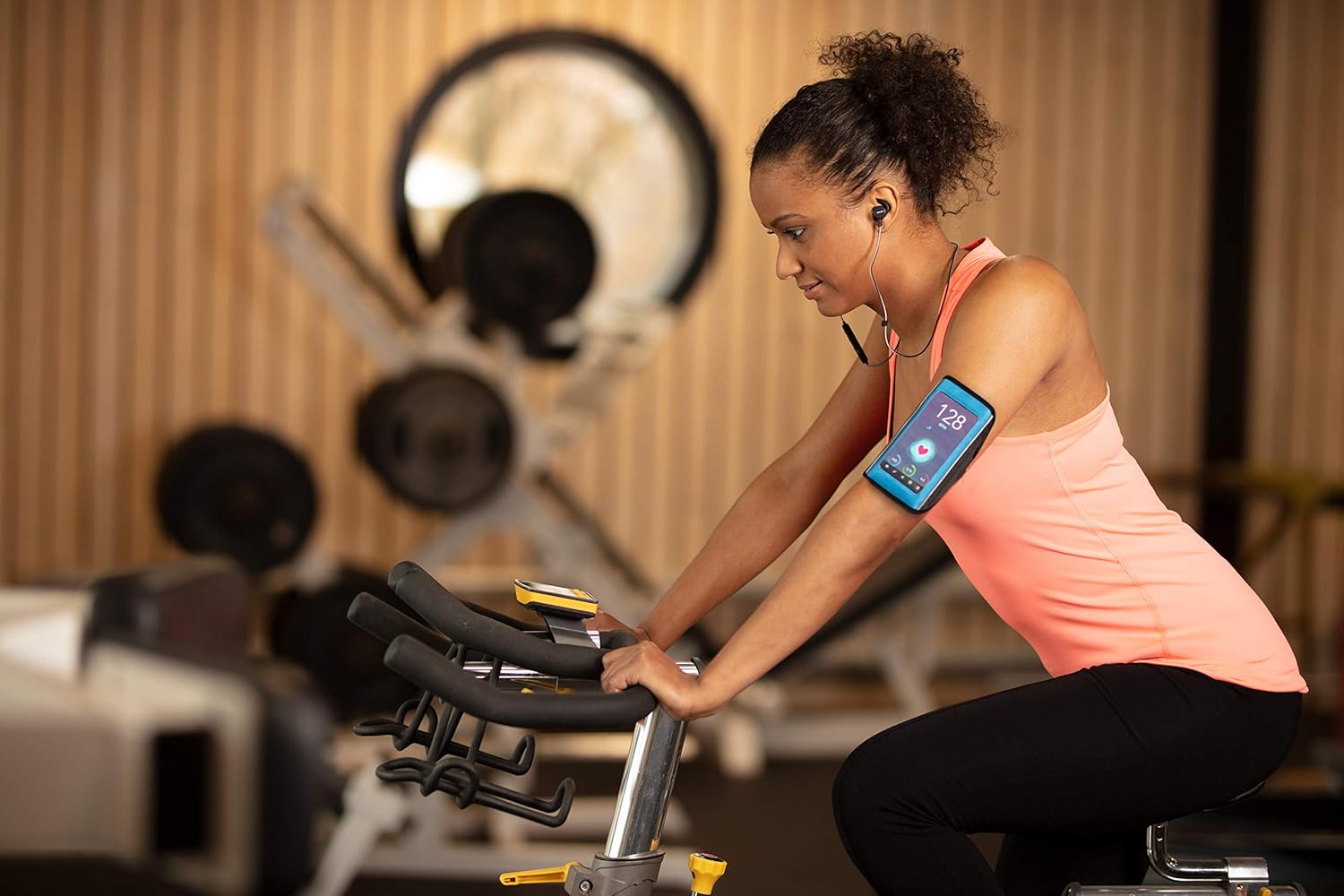
Image 3.1: Heart rate monitoring in use during exercise.
Video 3.1: Official Philips video demonstrating the SN503 earphones, including heart rate monitoring features.
3.3 Vandtæthed (IPX5)
The earphones are IPX5 rated, meaning they are protected against low-pressure water jets from any direction. This makes them suitable for use during sweaty workouts or in light rain.
- Nedsænk ikke høretelefonerne i vand.
- Ensure the charging port cover is securely closed when exposed to water or sweat.
- After exposure to sweat or water, wipe the earphones dry before charging.

Image 3.2: Earphones in use during rainy conditions, demonstrating water resistance.
4. Vedligeholdelse
4.1 Rengøring
Regelmæssig rengøring hjælper med at opretholde ydeevne og hygiejne.
- Wipe the earphones and ear caps with a soft, damp kluden efter hver brug, især efter træning.
- Remove ear caps periodically and clean them with mild soap and water. Ensure they are completely dry before reattaching.
- Brug ikke slibende rengøringsmidler eller opløsningsmidler.
4.2 Opbevaring
Opbevar øretelefonerne et køligt, tørt sted væk fra direkte sollys og ekstreme temperaturer.
5. Fejlfinding
If you encounter issues with your Philips ActionFit SN503 earphones, refer to the following common solutions.
| Problem | Mulig årsag | Løsning |
|---|---|---|
| Høretelefonerne tændes ikke. | Lavt batteri. | Charge the earphones for at least 2 hours. |
| Kan ikke parre med Bluetooth-enhed. | Earphones not in pairing mode; Bluetooth disabled on device; device out of range. | Ensure earphones are in pairing mode (flashing blue/red). Enable Bluetooth on your device. Move device closer to earphones (within 10 meters). |
| Ingen lyd eller dårlig lydkvalitet. | Volume too low; improper fit; ear caps dirty. | Adjust volume on earphones and device. Ensure ear caps are correctly sized and fitted. Clean ear caps and earbud nozzles. |
| Heart rate monitor not working or inaccurate. | Improper fit; sensor obstructed; app not connected. | Ensure earphones are securely and snugly fitted. Clean the sensor area on the earbud. Verify the fitness app is correctly connected to the heart rate sensor. |
| Kort batterilevetid. | Ikke fuldt opladet; højt forbrug. | Ensure earphones are fully charged. Reduce listening volume. |
6. Specifikationer
| Modelnavn | SN503 |
| Forbindelsesteknologi | Bluetooth 5.0 |
| Wireless Range | 10 meter (33 fod) |
| Vandmodstandsniveau | IPX5 (vandtæt) |
| Batterilevetid | Op til 6 timer |
| Opladningstid | 2 timer |
| Audio driver størrelse | 6 millimeter |
| Følsomhed | 95 dB |
| Varens vægt | 0.04 kilo (1.41 ounce) |
| Kompatible enheder | Smartphones, Tablets, Laptops, Smart TVs, Fitness Trackers, Cars with Bluetooth capability |
| Særlige funktioner | Heart Rate Monitor, Microphone Included, Noise Isolation, Volume Control |
7. Garanti og support
For garantioplysninger og kundesupport henvises til garantikortet, der følger med dit produkt, eller besøg den officielle Philips-supportside. webwebsted.
Du kan også finde yderligere ressourcer og ofte stillede spørgsmål på Philips Sound Store on Amazon.