1. Introduktion
This manual provides comprehensive instructions for the setup, operation, and maintenance of your CHESONA Wireless Keyboard Case. Designed to enhance your tablet experience, this case offers protection, versatile viewing angles, and a detachable Bluetooth keyboard for increased productivity.
2. Kompatibilitet
The CHESONA Wireless Keyboard Case is compatible with the following iPad models:
- iPad Pro 11-inch (4th Gen): A2759, A2759, A2761, A2762
- iPad Pro 11-inch (3rd Gen): A2377, A2301, A2459, A2460
- iPad Pro 11-inch (2nd Gen): A2228, A2068, A2230, A2231
- iPad Pro 11-inch (1st Gen): A1980, A2013, A1934
- iPad Air 10.9-inch (5th Gen 2022): A2588, A2589, A2591
- iPad Air 10.9-inch (4th Gen 2020): A2072, A2316, A2324, A2325
- iPad Air 11-inch (M3 2025): A3266, A3267, A3270
- iPad Air 11-inch (M2 2024): A2902, A2903, A2904

Image: Compatibility chart for CHESONA keyboard case.
To ensure proper fit, verify your iPad's model number by navigating to Settings > General > About > Model Number.
Video: Guide on how to identify your iPad Pro 11 or iPad Air 10.9/11 model.
3. Pakkens indhold
Pakken indeholder:
- CHESONA Wireless Keyboard Case
- USB kabel
4. Produktfunktioner
- Magnetically Removable Keyboard: The wireless Bluetooth keyboard can be easily detached from the case, offering flexibility for various uses.
- Multiple Stand Angles: The case features built-in grooves to support your iPad at three different viewing angles, suitable for typing, reading, or gaming.
- Premium-beskyttelse: An anti-slide design and durable twill material provide 360° protection against scratches, bumps, and drops. Precise cutouts ensure full access to all ports, sensors, speakers, microphone, and cameras.
- Integreret blyantholder: A dedicated slot is included for storing and charging your Apple Pencil.
- Batteri med lang levetid: The built-in rechargeable battery provides over 80 hours of working time and 120 days of standby time on a 2-3 hour charge.

Image: CHESONA Wireless Keyboard Case with iPad and Apple Pencil.
Video: Overståetview of the CHESONA Keyboard Case features, including detachable keyboard, multiple viewing angles, and pencil holder.
5. Opsætningsvejledning
5.1 Indsættelse af din iPad i etuiet
- Juster din iPad med etuiets beskyttende skal.
- Gently press the iPad into the case, ensuring all corners and edges are securely fitted.
5.2 Tilslutning af Bluetooth-tastaturet
- Sørg for, at tastaturet er opladet.
- Turn on the keyboard using the power switch located on the top right. The Bluetooth indicator light will flash.
- På din iPad skal du gå til Indstillinger > Bluetooth.
- Slå Bluetooth til. Din iPad vil søge efter enheder i nærheden.
- Select 'Bluetooth Keyboard' (or similar name) from the list of available devices.
- Følg eventuelle instruktioner på skærmen for at fuldføre parringsprocessen. Indikatorlampen på tastaturet holder op med at blinke, når der er oprettet forbindelse.
6. Betjeningsvejledning
6.1 Brug af tastaturet
The keyboard features a standard QWERTY layout with additional hotkeys customized for iPads, including volume control, music control, and brightness adjustment. These function keys are typically accessed by pressing the 'Fn' key in combination with the desired function key.

Image: Detachable wireless Bluetooth keyboard.
6.2 Justering Viewi vinkler
Etuiet giver mulighed for flere viewing angles. Position your iPad in one of the three built-in grooves on the case cover to achieve your preferred angle for typing, watching videos, or browsing.

Image: iPad case demonstrating adjustable viewing vinkler.
6.3 Using the Apple Pencil Holder
The case includes a specific slot designed to hold your Apple Pencil. This holder allows for convenient storage and supports wireless charging of the Apple Pencil when placed correctly.

Image: iPad case with Apple Pencil charging in the integrated holder.
7. Opladning
The keyboard features a built-in rechargeable battery. A full charge takes approximately 2-3 hours and provides over 80 hours of continuous use or 120 days of standby time. Use the provided USB cable to charge the keyboard.

Image: USB-C charging port on the wireless keyboard.
8. Vedligeholdelse
For at rengøre kabinettet skal du forsigtigt tørre det af med en blød klud.amp cloth. Avoid using harsh chemicals or abrasive materials that could damage the surface. Ensure the keyboard is turned off and disconnected from your iPad before cleaning.
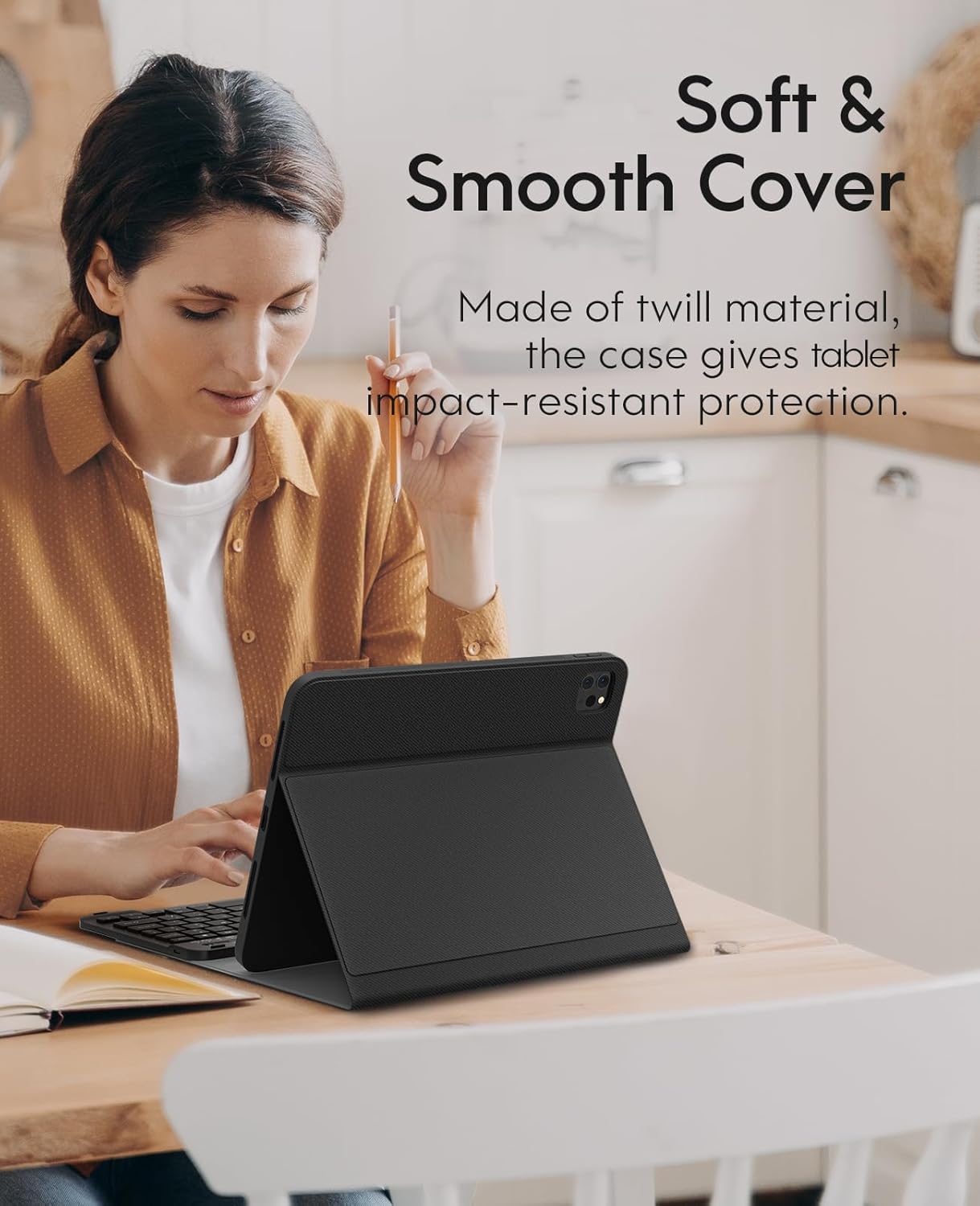
Image: Close-up of the soft and smooth cover material.
9. Fejlfinding
9.1 Tastatur opretter ikke forbindelse
- Sørg for, at tastaturet er tændt og fuldt opladet.
- Bekræft, at Bluetooth er aktiveret på din iPad.
- If the keyboard was previously paired, try 'forgetting' the device in your iPad's Bluetooth settings and re-pairing it.
- Press the 'Connect' button on the keyboard to initiate pairing mode.
9.2 Keyboard Entering Sleep Mode
The keyboard is designed to enter sleep mode after 10 minutes of inactivity to conserve battery. To wake it up and reconnect to your iPad, simply press any key on the keyboard.
10. Specifikationer
| Feature | Detalje |
|---|---|
| Produktdimensioner | 9.84 x 8.27 x 0.98 tommer |
| Varens vægt | 1.49 pund |
| Varemodelnummer | A2301, A2459, A2460 |
| Batterier | 1 Lithium Polymer batterier påkrævet. (inkluderet) |
| Forbindelsesteknologi | Bluetooth |
| Tastaturbeskrivelse | Ergonomisk |
| Speciel funktion | Ergonomisk |
| Farve | Sort |
| Tastaturbaggrundsbelysning Farvestøtte | Enkelt farve |
11. Garanti og support
For warranty information or technical support, please refer to the contact details provided with your product packaging or visit the official CHESONA webwebsted. Gem din købskvittering for garantikrav.


