Indledning
The SONOFF S31 WiFi Smart Plug is a compact and intelligent outlet designed to provide remote control, energy monitoring, and smart automation for your home appliances. This manual provides comprehensive instructions for setting up, operating, maintaining, and troubleshooting your S31 Smart Plug.

Image: The SONOFF S31 Smart Plug shown alongside a smartphone displaying its energy monitoring interface.
Nøglefunktioner
- Energiovervågning: Spor effekt, strøm og volumen i realtidtage of connected appliances. Access 100-day daily/monthly energy usage data and total electricity cost via the eWeLink App.
- Stemmestyring: Seamlessly integrate with Amazon Alexa and Google Home Assistant for convenient voice commands to turn devices on/off.
- Smart fjernbetjening: Control any connected home appliance remotely via the eWeLink App on your smartphone or tablet, without distance or time limitations.
- Planlægning og timere: Set countdown, single, or repeat timers to automatically turn the WiFi controlled outlet on or off, promoting energy saving.
- Group Control & Sharing: Group multiple devices for simultaneous control with a single tap. Share device control with family members for collaborative smart home management.
- Kompakt design: Designed to be compact, allowing two S31 plugs to fit in a standard US power outlet.
- ETL-certificeret sikkerhed: Features overload protection, 15A max current, and a 750°C V-0 fire-resistant PC shell for enhanced safety.

Billede: En overview of the SONOFF S31's smart features, highlighting remote control, voice control, timer & schedule, energy monitoring, compact size, group & share control, and LAN control.
Sikkerhedsoplysninger
The SONOFF S31 Smart Plug is designed with multiple safety features to ensure reliable and secure operation. Please adhere to the following guidelines:
- ETL Certificeret: The device has passed ETL certification, ensuring compliance with North American safety standards.
- Overbelastningsbeskyttelse: Built-in protection ensures your device operates safely within its rated range, preventing damage from excessive current.
- 15A Max Current: Overskrid ikke den maksimale strømstyrke på 15 Amps to prevent overheating and potential hazards.
- Brandsikkert materiale: Constructed with a 750°C V-0 fire-resistant PC shell for enhanced safety.
- Ensure the plug is fully inserted into a compatible outlet.
- Enheden må ikke skilles ad eller modificeres.
- Holdes væk fra vand og miljøer med høj luftfugtighed.

Image: Visual representation of the SONOFF S31's safety features, highlighting ETL certification, overload protection, 15A Max Current, and 750°C V-0 Fire-resistant Shell.
Opsætning og installation
Follow these steps to set up your SONOFF S31 Smart Plug:
- Download eWeLink-appen: Søg efter "eWeLink" i din smartphones appbutik (iOS eller Android) og download den.
- Registrer/Log ind: Open the eWeLink App and register a new account or log in if you already have one.
- Tilslut enheden: Insert the SONOFF S31 Smart Plug into a standard wall outlet.
- Gå ind i parringstilstand:
- Long press the pairing button on the S31 for 5 seconds until the LED indicator blinks quickly (blinking twice and on).
- Long press the pairing button for 5 seconds again until the LED indicator blinks constantly (for compatible mode).
- Tilføj enhed i appen: In the eWeLink App, tap the "+" icon to add a new device. Select the appropriate pairing method (e.g., Quick Pairing or Compatible Mode).
- Opret forbindelse til Wi-Fi: Ensure your phone is connected to a 2.4GHz Wi-Fi network. The S31 only supports 2.4GHz Wi-Fi. Enter your Wi-Fi password in the app.
- Fuld parring: The app will search for and connect to your S31. Once connected, you can rename the device and assign it to a room.
Video: An official SONOFF video demonstrating the setup and various features of the S31 Smart Plug, including app control and voice commands.
Betjeningsvejledning
Once your SONOFF S31 is set up, you can control it in several ways:
1. App-kontrol (eWeLink)
- Åbn eWeLink-appen.
- Tap on the S31 device icon to toggle it On/Off.
- Access detailed controls for scheduling, timers, and energy monitoring within the device interface.
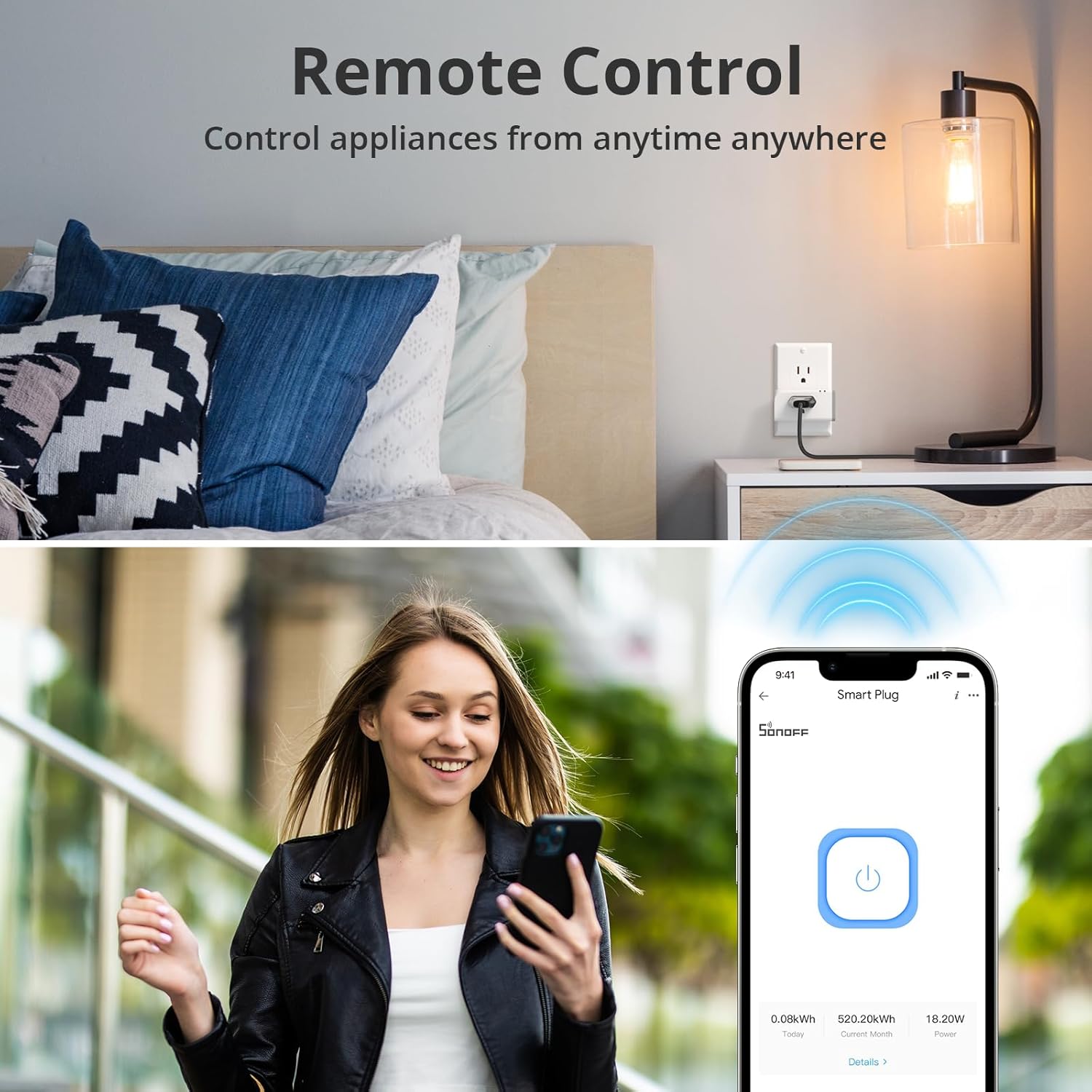
Image: A user demonstrating remote control of the smart plug via the eWeLink app on their smartphone.
2. Stemmestyring (Alexa og Google Home)
Integrate your S31 with voice assistants for hands-free control:
- Tilknyt konti: In the Alexa or Google Home app, enable the "eWeLink Smart Home" skill/service and link your eWeLink account.
- Opdag enheder: Ask your voice assistant to "Discover devices" or manually add the S31.
- Stemmekommandoer: Brug kommandoer som:
- "Alexa, tænd for [enhedsnavn]"
- "Hej Google, sluk [enhedsnavn]"

Image: A user interacting with an Amazon Echo device to control a fan connected to the SONOFF S31 Smart Plug using voice commands.
3. Manuel kontrol
The S31 features a physical button for direct control:
- Press the power button on the side of the S31 to manually toggle the connected appliance On/Off.
Energiovervågning
The SONOFF S31 provides detailed energy consumption data to help you manage your power usage and save on electricity costs.
- Realtidsdata: View live power (Watts), current (Amps) og vol.tage (Volts) readings for the connected device in the eWeLink App.
- Historiske data: Access daily and monthly energy consumption reports for up to 100 days. This allows you to identify energy-hungry appliances and optimize usage patterns.
- Omkostningsberegning: Input your electricity tariff in the app to estimate the total electricity cost of connected devices.

Image: A smartphone displaying the energy consumption dashboard within the eWeLink app, showing daily usage graphs and real-time power metrics.
Video: An official SONOFF video highlighting the power monitoring capabilities of the S31 Smart Plug.
Opretholdelse
To ensure the longevity and optimal performance of your SONOFF S31 Smart Plug, follow these maintenance tips:
- Rensning: Gently wipe the exterior of the plug with a dry, soft cloth. Do not use liquid cleaners or abrasive materials.
- Opbevaring: If storing the device for an extended period, unplug it from the wall outlet and keep it in a cool, dry place.
- Firmwareopdateringer: Regularly check the eWeLink App for firmware updates to ensure your device has the latest features and security enhancements.
- Undgå overbelastning: Do not connect appliances that exceed the maximum 15A / 1800W rating.
Fejlfinding
If you encounter issues with your SONOFF S31 Smart Plug, try the following solutions:
| Problem | Mulig årsag | Løsning |
|---|---|---|
| Device fails to pair. | Incorrect pairing mode, 5GHz Wi-Fi, weak signal. | Ensure device is in compatible pairing mode. Connect phone to 2.4GHz Wi-Fi. Move device closer to router. |
| Enhed offline i appen. | Wi-Fi disconnected, power outage, router issues. | Check Wi-Fi connection. Restart router and S31. Re-pair if necessary. |
| Stemmestyring virker ikke. | Kontoen er ikke tilknyttet, enheden er ikke fundet, forkerte kommandoer. | Verify eWeLink skill is enabled and accounts are linked. Re-discover devices. Use correct device names. |
| Energy monitoring inaccurate. | Temporary glitch, app synchronization issue. | Restart the eWeLink App. Unplug and replug the S31. Ensure stable Wi-Fi connection. |
Specifikationer
- Model: S31
- Input: 120V AC 60Hz
- Max belastning: 15A / 1800W
- Wi-Fi: IEEE 802.11 b / g / n 2.4 GHz
- Materiale: PC V0 (Fire-resistant)
- Dimensioner (L x B x H): 3 x 2 x 1.02 tommer (ca.)
- Vægt: 3.2 ounce (ca.)
- Certificeringer: ETL Certificeret
- Kontrolmetode: Remote (App), Voice (Alexa, Google Assistant), Manual
Garanti og support
For garantioplysninger og teknisk support henvises til den officielle SONOFF-side. webwebstedet eller kontakt deres kundeservice. Gem din købskvittering til garantikrav.
Additional resources, including user guides and installation manuals, may be available on the product's Amazon page under the "Documents" section.
- Brugervejledning (PDF): View/ Hent
- Installationsmanual (PDF): View/ Hent


