1. Produktet er slutview
The WiMiUS P30 is a portable 1080P Full HD projector designed for home entertainment. It features 5500 lumens brightness, a native resolution of 1280x800 (supporting 1080P input), and a dynamic contrast ratio of 6000:1. This projector offers a large display size up to 200 inches and includes a zoom function for flexible image sizing without moving the unit. Integrated stereo speakers with SRS sound enhance the audio experience.
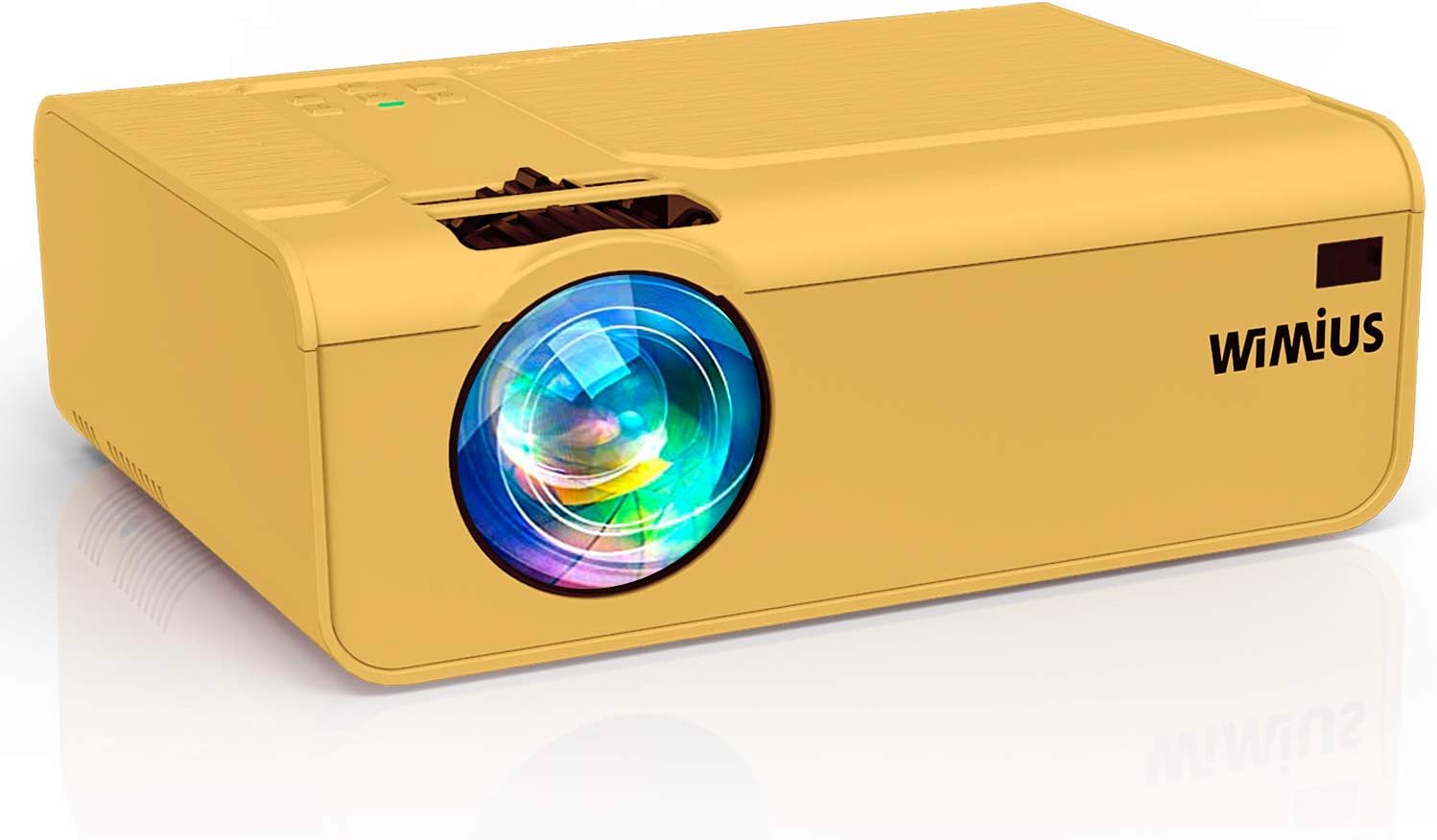
Billede: Forside view of the WiMiUS P30 Projector, showcasing its lens and compact design.
2. Sikkerhedsinstruktioner
- Bloker ikke ventilationsåbningerne. Sørg for tilstrækkelig plads omkring projektoren for korrekt luftgennemstrømning.
- Undgå direkte eksponering for projektorlinsens lys.
- Do not place the projector in unstable locations.
- Hold projektoren væk fra vand eller andre væsker.
- Brug kun den strømadapter, der følger med projektoren.
- Tag stikket ud af projektoren under tordenvejr eller når den ikke bruges i længere perioder.
- Forsøg ikke at åbne eller reparere projektoren selv. Overlad al service til kvalificeret personale.
3. Pakkens indhold
Bekræft at alle varer er til stede i pakken:
- WiMiUS P30 Projector
- Strømkabel
- HDMI kabel
- AV-kabel
- Fjernbetjening (batterier medfølger ikke)
- Brugermanual
4. Opsætningsvejledning
4.1 Placering
Place the projector on a stable, flat surface or mount it securely. Ensure the projector lens is perpendicular to the projection surface for optimal image geometry. Maintain a suitable distance from the screen to achieve the desired image size (50 to 200 inches).
4.2 Strømtilslutning
- Tilslut strømkablet til projektorens strømindgang.
- Sæt den anden ende af strømkablet i en stikkontakt.
- Strømindikatorlampen på projektoren vil lyse.
4.3 Kildeforbindelse
Connect your media device (PC, laptop, PS4, TV Box, USB drive, etc.) to the projector using the appropriate cable:
- HDMI: For high-definition video and audio. Connect an HDMI cable from your device to the projector's HDMI port.
- USB: For playing media directly from a USB flash drive. Insert the USB drive into the USB port.
- VGA: For connecting older computers. Connect a VGA cable from your PC to the projector's VGA port. (Audio will need a separate connection if not handled by the PC).
- AV: For connecting devices with composite video output. Use the provided AV cable.
- TF-kort: Insert a TF card into the designated slot for direct media playback.
- Smartphone/tablet: Requires an additional adapter or wireless dongle (not included) for connection.
4.4 Fokus- og Keystone-justering
- Tænd for projektoren og vis et billede.
- Juster fokusring near the lens until the image appears sharp and clear.
- If the image is trapezoidal, use the keystone korrektion dial or menu option to adjust it to a rectangular shape.
5. Betjeningsvejledning
5.1 Tænd/sluk
- Tænd: Press the power button on the projector or the remote control. The indicator light will change.
- Sluk: Tryk på tænd/sluk-knappen igen. Bekræft slukning, hvis du bliver bedt om det. Lad projektoren køle af, før du tager stikket ud.
5.2 Valg af indgangskilde
Press the 'Source' button on the remote control or the projector's control panel. Use the navigation buttons to select the desired input source (e.g., HDMI1, USB, VGA, AV) and press 'OK' to confirm.
5.3 Billedjustering
- Zoom funktion: The P30 projector features a digital zoom function (100% to 75%). Use the zoom controls on the remote control to adjust the image size without physically moving the projector.
- Aspektforhold: Adjust the image aspect ratio (e.g., 16:9, 4:3) through the projector's menu settings to match your content.
- Billedtilstand: Select from various picture modes (Standard, Dynamic, Movie, User) to optimize image quality for different content types.
5.4 Lydindstillinger
The projector has built-in stereo speakers. You can adjust the volume using the remote control. For external audio, connect external speakers or a sound system to the projector's 3.5mm audio output port.
6. Vedligeholdelse
6.1 Rengøring af linser
Use a professional lens cleaning cloth and solution to gently clean the projector lens. Avoid using abrasive materials or harsh chemicals that could scratch the lens.
6.2 Ventilation Cleaning
Regularly check and clean the projector's ventilation openings to prevent dust buildup, which can lead to overheating. Use a soft brush or compressed air to remove dust.
6.3 Opbevaring
When not in use, store the projector in a cool, dry, and dust-free environment. Use the original packaging or a protective bag to prevent damage.
7. Fejlfinding
| Spørgsmål | Mulig årsag | Løsning |
|---|---|---|
| Intet billede vises | Forkert indgangskilde valgt; Løs kabelforbindelse; Enheden er ikke tændt. | Select the correct input source; Check all cable connections; Ensure the source device is powered on. |
| Sløret billede | Ude af fokus; Forkert projektionsafstand. | Adjust the focus ring; Adjust the projector's distance from the screen. |
| Billedet er trapezformet | Projektoren er ikke vinkelret på skærmen. | Adjust the keystone correction dial or menu setting. |
| Ingen lyd | Volume too low; Muted; Incorrect audio output selected on source device. | Increase volume; Unmute; Check audio settings on the source device. |
| Fjernbetjening virker ikke | Løste batterier; Blokering mellem fjernbetjening og projektor. | Replace batteries; Ensure clear line of sight to the IR receiver. |
8. Specifikationer
| Mærke | WiMiUS |
| Modelnummer | P30 (CCK01001) |
| Displayteknologi | LCD |
| Indfødt opløsning | 1280 x 800 (Supports 1920 x 1080 Full HD) |
| Maksimal understøttet opløsning | 4K |
| Lysstyrke | 5500 lumen |
| Kontrastforhold | 6000:1 |
| Aspektforhold | 16:9 (Native) |
| Projektionsstørrelse | 50-200 tommer |
| Støjniveau | 30 decibel |
| Indgangsgrænseflader | HDMI, USB, VGA, AV, TF Card |
| Output Interface | 3.5 mm lydudgang |
| Strømkilde | AC |
| Produktdimensioner | 23 x 15 x 6.5 cm |
| Produktets vægt | 1.1 kg |
9. Garanti og support
The WiMiUS P30 Projector comes with a minimum 3-year warranty, providing extended assurance for your purchase. This warranty covers manufacturing defects and ensures reliable performance.
For technical support, warranty claims, or any questions regarding your projector, please contact WiMiUS customer service. Refer to the contact information provided in your product packaging or on the official WiMiUS website for assistance. Our support team aims to provide a prompt resolution within 24 hours.


