
Indledning
This manual provides essential information for the setup, operation, and maintenance of your Korg Kross 2-88-MB 88-key Synthesizer Workstation. Please read this manual thoroughly to ensure proper usage and to maximize the lifespan of your instrument.
Sikkerhedsoplysninger
Følg altid grundlæggende sikkerhedsforanstaltninger, når du bruger dette produkt, for at mindske risikoen for personskade eller beskadigelse. Gem denne manual til senere brug.
- Udsæt ikke enheden for regn, fugt eller ekstreme temperaturer.
- Undgå at placere enheden i nærheden af varmekilder eller i direkte sollys.
- Åbn ikke enheden casing. Overlad al service til kvalificeret personale.
- Brug kun den specificerede strømadapter eller batterier.
- Opbevares utilgængeligt for børn.
Pakkens indhold
Bekræft at alle varer er til stede i pakken:
- Korg Kross 2-88-MB Synthesizer Workstation
- AC Adapter
- Hurtig startvejledning
- Brugermanual (dette dokument)
Opsætning
1. Strømtilslutning
Connect the supplied AC adapter to the DC IN jack on the rear panel of the Kross 2-88-MB. Plug the adapter into a suitable power outlet. Alternatively, the unit can be powered by 6 AA batteries (not included) for portable use.
2. Lydudgang
Connect the L/MONO and R OUTPUT jacks on the rear panel to your amplifier, mixer, or headphones using appropriate cables. Ensure volume levels are set low before powering on.
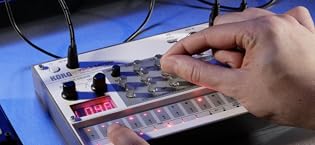
Image: Rear panel of the Korg Kross 2-88-MB, showing various input/output jacks including power, audio outputs, and USB ports.
3. USB/MIDI Connection
The Kross 2-88-MB features USB MIDI connectivity for integration with a computer or other MIDI devices. Use a standard USB cable to connect the USB B port to your computer for MIDI and audio transfer.
Betjeningsvejledning
1. Tænd/sluk
Press the POWER button located on the rear panel to turn the unit on or off. Allow a few seconds for the system to boot up.
2. Sound Selection (Program Mode)
The Kross 2-88-MB offers a wide variety of sounds. Use the CATEGORY dial to browse through different instrument types (e.g., Piano, Electric Piano, Organ, Strings, Synth). Once a category is selected, use the VALUE dial or the cursor buttons to select a specific program.

Image: Detail of the Kross 2-88-MB's display and category selection knob, showing sound program browsing.
3. Real-time Controls
Adjust sound parameters in real-time using the dedicated knobs and sliders. These controls can be assigned to various functions such as filter cutoff, resonance, attack, and release, allowing for dynamic sound shaping during performance.

Image: Real-time control section of the Korg Kross 2-88-MB, featuring assignable knobs for sound modification.
4. Performance Pads
The 16 performance pads can be used to trigger samples, chords, or drum patterns. These pads are velocity-sensitive, allowing for expressive control over your performance.

Image: Illuminated performance pads on the Korg Kross 2-88-MB, used for triggering sounds and patterns.
5. Audio Recorder
The built-in audio recorder allows you to record your performances directly to an SD card (not included). This feature is useful for capturing ideas or creating backing tracks.
Opretholdelse
1. Rensning
Wipe the unit with a soft, dry cloth. Do not use liquid cleaners or abrasive materials, as these may damage the finish.
2. Opbevaring
When not in use, store the Kross 2-88-MB in a dry, dust-free environment. If storing for an extended period, remove batteries to prevent leakage.
Fejlfinding
Ingen lyd
- Check if the unit is powered on.
- Kontroller, at mastervolumenknappen er skruet op.
- Ensure audio cables are correctly connected to the output jacks and your amplifikationssystem.
- Check the volume levels on your amprøremaskine eller røremaskine.
- Hvis du bruger hovedtelefoner, skal du sørge for, at de er korrekt tilsluttet PHONES-stikket.
Enheden tændes ikke
- Kontroller, at AC-adapteren er korrekt tilsluttet både enheden og en fungerende stikkontakt.
- If using batteries, check if they are correctly inserted and have sufficient charge.
Unexpected Behavior / Freezing
- Try performing a factory reset (refer to the Quick Start Guide for instructions).
- Ensure the latest firmware is installed. Visit the Korg webwebsted for opdateringer.
Specifikationer
| Feature | Detalje |
|---|---|
| Modelnavn | Kross |
| Varemodelnummer | KROSS288MB |
| Antal tastaturtaster | 88 |
| Nøglepladetype | Natural Weighted Hammer Action |
| Lydmotor | EDS-i (Enhanced Definition Synthesis - integreret) |
| Indgange | Mic / Line-indgange |
| Udgange | L/MONO, R, PHONES |
| Forbindelse | MIDI USB |
| Strømkilde | AC Adapter (included) or Battery Powered (6 AA batteries) |
| Varens vægt | 38.5 pund |
| Produktdimensioner | 64 x 20 x 10.5 tommer |
| Kropsmateriale | Plast |
| Finish Type | Mat |
| Farve | Sort |
Garantioplysninger
This product is covered by a limited manufacturer's warranty. Please refer to the warranty card included in your package or visit the official Korg webwebstedet for detaljerede vilkår og betingelser. Gem din købsbevis til garantikrav.
Støtte
For further assistance, technical support, or to download the latest drivers and firmware updates, please visit the official Korg webwebsted:
You may also contact Korg customer service directly through the contact information provided on their webwebsted.


