1. Introduktion
This manual provides comprehensive instructions for the installation, operation, and maintenance of the SainSmart Genmitsu CNC Router Machine Controller Board. This board is designed for use with Genmitsu CNC Router models 1810-PRO, 3018, and 3018-PRO, offering enhanced control capabilities for your CNC machine.
2. Produktet er slutview og funktioner
The SainSmart Genmitsu Controller Board is a central component for managing your CNC router's functions. It comes enclosed in an ABS case for protection and includes a built-in fan for cooling.

Image 2.1: The SainSmart Genmitsu CNC Controller Board, shown with its protective ABS case and an included USB cable for connection to a computer.
Nøglefunktioner:
- Supports laser engraving functionality.
- Enables Spindle PWM speed control.
- Provides XYZ triaxial control for precise movement.
- Dedicated connections for X, Y, and Z axis end switches.
- Integrated cooling fan for optimal performance.
- Connection port for an optional offline controller.
- Equipped with two MOSFET spindle drive chips:
- MOSFET 1: Anbefalet input voltage 12-24V, current up to 10A. Suitable for high-power spindle motors or laser modules.
- MOSFET 2: Maximum current 2A. Designed for 2A laser modules, with adjustable voltage fra 0-12V.
- Compatible with GRBL controller and UniversalGcodeSender software.
- Utilizes DRV8825 stepper motor drivers.
- Supports 3-pin and 2-pin laser modules. For 2-pin lasers, connect to the "+ s-" interface.
- Supports 12V stepper motors with a maximum current of 2A (1.5A recommended with additional heat dissipation).
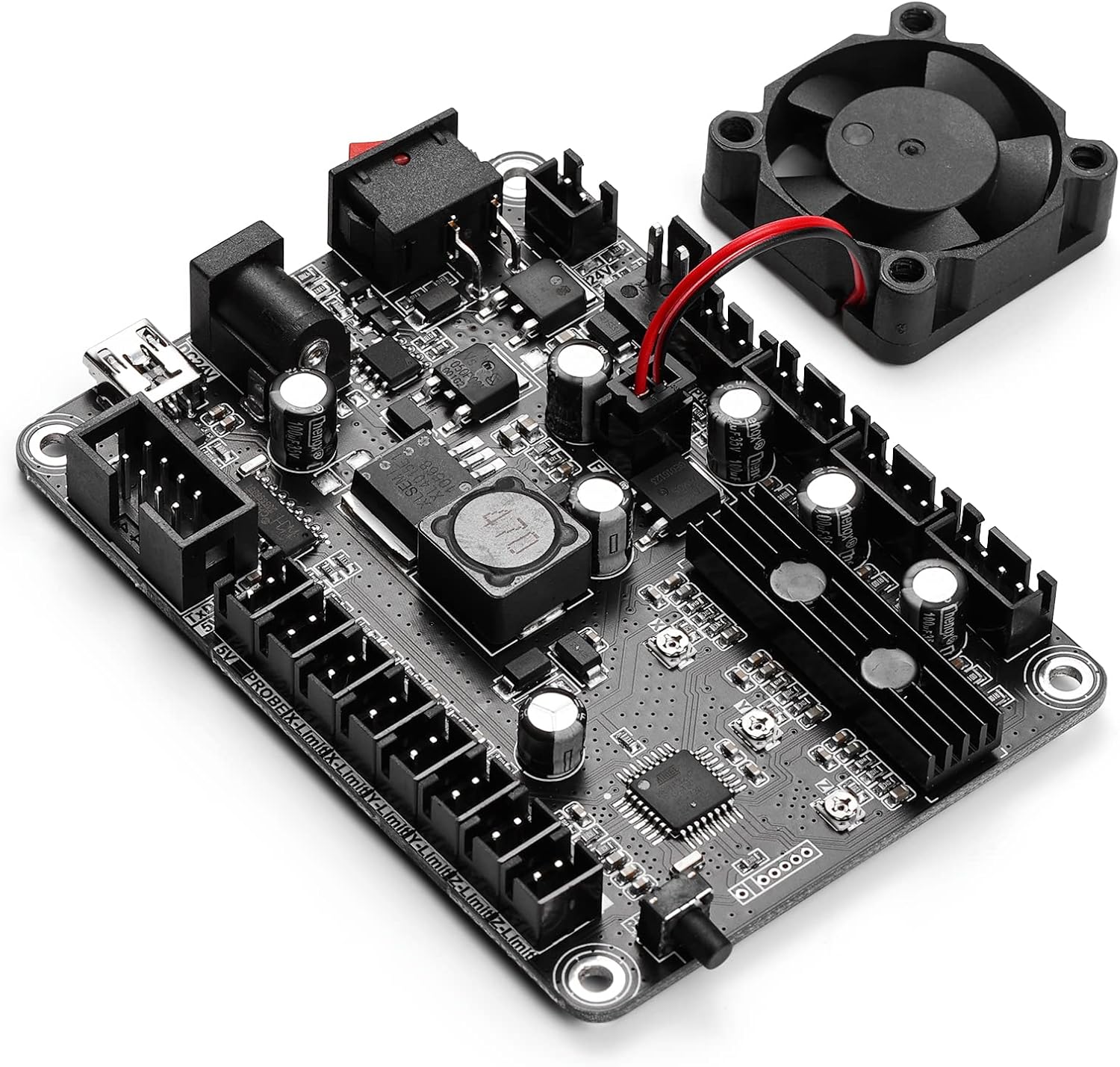
Image 2.2: The controller board removed from its case, revealing the electronic components, stepper motor drivers, and various connection ports.
3. Pakkens indhold
Bekræft at alle varer er til stede i pakken:
- 1 x SainSmart Genmitsu CNC Router Machine Controller Board (with ABS Case)
- 1 x USB-kabel
4. Specifikationer
| Parameter | Værdi |
|---|---|
| Modelnummer | 816550022382 |
| Varens vægt | 0.19 kilo (6.7 ounce) |
| Produktdimensioner | 3.54 x 3.35 x 0.91 tommer (90 mm x 85 mm x 23 mm) |
| Input bindtage | 24 Volts DC (12-24V recommended) |
| Spindelkraft | 150W |
| Steppermotorstrøm | Max 2A (1.5A recommended) |
| Materiale | Acrylonitril Butadien Styren (ABS) |
| Farve | Sort |
| Batterier kræves/medfølger | Ingen |

Image 4.1: Diagram illustrating the physical dimensions of the controller board, including length, width, and height.
5. Opsætning
Follow these steps to connect your SainSmart Genmitsu CNC Router Machine Controller Board to your CNC machine and computer.

Image 5.1: A detailed diagram showing all connection points on the controller board, including power, USB, stepper motors, spindle, laser, and optional offline controller.
- Strømtilslutning: Connect a 24V DC power adapter to the power input port on the board. Ensure the power switch is in the OFF position before connecting.
- USB-forbindelse: Use the provided USB cable to connect the controller board to your computer. This connection is essential for sending G-code commands to the CNC machine.
- Stepper Motor Connections: Connect the X, Y, and Z axis stepper motors to their respective ports on the controller board. Ensure correct polarity and secure connections.
- Spindelforbindelse: Connect your CNC machine's spindle motor to the designated spindle output port. If using a high-power spindle, ensure it is connected to MOSFET 1.
- Laser Module Connection (Optional): If using a laser module, connect it to the appropriate laser port. For 3-pin lasers, connect directly. For 2-pin lasers, connect to the "+ s-" interface. Ensure the laser's power requirements match the board's capabilities (MOSFET 1 for up to 10A, MOSFET 2 for up to 2A).
- End Switch Connections (Optional): Connect X, Y, and Z end switches to their respective ports for homing and limit functions.
- Offline Controller Connection (Optional): If you have an optional offline controller, connect it to the dedicated port.
- Tænd: Once all connections are secure, switch the power button to the ON position.
6. Betjeningsvejledning
The SainSmart Genmitsu Controller Board operates using GRBL firmware, which is compatible with various G-code sender software.
- Software installation: Install a compatible G-code sender software on your computer, such as GRBL Controller or UniversalGcodeSender (UGS). Refer to the software's documentation for installation and setup.
- Connect to Board: Launch your chosen G-code sender software and establish a connection with the controller board via the USB port. You may need to select the correct COM port and baud rate (typically 115200).
- Konfiguration: Configure GRBL settings within your G-code sender software according to your specific CNC machine model and desired operational parameters. This includes steps per millimeter, maximum travel rates, and acceleration settings.
- Indlæser G-kode: Indlæs din forberedte G-kode file ind i softwaren.
- Start operation: Follow the software's instructions to home the machine (if end switches are installed) and begin the milling or engraving process. Always supervise the machine during operation.
7. Vedligeholdelse
Regular maintenance ensures the longevity and optimal performance of your controller board.
- Hold rent: Periodically clean the board and its case to prevent dust and debris accumulation, which can affect performance and cooling. Use compressed air or a soft brush.
- Sørg for ventilation: The built-in fan helps dissipate heat. Ensure the fan is free from obstructions and operating correctly.
- Tjek forbindelser: Regularly inspect all cable connections for looseness or damage. Secure any loose connections to prevent intermittent operation.
- Miljøforhold: Operate the board in a dry, dust-free environment with stable temperatures to avoid damage from moisture or extreme heat/cold.
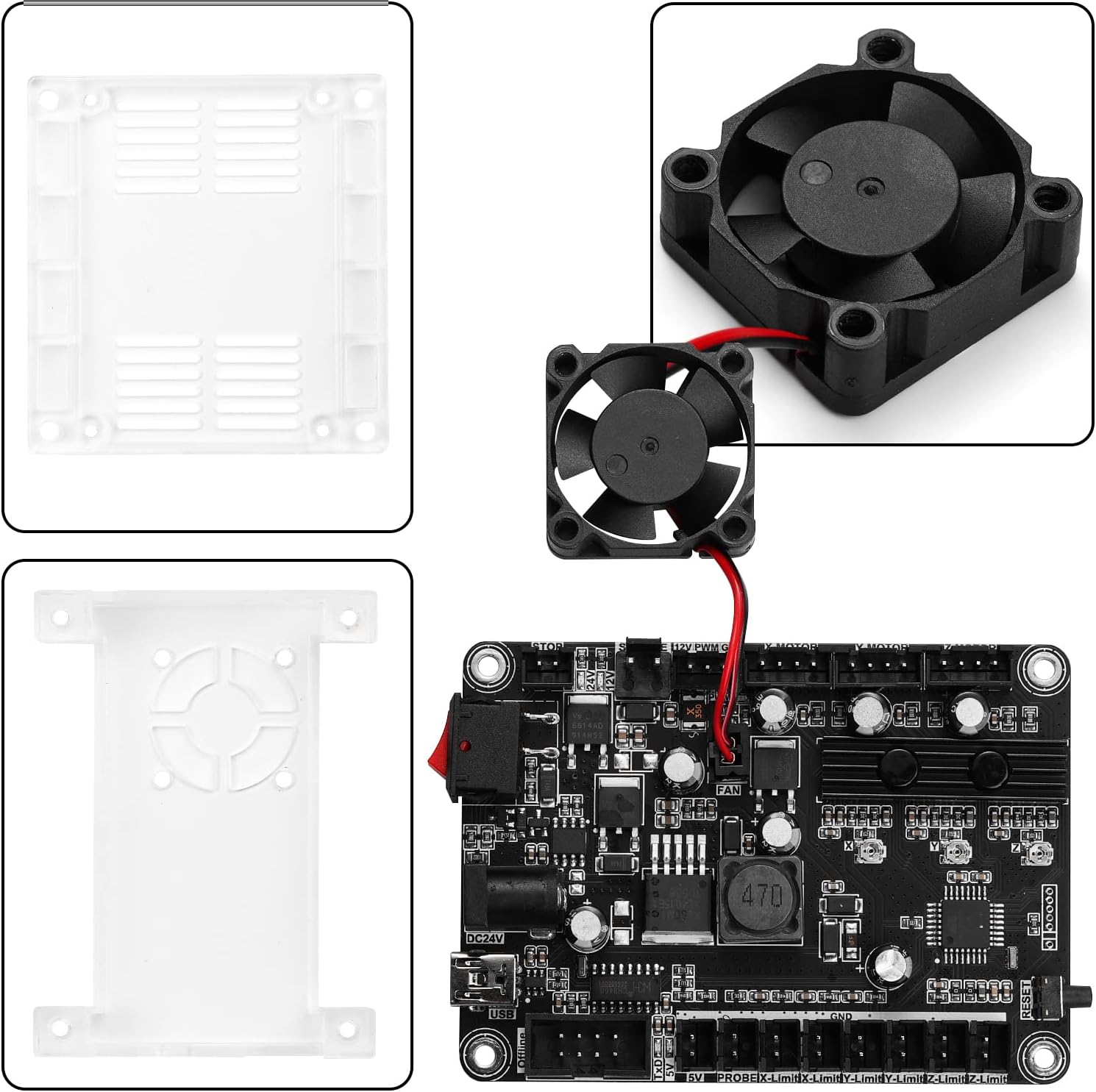
Billede 7.1: En eksploderet view showing the transparent ABS case components and the cooling fan, highlighting the board's protective enclosure and active cooling system.
8. Fejlfinding
If you encounter issues with your controller board, refer to the following common problems and solutions:
- Ingen strøm:
- Sørg for, at 24V DC-strømadapteren er korrekt tilsluttet og fungerer.
- Verify the power switch on the board is in the ON position.
- Computer Not Detecting Board:
- Kontrollér USB-kabelforbindelsen. Prøv en anden USB-port eller et andet kabel.
- Ensure necessary USB drivers are installed on your computer.
- Verify the correct COM port is selected in your G-code sender software.
- Stepper Motors Not Moving:
- Confirm all stepper motor cables are securely connected to the board and motors.
- Check GRBL settings for correct steps per millimeter and motor direction.
- Ensure the stepper motors are receiving adequate power (12V, within 2A).
- Spindle or Laser Not Activating:
- Verify the spindle/laser is correctly wired to the appropriate MOSFET port.
- Check G-code commands for spindle/laser activation (e.g., M3/M5 for spindle, M3 Sxxx for laser).
- Ensure the power requirements of your spindle/laser match the capabilities of the connected MOSFET.
- Erratic Movement or Lost Steps:
- Inspect all wiring for interference or loose connections.
- Reduce acceleration or maximum feed rate settings in GRBL.
- Ensure stepper motors are not overheating; consider additional cooling if necessary.
9. Garanti og support
For detailed warranty information and technical support, please refer to the official SainSmart webhjemmeside eller kontakt deres kundeservice direkte.
An online user manual may also be available at: https://go.aws/37nvo3E
When contacting support, please provide your product model number (816550022382) and a detailed description of the issue you are experiencing.


