Indledning
Welcome to the user manual for your Urbanista Sydney Wireless Speaker. This guide provides essential information on setting up, operating, maintaining, and troubleshooting your device. The Urbanista Sydney is a pocket-sized, splash-proof speaker featuring Bluetooth 5.0 connectivity and up to 5 hours of playtime, designed for portable audio enjoyment.
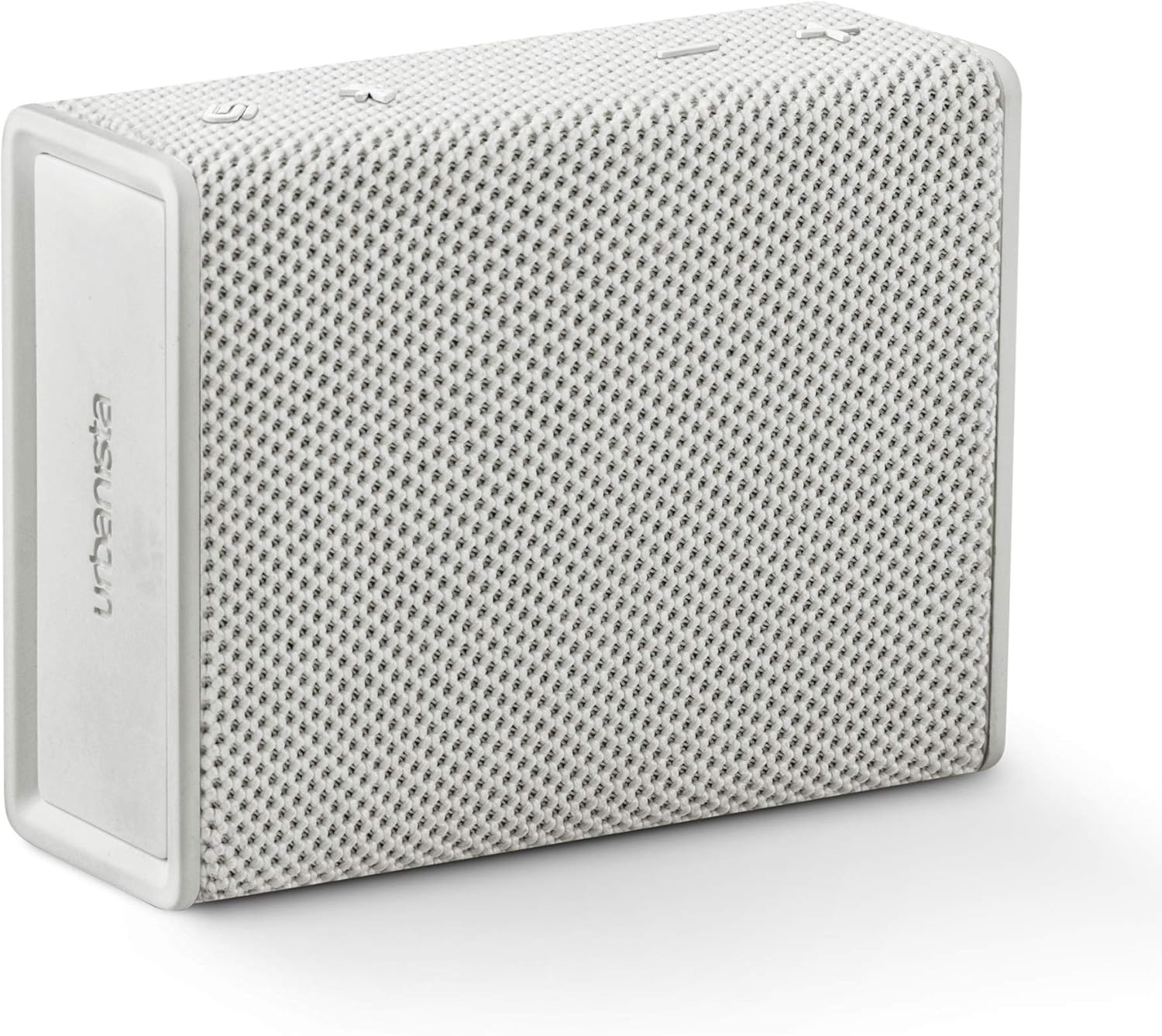
Image: The Urbanista Sydney Wireless Speaker in white, showcasing its compact and minimalist design.
Produkt overview
The Urbanista Sydney speaker is designed for ease of use and portability. It features intuitive controls and robust construction for various environments.

Image: An illustration of the Urbanista Sydney speaker with icons indicating its key features: up to 5 hours total playtime, up to 30 days standby time, Bluetooth 5.0, IPX5 water resistance, and compatibility with Android and iOS devices.
Nøglefunktioner:
- Bluetooth 5.0: For stabil og effektiv trådløs forbindelse.
- 5-Hour Play Time: Enjoy extended audio playback on a single charge.
- IPX5 Splash-Proof: Resistant to water splashes from any direction, suitable for outdoor use.
- Design i lommestørrelse: Let og kompakt for nem transport.
- Stereo parring: Connect two Sydney speakers for an enhanced stereo sound experience.

Image: A person's hand holding the Urbanista Sydney speaker, illustrating its small and portable size.
Opsætning
1. Opladning af højttaleren
Before first use, fully charge your Urbanista Sydney speaker. Connect the provided charging cable to the speaker's charging port and a suitable USB power source. The charging indicator light will show the charging status. A full charge takes approximately 1.5 hours.
2. Tænd/sluk
- For at tænde: Press and hold the power button located on the speaker until the indicator light illuminates.
- For at slukke: Tryk på tænd/sluk-knappen igen, og hold den nede, indtil indikatorlampen slukker.
3. Bluetooth-parring
- Ensure the speaker is powered on and within pairing mode (indicator light flashing).
- Aktiver Bluetooth på din enhed (smartphone, tablet osv.).
- Søg efter available Bluetooth devices and select "Urbanista Sydney" from the list.
- Once connected, the indicator light on the speaker will become solid, and you will hear an audible confirmation.
4. Connecting Two Speakers (Stereo Pairing)
For an immersive stereo sound experience, you can connect two Urbanista Sydney speakers together.
- Ensure both Urbanista Sydney speakers are powered on and not connected to any other Bluetooth device.
- On one speaker, press and hold the designated pairing button (refer to speaker diagram for exact button, typically the Bluetooth button) until you hear a pairing tone.
- Gentag dette trin på den anden højttaler.
- The speakers will automatically search for and connect to each other. Once connected, one speaker will act as the left channel and the other as the right channel.
- Now, connect your device to one of the paired Sydney speakers via Bluetooth as described in step 3.

Image: Two Urbanista Sydney speakers demonstrating the second-speaker pairing feature for stereo sound, with a Bluetooth logo and sound wave graphic.
Betjening af højttaleren
Grundlæggende kontrol
- Afspil/pause: Tryk én gang på Afspil/Pause-knappen for at afspille eller sætte lyd på pause.
- Lydstyrke op: Tryk på '+'-knappen for at øge lydstyrken.
- Skrue ned for lyden: Tryk på '-' knappen for at sænke lydstyrken.
- Næste nummer: Press and hold the '+' button to skip to the next track.
- Forrige nummer: Press and hold the '-' button to go to the previous track.
Splash-Proof Functionality (IPX5)
The Urbanista Sydney speaker is rated IPX5, meaning it is protected against low-pressure water jets from any direction. This makes it suitable for use in environments where it might be exposed to splashes, such as by a pool or during light rain. It is not designed to be submerged in water.

Image: A collection of Urbanista Sydney speakers in various colors positioned near a swimming pool, demonstrating their suitability for splash-prone environments.
Opretholdelse
Rensning
To clean your Urbanista Sydney speaker, use a soft, dry, or slightly damp cloth. Avoid using abrasive cleaners, solvents, or harsh chemicals, as these can damage the speaker's finish and internal components.
Opbevaring
When not in use for extended periods, store the speaker in a cool, dry place away from direct sunlight and extreme temperatures. Ensure the speaker is fully charged before storing to prolong battery life.
Fejlfinding
If you encounter issues with your Urbanista Sydney speaker, refer to the following common problems and solutions:
- Højttaleren tænder ikke:
- Ensure the speaker is fully charged. Connect it to a power source and allow it to charge for at least 15 minutes before attempting to power on again.
- Verify that the power button is being pressed and held correctly.
- Ingen lyd eller lav lydstyrke:
- Kontroller lydstyrkeniveauerne på både højttaleren og din tilsluttede enhed.
- Ensure the speaker is properly paired and connected to your device via Bluetooth.
- If using stereo pairing, ensure both speakers are correctly linked and connected to your device.
- Problemer med Bluetooth-parring:
- Make sure the speaker is in pairing mode (indicator light flashing).
- Deaktiver og genaktiver Bluetooth på din enhed.
- Flyt højttaleren tættere på din enhed og væk fra potentielle interferenskilder.
- Forget the speaker from your device's Bluetooth list and attempt to pair again.
- Dårlig lydkvalitet:
- Ensure the speaker is within the effective range of your Bluetooth device (typically up to 10 meters).
- Check for any physical obstructions between the speaker and your device.
- Try playing audio from a different source or device to rule out source-related issues.
Specifikationer
Detailed technical specifications for the Urbanista Sydney Wireless Speaker:
| Mærke | Urbanista |
| Modelnummer | 36772 |
| Højttaler type | Surround Sound (2.0 Channel Configuration) |
| Speciel funktion | Transportabel |
| Anbefalede anvendelser | Music, Beach, Park, Outdoor Activities |
| Kompatible enheder | Smartphone (Android og iOS) |
| Farve | Hvid |
| Varens vægt | 300 gram (10.6 ounce) |
| Vandmodstand | IPX5 (Splash-Proof) |
| Kontrolmetode | Røre |
| Trådløs kommunikationsteknologi | Bluetooth 5.0 |
| Højttaler størrelse | 40 millimeter |
| Strømkilde | Batteridrevet (1 lithium-ion-batteri påkrævet) |
| Opladningstid | 1.5 timer |
| Højttaler Maksimal udgangseffekt | 10 watt |
| Produktdimensioner | 4.02 x 1.73 x 4.96 tommer |
Sikkerhedsoplysninger
Please read and follow these safety guidelines to ensure safe operation and prolong the life of your speaker:
- Udsæt ikke højttaleren for ekstreme temperaturer, direkte sollys eller høj luftfugtighed.
- Undgå at tabe eller udsætte højttaleren for kraftige stød.
- Forsøg ikke selv at skille ad, reparere eller modificere højttaleren. Dette vil ugyldiggøre garantien.
- Keep the speaker away from medical devices, as it contains magnets that may interfere with pacemakers or other medical equipment.
- Bortskaf højttaleren og dens batteri på en ansvarlig måde i henhold til lokale regler.
Garanti og support
The Urbanista Sydney Wireless Speaker comes with a Begrænset garanti. For specific warranty terms and conditions, please refer to the documentation included with your purchase or visit the official Urbanista webwebsted.
For yderligere assistance, teknisk support eller til view frequently asked questions, please visit the Urbanista support page:


