Indledning
The Logitech Signature M650 is a wireless mouse designed for comfort and productivity. It features Smartwheel scrolling for precise and fast navigation, silent clicks with SilentTouch technology, and customizable side buttons. This manual provides essential information for setting up, operating, maintaining, and troubleshooting your M650 mouse.

Image: The Logitech Signature M650 Wireless Mouse in gray, showcasing its ergonomic design and scroll wheel.
1. Opsætning
1.1 Pakkens indhold
- Logitech Signature M650 trådløs mus
- AA Battery (pre-installed)
- Logi Bolt USB Receiver (may be stored inside the mouse)
1.2 Batteriinstallation
The mouse comes with a pre-installed AA battery. If you need to replace it:
- Find batteridækslet på undersiden af musen.
- Skub eller løft dækslet for at åbne det.
- Isæt et nyt AA-batteri, og sørg for at polariteten (+/-) vender korrekt.
- Luk batterirummets dæksel forsvarligt.
1.3 Tilslutning af din mus
The Signature M650 offers two connection methods: Bluetooth Low Energy or the Logi Bolt USB Receiver.

Image: Diagram illustrating the two connection options: Bluetooth and Logi Bolt USB receiver.
1.3.1 Using the Logi Bolt USB Receiver
- Remove the Logi Bolt USB receiver from its storage slot inside the mouse (if applicable).
- Sæt Logi Bolt USB-modtageren i en ledig USB-port på din computer.
- Tænd musen på tænd/sluk-knappen på undersiden. Musen burde oprette forbindelse automatisk.
1.3.2 Using Bluetooth Low Energy
- Tænd musen ved hjælp af tænd/sluk-knappen på undersiden.
- Press and hold the connection button on the underside of the mouse until the LED indicator starts blinking rapidly, indicating pairing mode.
- Åbn Bluetooth-indstillingerne på din computer eller enhed.
- Select "Logitech M650" from the list of available devices to pair.
- Følg eventuelle anvisninger på skærmen for at fuldføre parringsprocessen.
1.4 Softwareinstallation (valgfrit)
For enhanced customization and functionality, download and install the Logitech Options+ software from the official Logitech website. This software allows you to personalize button assignments and adjust settings.
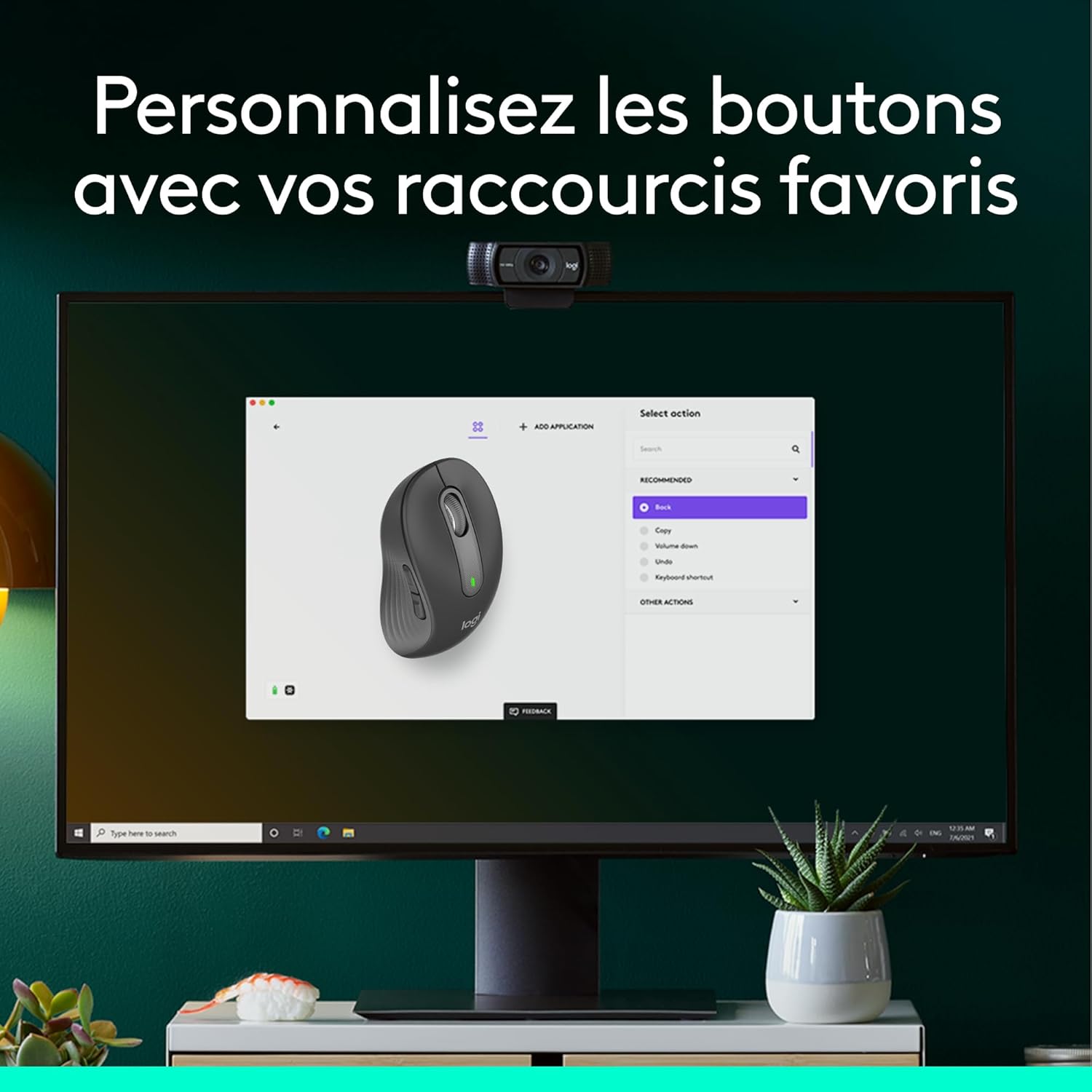
Image: A computer screen displaying the Logitech Options+ software interface, showing options to customize mouse buttons.
2. Betjening af musen
2.1 Smartwheel Scrolling
The Signature M650 features a Smartwheel that adapts to your needs:
- Linje-for-linje præcision: Scroll slowly for detailed navigation in documents or spreadsheets.
- Superhurtig scrolling: Flick the wheel for rapid, free-spinning scrolling through long web sider eller dokumenter.

Billede: Et nærbillede view of the mouse's Smartwheel, highlighting its textured surface and the "SmartWheel" label.
2.2 Silent Clicks (SilentTouch Technology)
The mouse is equipped with Logitech's SilentTouch technology, reducing click noise by over 90% compared to traditional mice. This feature promotes a quieter work environment.

Image: A person working at a desk, using the Logitech M650 mouse, with a "SilentTouch" logo indicating quiet operation.
2.3 Customizable Side Buttons
The two side buttons can be customized using Logitech Options+ software to perform your preferred shortcuts, such as "Back/Forward" or "Copy/Paste".

Billede: En detaljeret view of the mouse's side, showing the two programmable buttons and the textured rubber grip for enhanced comfort.
2.4 Ergonomisk design
The Signature M650 is designed for comfort during extended use, featuring a contoured shape, a soft thumb area, and rubber side grips. It is available in different sizes to suit various hand dimensions.

Image: The Logitech M650 mouse resting on a light blue mousepad, emphasizing its comfortable shape for small to medium hands.

Image: A visual comparison showing the dimensions of the standard M650 and the larger M650 L models.
3. Vedligeholdelse
3.1 Batterilevetid og udskiftning
The Signature M650 mouse operates on a single AA battery, providing up to 24 months of battery life. When the battery is low, the LED indicator on the mouse will signal. Replace the battery as described in Section 1.2.
3.2 Rengøring
For at rengøre din mus skal du bruge en blød,amp cloth. Avoid harsh chemicals or abrasive materials. Ensure no liquid enters the internal components.
3.3 Opbevaring
When not in use for extended periods, turn off the mouse using the power switch to conserve battery life. Store the Logi Bolt USB receiver inside the mouse's dedicated slot to prevent loss.
4. Fejlfinding
4.1 Musen reagerer ikke
- Tjek strøm: Sørg for, at musen er tændt.
- Tjek batteri: Replace the AA battery if the indicator light is off or blinking slowly.
- Tjek forbindelsen:
- For Logi Bolt: Ensure the receiver is securely plugged into a working USB port. Try a different USB port.
- For Bluetooth: Ensure Bluetooth is enabled on your device and the mouse is paired. Try re-pairing the mouse (Section 1.3.2).
- Afstand: Ensure the mouse is within range of your computer (typically up to 10 meters for wireless connections).
4.2 Problemer med markørbevægelse
- Overflade: Brug musen på en ren, ikke-reflekterende overflade. En musemåtte anbefales.
- Sensor: Sørg for, at den optiske sensor på undersiden af musen er ren og fri for blokeringer.
4.3 Software Issues (Logitech Options+)
- Geninstaller software: If customization features are not working, try uninstalling and reinstalling Logitech Options+.
- Opdater software: Ensure you have the latest version of Logitech Options+ installed.
5. Specifikationer
| Mærke | Logitech |
| Modelnavn | Signatur M650 |
| Modelnummer | 910-006253 |
| Forbindelse | Bluetooth lavenergi, Logi Bolt USB-modtager |
| Sensor Technology | Optical (Laser) |
| Antal knapper | 5 (Left/Right click, Scroll wheel click, 2 Side buttons) |
| Håndorientering | Right-handed (variants for Left-handed and Ambidextrous may exist) |
| Batteritype | 1 x AA batteri |
| Batterilevetid | Op til 24 måneder |
| Dimensioner (L x B x H) | 10.7 x 6.1 x 3.8 cm (for standard M650) |
| Vægt | 101.2g (med batteri) |
| Systemkrav | Windows 10, 11 or later; macOS 10.10 or later; Linux; Chrome OS; iPadOS 13.4 or later; Android 8.0 or later |
| Særlige funktioner | Wireless, Silent Clicks (SilentTouch), Smartwheel, Customizable Buttons |
6. Garantioplysninger
The Logitech Signature M650 Wireless Mouse comes with a 2 års producentgarantiDenne garanti dækker materiale- og fabrikationsfejl ved normal brug. Gem venligst din købsbevis i tilfælde af garantikrav.
For detaljerede garantivilkår henvises til den officielle Logitech- website or contact Logitech customer support.
7. Support
For further assistance, product updates, or to download the Logitech Options+ software, please visit the official Logitech support webwebsted:
You can also find FAQs and community forums on the support website for common issues and tips.


