1. Introduktion
This manual provides comprehensive instructions for the installation, operation, and maintenance of your Intelbras MHDX 1108 8-Channel Multi HD Digital Video Recorder (DVR). The MHDX 1108 is a versatile 5-in-1 DVR, compatible with HDCVI, AHD, HDTVI, Analog, and IP camera technologies, offering a robust solution for your surveillance needs. Please read this manual carefully before using the product to ensure proper setup and functionality.
2. Pakkens indhold
Bekræft, at alle nedenstående varer er inkluderet i din produktpakke:
- 01 x Intelbras MHDX 1108 8-Channel Multi HD DVR (1080p Lite)
- 01 x 1TB Western Digital Purple Hard Drive (pre-installed)
- 01 x 12V strømforsyning
- 01 x USB-mus
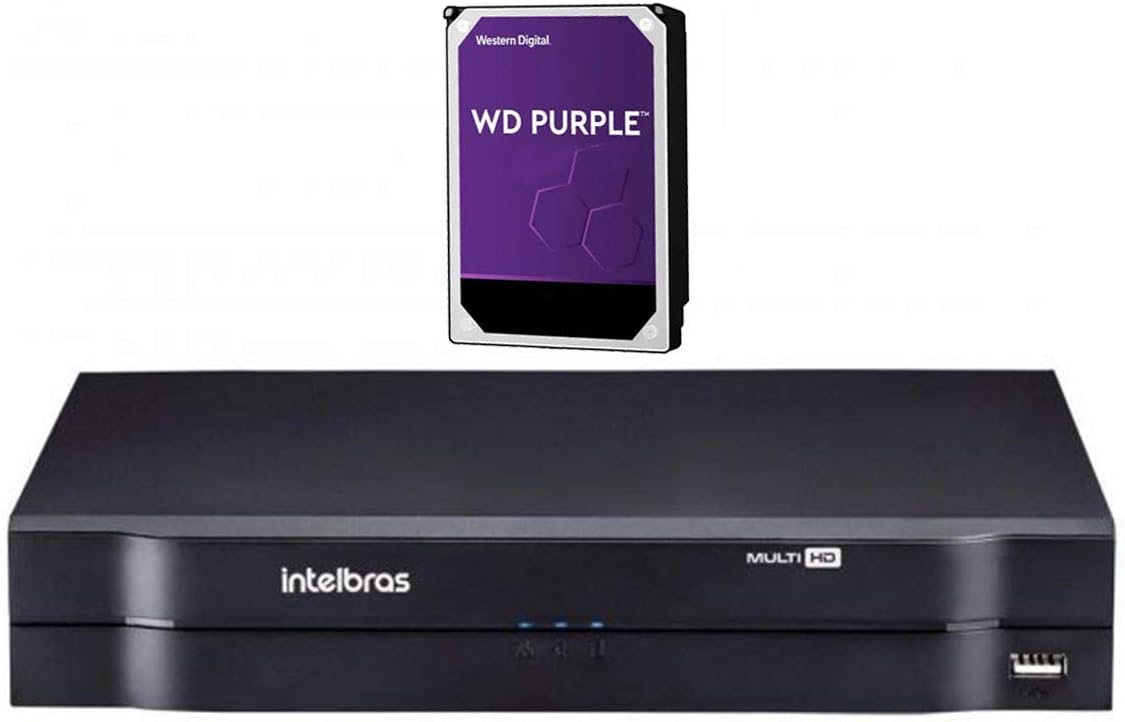
Image 2.1: Intelbras MHDX 1108 DVR unit shown with the included 1TB Western Digital Purple hard drive.
3. Nøglefunktioner
- Multi HD Compatibility: Supports 5 technologies: HDCVI, AHD, HDTVI, Analog, and IP cameras.
- 8 Video Channels: 8 BNC video inputs, expandable with 2 additional IP channels, or up to 10 IP channels in NVR mode.
- Højtydende processor: Integrated for reliable operation.
- Videooutput: HDMI, VGA, and BNC analog output for monitor connectivity.
- Optagelsesopløsning: Max 1080N for analog technologies and 1080p/720p for IP cameras.
- Lydstøtte: 1 audio input and 1 audio output channel.
- H.265+ videokomprimering: Efficient storage and bandwidth usage.
- 1TB harddisk inkluderet: Pre-installed Western Digital Purple HDD, optimized for surveillance.
- Fjernadgang: P2P (Peer-to-Peer) functionality for easy remote viewing without complex port forwarding.
- Netværksprotokoller: Supports a wide range of protocols including HTTP, TCP/IP, UPNP, RTSP, SMTP, NTP, DHCP, DNS, DDNS, Intelbras Cloud, Onvif, and Wi-Fi (via USB adapter).
- Udvidelig lagerplads: Supports up to 1 SATA HDD with a maximum capacity of 12 TB.
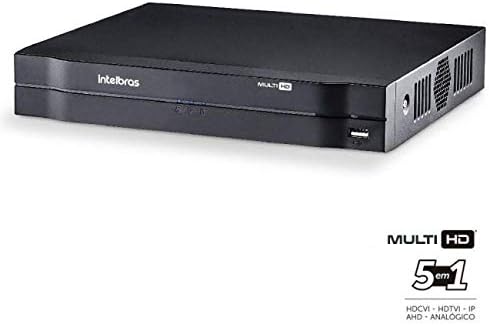
Billede 3.1: Forside view of the Intelbras MHDX 1108 DVR, highlighting its Multi HD 5-in-1 compatibility.
4. Opsætningsvejledning
Follow these steps to set up your Intelbras MHDX 1108 DVR:
4.1. Udpakning og inspektion
- Fjern forsigtigt alle komponenter fra emballagen.
- Inspect the DVR and accessories for any signs of damage. If any damage is found, contact your dealer immediately.
4.2. Connecting the DVR
Refer to the rear panel diagram for port identification:

Image 4.1: Rear panel connections of the Intelbras MHDX 1108 DVR, including video inputs, audio ports, network, HDMI, VGA, and power input.
- Tilslut kameraer: Connect your HDCVI, AHD, HDTVI, or Analog cameras to the BNC video input ports (1-8) on the rear panel. For IP cameras, connect them to your network and ensure they are discoverable by the DVR.
- Tilslut skærm: Connect a monitor to the DVR using either the HDMI or VGA port. An analog BNC output is also available.
- Tilslut lyd: If using external audio, connect an audio source to the audio input port and speakers/audio output device to the audio output port.
- Tilslut netværk: Connect an Ethernet cable from the DVR's LAN port to your network router or switch for remote access and IP camera connectivity.
- Tilslut USB-mus: Sæt den medfølgende USB-mus i en af USB-portene på DVR'en (foran eller bagpå).
- Tænd: Connect the 12V power supply to the DVR's power input and then plug the power supply into an electrical outlet. The DVR will power on automatically.
4.3. Indledende konfiguration
Upon first power-on, the DVR will guide you through an initial setup wizard. This typically includes setting the date/time, network settings, and creating an administrator password. Follow the on-screen prompts.
5. Betjeningsvejledning
5.1. Brugergrænsefladenavigation
Use the connected USB mouse to navigate the DVR's graphical user interface (GUI). Right-click to access the main menu, and left-click to select options or confirm actions.
5.2. Lev View
After logging in, the DVR will display the live view af alle tilsluttede kameraer. Du kan skifte mellem enkeltkamera-visning view, multi-camera grids, and customize the display layout.
5.3. Optagelse
The DVR is pre-configured to record continuously. You can adjust recording schedules, motion detection settings, and other recording parameters through the main menu under the 'Record' or 'Storage' sections.
5.4. Afspilning
Til review optaget footage, access the 'Playback' option from the main menu. Select the desired date, time, and camera channel to view recordings. You can fast-forward, rewind, and pause playback.
5.5. Remote Access (Intelbras Cloud / P2P)
The MHDX 1108 supports P2P for easy remote access via the Intelbras Cloud service. Download the official Intelbras mobile application (e.g., iSIC) on your smartphone or tablet. Scan the QR code displayed on the DVR's network settings or input the device serial number to add the DVR to your account. This allows you to view live feeds and playback recordings from anywhere with an internet connection.
5.6. Netværkskonfiguration
Access the 'Network' settings in the main menu to configure IP addresses, DNS, DDNS, and other network parameters. Ensure your DVR has a stable internet connection for remote access and firmware updates.
6. Vedligeholdelse
Regelmæssig vedligeholdelse sikrer optimal ydeevne og levetid for dit DVR-system.
- Rensning: Periodically clean the exterior of the DVR with a soft, dry cloth. Ensure ventilation openings are free from dust and obstructions. Do not use liquid cleaners directly on the unit.
- Firmwareopdateringer: Check the Intelbras official website for the latest firmware updates. Keeping your DVR's firmware up-to-date can improve performance, add new features, and enhance security. Follow the instructions provided with the firmware update carefully.
- Harddiskens tilstand: The pre-installed Western Digital Purple HDD is designed for surveillance. Monitor its health through the DVR's system information or storage settings. Consider backing up critical footage med jævne mellemrum.
- Adgangskodesikkerhed: Regularly change your administrator password and use strong, unique passwords to protect your system from unauthorized access.
7. Fejlfinding
This section addresses common issues you might encounter with your DVR.
7.1. Ingen videoudgang på skærmen
- Check if the monitor is powered on and correctly connected to the DVR's HDMI or VGA port.
- Ensure the DVR is powered on and its power indicator light is active.
- Try a different monitor or cable to rule out faulty equipment.
7.2. Cameras Not Displaying
- Verify that cameras are properly powered and connected to the correct BNC inputs.
- Ensure the camera type (HDCVI, AHD, HDTVI, Analog) is compatible with the DVR and correctly configured in the DVR's camera settings.
- For IP cameras, confirm they are on the same network as the DVR and their IP addresses are correctly configured.
7.3. Fjernadgang virker ikke
- Check the DVR's network connection. Ensure the Ethernet cable is securely connected and the network status is 'Online' in the DVR's settings.
- Bekræft, at din mobilenhed har en stabil internetforbindelse.
- Ensure the Intelbras Cloud service is enabled on the DVR and the device is correctly added to your mobile application.
7.4. No Recording
- Check the recording schedule in the DVR's settings to ensure it is active for the desired channels and times.
- Verify the hard drive status. If the HDD is full, damaged, or not initialized, recording will not occur. Format or replace the HDD if necessary.
8. Specifikationer
| Feature | Specifikation |
|---|---|
| Hovedprocessor | Integreret højtydende |
| Videoindgange | 8 BNC channels + 2 IP channels (or 10 IP channels in NVR mode) |
| Videoudgange | 1 HDMI, 1 VGA, 1 BNC Analog |
| Max optageopløsning | 1080N (analog), 1080p / 720p (IP) |
| Lydindgange | 1 kanal |
| Lydudgange | 1 kanal |
| Videokomprimering | H.265 + |
| Lagerkapacitet | 1 SATA HDD (up to 12 TB), 1TB HDD included |
| Netværksprotokoller | HTTP, IPv4/IPv6, TCP/IP, UPNP, RTSP, SMTP, NTP, DHCP, DNS, DDNS, IP Filter, SNMP, Intelbras DDNS, Intelbras Cloud, Onvif, PPPoE, Wi-Fi (via USB adapter), Multicast, 802.1x, FTP |
| Dimensioner (B x D x H) | 260mm x 220mm x 40mm (1U) |
| Strømforsyning | 12V DC |
| Vægt | Approx. 1 kg (without packaging) |
9. Garanti og support
For detailed warranty information and technical support, please refer to the official Intelbras website or contact your authorized Intelbras dealer. Keep your purchase receipt as proof of purchase for warranty claims.
Fabrikant: Intelbras
Modelnummer: MHDX 1108


