1. Introduktion
This manual provides essential information for the safe and efficient operation of your METZ M55S9A 55-inch 4K UHD Smart Android OLED TV. Please read this manual thoroughly before using the television and retain it for future reference.
The METZ M55S9A features a 55-inch 4K UHD OLED display, Google Certified Android 8.0 operating system, and integrated smart functionalities, offering a premium viewoplevelse.
2. Sikkerhedsoplysninger
Overhold altid følgende sikkerhedsforanstaltninger for at forhindre elektrisk stød, brand eller beskadigelse af fjernsynet:
- Udsæt ikke TV'et for regn eller fugt.
- Sørg for tilstrækkelig ventilation; bloker ikke ventilationsåbningerne.
- Undgå at placere tv'et i nærheden af varmekilder eller i direkte sollys.
- Brug kun den netledning, der følger med tv'et.
- Åbn ikke tv'etasing; overlad al service til kvalificeret personale.
- Opbevar batterier utilgængeligt for børn.
3. Hvad er der i æsken
Kontroller, at alle komponenter er til stede ved udpakning:
- 1 x METZ M55S9A LED TV
- 1 x bordstativ
- 1 x vægbeslag
- 1 x Brugermanual (dette dokument)
- 1 x garantikort
- 1 x Remote Control (2 AAA batteries included)
4. Opsætning
4.1. Fysisk installation
Your METZ M55S9A TV can be installed using the included tabletop stand or a wall mount bracket.
Installation af bordstativ:
- Placer forsigtigt tv'et med forsiden nedad på en blød, flad overflade for at forhindre, at skærmen beskadiges.
- Attach the tabletop stand to the designated mounting points on the TV's rear using the provided screws. Ensure it is securely fastened.
- Place the TV on a stable, level surface, ensuring adequate space for ventilation.
Vægmontering:
If using a wall mount, follow the instructions provided with the wall mount bracket. It is recommended to have professional assistance for wall mounting to ensure safety and proper installation.
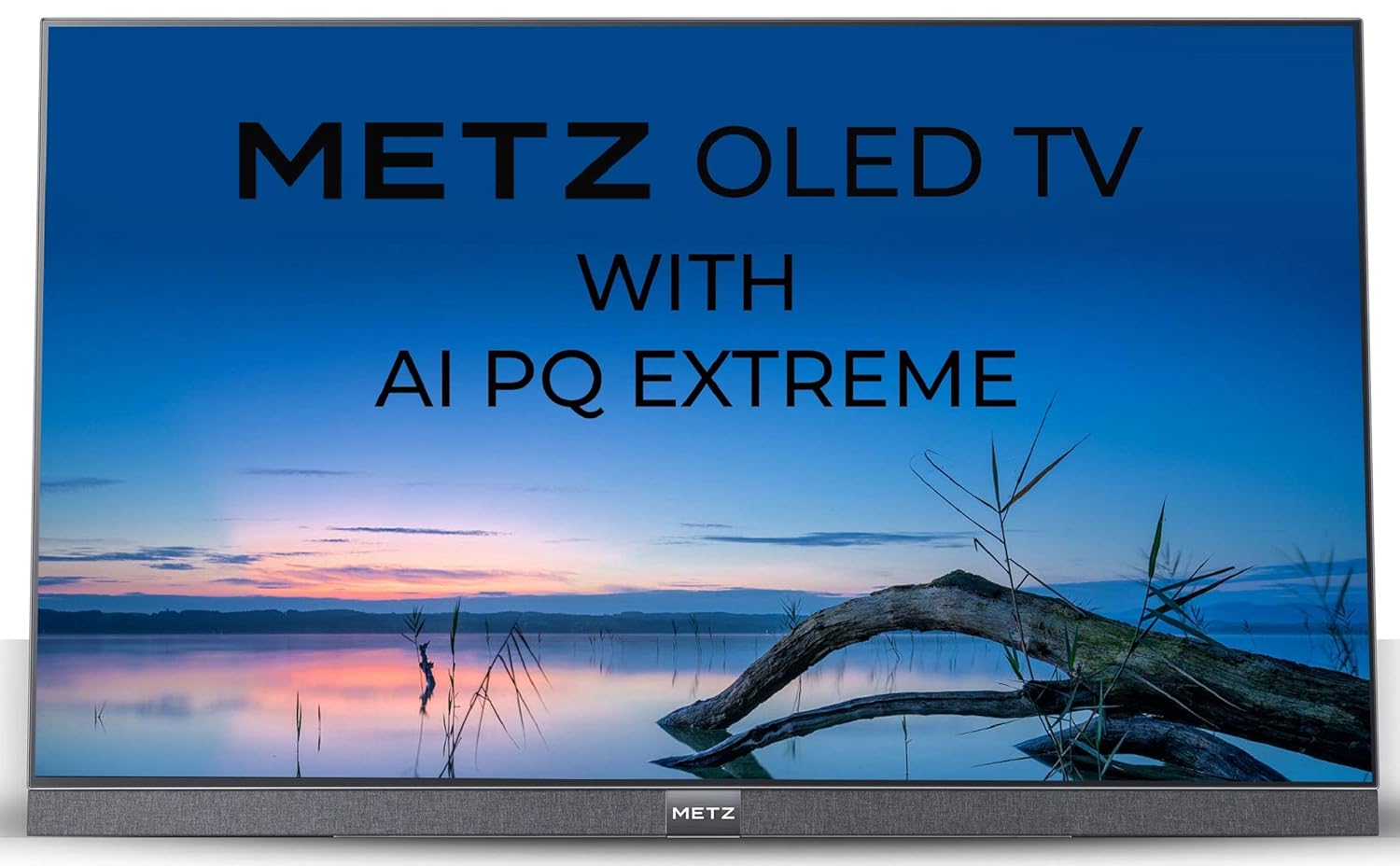
Billede: Side view of the METZ M55S9A TV, illustrating its thin profile og det tilhørende stativ.
4.2. Tilslutning af strøm
Connect the power cord to the TV's power input and then to a suitable electrical outlet. The TV will enter standby mode.
4.3. Initial Setup Wizard
Upon first power-on, the TV will guide you through the initial setup process, including language selection, network connection, and Google account sign-in for Android TV features.
5. Betjeningsvejledning
5.1. Fjernbetjening overview
The included remote control allows you to navigate the TV's features. It uses IR and Bluetooth technology and comes with navigation keys for various functions.
5.2. Grundlæggende tv-funktioner
- Magt: Tryk på tænd/sluk-knappen på fjernbetjeningen for at tænde eller slukke for tv'et.
- Bind: Use the Volume +/- buttons to adjust the sound level.
- Kanaler: Use the Channel +/- buttons to change TV channels.
- Input: Press the Input button to select different input sources (HDMI, USB, etc.).
5.3. Smart TV-funktioner (Android TV)
Your METZ M55S9A is a Google Certified Android 8.0 Smart TV, providing access to a wide range of applications and services.

Image: The METZ M55S9A TV screen showing the Android TV interface with various streaming applications.
- Apps: Access pre-installed apps like Netflix, YouTube, Hotstar, Zee5, Sun NXT, Play Movies, and thousands more from the Google Play Store.
- Google Assistant: Brug stemmekommandoer via fjernbetjeningen til at søge efter indhold, styre smart home-enheder og få information.
- Chromecast indbygget: Cast indhold fra dine kompatible mobilenheder direkte til tv'et.
6. Forbindelse
TV'et tilbyder flere tilslutningsmuligheder:
- HDMI-porte: 3 HDMI ports for connecting external devices such as Blu-ray players, gaming consoles, or set-top boxes.
- USB-porte: 3 USB ports for connecting USB storage devices to play media files.
- Wi-Fi: Built-in Wi-Fi for internet access and smart TV features.
- Bluetooth: Supports Bluetooth technology for connecting wireless accessories like headphones or game controllers.
7. Vedligeholdelse
For at sikre dit TV's levetid og optimale ydeevne:
- Rengøring af skærmen: Tør forsigtigt skærmen af med en blød, tør mikrofiberklud. Ved genstridige mærker, tør letampRengør kluden med vand eller en specialiseret skærmrens. Sprøjt ikke væske direkte på skærmen.
- Rengøring af Casing: Brug en blød, tør klud til at rengøre tv'etasing.
- Ventilation: Ensure the ventilation openings on the back of the TV are not obstructed.
- Sluk: Tag stikket til tv'et ud af stikkontakten under tordenvejr, eller når det skal stå uden opsyn i længere perioder.
8. Fejlfinding
Hvis du støder på problemer med dit tv, kan du se følgende almindelige problemer og løsninger:
| Problem | Mulig løsning |
|---|---|
| Ingen strøm | Check if the power cord is securely connected to the TV and the power outlet. Ensure the outlet is functional. |
| Intet billede, men der er lyd | Verify the correct input source is selected. Check cable connections (HDMI, AV). |
| Fjernbetjening virker ikke | Ensure batteries are correctly inserted and not depleted. Point the remote directly at the TV's IR sensor. If using Bluetooth, ensure it is paired. |
| Problemer med Wi-Fi-forbindelse | Restart your router and the TV. Check Wi-Fi settings on the TV to ensure the correct network is selected and the password is entered accurately. Ensure the TV is within range of your Wi-Fi router. |
| Apps not loading or freezing | Check your internet connection. Try clearing the cache for the problematic app (Settings > Apps > [App Name] > Clear Cache). Restart the TV. |
9. Specifikationer
Key technical specifications for the METZ M55S9A TV:

Billede: Overview of METZ M55S9A TV features.
| Feature | Detalje |
|---|---|
| Mærke | Metz |
| Model | M55S9A |
| Skærmstørrelse | 55 tommer (138 cm) |
| Displayteknologi | OLED |
| Opløsning | 4K UHD (3840 x 2160 pixels) |
| Opdateringshastighed | 120 Hz |
| Operativsystem | Android 8.0 (Google Certified) |
| Hukommelseslagringskapacitet | 16 GB |
| Installeret RAM-hukommelsesstørrelse | 2.5 GB |
| Forbindelse | 3 HDMI, 3 USB, Wi-Fi, Bluetooth |
| Lydudgang | 20 Watts, DTS X Pro Sound |
| Viewi vinkel | 178 grader |
| Billedkontrastforhold | 150000:1 |
| Varens vægt | 20.7 kg |
| Produktmål (LxBxH) | 123 x 0.5 x 70.5 cm |
10. Garanti og support
Your METZ M55S9A TV comes with a 2-year warranty. Please refer to the included Warranty Card for detailed terms and conditions.
For technical support or service inquiries, please contact the manufacturer:
- Fabrikant: METZ
- Importer/Service Contact: Radiant Appliances & Electronics India Pvt Ltd
- Telefon: +91-08414 667701
- E-mail: info@radiantappliances.com
Please have your TV model number (M55S9A) and purchase details ready when contacting support.


