Indledning
Thank you for choosing the LEMEGA PR2-Max Grey DAB Radio. This portable digital radio offers a comprehensive listening experience with DAB+, FM, and Bluetooth connectivity. It features a long-lasting rechargeable battery, dual alarm clock, 40 station presets, and a headphone jack for private listening. This manual provides detailed instructions to help you set up and operate your new radio.

Image: LEMEGA PR2-Max Grey DAB Radio in an outdoor setting.
Pakkens indhold
Markér venligst feltet for følgende elementer:
- 1 x LEMEGA PR2-Max Radio
- 1 x USB-C strømkabel
- 1 x Quick Start Guide

Image: Contents of the LEMEGA PR2-Max package, including the radio, USB-C cable, and quick start guide.
Produkt overview
Familiarize yourself with the controls and ports of your LEMEGA PR2-Max radio.

Billede: Forside view of the LEMEGA PR2-Max Grey DAB Radio, highlighting its display and control layout.
Kontrol og porte:
- LCD-skærm: Viser stationsoplysninger, tid og menupunkter.
- Rotary Knob (Select/Volume): Turn to adjust volume or navigate menus; press to select.
- Forudindstillinger-knap: Access and save favorite stations.
- Alarmknap: Indstil og administrer alarmer.
- Sleep knap: Indstil sleep timer.
- Menu-knap: Få adgang til systemindstillinger.
- Tilbage knap: Vend tilbage til den forrige menu.
- Mode knap: Skift mellem DAB-, FM- og Bluetooth-tilstande.
- Afspil/pause knap: Styr afspilning i Bluetooth-tilstand.
- Spring over/indstil-knapper: Navigate tracks or tune stations.
- Info knap: Vis yderligere stationsoplysninger.
- Hovedtelefonstik: Til privat lytning.
- USB-C-port: Til strømindgang.
- Teleskopantenne: For optimal radiomodtagelse.
Opsætning
Tænder
The LEMEGA PR2-Max can be powered by its internal rechargeable battery or via the included USB-C cable.
- Batteristrøm: The radio has a built-in rechargeable lithium battery providing up to 15 hours of playback. Ensure the battery is charged for portable use.
- Netstrøm: Connect the supplied USB-C cable to the USB-C port on the radio and plug the other end into a compatible USB power adapter (not supplied) or a USB port on a computer. The radio will automatically power on and begin charging.

Image: The LEMEGA PR2-Max Grey DAB Radio demonstrating its portability and long battery life.
Initial Scan (DAB/FM)
Upon first use or after a factory reset, the radio will perform an automatic scan for available stations.
- Træk teleskopantennen helt ud for optimal modtagelse.
- When powered on for the first time, the radio will automatically enter DAB mode and begin scanning for stations.
- Når scanningen er færdig, begynder den første tilgængelige station at spille.
- To manually initiate a scan, press the Menu button, navigate to "Scan" or "Full Scan" (for DAB) or "Auto Scan" (for FM), and press the Vælge knap for at bekræfte.
Betjeningsvejledning
DAB/FM-radiofunktion
Switch between DAB and FM modes using the Mode knap.

Image: The LEMEGA PR2-Max Grey DAB Radio showing a DAB station, emphasizing its enhanced DAB+ signal.
- tuning: I DAB-tilstand skal du bruge Springe buttons to cycle through available stations. In FM mode, use the Springe buttons to auto-tune to the next strong station, or rotate the Vælge knob for fine-tuning.
- Lydstyrkekontrol: Drej på Vælge knap for at justere lydstyrken.
- Presets: The radio supports 40 presets for quick access to your favorite stations.
- Gem en forudindstilling: Stil ind på den ønskede station. Tryk og hold nede Forudindstillinger button until "Preset Store" appears. Rotate the Vælge knob to choose a preset number (1-40) and press the knob to confirm.
- Genkaldelse af en forudindstilling: Tryk på Forudindstillinger button briefly. Rotate the Vælge knob to choose the desired preset and press the knob to play.
- Informationsdisplay: Tryk på Info button to cycle through various information displays, such as program type, signal strength, bit rate, and date/time.
Bluetooth-betjening
Tilslut din smartphone eller andre Bluetooth-aktiverede enheder for at streame lyd trådløst.
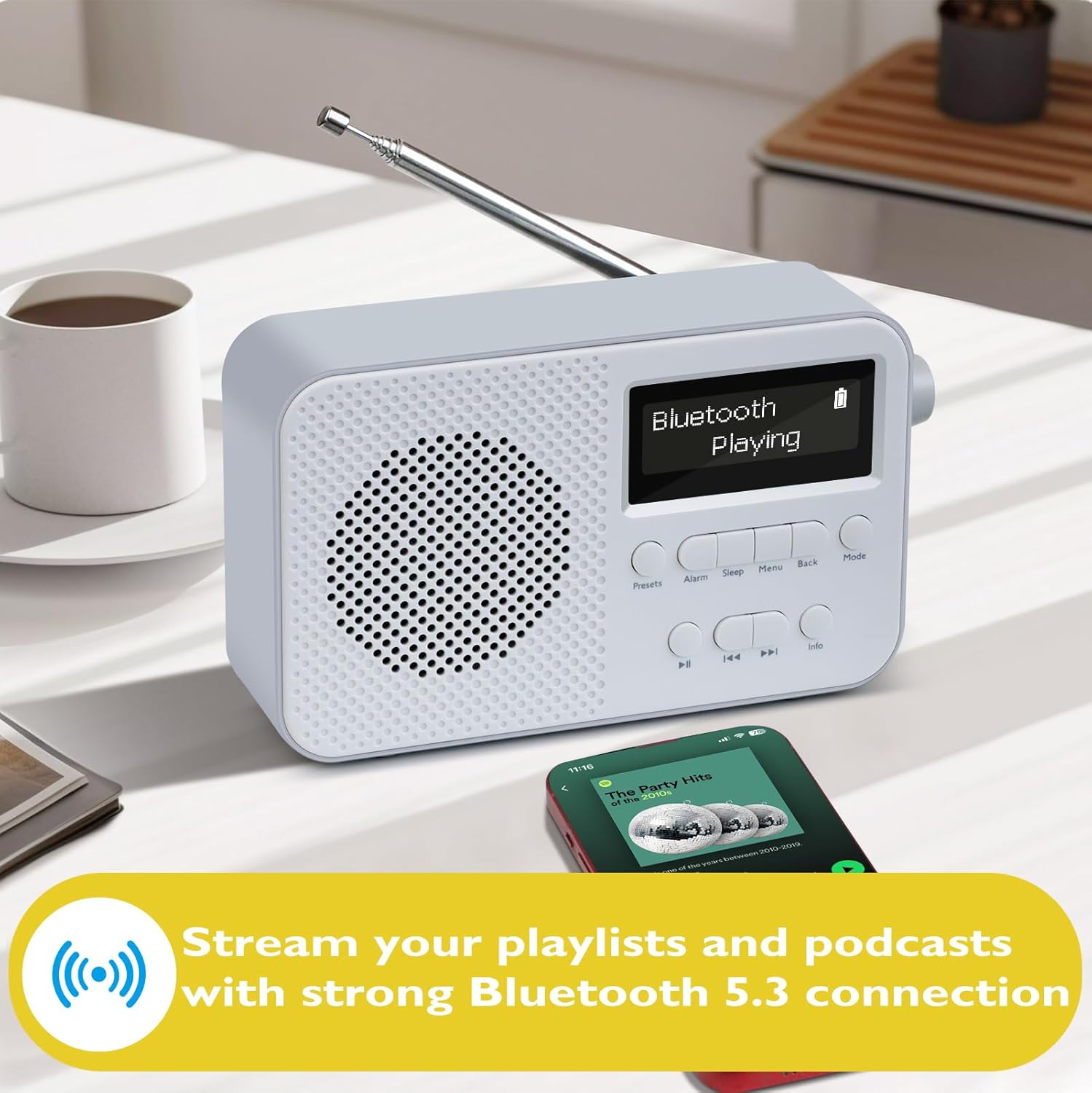
Image: The LEMEGA PR2-Max Grey DAB Radio connected via Bluetooth 5.3, streaming music from a smartphone.
- Tryk på Mode button until "Bluetooth" mode is selected. The display will show "Bluetooth Pairing".
- On your Bluetooth device, enable Bluetooth and search for "LEMEGA PR2-Max".
- Select "LEMEGA PR2-Max" from the list of available devices to pair. Once connected, the display will show "Bluetooth Connected".
- You can now play audio from your device through the radio. Use the radio's Afspil/pause og Springe buttons to control playback, or control directly from your device.
Alarm Clock Functionality
Set up to two independent alarms with weekday and weekend modes.

Image: The LEMEGA PR2-Max Grey DAB Radio functioning as a dual alarm clock on a bedside table.
- Tryk på Alarm knap. Brug Vælge knob to choose Alarm 1 or Alarm 2 and press to confirm.
- Follow the on-screen prompts to set the alarm time, duration, source (DAB, FM, or Buzzer), and frequency (Daily, Weekdays, Weekends, Once).
- Tryk på Vælge knappen for at bekræfte hver indstilling.
- For at slumre en aktiv alarm skal du trykke på Vælge knob. To turn off an alarm, press the Alarm knap.
Sleep Timer
Indstil radioen til automatisk at slukke efter en bestemt periode.
- Tryk på Sove button repeatedly to cycle through sleep timer options (e.g., 15, 30, 45, 60, 90, 120 minutes, or Off).
- Radioen slukker automatisk efter det valgte tidspunkt.
Brug af hovedtelefoner
For private listening, plug standard 3.5mm headphones into the headphone jack on the side of the radio. The internal speaker will be muted automatically.
Equalizer-tilstande (EQ)
Adjust the audio output to suit your preferences.
- Tryk på Menu knap.
- Navigate to "Equalizer" or "EQ" using the Vælge knop.
- Tryk på Vælge knob to enter the EQ settings.
- Choose from preset modes like Normal, Classic, Jazz, Pop, Rock, or My EQ for custom settings.
Opretholdelse
Rensning
To clean the radio, use a soft, dry cloth. Do not use abrasive cleaners, waxes, or solvents as these may damage the surface. Ensure the radio is powered off and unplugged before cleaning.
Batteripleje
To maximize the lifespan of the internal rechargeable battery:
- Undgå at aflade batteriet helt ofte.
- Oplad batteriet regelmæssigt, selvom radioen ikke er i hyppig brug.
- Opbevar radioen et køligt og tørt sted, når den ikke er i brug i længere perioder.
Fejlfinding
| Problem | Mulig årsag | Løsning |
|---|---|---|
| Ingen strøm / Radioen tænder ikke. | Battery is flat; USB-C cable not connected properly. | Charge the battery using the USB-C cable. Ensure the USB-C cable is securely connected to both the radio and a power source. |
| Dårlig radiomodtagelse (DAB/FM). | Antenne ikke strakt ud; område med svagt signal; interferens. | Fully extend the telescopic antenna. Reposition the radio to an area with better signal. Perform a full scan for DAB stations. |
| Bluetooth-enheden kan ikke parres. | Radio not in Bluetooth mode; device too far; device already paired with another unit. | Ensure the radio is in Bluetooth mode. Move the device closer to the radio. Disconnect the device from other Bluetooth connections and try again. |
| Alarmen lyder ikke. | Alarm not enabled; volume too low; incorrect alarm settings. | Check alarm settings to ensure it is enabled and set correctly. Increase the volume. |
Specifikationer
| Mærke | LEMEGA |
| Modelnummer | PR2 |
| Produktdimensioner | 16L x 5.5W x 9.5H centimeter |
| Vægt | 530 g |
| Farve | PR2-MAX Grey |
| Forbindelsesteknologi | Bluetooth 5.3 |
| Tuner-teknologi | DAB / DAB + / FM |
| Strømkilde | Battery Powered & Corded Electric |
| Batterilevetid | Op til 15 timer (genopladelig) |
| Forudindstillinger | 40 (DAB/FM) |
| Hardware-interface | USB Type C, 3.5mm Audio, Bluetooth 5 |
Garanti og support
LEMEGA products are designed and manufactured to the highest quality standards. For information regarding warranty coverage and technical support, please refer to the official LEMEGA webhjemmeside eller kontakt deres kundeservice direkte.
You can visit the LEMEGA Store for more information and support: LEMEGA-butik på Amazon


