1. Introduktion
Thank you for choosing the ICQN 42 Liter Mini Oven. This appliance is designed for versatile cooking, baking, and roasting, offering convenience and efficiency for your kitchen. With its 1300W power, convection function, and precise temperature control, it is suitable for a wide range of culinary tasks. Please read this manual carefully before using the appliance to ensure safe and optimal operation. Keep this manual for future reference.

Figur 1.1: Forside view of the ICQN 42 Liter Mini Oven, showcasing dens kompakte design og kontrolpanel.
2. Vigtige sikkerhedsinstruktioner
Ved brug af elektriske apparater skal grundlæggende sikkerhedsforanstaltninger altid følges for at reducere risikoen for brand, elektrisk stød og personskade.
- Læs alle instruktioner, inden du bruger ovnen.
- Rør ikke ved varme overflader. Brug håndtag eller knapper. Brug altid ovnhandsker eller grydelapper, når du håndterer varme materialer.
- To protect against electric shock, do not immerse cord, plugs, or the appliance itself in water or other liquid.
- Tæt opsyn er nødvendigt, når et apparat bruges af eller i nærheden af børn.
- Træk stikket ud af stikkontakten, når det ikke er i brug, og før rengøring. Lad det køle af, før du sætter dele på eller af, og før du rengør apparatet.
- Betjen ikke noget apparat med en beskadiget ledning eller stik, eller efter at apparatet ikke fungerer korrekt eller er blevet beskadiget på nogen måde. Kontakt kundeservice for at få hjælp.
- Brug af tilbehør, der ikke er anbefalet af apparatets producent, kan forårsage skader.
- Må ikke bruges udendørs.
- Lad ikke ledningen hænge ud over kanten af bordet eller bordpladen eller røre ved varme overflader.
- Må ikke placeres på eller i nærheden af en varm gas- eller elektrisk brænder eller i en opvarmet ovn.
- Der skal udvises ekstrem forsigtighed ved flytning af et apparat, der indeholder varm olie eller andre varme væsker.
- Brug ikke apparatet til andet end tilsigtet brug.
- Sæt altid stikket i apparatet først, og sæt derefter ledningen i stikkontakten. For at afbryde forbindelsen skal du slukke for en vilkårlig knap og derefter tage stikket ud af stikkontakten.
- For store fødevarer eller metalredskaber må ikke sættes i en brødristerovn, da de kan skabe brand eller risiko for elektrisk stød.
- Der kan opstå brand, hvis ovnen er tildækket eller berører brandfarligt materiale, herunder gardiner, draperinger, vægge og lignende, under brug.
- Do not place any of the following materials in the oven: paper, cardboard, plastic, or anything that could easily burn.
- Opbevar ikke andre materialer end producentens anbefalede tilbehør i denne ovn, når den ikke er i brug.
- Dæk ikke krummebakken eller nogen del af ovnen med metalfolie. Dette vil forårsage overophedning af ovnen.
- The oven features a double-glazed door for improved thermal performance and safety, but surfaces can still become hot during operation.
3. Produktet er slutview og komponenter
Familiarize yourself with the parts of your ICQN Mini Oven before first use.
3.1. Hovedkomponenter
- Oven Unit: The main body of the mini oven.
- Kontrolpanel: Located on the right side, featuring three rotary knobs for Timer, Temperature, and Cooking Function.
- Double Glazed Door: Giver isolering og tillader viewing of food. Designed for easy cleaning.
- Varmeelementer: Upper and lower heating elements for various cooking modes.
- Konvektionsblæser: Cirkulerer varm luft for jævn madlavning.
- Indvendigt lys: Illuminates the oven cavity.
3.2. Medfølgende tilbehør
- Bageplade: For baking and roasting. Dimensions: 39.2 x 34 cm.
- Trådhylde: For grilling or placing dishes.
- Handle Tongs: For safely removing hot baking trays and wire racks.

Figur 3.1: Detaljeret view of the control panel, showing the timer, temperature, and function selection knobs.

Figure 3.2: The included baking tray, wire rack, and handle tongs.
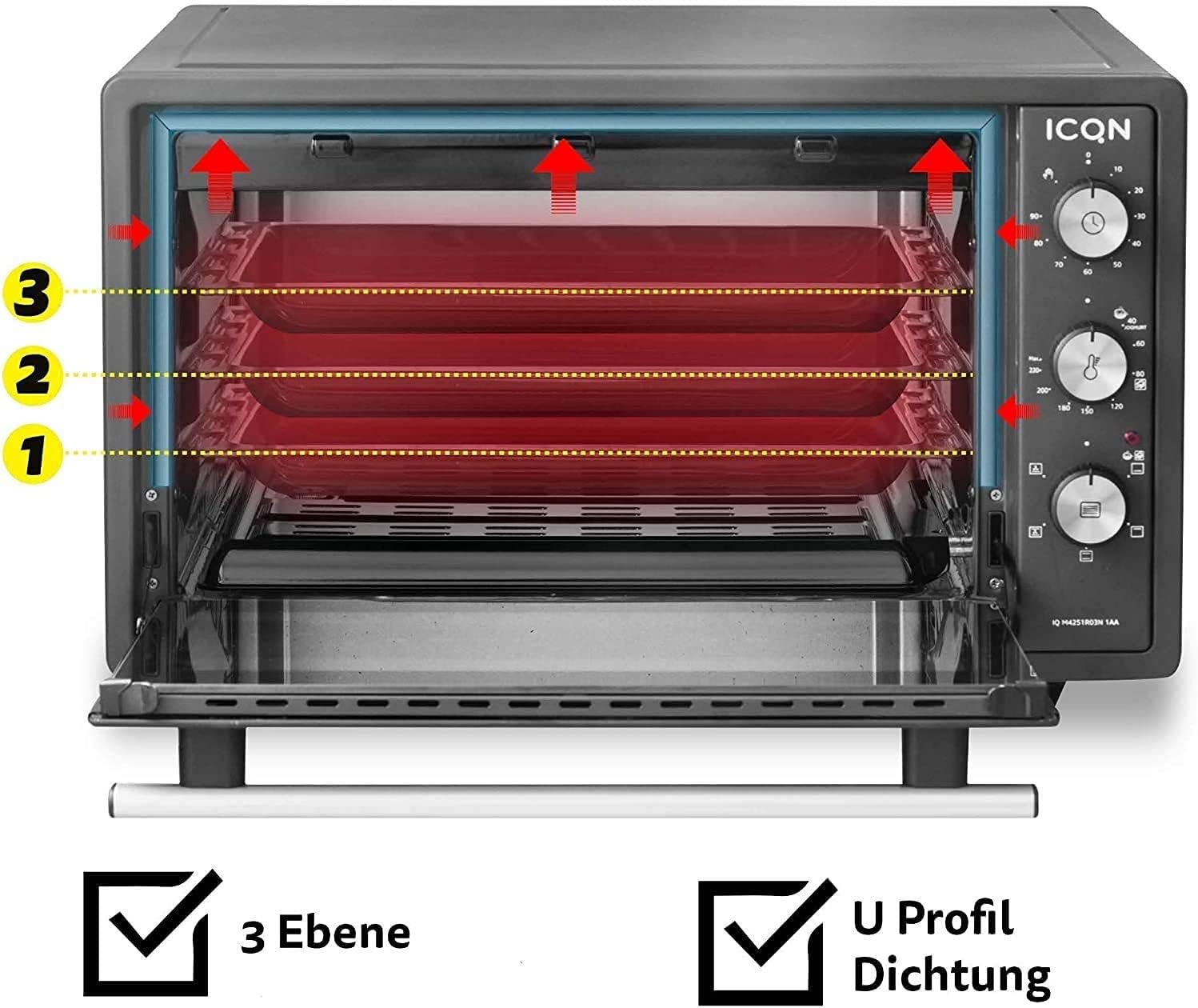
Figure 3.3: The oven interior showing three possible rack levels for flexible cooking.
4. Opsætning
4.1. Udpakning
- Tag forsigtigt ovnen og alt tilbehør ud af emballagen.
- Remove any protective films, stickers, or packaging materials from the oven and its accessories.
- Undersøg apparatet for tegn på skader. Brug det ikke, hvis det er beskadiget.
4.2. Placering
- Placer ovnen på en stabil, flad og varmebestandig overflade.
- Ensure adequate ventilation around the oven. Maintain a minimum clearance of 10 cm (4 inches) on all sides and above the oven to allow for proper heat dissipation.
- Do not place the oven near flammable materials such as curtains, tablecloths, or walls that are not heat-resistant.
- Ensure the power cord is not pinched or touching hot surfaces.
4.3. Initial Cleaning and First Use (Burn-Off)
- Tør indersiden og tilbehøret af med en klud før første brug.amp klud og mildt rengøringsmiddel. Tør grundigt.
- For at fjerne eventuelle lugte fra produktionen, skal ovnen lades tom i cirka 15 minutter.
- Sæt ovnen i en jordforbundet stikkontakt.
- Indstil temperaturknappen til 230°C.
- Set the function knob to Top and Bottom Heat with Convection.
- Indstil timerknappen til 15 minutter.
- A slight odor or smoke may be present during this initial burn-off; this is normal. Ensure the area is well-ventilated.
- After 15 minutes, turn the timer to "OFF" and unplug the oven. Allow it to cool completely before use.
5. Betjeningsvejledning
The ICQN Mini Oven offers various functions for diverse cooking needs.
5.1. Kontrolknapper
- Top Knob (Timer): Sets the cooking time up to 90 minutes. Can also be set to continuous operation (stay-on function).
- Middle Knob (Temperature): Adjusts the temperature from 40°C to 230°C.
- Bottom Knob (Function Selector): Vælger den ønskede tilberedningstilstand.
5.2. Madlavningsfunktioner
The oven features 5 primary cooking functions, plus defrost and yogurt functions:
- Top and Bottom Heat: Standardbagning og stegning.
- Øverste varme: Ideal for browning the top of dishes.
- Undervarme: Suitable for crisping bases or slow cooking.
- Konvektion (med ventilator): Circulates hot air for faster and more even cooking, ideal for large roasts or multiple trays.
- Top and Bottom Heat with Convection: Combines traditional heating with fan circulation for comprehensive cooking.
- Afrimningsfunktion: Optøer forsigtigt frosne fødevarer.
- Yoghurt funktion: Maintains a low, consistent temperature (around 40°C) for homemade yogurt preparation.
5.3. Generelle betjeningstrin
- Place the wire rack or baking tray at the desired level inside the oven. The oven has three rack levels.
- Place your food on the baking tray or in an oven-safe dish on the wire rack.
- Luk ovndøren forsvarligt.
- Select the desired cooking function using the bottom knob.
- Set the desired temperature using the middle knob (40°C - 230°C).
- Set the cooking time using the top timer knob. The oven will start heating. An indicator light will illuminate.
- When the set time expires, the oven will automatically turn off and a bell will sound. If using the continuous operation mode, manually turn the timer knob to "OFF" when cooking is complete.
- Carefully remove the cooked food using oven mitts and the handle tongs for the tray/rack.
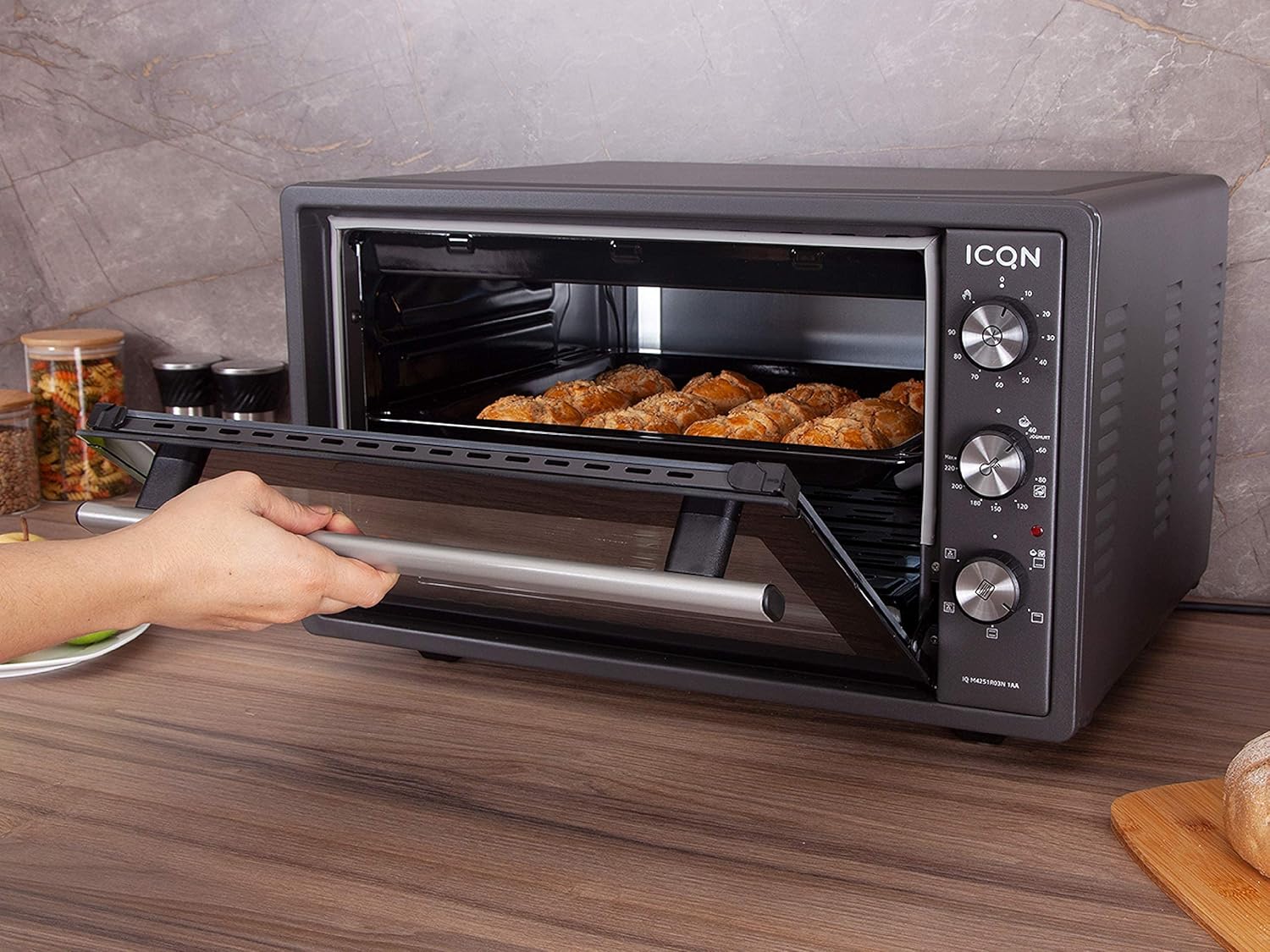
Figure 5.1: The mini oven in operation, showing food being baked inside.
6. Vedligeholdelse og rengøring
Regular cleaning ensures the longevity and optimal performance of your oven. Always unplug the oven and allow it to cool completely before cleaning.
6.1. Indvendig rengøring
- The oven interior is enamelled, making it easier to clean.
- Tør de indvendige overflader af med adamp klud og et mildt, ikke-slibende rengøringsmiddel.
- Til genstridige pletter kan en pasta af bagepulver og vand påføres, lades i et par minutter og derefter tørres af.
- Do not use abrasive cleaners, scouring pads, or metal utensils, as these can damage the enamel finish.
- Sørg for, at indersiden er helt tør inden næste brug.
6.2. Udvendig rengøring
- Tør de udvendige overflader af med en blød, damp klæde.
- Brug ikke hårde kemikalier eller slibende rengøringsmidler.
- Sørg for, at der ikke kommer vand ind i kontrolpanelet eller de elektriske komponenter.
6.3. Double Glazed Door Cleaning
The double-glazed door can be disassembled for thorough cleaning between the glass panes.

Figure 6.1: Illustration showing how to disassemble the double-glazed door for cleaning the inner and outer glass panes.

Figur 6.2: Nærbillede view of the double-glazed door, highlighting the inner and outer glass components.
- Refer to Figure 6.1 and 6.2 for guidance.
- Carefully follow the instructions to remove the inner glass pane.
- Clean both glass panes with a glass cleaner or a damp klud og mildt rengøringsmiddel.
- Ensure the glass panes are completely dry before reassembling.
- Reassemble the door carefully, ensuring all components are correctly seated.
6.4. Accessory Cleaning
- The baking tray, wire rack, and handle tongs can be washed with warm soapy water.
- Skyl grundigt og tør helt inden opbevaring eller genbrug.
7. Fejlfinding
If you encounter issues with your ICQN Mini Oven, please refer to the following table before contacting customer service.
| Problem | Mulig årsag | Løsning |
|---|---|---|
| Ovnen tænder ikke. | Ikke tilsluttet; strømmen er slukkettage; timeren er ikke indstillet. | Ensure the oven is securely plugged into a working outlet. Check your household's circuit breaker. Set the timer knob to a desired cooking time or to the continuous "ON" position. |
| Maden tilberedes ikke jævnt. | Incorrect rack position; uneven food placement; convection fan issue. | Adjust rack position for optimal heat distribution. Ensure food is spread evenly on the tray. If the convection fan is not working, contact customer service. |
| Oven produces smoke during operation. | Food residue burning; initial burn-off. | Clean the oven interior and accessories thoroughly. If it's the first use, this is normal (see Section 4.3). If smoke persists, unplug and contact customer service. |
| Timeren virker ikke. | Timer knob malfunction. | Ensure the knob is turned past the 0 mark to activate the timer. If it still doesn't work, contact customer service. |
| Ovndøren lukker ikke ordentligt. | Obstruction; hinge issue. | Check for any obstructions preventing the door from closing. If hinges are damaged, contact customer service. |
If the problem persists after trying these solutions, please contact ICQN customer service. Do not attempt to repair the appliance yourself.
8. Specifikationer
| Mærke | ICQN |
| Modelnummer | IQ M4251R03N 1AA |
| Kapacitet | 42 liter |
| Magt | 1300 watt |
| Dimensioner (L x B x H) | 53.2 x 45.85 x 35.35 cm |
| Vægt | 13 kilo |
| Materiale | Enamelled interior, Double Glazed Door |
| Temperaturområde | 40°C til 230°C |
| Timer | Up to 90 minutes, continuous operation |
| Særlige funktioner | Convection fan, 3 rack levels, U-profile seal for thermal performance, Yogurt function |
| Inkluderede komponenter | Baking tray, wire rack, handle tongs |

Figure 8.1: Dimensions of the ICQN Mini Oven (Length x Width x Height).
9. Garanti og support
ICQN stands behind the quality of its products.
- Garanti: Dette produkt leveres med 2 års garanti fra købsdatoen.
- Kundeservice: Our service center, based in Germany, is available 24 hours a day, 365 days a year to assist you.
- Livsvarig support: You also benefit from lifetime support from our dedicated ICQN service center.
- For warranty claims or technical assistance, please contact ICQN customer support through the retailer or the official ICQN webwebsted.


