Indledning
Welcome to the user manual for your Picun Elite P80S Wireless Headset. This guide provides detailed instructions for setup, operation, maintenance, and troubleshooting to ensure you get the most out of your device. Please read this manual thoroughly before using the headset.
Pakkens indhold
- Picun Elite P80S Headset
- Detachable AUX Microphone
- USB opladningskabel
- AUX Cable for Wired Transmission

Image: Picun Elite P80S Wireless Headset with detachable microphone, showcasing its design and included microphone.
Produkt overview
Headset Components and Controls
The Picun Elite P80S headset features an ergonomic design with easy-to-access media buttons for various functions. These include controls for music playback, call management, vibration mode, LED light display, and volume adjustments.

Image: The Picun Elite P80S Wireless Headset shown in its folded configuration, highlighting its portable design.

Image: The Picun Elite P80S Wireless Headset displayed on a stand, providing a clear view of its over-ear design, earcups, and adjustable headband.
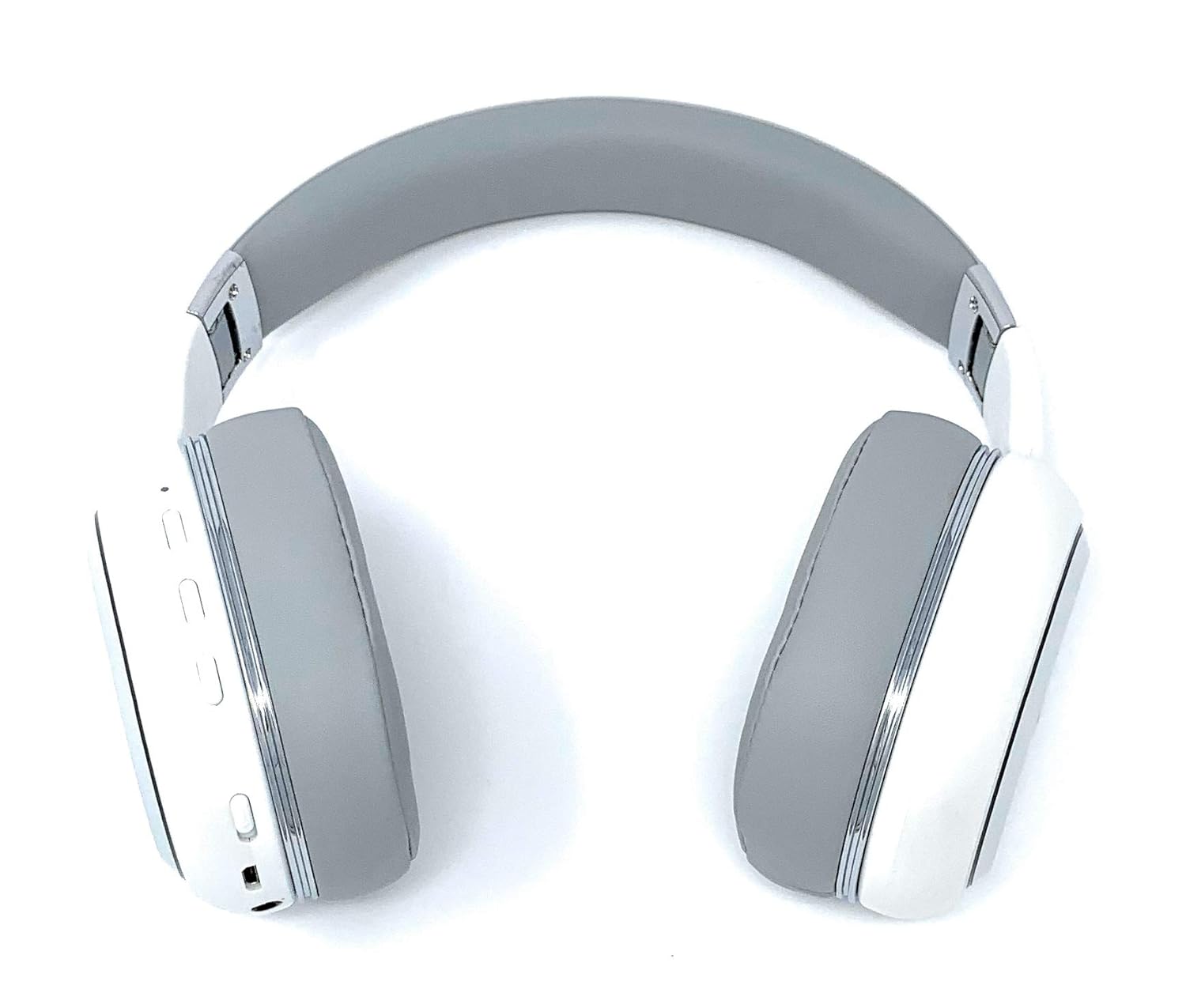
Image: A rear perspective of the Picun Elite P80S Wireless Headset, illustrating the placement of control buttons on the earcup.

Image: A detailed close-up of the right earcup hinge and the 'R' indicator on the Picun Elite P80S Wireless Headset, showing construction details.
Opsætning
Opladning af headsettet
Before initial use, fully charge the headset. Use the provided USB charging cable with any compatible USB adapter or device.
- Tilslut USB-opladerkablet til headsettets opladningsport.
- Tilslut den anden ende af USB-kablet til en strømkilde.
- A full charge provides approximately 40 hours of game time or 60 hours of music/media playback in wireless mode.
Bluetooth-parring
To connect your headset wirelessly:
- Sørg for, at headsettet er slukket.
- Tryk på tænd/sluk-knappen, og hold den nede, indtil LED-indikatoren blinker, hvilket angiver parringstilstand.
- Aktiver Bluetooth på din enhed (smartphone, tablet, computer) og søg efter tilgængelige enheder.
- Select "Picun P80S" from the list of found devices.
- Once connected, the LED indicator will show a steady light or flash slowly.
Kablet tilslutning
For a wired connection, use the provided AUX cable:
- Connect one end of the AUX cable to the headset's AUX port.
- Tilslut den anden ende til din lydenheds 3.5 mm lydstik.
- The headset can be used indefinitely in wired mode, regardless of battery charge.
Tilslutning af mikrofonen
The headset includes a detachable microphone for clear communication:
- Find mikrofonporten på headsettet.
- Gently insert the detachable microphone into the port until it clicks into place.
- The microphone is designed to reduce ambient noise for high-definition vocals.
Betjeningsvejledning
Tænd/sluk
- Tænd: Tryk og hold tænd/sluk-knappen nede i et par sekunder, indtil LED-indikatoren lyser.
- Sluk: Press and hold the power button for a few seconds until the LED indicator turns off.
Musikafspilning
- Afspil/pause: Tryk én gang på knappen Afspil/Pause.
- Næste nummer: Press and hold the 'Volume Up' button.
- Forrige nummer: Press and hold the 'Volume Down' button.
Opkaldsstyring
- Besvar/afslut opkald: Tryk én gang på multifunktionsknappen.
- Afvis opkald: Tryk og hold multifunktionsknappen nede i 2 sekunder.
Dual Shock/Vibration Mode
This mode enhances audio with deep bass and vibrations, ideal for music, movies, and gaming.
- Aktiver/deaktiver: Use the dedicated 'Vibration/Dual Shock Mode On-Off toggle switch' on the headset.
LED-lysdisplay
The headset features an LED light display.
- Tænd/sluk: Use the dedicated 'LED Light Display On-Off button' on the headset.
Lydstyrkekontrol
- Forøg lydstyrke: Press the 'Volume Up' button.
- Skru ned for lydstyrken: Press the 'Volume Down' button.
Opretholdelse
Rensning
- Tør headsettet af med en blød, tør klud.
- Brug ikke slibende rengøringsmidler eller opløsningsmidler.
- Keep the charging port and audio jacks free of dust and debris.
Opbevaring
- Opbevar headsettet et køligt, tørt sted væk fra direkte sollys og ekstreme temperaturer.
- When not in use for extended periods, ensure the headset is fully charged before storing.
Fejlfinding
Ingen strøm
- Sørg for, at headsettet er fuldt opladet.
- Verify the charging cable and power source are functioning correctly.
Ingen lyd
- Kontroller lydstyrkeniveauerne på både headsettet og din tilsluttede enhed.
- Hvis du bruger Bluetooth, skal du sørge for, at headsettet er korrekt parret og tilsluttet.
- If using a wired connection, ensure the AUX cable is securely plugged into both the headset and the audio source.
- Test med en anden lydkilde eller enhed.
Problemer med Bluetooth-parring
- Sørg for, at headsettet er i parringstilstand (LED'en blinker).
- Slå Bluetooth fra og til på din enhed.
- Ryd tidligere Bluetooth-forbindelser på din enhed, og prøv at parre igen.
- Ensure the headset is within the effective range of your Bluetooth device.
Specifikationer
| Feature | Beskrivelse |
|---|---|
| Modelnavn | Elite P80S |
| Forbindelsesteknologi | Bluetooth |
| Trådløs kommunikationsteknologi | Bluetooth |
| Inkluderede komponenter | Headset, Detachable AUX Microphone, USB Charging Cable, AUX Cable for Wired Transmission |
| Aldersinterval (beskrivelse) | Voksen |
| Materiale | Kunstlæder |
| Kontroltype | Lydstyrkekontrol, fjernbetjening |
| Kabelfunktion | Aftagelig |
| Varens vægt | 820 g (0.82 kilogram) |
| Antal genstande | 1 |
| Speciel funktion | Støjreduktion |
| Fabrikant | Picun |
| Hardware platform | Spillekonsol |
| Mikrofonformat | Built-In, Detachable AUX Microphone |
| Batterier påkrævet | No (Internal rechargeable battery) |
| Formfaktor | Over Ear |
| Farve | Hvid |
| Støjkontrol | Aktiv støjreduktion |
| Hovedtelefonstik | 3.5 mm Jack |
Garantioplysninger
The Picun Elite P80S Wireless Headset is covered by a manufacturer's warranty. For specific details regarding warranty terms, duration, and claims process, please refer to the warranty policy provided at the time of purchase or contact Picun customer support.
Kundesupport
If you encounter any issues not covered in this manual or require further assistance, please contact Picun customer support through their official website or the contact information provided with your product packaging. Please have your product model (P80S) and purchase details ready when contacting support.


