1. Introduktion
1.1 Produkt overview
This manual provides comprehensive instructions for the installation, operation, and maintenance of your KMC 55 Inch LED Standard TV, Model K16M55260. This television features a 55-inch Full HD LED display with a resolution of 1920x1080, offering a clear and vibrant viewing experience. It includes various input options such as USB, Component, AV, and PC/VGA for versatile connectivity.
1.2 Sikkerhedsoplysninger
Læs venligst alle sikkerhedsadvarsler og instruktioner omhyggeligt, inden du bruger dette produkt, for at forhindre personskade eller beskadigelse. Gem denne manual til senere brug.
- Udsæt ikke TV'et for regn eller fugt.
- Bloker ikke ventilationsåbninger.
- Sørg for korrekt strømforsyning voltage.
- Undgå at placere tv'et på ustabile overflader.
- Tag stikket ud af tv'et under tordenvejr eller når det ikke bruges i længere perioder.
- Overlad al service til kvalificeret servicepersonale.
2. Opsætning
2.1 Udpakning
Tag forsigtigt tv'et og alt tilbehør ud af emballagen. Gem emballagematerialerne til senere transport eller opbevaring.
- KMC 55 Inch LED Standard TV
- Fjernbetjening
- Batterier til fjernbetjening
- Komponenter til tv-bord
- Brugervejledning (dette dokument)
2.2 Montering af stativ
To assemble the table stand, align the stand components with the designated slots at the bottom of the TV. Secure them using the provided screws. Ensure the stand is firmly attached before placing the TV on a flat, stable surface.
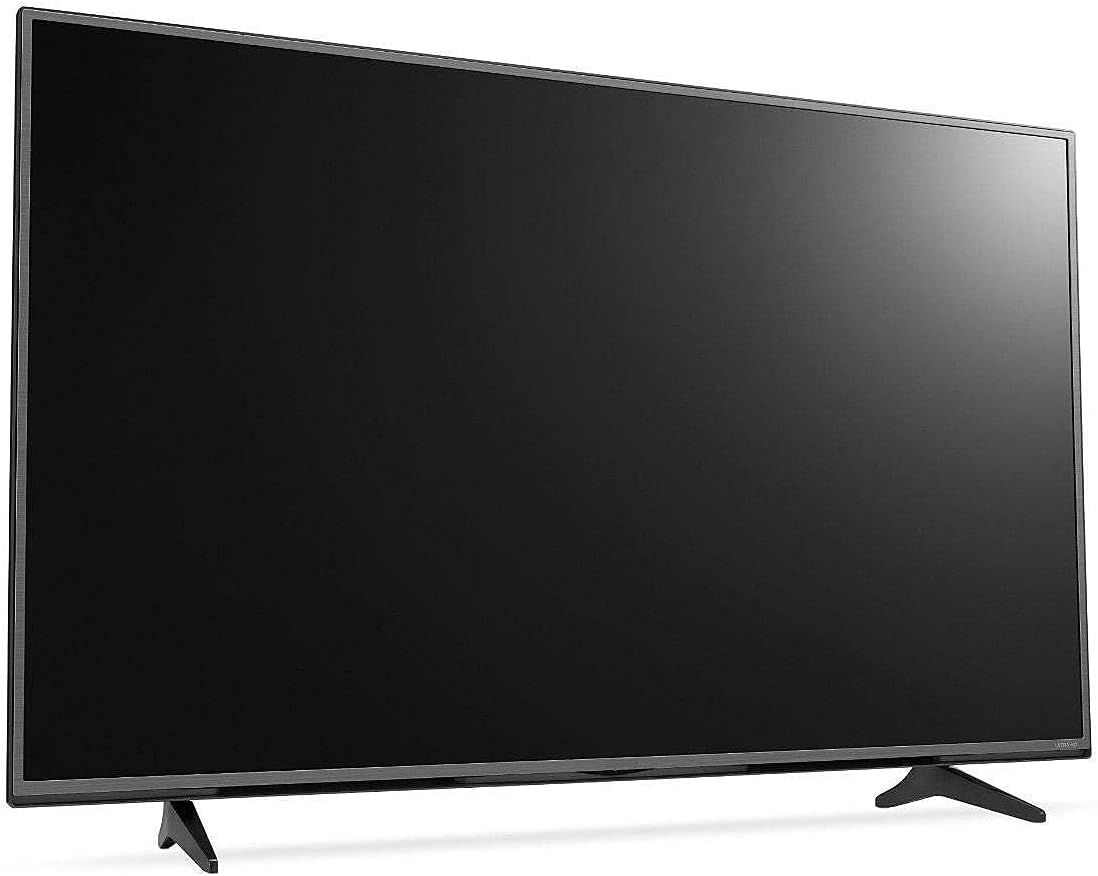
Figur 2.1: Forside view of the KMC 55 Inch LED Standard TV with its table stand assembled. The screen is black, and the slim bezels are visible.
2.3 Forbindelser
Connect your external devices to the appropriate ports on the rear of the TV. The KMC K16M55260 supports USB, Component, AV, and PC/VGA inputs.
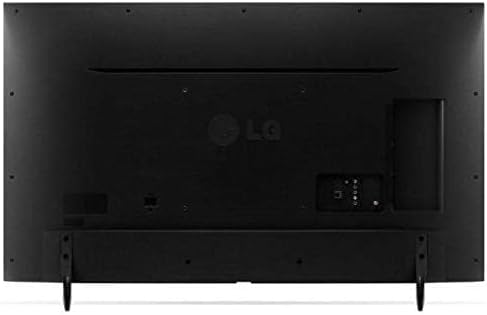
Figur 2.2: Bagside view of the KMC 55 Inch LED Standard TV, displaying the various input ports including USB, Component, AV, and PC/VGA connections.
- Strømtilslutning: Tilslut netledningen til tv'et og derefter til en stikkontakt.
- USB-indgang: Til tilslutning af USB-lagerenheder for at afspille medier.
- Component Input: For high-quality analog video and audio connections.
- AV-indgang: For standard definition video and stereo audio connections.
- PC/VGA Input: Til tilslutning af en computer eller bærbar computer.
3. Betjening
3.1 Grundlæggende betjening
After connecting the TV to power, press the Power button on the remote control or on the TV itself to turn it on. The initial setup wizard may guide you through language selection and channel scanning.
3.2 Fjernbetjening
The included remote control allows you to access all TV functions. Insert the provided batteries into the remote control, ensuring correct polarity.
- Power knap: Tænder eller slukker for tv'et.
- Input/kilde: Selects the input source (HDMI, AV, USB, etc.).
- Lydstyrke op/ned: Justerer lydniveauet.
- Kanal op/ned: Skifter tv-kanaler.
- Menu: Åbner hovedmenuen for justering af indstillinger.
- Navigationsknapper (op/ned/venstre/højre): Navigerer gennem menupunkter.
- OK/Enter: Bekræfter valg.
- Udgang/Tilbage: Går tilbage til den forrige skærm eller afslutter menuen.
3.3 Menunavigation
Tryk på Menu button on the remote control to access the TV's settings. Use the navigation buttons to move between categories such as Picture, Sound, Channel, Time, and Setup. Press OK to enter a sub-menu or confirm a setting. Press Udgang for at lukke menuen.
4. Vedligeholdelse
4.1 Rengøring
To clean the TV screen, gently wipe it with a soft, lint-free cloth. For stubborn marks, slightly dampen the cloth with water or a specialized screen cleaner. Do not spray cleaner directly onto the screen. For the TV casinBrug en blød, tør klud.
- Tag altid stikket ud af tv'et inden rengøring.
- Undgå at bruge slibende rengøringsmidler eller opløsningsmidler.
- Do not apply excessive pressure to the screen.
4.2 Opbevaring
If you need to store the TV for an extended period, ensure it is unplugged and stored in a cool, dry place, away from direct sunlight and extreme temperatures. It is recommended to use the original packaging for protection during storage or transport.
5. Fejlfinding
This section provides solutions to common issues you might encounter with your KMC TV. If the problem persists, please contact customer support.
| Problem | Mulig årsag | Løsning |
|---|---|---|
| Ingen strøm | Netledningen er ikke tilsluttet; stikkontakten virker ikke. | Sørg for, at netledningen er korrekt tilsluttet; Test stikkontakten med en anden enhed. |
| Intet billede, men der er lyd | Forkert indgangskilde valgt; Problem med baggrundsbelysning. | Tryk på Input/kilde button to select the correct input; Contact support if backlight is suspected. |
| Ingen lyd, men der er billede | Volume is muted or too low; Audio cables not connected properly. | Unmute volume or increase level; Check audio cable connections. |
| Fjernbetjening virker ikke | Batterierne er døde eller isat forkert; Blokering mellem fjernbetjening og tv. | Replace batteries; Ensure clear line of sight to TV's IR sensor. |
6. Specifikationer
Technical specifications for the KMC 55 Inch LED Standard TV, Model K16M55260.
- Mærke: KMC
- Modelnummer: K16M55260
- Skærmstørrelse: 55 tommer (140 cm synlig diagonal)
- Displayteknologi: LED
- Opløsning: 1920x1080 (Full HD, 1080p)
- Farve: Sort
- Særlige funktioner: Flat Display
- Forbindelse teknologi: USB, VGA, Component, AV
- Inkluderede komponenter: TV, Remote Control, Batteries, Stand
- Monteringstype: Bordmontering
- Pakkedimensioner: 129 x 77 x 13 cm
- Pakkevægt: 16 kg
7. Garanti og support
For warranty information or technical support, please contact KMC customer service. Details regarding warranty coverage and service procedures are typically provided with your purchase documentation or can be found on the official KMC webwebsted.
When contacting support, please have your TV's model number (K16M55260) and serial number ready.


