Indledning
Thank you for choosing the RCA BT710 Bluetooth Wireless Headphones. This manual provides essential information for the proper setup, operation, and maintenance of your device. Please read it thoroughly before use to ensure optimal performance and longevity.
The RCA BT710 headphones are designed for active lifestyles, featuring a comfortable, lightweight design, IPX5 water resistance, and magnetic earbuds for secure wear. Enjoy up to 10 hours of playtime with clear, crisp sound.
Pakkens indhold
Bekræft at alle varer er til stede i din pakke:
- RCA BT710 Bluetooth Headphones x 1
- Carry Pouch x 1
- Ear tips x 3 pairs (Large, Medium, Small)
- Ear fins x 3 pairs (Large, Medium, Small)
- Kabelklips x 1
- Micro USB-opladerkabel x 1
- Brugervejledning x 1

Image: The complete package contents for the RCA BT710 headphones, including the headphones, various ear tips and fins, a Micro USB charging cable, and the user manual.
Produkt overview

Image: A pair of blue RCA BT710 Bluetooth wireless headphones with a neckband design.
Nøglefunktioner:
- Bluetooth-forbindelse: Quick pairing and stable connection with lower power consumption.
- Dynamisk lyd: Powerful 6mm moving coil driver for clear audio and dynamic bass (20Hz–20kHz frequency range).
- Forlænget spilletid: Up to 10 hours of music playback on a single 2-hour charge.
- Magnetiske ørepropper: Securely wear around your neck when not in use.
- Ergonomisk design: Includes 3 sizes of ear tips and ear fins for a comfortable and secure fit.
- IPX5 vandtæthed: Internal nano coating protects against light rain and sweat.
- Three-Button Control: Easy management of music playback and calls.
Opsætning
1. Opladning af hovedtelefonerne
Before first use, fully charge your headphones. Use the provided Micro USB cable to connect the charging port on the inline control to a USB power source (e.g., computer USB port, wall adapter). The LED indicator will show charging status.
- Opladningstid: Cirka 2 timer for en fuld opladning.
- Opladning Voltage: DC 5V.
- Batterikapacitet: 110mAh/3.7V Li-polymer.
- LED-indikator: (Refer to the control diagram for LED location)
- Rødt lys: Oplader
- Blue light: Fully charged
2. Selecting Ear Tips and Ear Fins
For optimal sound quality and comfort, choose the ear tips and ear fins that best fit your ears. Experiment with the three provided sizes (Small, Medium, Large) to find the most secure and comfortable seal.

Image: An illustration demonstrating the secure fit of the RCA BT710 headphones, with interchangeable ear tips and ear fins in various sizes (S, M, L).
3. Bluetooth-parring
Følg disse trin for at parre dine hovedtelefoner med en Bluetooth-aktiveret enhed:
- Sørg for, at hovedtelefonerne er fuldt opladede og slukkede.
- Press and hold the Multifunction Button (center button on the inline control) for approximately 5-7 seconds until the LED indicator flashes red and blue alternately. This indicates pairing mode.
- Aktiver Bluetooth på din enhed (smartphone, tablet osv.) og søg efter tilgængelige enheder.
- Select "RCA BT710" from the list of found devices.
- Når de er parret, blinker LED-indikatoren på hovedtelefonerne langsomt blåt, og du vil høre en bekræftelse med en hørbar lyd.
- If pairing is unsuccessful, turn off the headphones and repeat the steps.

Image: Illustration of the RCA BT710 headphones with a Bluetooth logo, signifying stable wireless connectivity.
Betjeningsvejledning
Kontrol overview
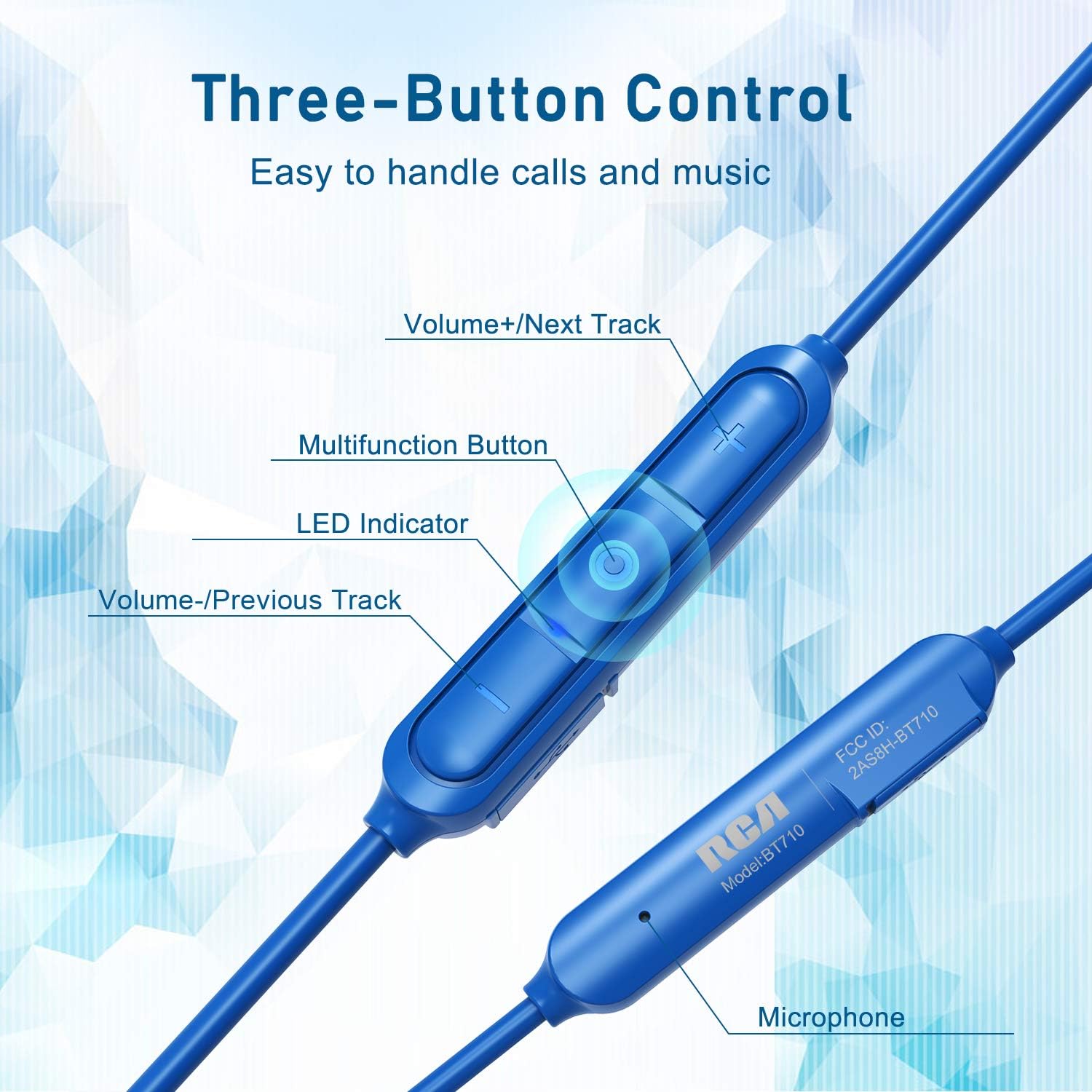
Billede: Detaljeret view of the RCA BT710's inline three-button control panel, showing buttons for volume up/next track, multifunction, volume down/previous track, LED indicator, and microphone.
- Multifunction Button (Center):
- Press and hold (5-7s): Power On/Off, Enter Pairing Mode
- Kort tryk: Afspil/pause musik, Besvar/afslut opkald
- Dobbelttryk: Genopkald af sidste nummer
- Press and hold (2s during call): Reject call
- Lydstyrke + / Næste nummer-knap:
- Kort tryk: Øg lydstyrken
- Langt tryk: Næste nummer
- Lydstyrke - / Forrige nummer-knap:
- Kort tryk: Sænk lydstyrken
- Langt tryk: Forrige nummer
- LED-indikator: Viser status for strøm, opladning og parring.
- Mikrofon: Til håndfri opkald.
Iført hovedtelefoner
Insert the earbuds into your ears, ensuring a snug fit with the chosen ear tips and fins. The cable should rest comfortably behind your neck. When not in use, the earbuds feature magnetic attraction, allowing them to clip together around your neck like a necklace, preventing loss.
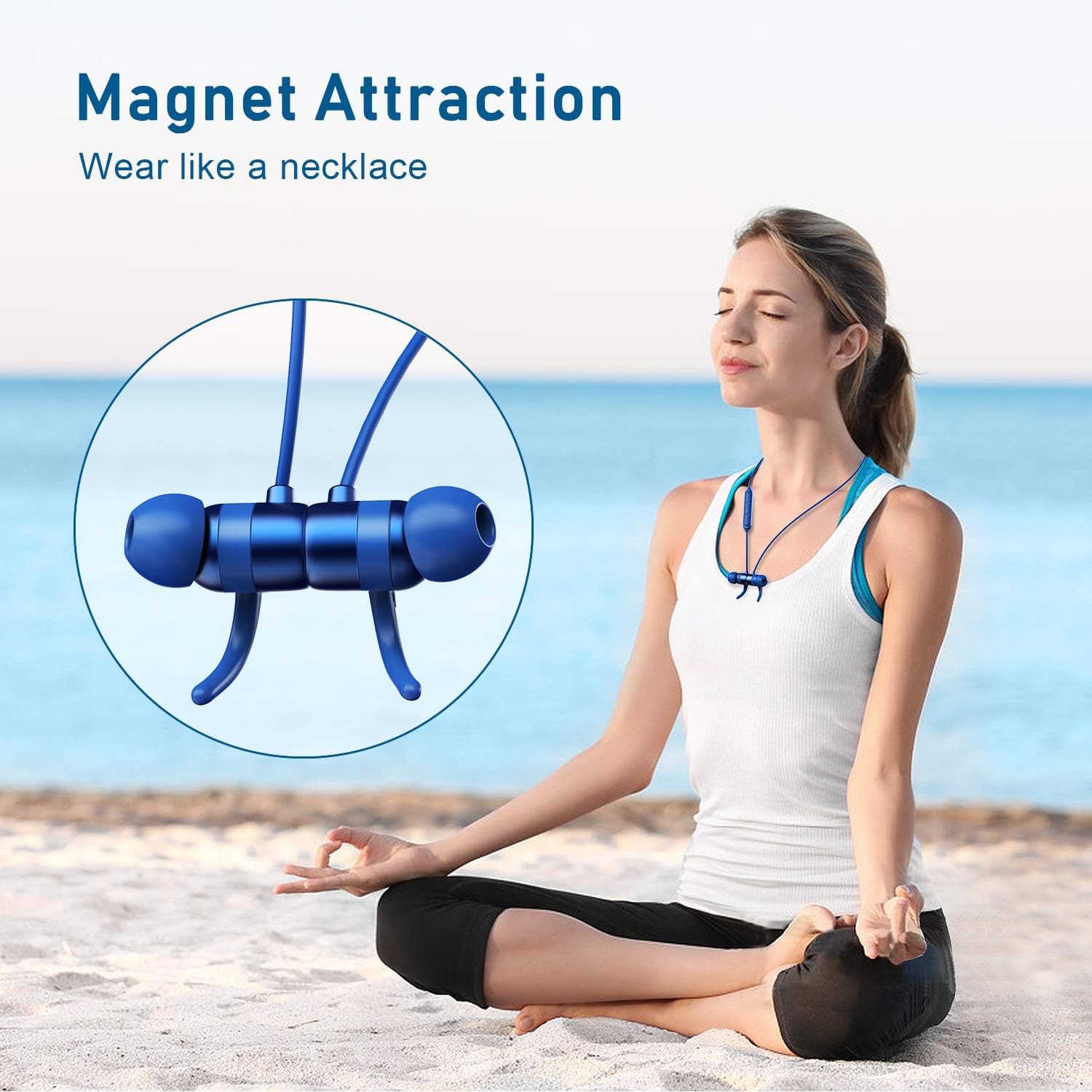
Image: A woman meditating outdoors, with the RCA BT710 headphones magnetically secured around her neck when not in use.
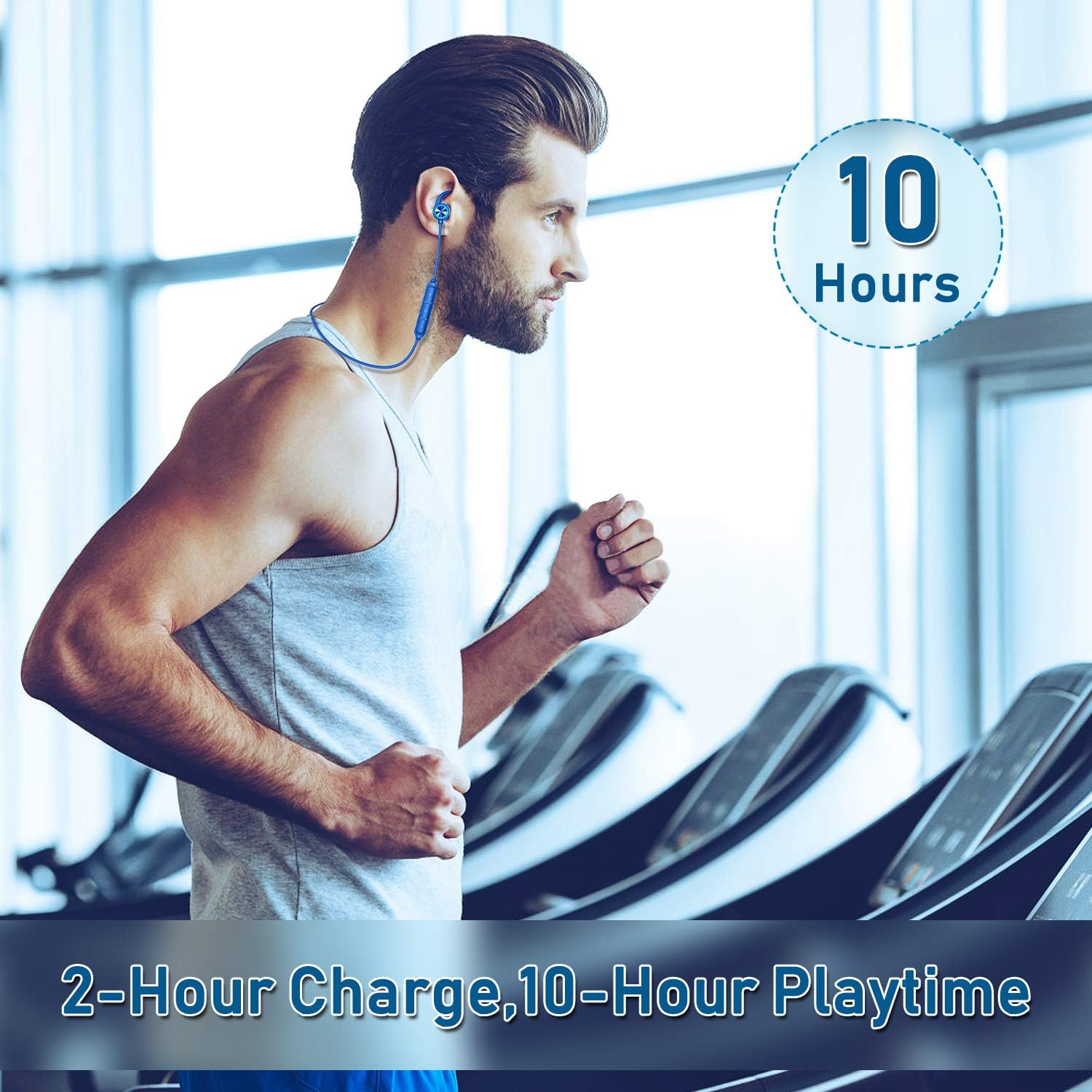
Image: A man exercising on a treadmill, wearing the RCA BT710 headphones, highlighting the 10-hour battery life and secure fit during activity.
Opretholdelse
- Rensning: Regularly clean the ear tips and the headphone body with a soft, dry cloth. For ear tips, you may use a slightly damp cloth with mild soap, then rinse and dry thoroughly before reattaching.
- Opbevaring: When not in use, store the headphones in the provided carry pouch to protect them from dust and damage. Avoid extreme temperatures.
- Vandtæthed: The headphones are IPX5 rated, meaning they are resistant to light rain and sweat. Do not submerge them in water or expose them to heavy downpours. Ensure the charging port cover is securely closed.
- Opladning: Use only the provided Micro USB cable or a certified equivalent. Avoid overcharging the battery.
Fejlfinding
| Problem | Mulig årsag | Løsning |
|---|---|---|
| Hovedtelefonerne tændes ikke. | Lavt batteri. | Oplad hovedtelefonerne i mindst 2 timer. |
| Kan ikke parres med enheden. | Hovedtelefoner er ikke i parringstilstand; Bluetooth slukket på enheden; enheden er for langt væk. | Ensure headphones are in pairing mode (red/blue flashing LED). Turn on Bluetooth on your device. Move device closer to headphones (within 10 meters/33 feet). |
| Ingen lyd eller dårlig lydkvalitet. | Volume too low; improper ear tip fit; device not connected; interference. | Increase volume on headphones and device. Adjust ear tips for a secure seal. Re-pair the headphones. Move away from sources of interference. |
| Hovedtelefonerne afbrydes ofte. | Uden for rækkevidde; lavt batteri; interferens. | Keep device within 10 meters (33 feet). Charge headphones. Avoid strong electromagnetic interference. |
Specifikationer
| Feature | Detalje |
|---|---|
| Modelnummer | BT710 |
| Wireless Profile | HSP, HFP, A2DP, AVRCP |
| Driftsområde | Up to 10 meters (33 feet) without obstacles |
| Vandtæt rate | IPX5 |
| Opladningstid | Cirka 2 timer |
| Tale/spilletid | Op til 10 timer (varierer efter volumen og indhold) |
| Standby tid | Op til 240 timer |
| Opladning Voltage | DC 5V |
| Batteritype | Li-polymer |
| Batterikapacitet | 110mAh/3.7V |
| Frekvensrespons | 20Hz-20kHz |
| Varens vægt | 13.61 g (0.48 ounce) |
| Produktdimensioner | 3.54 x 4.73 x 1.97 tommer |
Garanti og support
RCA products are designed for reliability and performance. For warranty information or technical support, please refer to the warranty card included in your package or visit the official RCA webwebsted.
Du kan også besøge RCA-butik på Amazon for yderligere produktinformation og supportressourcer.


