
1. Introduktion
This user manual provides detailed instructions for the installation, configuration, and operation of your Jennov 5.0MP PTZ Outdoor WiFi Security Camera. Please read this manual thoroughly before using the product to ensure proper functionality and safety. Keep this manual for future reference.
Produktfunktioner overview:
- 5.0 Megapixel Resolution: Leverer klare og detaljerede videooptagelsertage.
- 5X optisk zoom: Allows for detailed magnification of distant objects without loss of clarity.
- Pan/Tilt/Zoom (PTZ) Functionality: Offers a 355° horizontal rotation and 100° vertical tilt for comprehensive area coverage.
- Tovejs lyd: Built-in microphone and speaker enable real-time communication.
- Forbedret nattesyn: Equipped with infrared LEDs for clear monitoring up to 65ft in low-light conditions.
- Bevægelsesdetektering og advarsler: Configurable motion detection zones and sensitivity with push notifications and email alerts.
- IP66 Vejrbestandighedsklassificering: Holdbart metal casing designed to withstand various outdoor weather conditions.
- 64GB SD-kort inkluderet: Provides local storage for continuous 24/7 recording.
- Fjernadgang: Monitor and control the camera from your smartphone, tablet, or PC.
2. Pakkens indhold
Bekræft, at alle nedenstående varer er til stede i din pakke. Hvis der mangler eller er beskadigede varer, bedes du kontakte kundesupport.
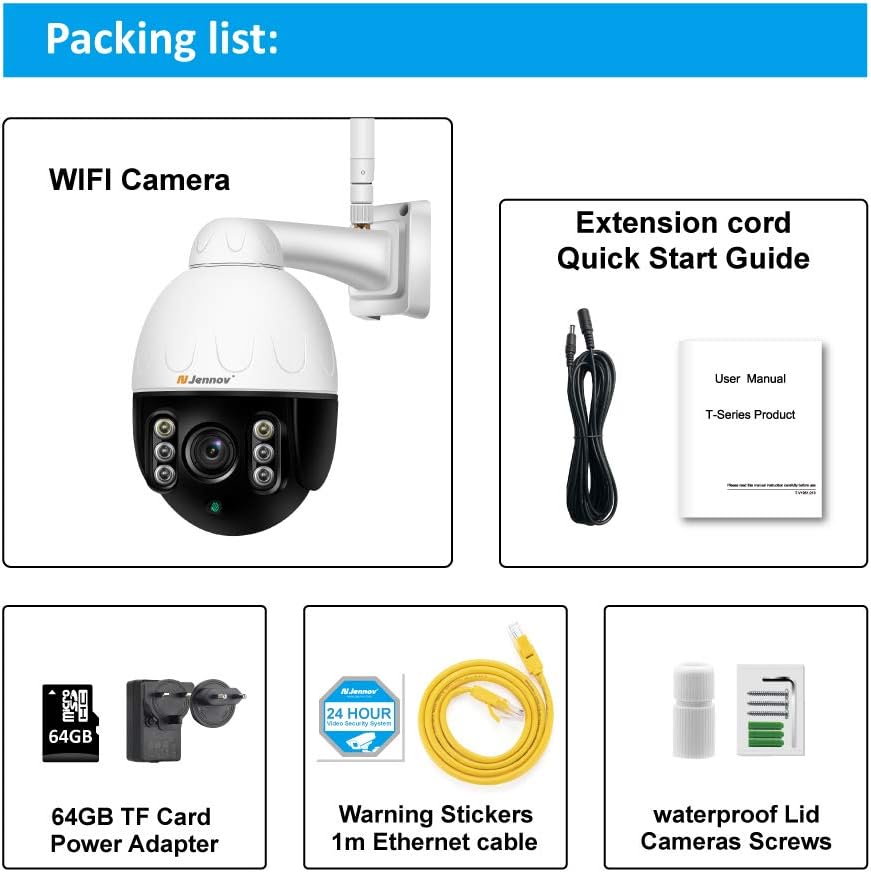
Image: Visual representation of the Jennov PTZ Camera and its included accessories.
- Jennov 5.0MP PTZ WiFi Camera (1 unit)
- 12V1A Power Adapter (1 unit)
- 3.3ft Ethernet Cable (1 unit)
- Monteringsskruer (sæt)
- Waterproof Cap for Ethernet connection (1 unit)
- Warning Label (1 unit)
- 64GB Micro SD Card (pre-installed)
- Hurtigstartguide / Brugermanual
3. Opsætningsvejledning
3.1 Fysisk installation
- Vælg en placering: Select a suitable outdoor location for mounting the camera. Ensure it has a clear line of sight to the area you wish to monitor and is within range of your 2.4GHz Wi-Fi network. The camera is designed for wall or ceiling mounting.
- Monter kameraet: Use the provided mounting screws to securely attach the camera bracket to the chosen surface. Ensure the camera is positioned correctly for optimal viewvinkel.
- Tilslut strøm: Connect the 12V1A power adapter to the camera's power input and plug it into a power outlet.
- Ethernet-forbindelse (valgfrit): For a more stable connection, you can use the provided Ethernet cable to connect the camera directly to your router. Use the waterproof cap to protect the Ethernet port if installed outdoors.
3.2 Appinstallation og første opsætning
- Download appen: Søg efter the recommended camera application (e.g., 'HiCam' or similar as per quick start guide) on your smartphone's app store (iOS or Android) and install it.
- Registrer en konto: Open the app and follow the on-screen instructions to register a new user account.
- Tilføj kamera: Power on the camera. In the app, select 'Add Device' or '+' icon. Follow the prompts to connect the camera to your home 2.4GHz Wi-Fi network. Ensure your phone is also connected to the 2.4GHz network during setup.
- Konfigurer indstillinger: Once connected, you can rename the camera, set a password, and adjust initial video settings.
4. Betjeningsvejledning
4.1 Live View og PTZ-styring
Access the live video feed through the mobile app or PC client.

Image: A smartphone screen displaying the camera's live feed with pan and tilt controls, indicating 355° horizontal and 100° vertical rotation.
- Panorering/vip: Use the directional controls within the app to rotate the camera horizontally (355°) and vertically (100°) to adjust the viewvinkel.
- Optisk zoom: Utilize the zoom controls (often a pinch-to-zoom gesture or dedicated buttons) to activate the 5X optical zoom for closer inspection of details.
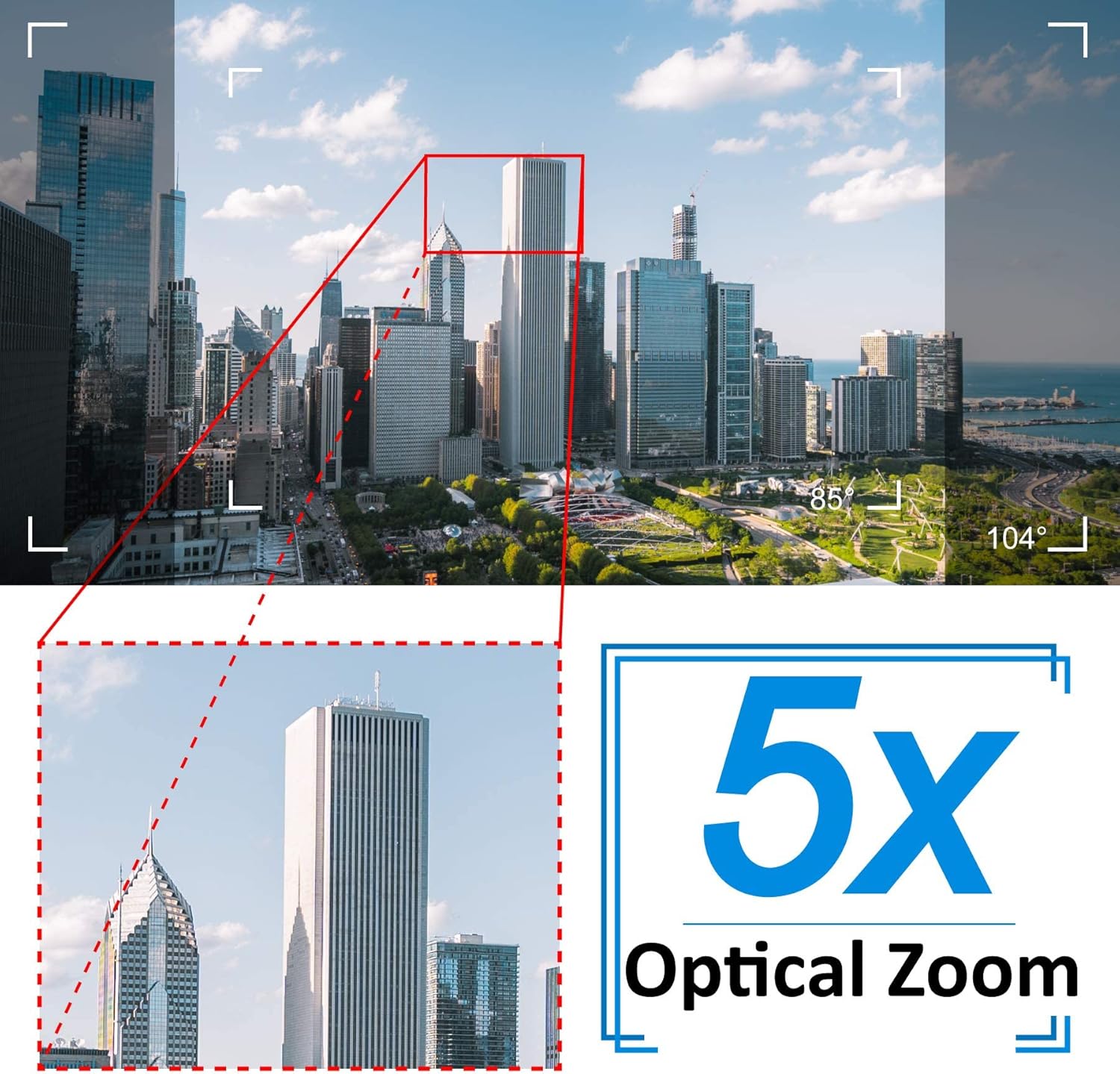
Image: A cityscape view demonstrating the 5X optical zoom feature, highlighting the ability to magnify distant objects clearly.
4.2 Tovejslyd
The camera supports two-way audio communication.

Image: A person interacting with the camera's two-way audio feature via a smartphone, showing speech bubbles for communication.
- Lytte: Tap the speaker icon in the app to hear audio from the camera's location.
- Tale: Press and hold the microphone icon to speak through the camera's speaker. Release to stop speaking.
4.3 Nattesyn
Kameraet skifter automatisk til nattesynstilstand under dårlige lysforhold.

Image: A comparison showing a daytime view of a house and its clear night vision equivalent captured by the 5MP 1920P camera.
- The integrated IR-Cut filter and infrared LEDs provide clear black-and-white video up to 65ft (20 meters) in complete darkness.
4.4 Bevægelsesdetektion og advarsler
Configure motion detection settings to receive alerts for suspicious activity.

Image: A visual representation of the camera's human detection, email alert, and app notification features, with highlighted detection zones.
- Set Detection Zone: In the app settings, define specific areas within the camera's view til bevægelsesdetektering.
- Juster følsomhed: Modify the motion detection sensitivity to minimize false alarms.
- Configure Alerts: Enable push notifications to your smartphone and/or email alerts with snapshots when motion is detected.
4.5 Optagelse og opbevaring
The camera comes with a pre-installed 64GB SD card for local storage.
- Kontinuerlig optagelse: The camera supports 24/7 continuous recording to the SD card.
- Loop-optagelse: When the SD card is full, new recordings will automatically overwrite the oldest footage.
- Afspilning: Få adgang til optaget footage through the app's playback function.
5. Vedligeholdelse
Regelmæssig vedligeholdelse sikrer optimal ydeevne og levetid for dit sikkerhedskamera.

Image: The Jennov PTZ camera shown outdoors in various weather conditions (rain, snow, sun, wind), emphasizing its IP66 weatherproof rating.
- Rensning: Rengør kameralinsen regelmæssigt med en blød kludamp klud til at fjerne støv, snavs eller vandpletter, der kan påvirke billedkvaliteten. Brug ikke skrappe kemikalier.
- Tjek forbindelser: Regularly inspect power and Ethernet cable connections for any signs of wear or damage. Ensure waterproof caps are securely in place.
- Firmwareopdateringer: Check the app regularly for available firmware updates. Keeping the camera's firmware updated can improve performance and security.
- Miljøbeskyttelse: While the camera is IP66 weatherproof, extreme conditions (e.g., direct lightning strikes, prolonged submersion) should be avoided.
6. Fejlfinding
Hvis du støder på problemer med dit kamera, kan du se følgende almindelige problemer og løsninger.
| Problem | Mulig årsag | Løsning |
|---|---|---|
| Kameraet kan ikke oprette forbindelse til Wi-Fi. | Incorrect Wi-Fi password; Camera too far from router; Only supports 2.4GHz Wi-Fi. | Verify password. Move camera closer to router. Ensure your router is broadcasting a 2.4GHz network and your phone is connected to it during setup. |
| No image or black screen in live view. | Power issue; Network disconnection; Camera malfunction. | Check power connection. Verify Wi-Fi/Ethernet connection. Restart camera and router. |
| Nattesynet er uklart. | Dirty lens; Obstruction; Insufficient IR illumination. | Clean the camera lens. Ensure no objects are blocking the IR LEDs. |
| Motion detection alerts are too frequent or not triggered. | Sensitivity too high/low; Detection zone not configured correctly. | Adjust motion detection sensitivity in the app. Redefine the detection zone to focus on critical areas. |
| Tovejslyd virker ikke. | Microphone/speaker muted; App permissions; Network latency. | Check mute settings in the app. Ensure the app has microphone permissions on your phone. Verify stable network connection. |
7. Specifikationer
Detailed technical specifications for the Jennov 5.0MP PTZ Outdoor WiFi Security Camera.
| Feature | Specifikation |
|---|---|
| Modelnummer | JE-P22HT55-5X-FAS-64-UK |
| Effektiv videoopløsning | 5 MP (1920p) |
| Optisk zoom | 5X (2.7-13.5mm autofocus lens) |
| Pan / tilt vinkel | Vandret: 355°, Lodret: 100° |
| Trådløs teknologi | Wi-Fi (kun 2.4 GHz) |
| Night Vision Range | Up to 65ft (20 meters) with Infrared LED |
| Vejrbestandig vurdering | IP66 |
| Opbevaring | 64GB Micro SD Card (pre-installed) |
| Strømforsyning | 12V1A DC (24 Watts) |
| Materiale | Metal Casing |
| Dimensioner (L x B x H) | 21.5 x 19.5 x 11.5 cm |
| Vægt | 1.2 kilo |
| Kompatible enheder | Android/iOS Smartphones, Tablets, PCs |
| Installationstype | Vægmontering, loftmontering |
8. Garanti og support
For warranty information and technical support, please refer to the official Jennov website or contact their customer service directly. Details regarding warranty periods and support channels are typically provided with your purchase documentation or on the manufacturer's product page.
Gem venligst din købsbevis i tilfælde af garantikrav.


