1. Introduktion
This manual provides detailed instructions for the VTech Kidi Star Karaoke Machine, Model 80-165835. This interactive karaoke system is designed to provide an engaging musical experience with features such as Music Magic mode, voice-changing effects, built-in songs and games, and a colorful disco light. Please read this manual thoroughly before use to ensure proper operation and to maximize your enjoyment of the product.
2. Sikkerhedsoplysninger
- Batterisikkerhed: Requires 4 AA batteries (included). Ensure correct polarity when inserting batteries. Do not mix old and new batteries, or different types of batteries. Remove exhausted batteries promptly.
- Voksenopsyn: Recommended for assembly and initial setup.
- Kvælningsfare: Indeholder små dele. Ikke egnet til børn under 3 år.
- Elektrisk sikkerhed: Use only the provided audio cable for connecting external devices. Do not attempt to modify or repair the unit.
- Placering: Placer enheden på en stabil, plan overflade for at forhindre den i at vælte.
3. Pakkens indhold
Kontroller venligst, at alle varer er til stede i pakken:
- VTech Kidi Star Karaoke Machine (Main Unit)
- Adjustable Stand (multiple sections)
- Microphone with cord
- Lydkabel (3.5 mm jack)
- 4 AA batterier
- Instruktionsmanual (dette dokument)
4. Opsætning
4.1 Batteriinstallation
- Find batterirummet på undersiden af hovedenheden.
- Åbn batterirummets dæksel med en skruetrækker.
- Isæt 4 nye AA-batterier, og sørg for at polerne vender korrekt (+/-).
- Sæt dækslet på igen, og stram skruen.
4.2 Assembly of the Stand and Microphone
- Connect the base of the stand to the lowest pole section.
- Attach the remaining pole sections, adjusting the height as desired.
- Secure the main karaoke unit onto the top of the assembled stand.
- Plug the microphone into the designated port on the main unit.
- Sørg for, at alle forbindelser er sikre inden brug.

Figure 1: Fully assembled VTech Kidi Star Karaoke Machine.
5. Betjeningsvejledning
5.1 Tænd/sluk
Tryk på Power knap (usually marked with a circle and a vertical line) located on the main unit to turn the machine on or off.

Figure 2: Control panel with various buttons and screen.
5.2 Music Magic Mode
Aktiver Music Magic Mode to reduce the main vocal track of built-in songs or songs played from an external device. This allows you to sing along as the lead vocalist.

Figure 3: The Music Magic button for vocal reduction.
5.3 Tilslutning af eksterne enheder
Use the included audio cable to connect your MP3 player or smartphone to the karaoke machine. Plug one end into the device's headphone jack and the other into the AUX-in port on the karaoke machine. You can then play your own music through the machine's speaker.

Figure 4: Connecting an external device via audio cable.
5.4 Voice Changer Effects
The machine includes five different voice-changing effects. Press the Stemmeskifterknap to cycle through effects such as robot, echo, and more, adding fun variations to your singing.
5.5 Built-in Songs and Games
The Kidi Star Karaoke Machine features eight original built-in songs and six interactive games. Use the navigation buttons and the OK knap to select and play songs or games from the main menu.
5.6 Optagefunktion
Record your performances for up to five minutes using the built-in recorder. Press the Optag knap to start and stop recording. You can then play back your recorded tracks.
5.7 Disco Light Operation
The integrated disco light can be twisted 180 degrees to project colorful light patterns onto walls and ceilings, enhancing the karaoke experience. The lights activate automatically when the unit is on or can be controlled via a dedicated button.
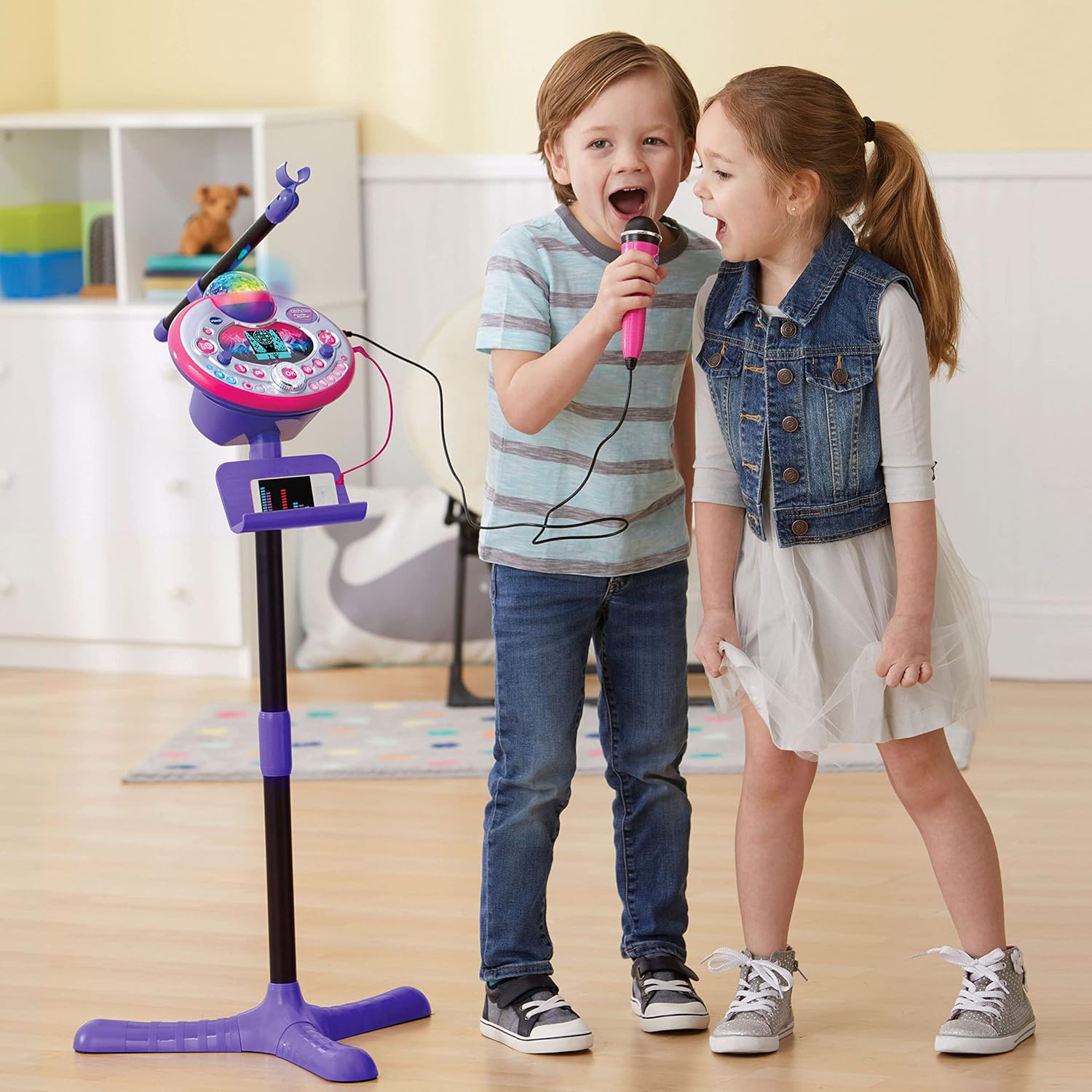
Figure 5: Disco light in action, projecting colorful patterns.
5.8 Audience Sounds
Engage the audience sound effects, such as applause, cheering, and laughter, by pressing the dedicated buttons. This feature simulates a live performance atmosphere.
6. Vedligeholdelse
- Rensning: Tør enheden af med en let damp klæde. Brug ikke skrappe kemikalier eller slibende rengøringsmidler.
- Opbevaring: Store the karaoke machine in a cool, dry place away from direct sunlight when not in use.
- Batteripleje: Fjern batterierne, hvis enheden ikke skal bruges i længere tid, for at forhindre lækage.
7. Fejlfinding
| Problem | Mulig årsag | Løsning |
|---|---|---|
| Enheden tænder ikke. | Batterierne er lave eller forkert installeret. | Udskift batterierne med nye, og sørg for korrekt polaritet. |
| Ingen lyd fra mikrofonen. | Microphone not securely plugged in; volume too low. | Ensure microphone is fully inserted. Adjust microphone volume. |
| External device audio is not playing. | Audio cable not connected properly; device volume too low. | Check audio cable connections. Increase volume on both the external device and the karaoke machine. |
| Disco light not working. | Light feature is turned off or unit is in a low-power state. | Ensure the light button is pressed or the unit is powered on. Check batteries. |
8. Specifikationer
- Modelnummer: 80-165835
- Mærke: VTech
- Farve: Pink/lilla
- Materiale: Plast
- Strømkilde: 4 AA batterier (medfølger)
- Forbindelse: Hjælpestik (3.5 mm jack)
- Kompatible enheder: Smartphone, MP3 Player
- Særlige funktioner: Voice Changer, Disco Light, Built-in Recorder, Audience Sounds, Music Magic Mode, Built-in Songs & Games
- Produktdimensioner: Approximately 127.94 x 37.01 x 42.42 cm (assembled)
- Varens vægt: Cirka 1.34 kg
9. Garanti og support
For garantioplysninger og kundesupport henvises til den officielle VTech-leverandør webwebstedet eller kontakt deres kundeserviceafdeling. Gem din købskvittering som købsbevis i tilfælde af garantikrav.
VTech Webwebsted: www.vtechkids.com


