1. Introduktion
This manual provides essential information for setting up, operating, and maintaining your NEBULA by Anker Capsule Max Mini Projector. Please read it thoroughly before using the device to ensure optimal performance and longevity.
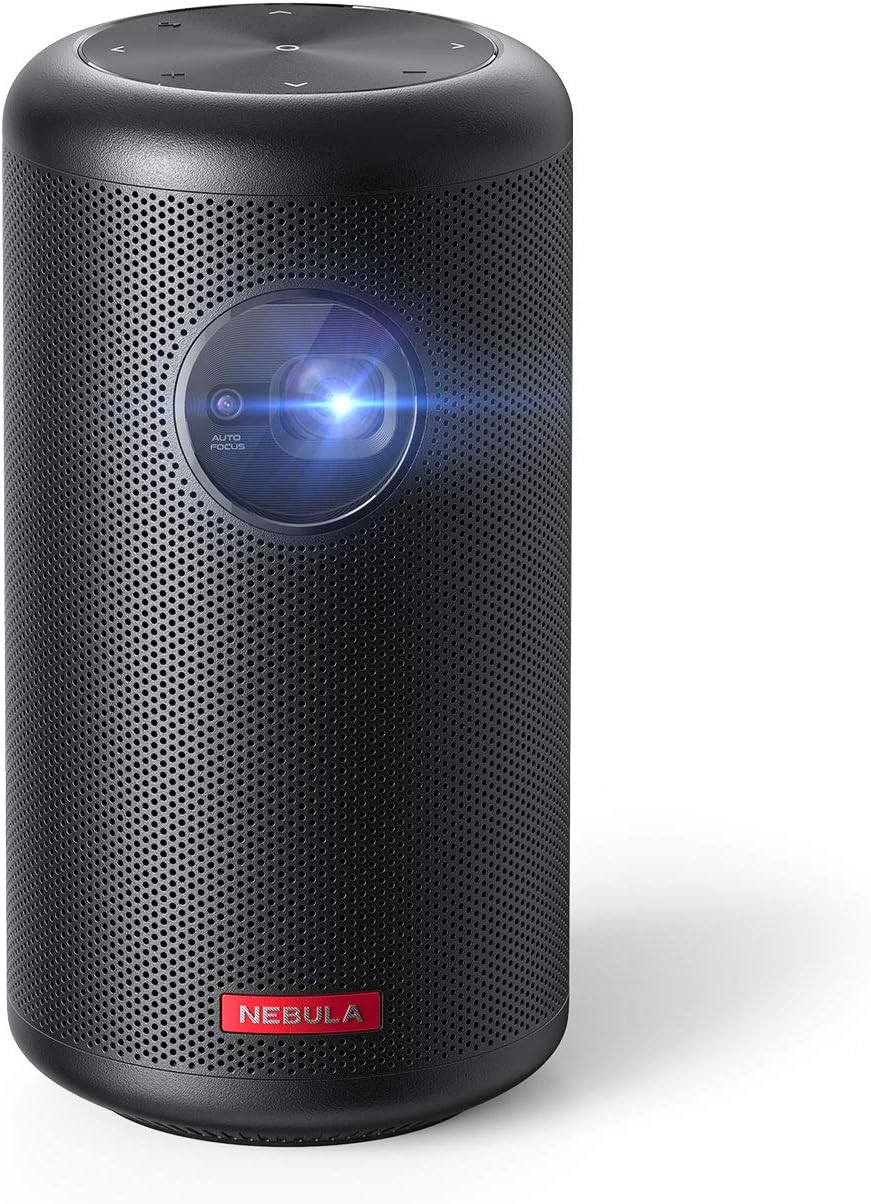
Image 1.1: NEBULA by Anker Capsule Max Mini Projector. This image displays the compact, cylindrical black projector with its lens visible on the front, highlighting its portable design.
2. Hvad er der i æsken
Sørg for, at alle følgende ting er til stede ved udpakning:
- NEBULA Capsule Max miniprojektor
- Fjernbetjening
- Hurtig startvejledning
- DC-in Charger (15V/3A)
3. Produktet er slutview
3.1 Enhedslayout

Billede 3.1: Bagside view of the NEBULA Capsule Max showing the input/output ports. From left to right, the ports include AUX, HDMI, USB Type-A, and DC-in.
- Front: Projection Lens, Autofocus Sensor
- Top: Touch Buttons (D-pad, Volume ±, Back)
- Bag: AUX Out, HDMI Input, USB Type-A Port, DC-in Port
- Bund: Gevind til stativmontering
4. Opsætning
4.1 Tænd/sluk
- To power on, press and hold the Power button on the device or remote control.
- For at slukke skal du trykke på tænd/sluk-knappen igen og holde den nede.
4.2 Opladning
Connect the provided DC-in charger (15V/3A) to the DC-in port on the projector. The device supports approximately 4 hours of local video playtime on a full charge, with a charging time of 2.5 hours.
4.3 Indledende opsætning
The Capsule Max runs on Android 8.1 with Nebula UI. Follow the on-screen instructions for initial setup, including language selection and network connection.
4.4 Netværksforbindelse
Naviger til Indstillinger > Netværk to connect to a Wi-Fi network. The device supports 802.11b/g/n/ac dual frequency (2.4/5GHz).
4.5 Bluetooth-forbindelse
For connecting external Bluetooth devices, go to Indstillinger > Bluetooth. The projector supports BT4.2 Dual Mode/A2DP.
5. Betjening af projektoren
5.1 Navigation og kontrol
- Physical/Touch Buttons: Use the D-pad, Volume ±, and Back buttons on the device for basic navigation.
- IR fjernbetjening: The included remote control offers Power, D-pad, Volume ±, Mouse Mode, Home, Back, and Menu (for autofocus) functions.
- Bluetooth Remote App: Download the 'Nebula Connect' app for Android and iOS devices for enhanced control, especially for apps like Netflix.
5.2 Billedjustering

Image 5.1: Diagram illustrating optimal projection distances for various screen sizes (40, 80, 100 inches) with the NEBULA Capsule Max.
- Autofokus: The projector features 1-second autofocus. You can also trigger it by slightly moving the device or long-pressing the 'Menu' button on the remote.
- Keystone-korrektion: Automatic vertical keystone correction (±40°) is available. Manual horizontal (±40°) and quadrilateral keystone correction can be adjusted via Settings > Projector.
- Billedtilstand: Select between 'Auto', 'Standard Mode' (for maximum brightness), and 'Battery Mode' (for extended battery life) in Settings > Projector > Image Mode.
- Projektionstilstand: Adjust the projection orientation (Front, Rear, Front Ceiling, Rear Ceiling) based on your setup in Settings > Projector > Projector Mode.
5.3 Content Playback

Image 5.2: The Android 8.1 user interface of the NEBULA Capsule Max, displaying various streaming app icons like Amazon, YouTube, and Netflix.
- Indbyggede apps: The projector comes with Android 8.1 and Nebula UI, allowing you to download and stream apps like YouTube, Netflix, and Amazon from the Nebula Manager Store.
- Important Note on Copyrighted Content: Copyrighted content from services like Netflix cannot be mirrored or screencast. Download and use the apps directly through the Capsule Max to view such content. Chromecast is not supported.
- HDMI -indgang: Connect external devices such as gaming consoles, Blu-ray players, or other media players via the HDMI 1.4 input (supports up to 1080p).
- USB-afspilning: Insert USB flash drives into the USB Type-A port to play local video and audio files.
- Lydudgang: The projector features an 8W speaker. For external audio, use the AUX Out port to connect to a sound system.
6. Vedligeholdelse
To ensure the longevity and optimal performance of your Capsule Max, follow these maintenance guidelines:
- Rensning: Use a soft, dry cloth to clean the exterior of the projector. Avoid using liquid cleaners or abrasive materials.
- Linsepleje: Gently clean the projection lens with a lens cleaning cloth. Do not touch the lens directly with your fingers.
- Firmwareopdateringer: For peak performance and access to the latest features, regularly check for and install firmware updates via the device's settings.
- Opbevaring: Når projektoren ikke er i brug, skal den opbevares på et køligt, tørt sted væk fra direkte sollys og ekstreme temperaturer.
7. Fejlfinding
If you encounter any issues with your Capsule Max, refer to the following common solutions:
- Intet billede/dårlig billedkvalitet:
- Ensure the projector is powered on and fully charged or connected to power.
- Adjust focus using the autofocus feature or manually.
- Kontrollér indstillingerne for keystone-korrektion, hvis billedet er forvrænget.
- Ensure the projection surface is suitable and the room lighting is appropriate (ideal in low-light environments).
- Ingen lyd:
- Kontroller lydstyrkeniveauet på projektoren og eventuelle tilsluttede eksterne lydenheder.
- If using external speakers, ensure they are correctly connected via AUX or Bluetooth.
- Kan ikke oprette forbindelse til Wi-Fi/Bluetooth:
- Genstart projektoren og din router/Bluetooth-enhed.
- Sørg for, at Wi-Fi-adgangskoden er korrekt.
- Keep the projector within range of the Wi-Fi router or Bluetooth device.
- App Issues (e.g., Netflix not playing):
- Sørg for, at appen er opdateret til den nyeste version.
- Remember that copyrighted content from certain services cannot be mirrored; use the apps directly on the projector.
- Update the projector's firmware to the latest version for optimal compatibility.
8. Specifikationer
| Feature | Specifikation |
|---|---|
| Modelnummer | D2423 |
| Displayteknologi | 0.3-in HD DLP |
| Indfødt opløsning | 1280 x 720 (720p) |
| Lysstyrke | 200 ANSI Lumens |
| Lamp Liv | 30,000 timer |
| Aspektforhold | 16:9 |
| Kasteforhold | 100 in@2.87m; 80 in@2.29m; 60 in@1.72m; 40 in@1.14m |
| Offset | 100 % |
| Fokusjustering | 1-sekunders autofokus |
| Keystone korrektion | Auto (Vertical ±40°), Manual (Horizontal ±40°) |
| HDMI-indgang | HDMI 1.4 (up to 1080p) |
| USB-port | USB Type-A (for Flash Drives) |
| DC-in | 15V/3A |
| AUX-udgang | Ja |
| Højttaler | 8W |
| Wi-Fi | 802.11b/g/n/ac (2.4/5GHz) |
| Bluetooth | BT4.2 Dual Mode/A2DP |
| OS | Android 8.1 with Nebula UI |
| VÆDDER | 2GB DDR3 |
| ROM | 16 GB eMMC |
| Batteri | 9,700mAh 3.7V |
| Videoafspilningstid | 4 Hours (Local Video Playtime) |
| Opladningstid | 2.5 Hours (with DC-in 15V/3A) |
| Produktdimensioner | 3.15 x 3.15 x 5.91 tommer |
| Varens vægt | 1.6 pund |
9. Garanti og support
The NEBULA by Anker Capsule Max comes with a 12-month warranty. For any product inquiries, technical assistance, or warranty claims, please contact our friendly customer service.


