Indledning
This manual provides detailed instructions for the safe and effective use of your SIMOLIO JH-712 Bluetooth Kids Headphones. Please read this manual thoroughly before operating the device and retain it for future reference.
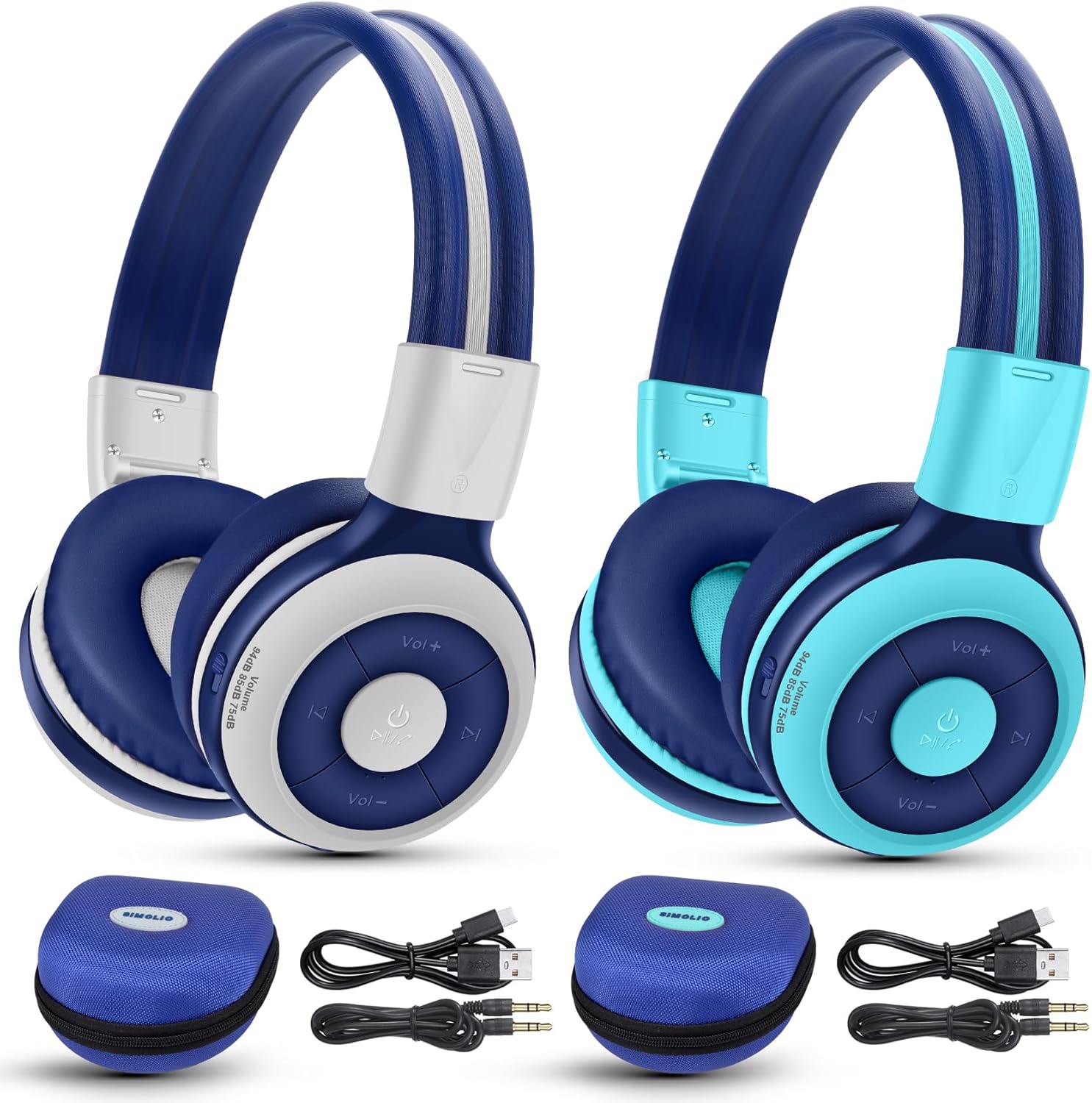
Image: The SIMOLIO JH-712 Bluetooth Kids Headphones, showcasing the mint and grey color options, complete with accessories.
Pakkens indhold
Bekræft at alle varer er til stede i din pakke:
- SIMOLIO JH-712 Bluetooth Kids Headphones (2 units)
- Opladningskabel (USB-C)
- AUX-kabel (3.5 mm lydkabel)
- Brugervejledning (dette dokument)
- Carrying EVA Case (2 units)
Produkt overview
Familiarize yourself with the components of your headphones.
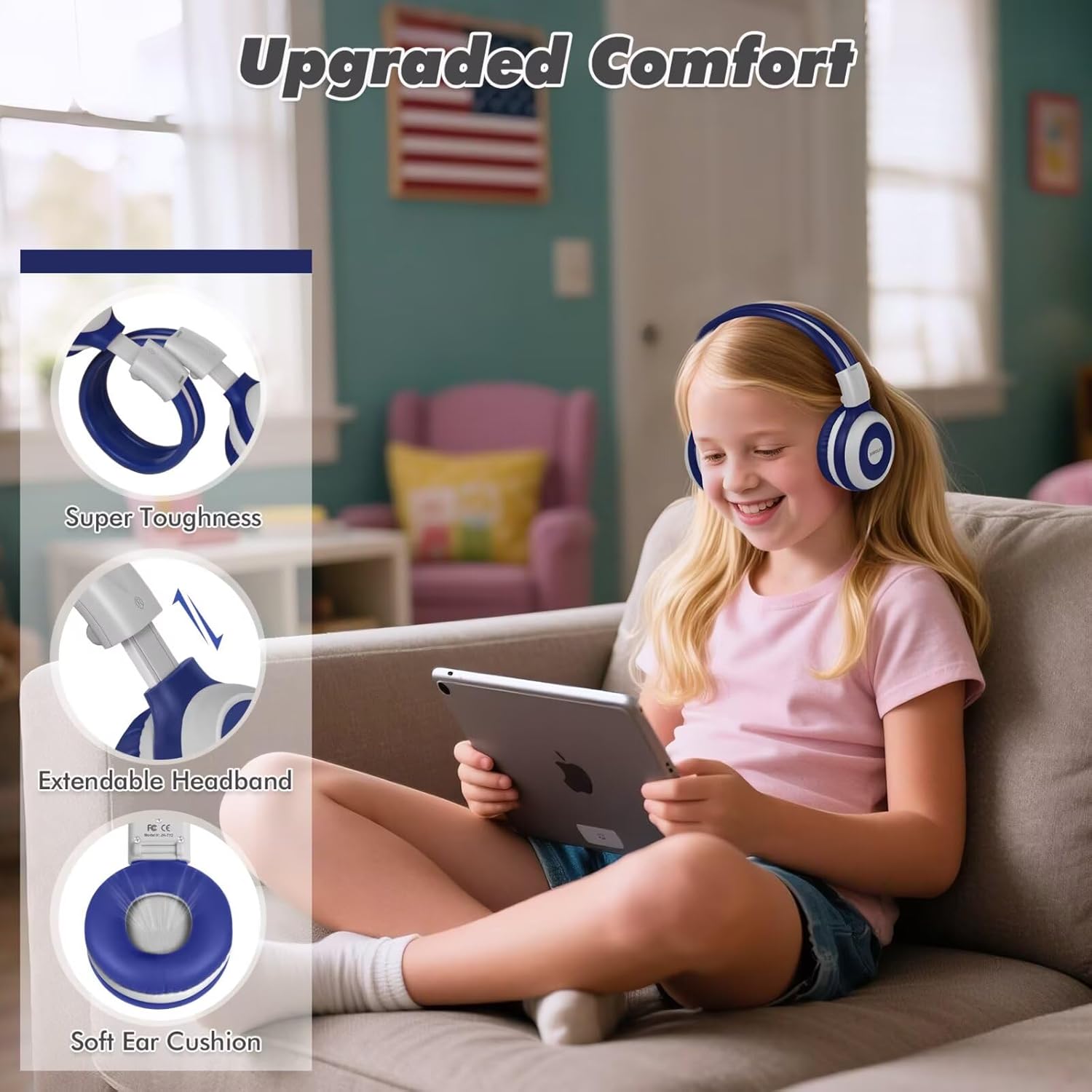
Image: Key features of the headphones, including super toughness, extendable headband, and soft ear cushions.
- Power Button/Multi-function Button: Used for power on/off, play/pause, answer/end calls.
- Knap til lydstyrke op/næste nummer: Kort tryk for at skrue op for lydstyrken, langt tryk for næste nummer.
- Knap til lydstyrke ned/forrige nummer: Kort tryk for at sænke lydstyrken, langt tryk for at sænke forrige nummer.
- LED-indikator: Displays pairing status, charging status, and power.
- Mikrofon: Til håndfri opkald.
- 3.5 mm lydstik: Til kablet forbindelse.
- Opladningsport (USB-C): Til opladning af høretelefoner.
- Share Port: Allows another wired headphone to connect and share audio.
- Justerbart pandebånd: For en behagelig pasform.
- Bløde ørepuder: Designed for comfort and noise isolation.
Opsætning
1. Opladning af hovedtelefonerne
Before first use, fully charge the headphones.
- Tilslut det medfølgende USB-C-opladerkabel til opladningsporten på hovedtelefonerne.
- Tilslut den anden ende af kablet til en USB-strømadapter (medfølger ikke) eller en computers USB-port.
- LED-indikatoren lyser rødt under opladning og slukker, når den er fuldt opladet.
- En fuld opladning tager cirka 3 timer og giver op til 15 timers spilletid.
2. Bluetooth-parring (trådløs tilstand)
- Sørg for, at hovedtelefonerne er slukket.
- Press and hold the Power Button for approximately 5 seconds until the LED indicator flashes blue and red alternately. This indicates pairing mode.
- Aktiver Bluetooth på din enhed (smartphone, tablet, bærbar computer), og søg efter tilgængelige enheder.
- Select "SIMOLIO JH-712" from the list of devices.
- Når den er tilsluttet, blinker LED-indikatoren langsomt blåt.
- If a passcode is requested, enter "0000".

Image: Illustration of wireless and wired usage modes for the headphones.
3. Kablet forbindelse (AUX-tilstand)
Use the wired connection when Bluetooth is not available or the battery is depleted.
- Connect one end of the provided 3.5mm AUX cable to the 3.5mm audio jack on the headphones.
- Tilslut den anden ende af kablet til lydudgangsstikket på din enhed.
- The headphones will automatically switch to wired mode. The microphone functions only in Bluetooth mode.
Betjeningsvejledning
Tænd/sluk
- Tænd: Press and hold the Power Button for 2-3 seconds until the LED indicator flashes blue.
- Sluk: Press and hold the Power Button for 3-4 seconds until the LED indicator turns red and then off.
Volume Control and Limiting Modes
The headphones feature three distinct volume limiting modes for hearing protection.

Image: Visual representation of the three volume limiting modes: 75dB (Toddler Mode), 85dB (Study Mode), and 94dB (Travel Mode).
- Juster lydstyrken: Tryk kort på knapperne Lydstyrke op (+) eller Lydstyrke ned (-).
- Change Volume Limiting Mode: The headphones automatically adjust to 75dB, 85dB, or 94dB based on the environment. Specific manual control for these modes is typically managed by the device's volume settings within these limits.
Musikafspilning
- Afspil/pause: Tryk kort på tænd/sluk-knappen.
- Næste nummer: Tryk længe på knappen Lydstyrke op (+).
- Forrige nummer: Tryk længe på lydstyrke ned-knappen (-).
Call Functions (Bluetooth Mode Only)
- Besvar/afslut opkald: Tryk kort på tænd/sluk-knappen.
- Afvis opkald: Tryk længe på Power-knappen.
- Genopkald sidste nummer: Double-press the Power Button.

Image: Children engaged in online learning and video chats using the headphones' built-in microphone.
Share Port Function
The Share Port allows two users to listen to the same audio source simultaneously.
- Connect the primary SIMOLIO headphone to your device via Bluetooth.
- Connect one end of the 3.5mm AUX cable to the Share Port of the primary SIMOLIO headphone.
- Connect the other end of the AUX cable to the 3.5mm audio jack of a second headphone (can be another SIMOLIO headphone or any compatible wired headphone).
- Both headphones will now receive audio from the primary device.

Image: Two children sharing audio from a single device using the headphone's share port.
Opretholdelse
- Rengør hovedtelefonerne med en blød, tør klud. Brug ikke slibende rengøringsmidler eller opløsningsmidler.
- Undgå at udsætte hovedtelefonerne for ekstreme temperaturer, fugtighed eller direkte sollys.
- Store the headphones in the provided EVA case when not in use to protect them from damage.
- Do not attempt to disassemble or repair the headphones yourself. Contact customer support for assistance.
Fejlfinding
| Problem | Mulig årsag | Løsning |
|---|---|---|
| Hovedtelefonerne tændes ikke. | Lavt batteri. | Oplad hovedtelefonerne helt. |
| Kan ikke parres via Bluetooth. | Hovedtelefoner er ikke i parringstilstand; enhedens Bluetooth er slået fra; for langt fra enheden. | Ensure headphones are in pairing mode (flashing blue/red). Turn on device Bluetooth. Move headphones closer to device (within 10 meters). |
| Ingen lyd i trådløs tilstand. | Lydstyrken er for lav; hovedtelefoner er ikke tilsluttet; forkert lydudgang er valgt på enheden. | Øg lydstyrken på hovedtelefoner og enhed. Genpar hovedtelefonerne. Kontroller enhedens lydudgangsindstillinger. |
| Ingen lyd i kablet tilstand. | AUX cable not fully inserted; cable damaged; device volume too low. | Ensure AUX cable is fully inserted into both headphone and device. Try a different AUX cable. Increase device volume. |
| Mikrofon virker ikke. | Using wired mode; device microphone settings. | The microphone only works in Bluetooth mode. Check your device's microphone input settings. |
Specifikationer
- Modelnavn: JH-712
- Forbindelse teknologi: Trådløs (Bluetooth 5.0), Kablet (3.5 mm jack)
- Bluetooth Range: 10 meter
- Lyddrivertype: Dynamisk driver (40 mm)
- Frekvensområde: 200 Hz - 10,000 Hz
- Lydstyrkebegrænsning: 3 levels (75dB/85dB/94dB)
- Batterilevetid: Up to 15 Hours (wireless mode)
- Opladningstid: Cirka 3 timer
- Inkluderede komponenter: Charging Cable, AUX Cable, User Manual, Carrying EVA Case
- Materiale: Stainless Steel (headband strips)
- Varens vægt: 184 Grams (per headphone)
- Særlige funktioner: Foldable, Built-in Microphone, Volume Control, Share Port
- Aldersinterval: Toddlers-Kids-Teens

Billede: Detaljeret view of the 40mm dynamic driver, emphasizing extraordinary sound quality.
Garanti og support
SIMOLIO provides a 12-month hassle-free warranty for this product. For warranty claims, technical support, or any inquiries, please contact SIMOLIO customer service through the retailer where the product was purchased or visit the official SIMOLIO webwebsted.
Online support: Visit the SIMOLIO Store on Amazon


