This manual provides comprehensive instructions for the setup, operation, and maintenance of your Homtime C1 Pro Digital Alarm Clock. Please read this manual thoroughly before using the product to ensure proper functionality and longevity.
Pakkens indhold
1 x Homtime C1 Pro hovedenhed
1 x strømadapter
1 x brugermanual
Nøglefunktioner
Adjustable LED Brightness & 25° Tilt Design for Easy Time Checking
Dual USB Charging Ports with Over-Current, Over-Voltage, and Short-Circuit Protection
Integrated Bluetooth Speaker for Audio Playback
TF Card Support for Custom Alarm Sounds
Built-in Thermometer Function (Celsius/Fahrenheit Switchable)
Batteribackup til tids- og alarmindstillinger
Snooze Mode Functionality
Opsætning
1. Strømtilslutning
Connect the provided power adapter to the DC 5V port on the back of the alarm clock and plug it into a wall outlet. The display will illuminate.
Billede: Bagside view of the Homtime C1 Pro, highlighting the DC 5V power input and the battery compartment for backup.
2. Installation af batteribackup (valgfrit)
For battery backup of time and thermometer settings during power outages, install three AAA batteries (not included) into the battery compartment on the bottom of the unit. This ensures settings are retained even if the main power is disconnected.
3. Indstilling af tid og alarm
Locate the 'LOCK/UNLOCK' switch on the back of the unit. Set it to 'UNLOCK'.
Gently rotate the large button on the top of the alarm clock to adjust the time. Press the alarm button (small button next to the large one) to set the alarm time. Rotate the large button again to set the desired alarm time.
Once set, switch the 'LOCK/UNLOCK' switch back to 'LOCK' to prevent accidental changes.
Video: Demonstrates how to set the time and alarm on the Homtime C1 Pro using the top rotary button and alarm set button.
4. Valg af temperaturenhed
On the bottom of the unit, locate a small hole labeled 'C/F'. Use a paper clip or a similar pointed object to press the button inside this hole to switch between Celsius (°C) and Fahrenheit (°F) temperature display.
Betjeningsvejledning
1. Justering af skærmens lysstyrke
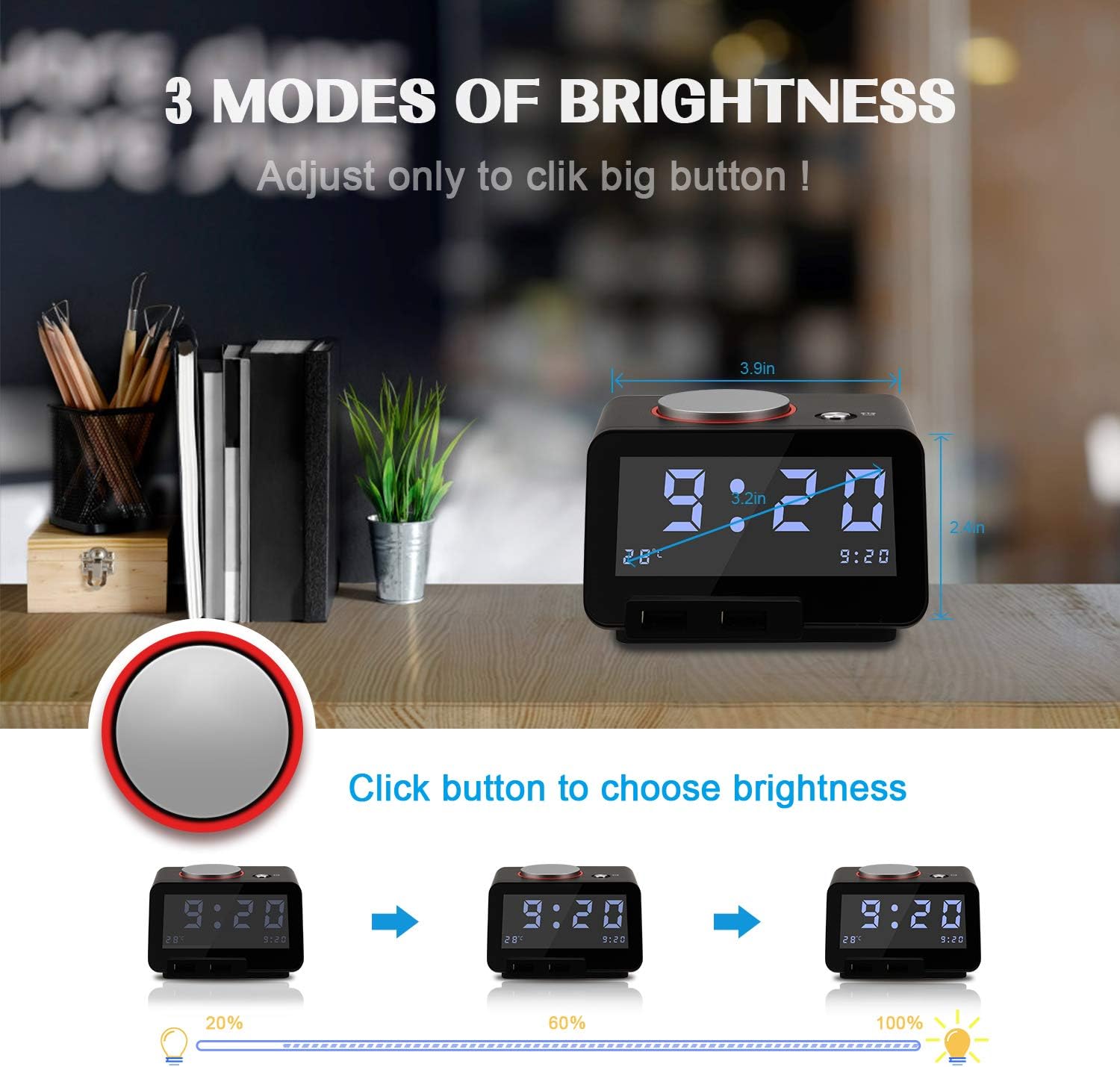
The Homtime C1 Pro features a large, easy-to-read LCD display with adjustable brightness. Simply tap the large rotary button on the top of the unit to cycle through three brightness levels (20%, 60%, 100%) and an 'off' setting. This allows you to customize the display visibility for day or night use without disturbing your sleep.
Image: Illustrates the three distinct brightness levels of the LCD display, adjustable by pressing the top button.
2. Alarm Function and Snooze
When the alarm sounds, tap the large rotary button on the top to activate the snooze function. The alarm will pause for 9 minutes and then reactivate. To completely silence the alarm, press and hold the large rotary button for 3 seconds.
The alarm features a gentle wake-up sound that starts softly and gradually increases in volume. You can adjust the maximum alarm volume by pressing and rotating the large button while the alarm is sounding.
3. Bluetooth-højttalerfunktion
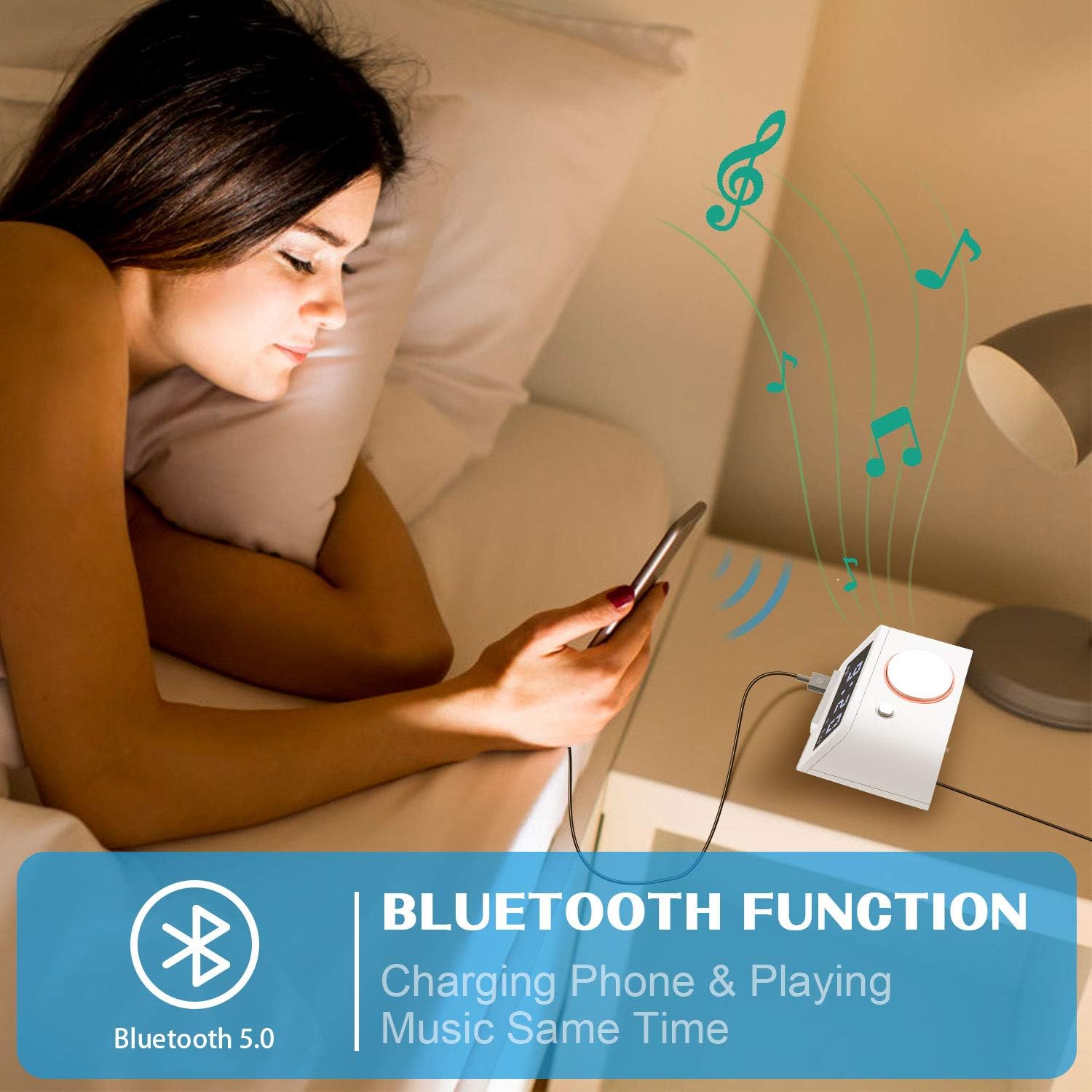
The C1 Pro can function as a Bluetooth speaker. Enable Bluetooth on your mobile device and search for "C1pro" in the list of available devices. Select "C1pro" to pair. Once connected, you can play audio from your device through the alarm clock's speaker.
Image: A user connecting their smartphone to the Homtime C1 Pro via Bluetooth to play music.
4. Afspilning med TF-kort
Insert a Micro SD (TF) card loaded with your favorite MP3 audio files into the TF card slot on the back of the unit. The alarm clock can play these songs, allowing you to customize your wake-up sound or enjoy music directly from the card.
5. Dobbelte USB-opladningsporte
The alarm clock is equipped with two USB charging ports on the front, providing a total current output of 5V-3A. These ports feature over-current, over-voltage, and short-circuit protection. You can charge two USB-powered devices simultaneously, such as smartphones, tablets, or other gadgets.
Billede: Forside view of the Homtime C1 Pro, clearly showing the two convenient USB charging ports.
Opretholdelse
Rensning
To clean the unit, wipe it with a soft, dry cloth. Do not use abrasive cleaners, waxes, or solvents as they may damage the finish. Ensure the unit is unplugged before cleaning.
Opbevaring
If storing the alarm clock for an extended period, remove the backup batteries to prevent leakage and damage. Store in a cool, dry place.
Fejlfinding
Displayet er tomt eller lyser ikke:
Ensure the power adapter is securely plugged into both the unit and a working wall outlet.
Check if the brightness setting is set to 'off'. Tap the large rotary button to increase brightness.
Kontroller, at stikkontakten fungerer ved at tilslutte en anden enhed.
Alarmen lyder ikke:
Sørg for, at alarmen er indstillet korrekt, og at alarmikonet er synligt på displayet.
Kontroller alarmens lydstyrkeniveau.
Problemer med Bluetooth-parring:
Ensure Bluetooth is enabled on your mobile device and the C1 Pro is within range.
Forget "C1pro" from your device's Bluetooth settings and attempt to re-pair.
Restart both the alarm clock (by unplugging and replugging) and your mobile device.
USB-opladning virker ikke:
Sørg for, at vækkeuret er tændt.
Kontrollér USB-kablet for skader, og sørg for, at det er korrekt tilsluttet både vækkeuret og din enhed.
Prøv en anden USB-port eller et andet kabel.
Specifikationer
Feature
Detalje
Mærke
Hjemmetid
Model
C1 Pro
Display Type
Digital LCD
Strømkilde
Elektrisk med ledning
USB udgang
5V-3A (Total)
Dimensioner
4.3 x 4.3 x 2.5 tommer
Varens vægt
1.2 pund
Materiale
Plast
Garanti og support
For warranty information and customer support, please refer to the contact details provided on the product packaging or visit the official Homtime webwebsted. Gem din købskvittering som købsbevis i tilfælde af garantikrav.
Relaterede dokumenter - C1 Pro
Homtime C1 Digitalt Vækkeur med Dobbelt USB Oplader - Brugermanual Brugermanual og specifikationer til Homtime C1 digital vækkeur, med dæmpbart LCD-display, dobbelt USB-oplader, termometer og melodialarm. Lær, hvordan du indstiller tid, alarmer og bruger dets funktioner.
Homtime C1 Pro Bluetooth-vækkeurhøjttaler med dobbelt USB-oplader brugermanual Brugermanual til Homtime C1 Pro, en Bluetooth-vækkeurhøjttaler med dobbelt USB-oplader, der beskriver funktioner, opsætning og betjening. Indeholder instruktioner til tidsindstilling, alarmkonfiguration, Bluetooth-forbindelse og opladning.
HC1pro Bluetooth-vækkeurhøjttaler med dobbelt USB-oplader - brugermanual Detaljeret brugermanual til HC1pro Bluetooth-vækkeurhøjttaleren fra Homtime, med dobbelt USB-opladning, termometer og brugerdefinerbare alarmfunktioner. Indeholder oplysninger om opsætning, betjening og FCC-overholdelse.