1. Introduktion
Tak for købetasing the LUPO Digital Pocket Scale. This precision instrument is designed for accurate weighing of small items up to 200 grams with a 0.01 gram graduation. Its compact and portable design makes it ideal for various applications, including weighing jewelry, food ingredients, herbs, and other small objects. Please read this manual carefully to ensure proper operation and longevity of your scale.
Nøglefunktioner:
- Maksimal kapacitet: 200g
- Graduering: 0.01 g
- Multiple Weighing Units: g, gn, oz, ozt, ct, tl, dwt
- Durable Stainless Steel Platform
- Baggrundsbelyst LCD-skærm
- Tare Funktion
- Automatisk sluk
- Indikator for lavt batteri
- Overbelastningsbeskyttelse
2. Pakkens indhold
- 1 x LUPO 200g Digital Pocket Scale
- 2 x AAA batterier
- 1 x brugermanual
3. Opsætning
3.1 Batteriinstallation
The scale requires 2 AAA batteries (included). To install or replace batteries:
- Åbn batteridækslet, der er placeret på undersiden af vægten.
- Isæt de 2 AAA-batterier, og sørg for at polerne vender korrekt (+/-).
- Luk batterirummets dæksel forsvarligt.
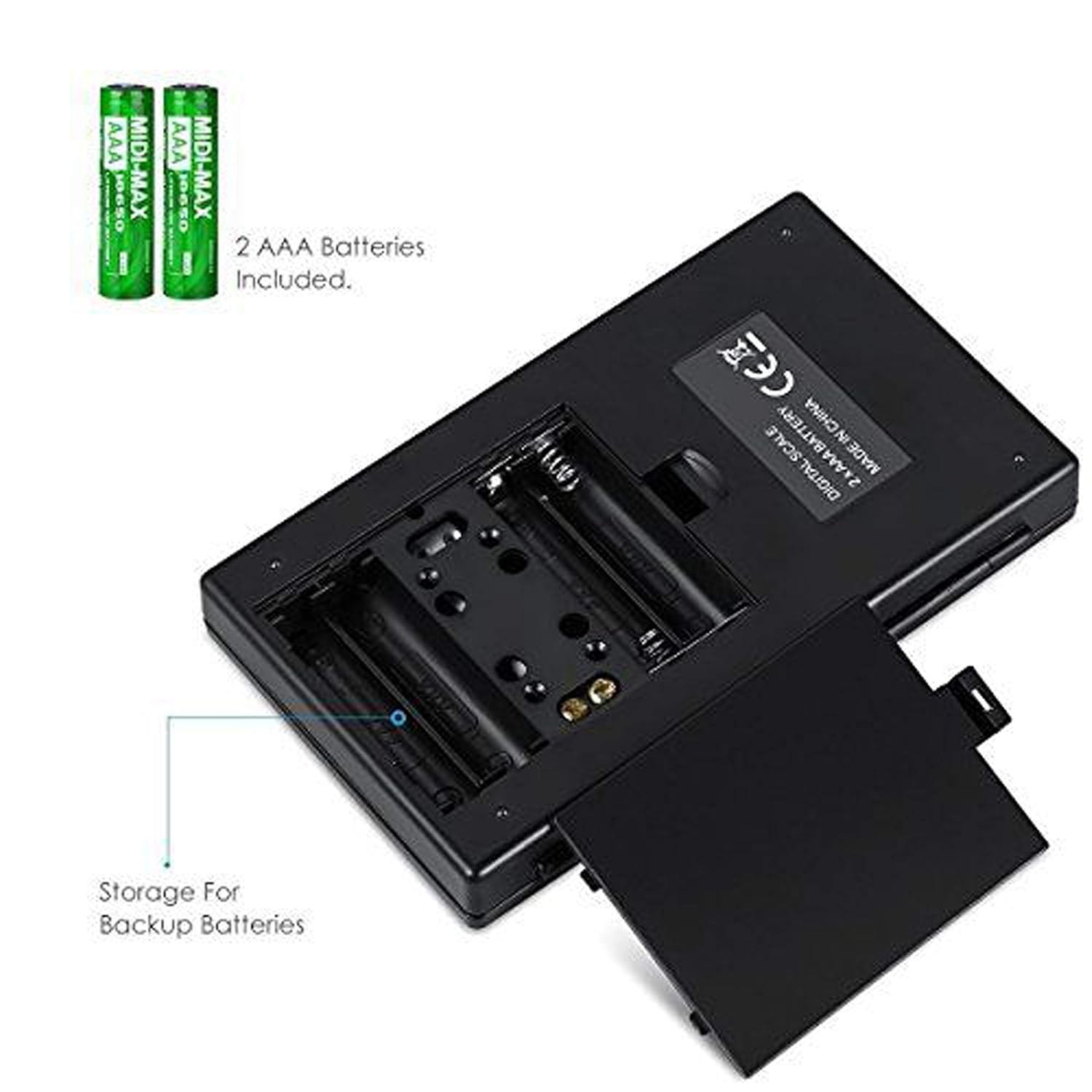
Figur 3.1: Batterirum med AAA-batterier.
3.2 Indledende placering
For accurate readings, place the scale on a hard, flat, and stable horizontal surface. Avoid placing it on soft or uneven surfaces, or near sources of vibration or electromagnetic interference.
4. Betjening
4.1 Grundlæggende vejning
- Tryk på ON/OFF knappen for at tænde for vægten.
- Wait for the display to show "0.00" (or "0") before placing any items on the weighing platform.
- Gently place the item(s) you wish to weigh onto the center of the stainless steel weighing platform.
- Vægten vil blive vist på LCD-skærmen.

Figure 4.1: Quick start guide for basic weighing.
4.2 Enhedskonvertering
Vægten understøtter flere vejeenheder. Sådan ændrer du enheden:
- With the scale turned on and displaying "0.00", press the MODE knappen gentagne gange.
- The display will cycle through the available units: grams (g), grains (gn), ounces (oz), troy ounces (ozt), carats (ct), and pennyweights (dwt).
- Stop med at trykke MODE when your desired unit is displayed.
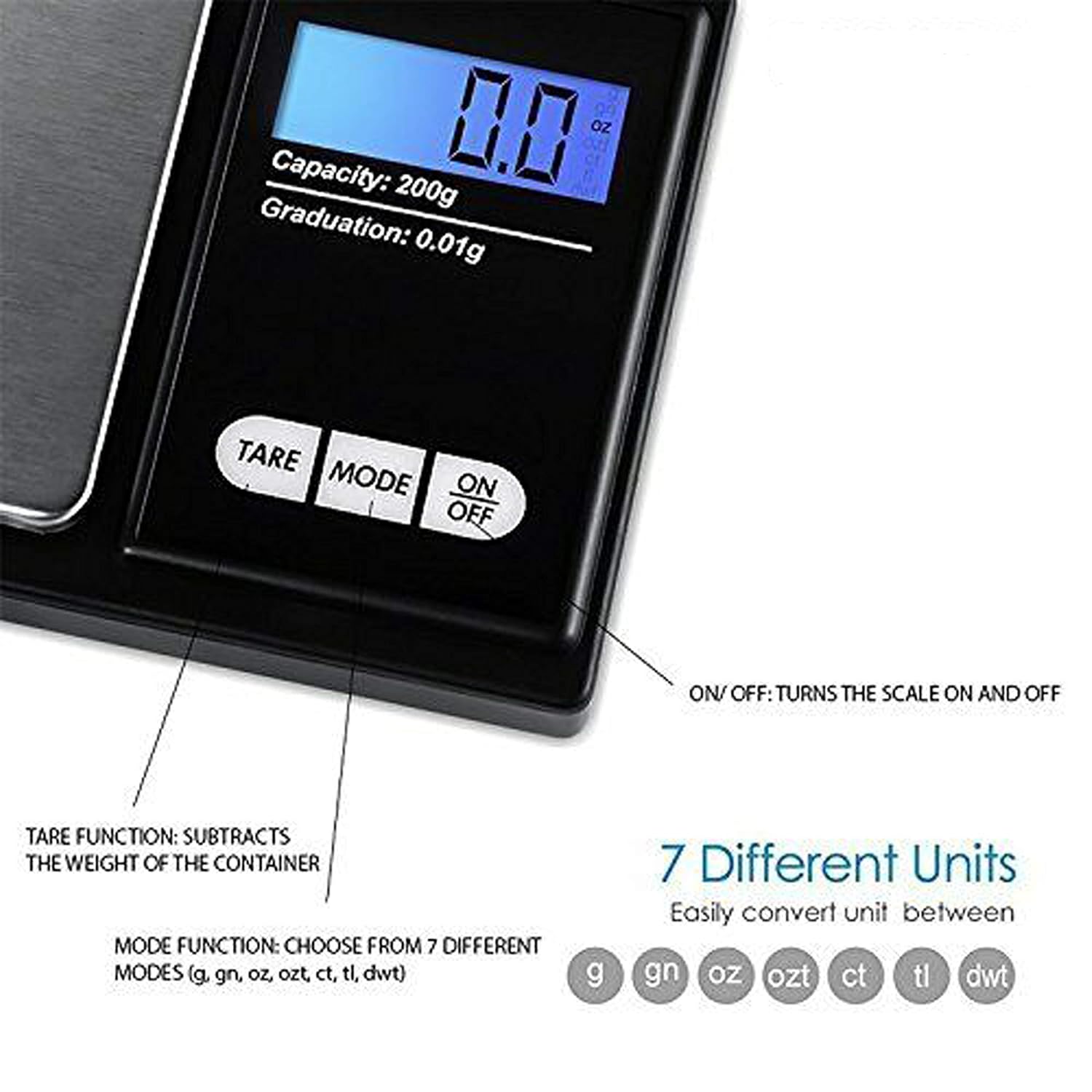
Figure 4.2: Available weighing units and button functions.
4.3 Tara funktion
Tarafunktionen giver dig mulighed for at trække vægten af en beholder fra, så du kun måler nettovægten af dens indhold.
- Placer en tom beholder på vejeplatformen.
- Tryk på TARA knappen. Displayet nulstilles til "0.00".
- Now, place the item(s) you wish to weigh into the container. The display will show only the weight of the item(s).
5. Kalibrering
Calibration ensures the accuracy of your scale. It is recommended to calibrate the scale periodically or if you notice inconsistent readings. A 200g calibration weight is required (not included).
- Tænd for vægten ved at trykke på ON/OFF knap.
- Vent på, at displayet viser "0.00".
- Tryk og hold på MODE button until the display shows "CAL", then release the button.
- Tryk på MODE button again. The display will show "CAL" followed by the required calibration weight (e.g., "200.00g").
- Place the exact 200g calibration weight onto the center of the weighing platform.
- The display will show "PASS" and then return to normal weighing mode.
- Remove the calibration weight. Calibration is complete.
Note: If you do not have a 200g calibration weight, you may need to acquire one separately for accurate calibration.
6. Vedligeholdelse
6.1 Rengøring
Tør vægten af med en let damp cloth. Do not immerse the scale in water or use abrasive cleaners. Keep the weighing platform clean and free of debris.
6.2 Opbevaring
Store the scale in a clean, dry environment. If the scale will not be used for an extended period, it is recommended to remove the batteries to prevent leakage.
7. Fejlfinding
If you encounter issues with your scale, consider the following:
- Upræcise læsninger:
- Sørg for, at vægten er på en stabil, plan overflade.
- Avoid placing the scale near strong radio frequency interference.
- Keep the scale away from high humidity, air currents (e.g., fans, open windows), and extreme temperatures.
- Minimize vibration during weighing.
- Perform a calibration (refer to Section 5).
- "Lo" or "Low Battery" Display: Udskift AAA -batterierne.
- "O-Ld" or "Overload" Display: The item on the platform exceeds the maximum capacity of 200g. Remove the item immediately to prevent damage to the scale.
- Skalaen tænder ikke: Kontroller batteriinstallationen, og sørg for, at batterierne ikke er afladede.

Figure 7.1: Overload and Low Battery indicators.
8. Specifikationer
| Feature | Detalje |
|---|---|
| Mærke | LUPO |
| Modelnummer | BHT2018376_200g_pock |
| Kapacitet | 0.05g til 200g |
| Graduering | 0.01 g |
| Vejningsenheder | g, gn, oz, ozt, ct, tl, dwt |
| Display Type | LCD med baggrundsbelysning |
| Strømkilde | 2 x AAA batterier (medfølger) |
| Materiale | Platform i rustfrit stål af plastik |
| Dimensioner (ca.) | 14.8 x 9 x 2.4 cm (Package); 5.0 x 3.0 x 0.8 inches (Scale) |
| Vægt (ca.) | 140 grams (Package) |
| Særlige funktioner | Backlit display, Auto-off, Tare function, Lightweight, Portable |
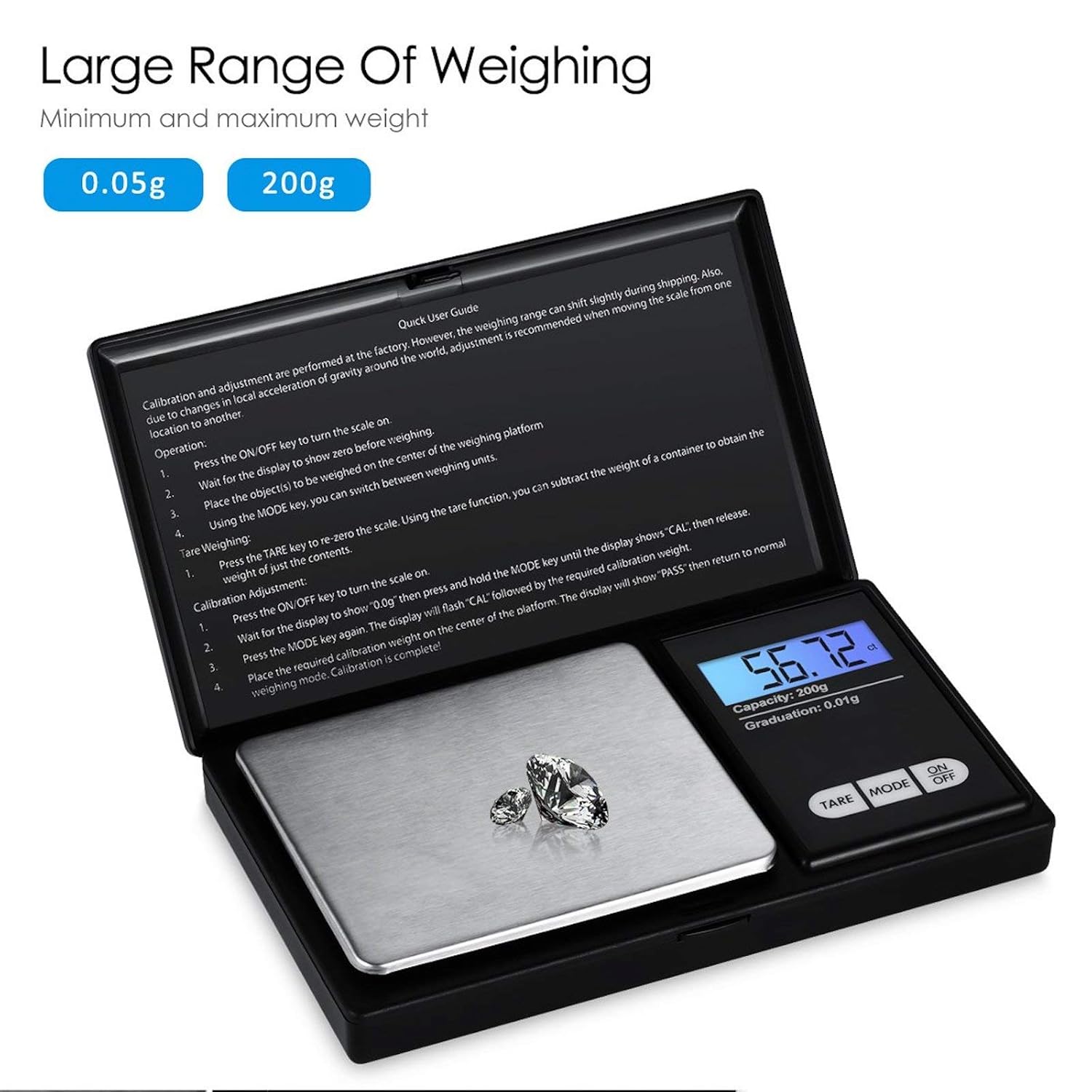
Figure 8.1: Weighing range of the scale.
9. Garanti og support
Warranty information for this product is not explicitly specified in the provided details. For any support inquiries or warranty claims, please contact the retailer or manufacturer directly.


