1. Introduktion
Thank you for choosing the Megadream Wireless Mobile Game Controller. This device is designed to enhance your mobile gaming experience on both Android and iOS smartphones and tablets. It features wireless connectivity, customizable button mapping, and a comfortable ergonomic design for extended play sessions. Please read this manual carefully to ensure proper setup and operation.
2. Pakkens indhold
- Megadream Wireless Mobile Game Controller
- USB opladningskabel
- Brugermanual
3. Produktet er slutview
The Megadream controller features a standard gamepad layout with dual analog sticks, a D-pad, action buttons (A, B, X, Y), shoulder buttons (L1, L2, R1, R2), and function buttons (BACK, MENU, START, Power). It includes an adjustable phone holder to securely mount your device.

Billede 3.1: Forside view of the Megadream Mobile Game Controller highlighting its components including the D-Pad, action buttons, joysticks, and power indicators. It also shows an 18-hour battery life and 400mA rechargeable battery.

Image 3.2: The controller with a smartphone mounted, illustrating its compatibility with iOS and Android devices, and its key customization feature.
4. Opsætningsvejledning
4.1 Opladning af controlleren
Before first use, fully charge the controller. Connect the supplied USB charging cable to the controller's charging port and to a USB power source (e.g., computer, USB wall adapter). The power indicators will show charging status and turn off when fully charged. A full charge provides extended playtime.
4.2 Bluetooth -parring
- Sørg for, at controlleren er tilstrækkeligt opladet.
- Power on the controller by pressing and holding the Power button until the indicator lights flash.
- Aktiver Bluetooth på din smartphone eller tablet, og søg efter tilgængelige enheder.
- Select "Megadream Controller" or a similar name from the list of devices to pair.
- Når parringen er foretaget, lyser indikatorlampen konstant.
Note: Pairing procedures may vary slightly between Android and iOS devices. Refer to your device's Bluetooth settings for specific instructions.
4.3 Key Mapping Application
For optimal performance and customizable controls, download the dedicated key mapping application. This application allows you to assign controller buttons to specific touch screen areas in your games. The controller does not require rooting or jailbreaking your device.

Image 4.1: The controller in use, emphasizing that no jailbreak or root is required, and a free key mapping app is available.
4.4 Customizing Key Mappings
After installing the key mapping application, launch it and follow the on-screen instructions to configure your desired button layouts for individual games. This process typically involves overlaying virtual buttons on your game's interface and assigning them to physical buttons on the controller.

Billede 4.2: En eksample of the key mapping interface, demonstrating how to customize button assignments for games.

Image 4.3: Key mapping in action within a game, illustrating how controller inputs translate to in-game actions.
5. Betjeningsvejledning
5.1 Tænd/sluk
- Tænd: Press and hold the Power button for 2-3 seconds until the indicator lights illuminate.
- Sluk: Press and hold the Power button for 3-5 seconds until the indicator lights turn off. The controller will also automatically power off after a period of inactivity to conserve battery.
5.2 Spilkompatibilitet
The Megadream controller is compatible with a wide range of mobile games, including popular titles like PUBG Mobile and Fortnite, as well as various racing, fighting, and shooting games. Compatibility often relies on the key mapping application for games that do not natively support external controllers.

Image 5.1: The controller is compatible with popular mobile games such as PUBG and Fortnite.
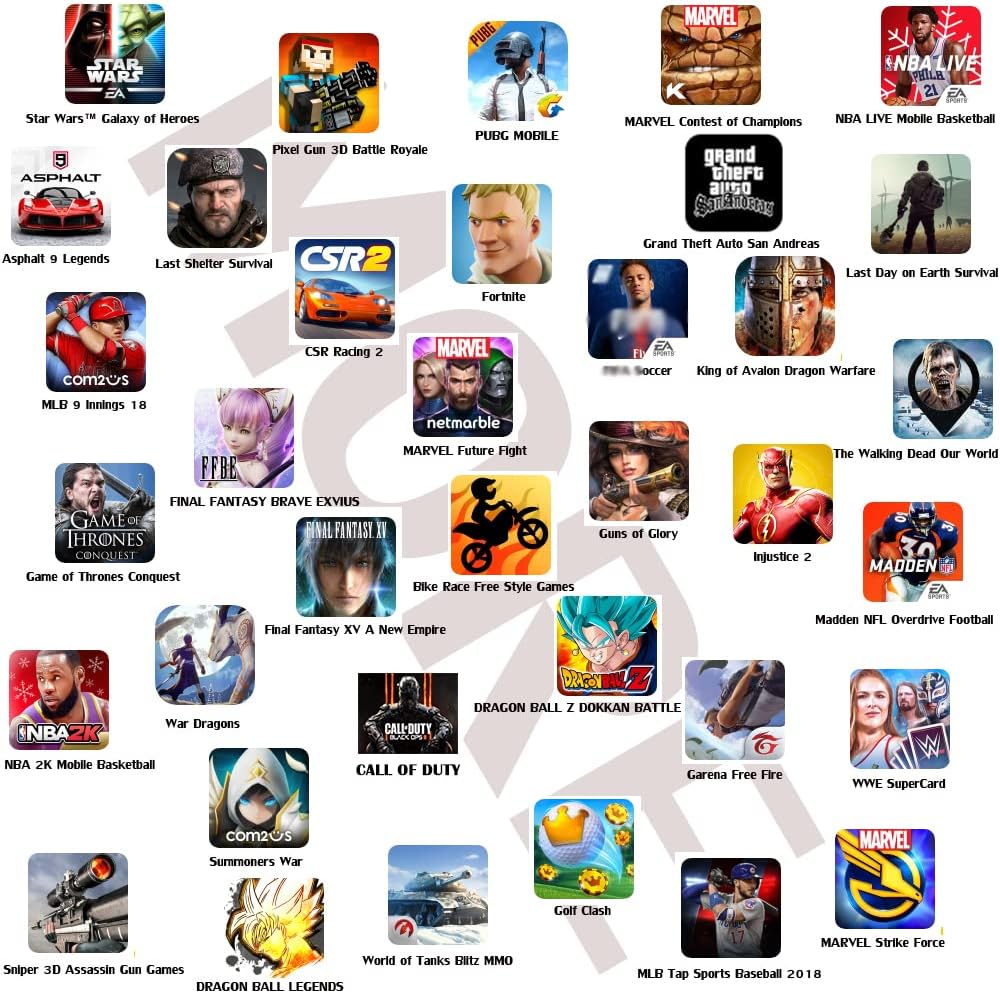
Image 5.2: A selection of mobile games compatible with the Megadream controller.
6. Vedligeholdelse
- Rensning: Brug en blød, tør klud til at rengøre controlleren. Brug ikke skrappe kemikalier eller slibende materialer.
- Opbevaring: Opbevar controlleren et køligt, tørt sted væk fra direkte sollys og ekstreme temperaturer.
- Batteripleje: For at forlænge batteriets levetid bør du undgå at aflade controlleren helt ofte. Oplad den regelmæssigt, selvom den ikke er i brug i længere perioder.
7. Fejlfinding
| Problem | Mulig årsag | Løsning |
|---|---|---|
| Controlleren tænder ikke. | Lavt batteri. | Oplad controlleren helt. |
| Kan ikke parres via Bluetooth. | Controller not in pairing mode; Bluetooth interference; previously paired device conflict. | Ensure controller is in pairing mode (flashing lights). Turn off and on your device's Bluetooth. Forget the device in Bluetooth settings and try pairing again. Move closer to the device. |
| Buttons are unresponsive in game. | Incorrect key mapping; game does not support controller; controller not in correct mode (iOS/Android). | Verify key mappings in the application. Ensure the controller is set to the correct operating mode for your device. Some games may not support external controllers. |
| Controlleren afbryder ofte forbindelsen. | Low battery; too far from device; Bluetooth interference. | Charge the controller. Keep the controller within close range of your device. Avoid sources of strong wireless interference. |
| Issues after iOS/Android update. | Operating system updates can sometimes affect peripheral compatibility. | Check the Megadream website or app for potential firmware updates or compatibility patches. Re-pair the device. |
8. Specifikationer
- Mærke: Megadrøm
- Model: B07SPJM7NS
- Forbindelse: Trådløs (Bluetooth)
- Kompatible enheder: Smartphones (Android, iOS), Tablets, PC, Mac
- Controller type: Gamepad
- Strømkilde: Batteridrevet
- Varens vægt: Cirka 8.8 ounce (250 gram)
- Produktdimensioner: Cirka 6.1 x 2.1 x 4.5 tommer (15.5 x 5.3 x 11.4 cm)
- Speciel funktion: Customizable Button Mapping
9. Garanti og support
Megadream products are manufactured with quality and performance in mind. For warranty information or technical support, please refer to the contact details provided on the product packaging or visit the official Megadream webwebsted. Gem din købskvittering som købsbevis i tilfælde af garantikrav.

