DALI IO-6 Premium trådløse over-ear ANC-hovedtelefoner brugermanual
Model: IO-6
Indledning
Welcome to the user manual for your DALI IO-6 Premium Wireless Over-The-Ear ANC Headphones. These headphones are designed to deliver exceptional audio quality with the convenience of wireless connectivity and advanced Active Noise Cancellation (ANC) technology. This manual provides essential information on setup, operation, maintenance, and troubleshooting to ensure you get the most out of your DALI IO-6 headphones.
Pakkens indhold
Før du begynder, skal du sørge for, at alle varer er til stede i pakken:
- DALI IO-6 hovedtelefoner
- USB opladningskabel
- 3.5 mm lydkabel
- Travel Case (if included)
- Hurtig startvejledning
- Ørepuder
Note: The specific contents may vary slightly based on regional packaging.
Opsætning
1. Opladning af hovedtelefonerne
Before first use, fully charge your DALI IO-6 headphones. A full charge provides approximately 30 hours of battery life with ANC enabled.
- Connect the supplied USB charging cable to the USB-C port on the headphones.
- Connect the other end of the cable to a USB power adapter (not supplied) or a powered USB port on a computer.
- The LED indicator on the headphones will show charging status. It typically takes about 2 hours for a full charge.

Figure 1: DALI IO-6 headphones, Army Green color, showing the overall design. The USB-C port is located on one of the earcups.
2. Bluetooth-parring
Pair your DALI IO-6 headphones with your Bluetooth-enabled device (smartphone, tablet, laptop, etc.).
- Sørg for, at hovedtelefonerne er slukket.
- Press and hold the Power/Bluetooth button on the headphones for approximately 5 seconds until the LED indicator flashes blue and red, indicating pairing mode.
- Gå til Bluetooth-indstillinger på din enhed, og aktiver Bluetooth.
- Select "DALI IO-6" from the list of available devices.
- Once paired, the LED indicator on the headphones will turn solid blue.

Figur 2: Forside view of the DALI IO-6 headphones, showcasing the earcups and headband. The control buttons are located on the right earcup.
3. Kablet forbindelse
For a wired connection, use the supplied 3.5mm audio cable.
- Connect one end of the 3.5mm audio cable to the audio input jack on the headphones.
- Connect the other end to the 3.5mm audio output jack on your device.
- Hovedtelefonerne skifter automatisk til kablet tilstand.
Betjeningsvejledning
Tænd/sluk
- To power on: Press and hold the Power button for 2 seconds.
- Sådan slukker du: Tryk på tænd/sluk-knappen og hold den nede i 3 sekunder.
Music Playback and Call Control
| Fungere | Handling |
|---|---|
| Afspil/pause | Tryk én gang på multifunktionsknappen. |
| Næste spor | Press the Multi-function button twice. |
| Forrige spor | Press the Multi-function button three times. |
| Lydstyrke op | Tryk på knappen Lydstyrke +. |
| Lydstyrke ned | Tryk på Lydstyrke-knappen. |
| Besvar/afslut opkald | Tryk én gang på multifunktionsknappen. |
| Afvis opkald | Tryk og hold multifunktionsknappen nede i 2 sekunder. |
| Aktiver Voice Assistant | Press and hold the Multi-function button for 2 seconds (when not on a call). |
Aktiv støjreduktion (ANC) og transparenstilstand
The DALI IO-6 features Active Noise Cancellation to reduce ambient noise and a Transparency Mode to allow external sounds to pass through.
- To cycle through ANC modes (ANC On, Transparency Mode, ANC Off): Press the ANC button located on the earcup.
- The LED indicator will change color to indicate the current ANC mode.
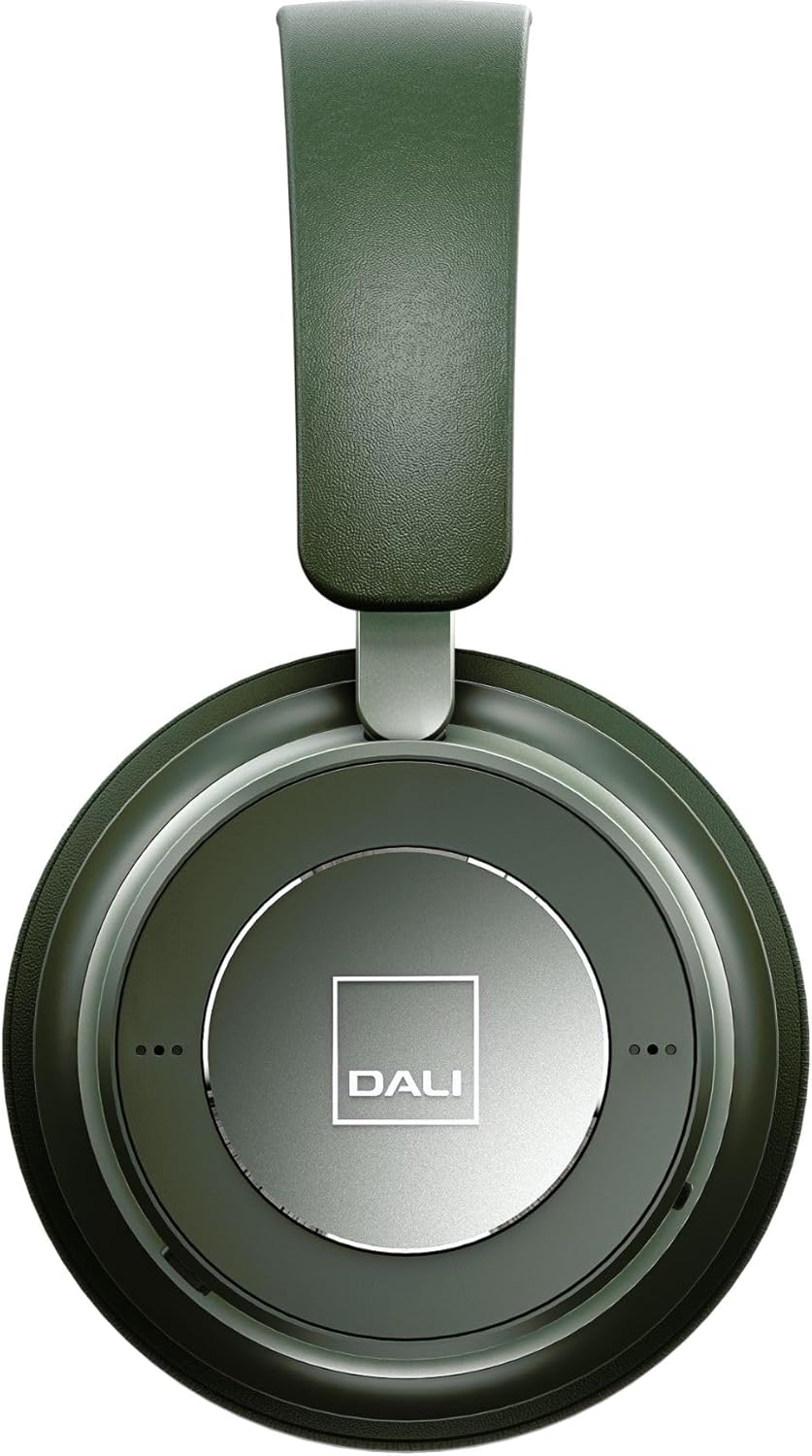
Figur 3: Nærbillede view of the DALI IO-6 earcup, highlighting the DALI logo and the subtle design details. The control buttons are integrated into the earcup design.
Vedligeholdelse og pleje
Proper care will extend the life and performance of your DALI IO-6 headphones.
- Rensning: Brug en blød, tør klud til at rengøre hovedtelefonerne. Brug ikke slibende rengøringsmidler, opløsningsmidler eller stærke kemikalier.
- Opbevaring: When not in use, store the headphones in their protective travel case to prevent damage.
- Temperatur: Undgå at udsætte hovedtelefonerne for ekstreme temperaturer (varme eller kolde) eller høj luftfugtighed.
- Væskeeksponering: Keep the headphones away from water and other liquids. They are not waterproof.
- Ørepuder: The ear cushions are designed for comfort and can be replaced if worn. Refer to DALI's official websted for reservedele.

Figure 4: DALI IO-6 headphones resting on a concrete surface, demonstrating their robust build and design. This image highlights the durable materials used.
Fejlfinding
If you encounter issues with your DALI IO-6 headphones, try the following solutions:
| Problem | Mulig løsning |
|---|---|
| Ingen strøm | Sørg for, at hovedtelefonerne er fuldt opladet. Tilslut dem til en strømkilde, og kontroller opladningsindikatoren. |
| Kan ikke parres via Bluetooth |
|
| Ingen lyd |
|
| ANC fungerer ikke effektivt |
|
Specifikationer
| Feature | Detalje |
|---|---|
| Modelnavn | IO-6 |
| Forbindelsesteknologi | Trådløs (Bluetooth 5.0) |
| Støjkontrol | Aktiv støjafbrydelse (ANC) |
| Hovedtelefonstik | 3.5 mm Jack |
| Batterilevetid | Op til 30 timer (med ANC) |
| Opladningstid | Ca. 2 timer |
| Frekvensområde | 10 - 20000 Hz |
| Impedans | 25 Ohm |
| Audio driver størrelse | 50 mm |
| Materiale | Plastic, Memory Foam |
| Produktdimensioner | 3.11 x 8.86 x 9.65 tommer |
| Varens vægt | 2.4 pund |
Garanti og support
DALI products are built to high standards and come with a limited warranty. For specific warranty terms and conditions, please refer to the warranty card included with your product or visit the official DALI webwebsted.
For technical support, service, or replacement parts, please contact DALI customer support through their official website or authorized service centers. You can find more information and contact details at: www.dali-speakers.com


