1. Introduktion
The Autel MaxiCOM MK908 II is a professional automotive diagnostic scanner designed for comprehensive vehicle analysis and maintenance. Featuring a 10.1-inch touchscreen display and running on Android 10.0, this device offers extensive diagnostic capabilities, including OE-level all-system diagnostics, advanced service functions, and powerful bi-directional control. It is an advanced tool for technicians and automotive enthusiasts seeking efficient and accurate vehicle troubleshooting.
Video 1: Quick Features of Autel MaxiSYS Pro MK908P Auto Diagnostic System. This video provides an overview of the diagnostic system's capabilities and user interface.
2. Hvad er der i æsken
The Autel MaxiCOM MK908 II package includes the following components:
- MK908 II Main Unit
- Diagnostisk grænseflade
- OBDII hovedkabel
- MV108S (Inspection Camera)
- USB kabel
- AC/DC-adapter (12V)
- Adapter til ekstra strømudtag
- Spare Fuse 6x30mm (2 PCS)
- Mini USB-kabel
- USB til Ethernet-adapter
- Clamp Kabel
- Hurtig referencevejledning
- Pakkeliste
- Blød klud
- Bæretaske (504x360x133mm)

Image 1: All accessories included with the Autel MaxiCOM MK908 II diagnostic scanner, neatly organized in the carrying case.
3. Opsætning
Follow these steps for initial setup of your MaxiCOM MK908 II:
- Tænd: Press and hold the power button on the main unit to turn on the device.
- Indledende konfiguration: Følg vejledningen på skærmen for at vælge dit sprog og din tidszone og oprette forbindelse til et Wi-Fi-netværk.
- VCI-forbindelse: Plug the Diagnostic Interface (VCI) into the vehicle's OBDII port, usually located under the dashboard. The VCI will establish a wireless connection with the main unit.
- Softwareopdateringer: Ensure your device's software is up-to-date by navigating to the 'Update' section on the main menu. Download and install any available updates for optimal performance and vehicle compatibility.
Video 2: 2024 Autel MaxiSYS MS906 Pro Scanner. This video demonstrates the user interface and initial navigation of a similar Autel diagnostic tool.
4. Betjeningsvejledning
The MaxiCOM MK908 II offers a wide range of diagnostic and service functions. Here's an overview of its core operations:
4.1. OE Full System Diagnostics
Perform comprehensive scans of all available vehicle modules to read and clear Diagnostic Trouble Codes (DTCs), view freeze frame data, ECU information, and live data (text, graph, columnar, or meter display). The AutoScan 2.0 technology enables 3-5X faster scanning.

Image 2: The MaxiCOM MK908 II performing OE-level full system diagnostics, showing various vehicle systems being scanned.
4.2. 40+ Hot Service Functions
Access over 40 commonly used maintenance and service functions, including:
- Nulstilling af olie
- EPB (Elektronisk parkeringsbremse)
- BMS (Battery Management System)
- SAS-kalibrering (styringsvinkelsensor)
- ABS AutoBleed
- CKP Relearn
- Injektor Kodning
- Tilpasning af gasspjæld
- And many more, with extensive support for various car brands.
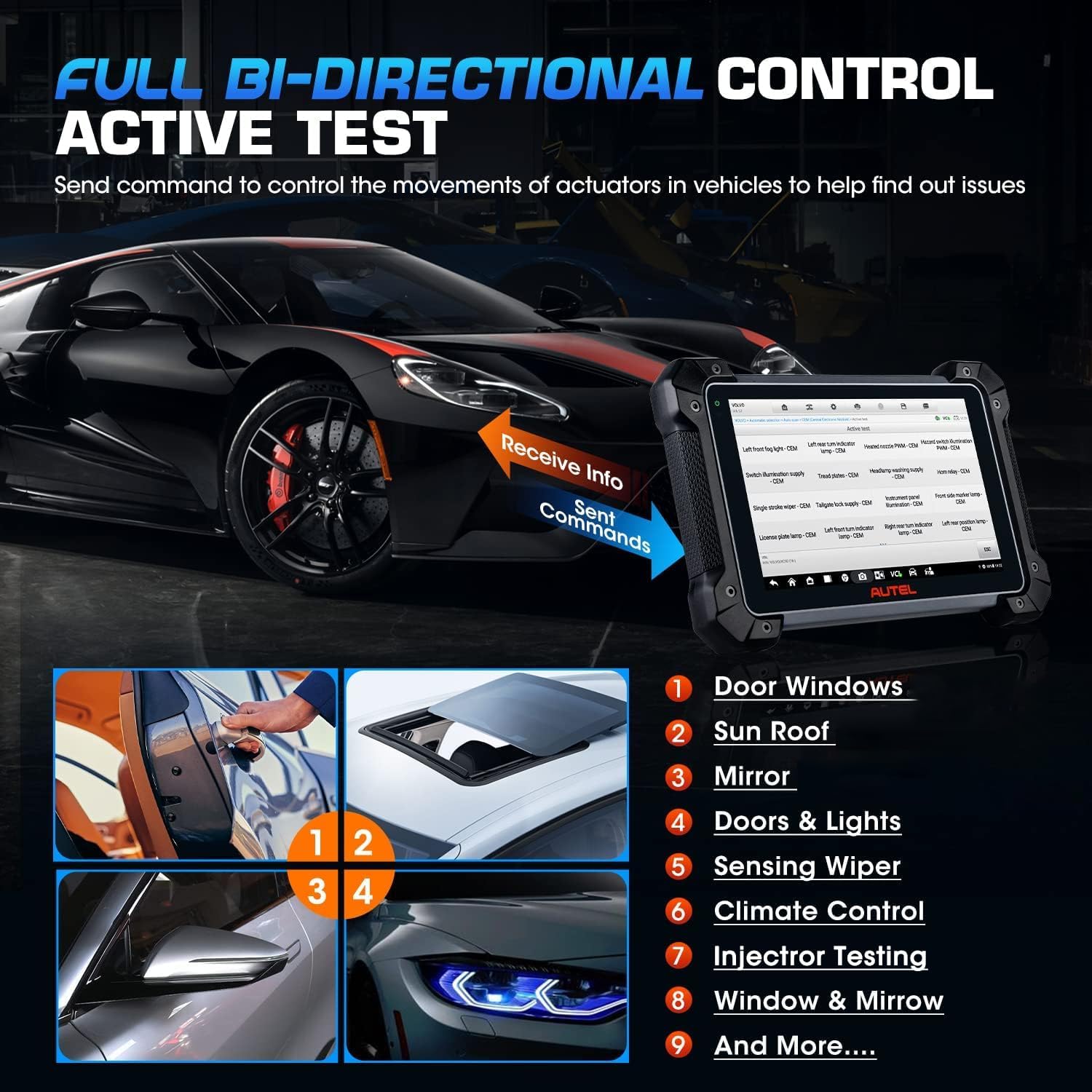
Image 3: A visual representation of various service reset functions available on the MaxiCOM MK908 II, such as Oil Reset, EPB, and BMS.
4.3. Tovejsstyring (aktive test)
Perform active tests to command vehicle components and systems directly. This helps quickly identify faulty actuators and components. Examples inkluderer:
- Windows/Mirrors Operation
- ABS AutoBleed
- Injector Test
- Interior/Exterior Lights
- Gasregulering
- A/C kobling
- Fuel Pump Activation
- Kølerventilatorstyring

Image 4: The MaxiCOM MK908 II demonstrating bi-directional control, showing the device sending commands to vehicle actuators like windows and mirrors.
4.4. Avanceret ECU-kodning
Utilize advanced ECU coding functions to customize vehicle settings, activate hidden features, and perform component matching. This feature supports multiple brands, including BMW, Porsche, VW, Audi, and Skoda.

Image 5: The MaxiCOM MK908 II displaying the advanced ECU coding interface, showing options for vehicle control modules and preference features.
5. Vedligeholdelse
5.1. Softwareopdateringer
The MaxiCOM MK908 II comes with 1-year of free software updates after registration. Regular software updates ensure the device supports the latest vehicle models and diagnostic functions. After the free update period expires, installed offline functions can still be used normally.
5.2. Batteripleje
The device is powered by a Lithium Polymer battery. To prolong battery life, avoid extreme temperatures and fully discharge/recharge the battery periodically. The device can also work with the optional Autel BT506 for professional battery health checks.
6. Fejlfinding
If you encounter any issues with your MaxiCOM MK908 II, please refer to the Quick Reference Guide included in the package. For further assistance, contact Autel customer support.
7. Specifikationer
| Specifikation | Detalje |
|---|---|
| Mærke | Autel |
| Model | MK908 II |
| Operativsystem | Android 10.0 |
| Skærmstørrelse | 10.1 tommer |
| Produktdimensioner | 8.18 cm L x 1.41 cm B x 12.28 cm H |
| Varens vægt | 3.12 pund |
| Batterier | 1 Lithium Polymer batterier påkrævet (medfølger) |
| Voltage | 3.7 volt |
| Særlige funktioner | Extendable (supports MV108S/BT506/MP408) |
8. Garanti og support
The Autel MaxiCOM MK908 II comes with a 1-year brand warranty and lifetime support. You also receive 1-year of free software updates after registration. For any questions or support needs, please do not hesitate to reach out to Autel Official support via email at autelofficial@outlook.com.