1. Introduktion
The Naim Uniti Star is a versatile all-in-one audio system designed to play, rip, store, and stream your music collection. It integrates a network streamer, Digital-to-Analog Converter (DAC), and a powerful amplifier into a single unit, offering a comprehensive solution for high-fidelity audio playback.
Nøglefunktioner omfatter:
- 70W per channel Class AB Power Amplivligere.
- Integrated CD-ROM drive with custom ripping software.
- Proximity sensor for interactive display.
- Massive custom toroidal transformer for stable power delivery.
- State-of-the-art Wi-Fi supporting 2.4 and 5 GHz b/g/n/ac.
2. Opsætning
2.1 Udpakning og placering
Carefully remove the Uniti Star from its packaging. Place the unit on a stable, level surface, ensuring adequate ventilation around all sides to prevent overheating. Avoid placing it near heat sources or in direct sunlight.
2.2 Tilslutning af højttalere
Connect your speakers to the Uniti Star's speaker terminals using high-quality speaker cables. Ensure correct polarity (positive to positive, negative to negative) for optimal sound performance. The Uniti Star supports a 2.0 channel configuration.
2.3 Strømtilslutning
Connect the supplied power cable to the Uniti Star's power inlet and then to a suitable mains power outlet.
2.4 Netværksforbindelse
For streaming and firmware updates, connect the Uniti Star to your home network. This can be done wirelessly via Wi-Fi (supports 2.4 and 5 GHz b/g/n/ac) or via an Ethernet cable for a more stable connection.
2.5 HDMI ARC Connection (Optional)
To enhance your TV's audio, connect an HDMI cable from your TV's HDMI ARC (Audio Return Channel) port to the Uniti Star's HDMI ARC input.

Figur 2.1: Front view of the Naim Uniti Star, showcasing its sleek design, front panel display, and CD loading slot.

Figur 2.2: Side view of the Naim Uniti Star, showing the heat sink fins for cooling, indicating its robust internal components.
3. Betjeningsvejledning
3.1 Tænd/sluk
Press the power button on the front panel or the remote control to turn the unit on or off. The display will illuminate upon startup.
3.2 Styringer
- Frontpanel: Features a display, touch-sensitive buttons for basic navigation, and a proximity-sensing volume dial.
- Fjernbetjening: Provides comprehensive control over all functions.
- Naim App: Download the Naim app for iOS or Android devices for full control, including input selection, streaming service integration, and system settings.
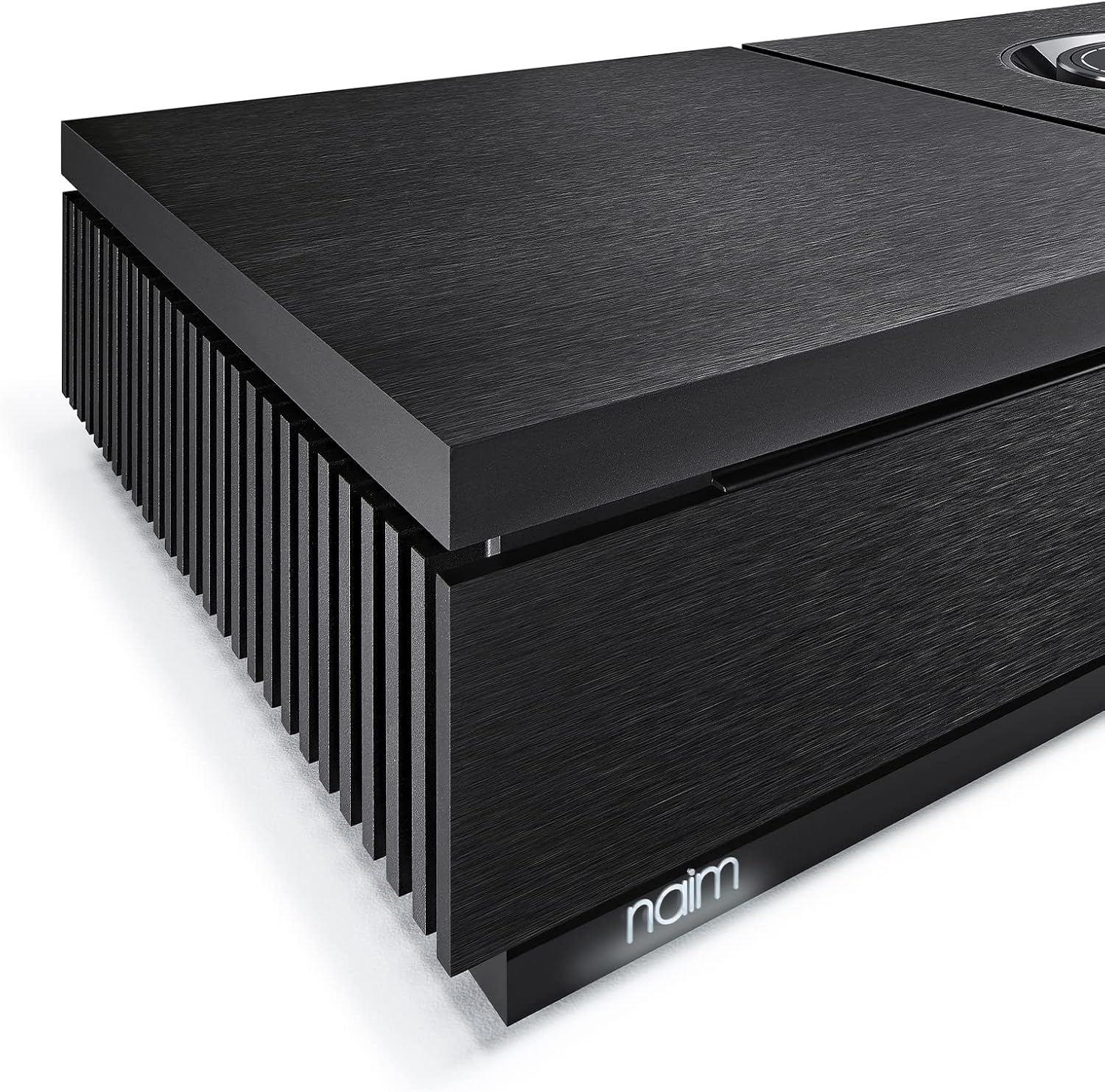
Figur 3.1: Close-up of the Naim Uniti Star's front panel, focusing on the display, control buttons, and the Naim logo.
3.3 CD-afspilning og ripping
Insert a CD into the front-loading slot. The Uniti Star will automatically detect the CD. You can choose to play the CD directly or rip its contents to a connected USB drive or network storage. The custom ripping software ensures accurate metadata retrieval.
3.4 Streaming Services and Inputs
The Uniti Star supports a wide range of streaming options:
- Integrerede tjenester: TIDAL, Spotify, Apple Music, Chromecast built-in.
- Trådløs: Bluetooth for direct device connection.
- Internet radio: Adgang til tusindvis af internetradiostationer.
- Lokal Files: Play music from USB drives or network-attached storage (NAS).
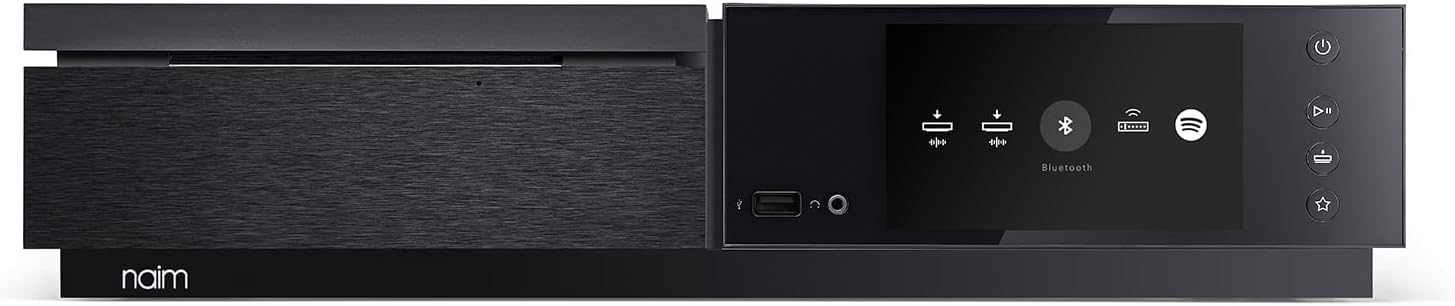
Figur 3.2: Front view of the Naim Uniti Star with the display showing various input options, including USB, headphone, Bluetooth, and streaming services.
3.5 Multi-room Audio
The Uniti Star can be integrated into a multi-room audio system with other Naim Uniti products, allowing synchronized playback across different rooms.

Figur 3.3: The Naim Uniti Star positioned next to a floor-standing speaker in a home environment, illustrating a typical setup.

Figur 3.4: The Naim Uniti Star on a side table with headphones, demonstrating its versatility for personal listening.
4. Vedligeholdelse
4.1 Rengøring
To clean the Uniti Star, gently wipe its surfaces with a soft, dry, lint-free cloth. Avoid using abrasive cleaners, solvents, or chemical sprays, as these can damage the finish.
4.2 firmwareopdateringer
Naim regularly releases firmware updates to improve performance and add new features. These updates can typically be managed and installed through the Naim app, ensuring your Uniti Star operates with the latest enhancements.
5. Fejlfinding
If you encounter issues with your Naim Uniti Star, refer to the following common troubleshooting steps:
- Ingen strøm: Ensure the power cable is securely connected to both the unit and the mains outlet. Check the power switch on the rear of the unit if applicable.
- Ingen lyd: Verify that speakers are correctly connected and that the speaker cables are not damaged. Check the selected input source and ensure the volume is not muted or set too low.
- Problemer med netværksforbindelse: Confirm your Wi-Fi network is active and the Uniti Star is within range. Try restarting your router and the Uniti Star. For persistent issues, consider using a wired Ethernet connection.
- CD Ripping Problems: If the unit reports 'no tracks' or fails to rip, ensure the CD is clean and free from scratches. Some discs may have copy protection that prevents ripping.
- Problemer med appforbindelse: Ensure your mobile device is on the same network as the Uniti Star. Try closing and reopening the Naim app, or restarting your mobile device and the Uniti Star.
For more complex issues, consult the Naim support webwebstedet eller kontakt Naim kundeservice.
6. Specifikationer
| Feature | Detalje |
|---|---|
| Modelnavn | Naim Uniti Star Alt-i-en Netværksstreamer, DAC & Amplivligere |
| Varemodelnummer | NAIMUNISTAR |
| Højttaler Maksimal udgangseffekt | 70 Watts per channel (Class AB) |
| Surround Sound Kanalkonfiguration | 2.0 |
| Forbindelsesteknologi | Wi-Fi (2.4 og 5 GHz), Bluetooth |
| Understøttede internettjenester | TIDAL, Spotify, Apple Music, Chromecast built-in |
| Impedans | 8 Ohm |
| Produktdimensioner | 4" D x 10" B x 17" H |
| Varens vægt | 30.9 pund |
| Kontrolmetode | Touch, Remote, App |
| Inkluderede komponenter | Naim Uniti Star Alt-i-en Netværksstreamer, DAC & Amplivligere |
7. Garanti og support
7.1 Garantioplysninger
The Naim Uniti Star comes with a Limited Warranty. Please refer to the warranty documentation included with your product for specific terms and conditions, including coverage duration and limitations.
7.2 Kundesupport
For technical assistance, service, or warranty claims, please contact Naim customer support. You can find contact information on the official Naim webwebstedet eller i dit produkts dokumentation.


