Indledning
This manual provides detailed instructions for the Superior Electronics Ready5 Smart Universal Remote Control, Model SUPTRB019. This remote is designed for immediate use with a wide range of LG, Samsung, Sony, Philips, and Panasonic televisions, eliminating the need for complex programming.
Nøglefunktioner omfatter:
- Universal compatibility with major TV brands (LG, Samsung, Sony, Philips, Panasonic).
- Ready-to-use functionality; no programming required.
- Full Smart TV compatibility for enhanced control.
- Dedicated quick access buttons for popular streaming services like Netflix and Prime Video.
- Ergonomic design with intuitive button layout for comfortable and immediate operation.
- Konstrueret af holdbare materialer for langvarig ydeevne.

Image: The Superior Electronics Ready5 Smart Universal Remote Control shown in its retail packaging, highlighting its "Ready to Use" feature and compatibility with various TV brands.
Opsætning
1. Isætning af batterier
The remote control requires two (2) AAA batteries (not included). Follow these steps to insert them correctly:
- Find batterirummets dæksel på bagsiden af fjernbetjeningen.
- Skub dækslet nedad, eller tryk på låsen (hvis den er monteret) for at åbne rummet.
- Insert two AAA batteries, ensuring that the positive (+) and negative (-) terminals align with the indicators inside the compartment. Incorrect polarity can prevent the remote from functioning.
- Skub batteridækslet tilbage på plads, indtil det klikker sikkert.

Billede: Bagside view of the remote control, illustrating the location of the battery compartment for easy access and battery insertion.
2. Førstegangsbrug
The Superior Electronics Ready5 Smart remote control is designed for immediate use with compatible LG, Samsung, Sony, Philips, and Panasonic TVs. Once the batteries are correctly inserted, the remote is ready to operate your television without any additional programming or setup. Simply point the remote at your TV and begin using its functions.
Betjeningsvejledning
This section details the primary functions of the buttons on your Ready5 Smart remote control.

Billede: Forside view of the Superior Electronics Ready5 Smart remote control, displaying all buttons and their layout for easy identification.
Knapfunktioner overview
| Knap | Fungere |
|---|---|
| Strøm (●) | Tænder eller slukker for tv'et. |
| Input | Vælger inputkilden (HDMI, AV osv.). |
| Smart Video / NET.TV | Direct access to Smart TV features or specific streaming apps. |
| 3D | Activates or deactivates 3D mode (if supported by TV). |
| Guide | Viser den elektroniske programguide. |
| Menu | Åbner tv'ets hovedmenu. |
| Subt. | Slår undertekster til eller fra. |
| Fav | Åbner listen over favoritkanaler. |
| Info | Viser oplysninger om det aktuelle program eller input. |
| Navigation (op, ned, venstre, højre, OK) | Navigerer gennem menuer og bekræfter valg. |
| Tilbage | Vender tilbage til den forrige skærm eller menu. |
| Udgang | Afslutter den aktuelle menu eller applikation. |
| Vol +/- | Justerer lydstyrken op eller ned. |
| Stum | Slår lyden fra eller til på tv'et. |
| Ch +/- | Skifter kanalen op eller ned. |
| Tastatur (0-9) | Indtaster direkte kanalnumre eller numeriske input. |
| Liste | Viser en liste over kanaler eller medier. |
| Netflix | Starter Netflix-applikationen direkte. |
| Prime video | Directly launches the Amazon Prime Video application. |
| Farvede knapper (rød, grøn, gul, blå) | Functions vary depending on the TV model and current menu/application. |
| Media Control (Play, Pause, Stop, Rewind, Fast Forward, Record) | Styrer medieafspilning (f.eks. USB, streamingapps). |
Smart TV and Streaming Access
The Ready5 Smart remote is designed to seamlessly integrate with your Smart TV's functionalities. Use the navigation buttons to browse Smart TV menus and applications. The dedicated Netflix and Prime Video buttons provide instant access to these popular streaming platforms, allowing you to start watching your favorite content with a single press.
Opretholdelse
Rengøring af fjernbetjeningen
To ensure optimal performance and longevity of your remote control, follow these cleaning guidelines:
- Fjern altid batterierne før rengøring.
- Brug en blød, tør klud til at tørre overfladen af fjernbetjeningen af.
- Til genstridigt snavs, let dampRengør kluden med vand eller et mildt, ikke-slibende rengøringsmiddel. Undgå for meget fugt.
- Do not use harsh chemicals, abrasive cleaners, or solvents, as these can damage the remote's finish or internal components.
- Ensure the remote is completely dry before reinserting batteries.
Batteripleje og udskiftning
Replace batteries when the remote's response becomes sluggish or it stops functioning. Always replace both batteries at the same time with new AAA batteries. Do not mix old and new batteries, or different types of batteries. Dispose of used batteries responsibly according to local regulations.
Fejlfinding
If you encounter issues with your Ready5 Smart remote control, refer to the following common problems and solutions:
Fjernbetjeningen reagerer ikke
- Tjek batterier: Sørg for, at batterierne er isat korrekt med den korrekte polaritet (+/-) og ikke er opbrugte. Udskift med nye AAA-batterier om nødvendigt.
- Synslinje: Make sure there are no obstructions between the remote control and the TV's infrared receiver. Point the remote directly at the TV.
- Afstand: Sørg for, at du er inden for den effektive rækkevidde (op til 10 meter).
- TV-strøm: Confirm that your TV is powered on and not in standby mode.
Specifikke knapper virker ikke
- Generel funktionalitet: If most buttons work but a few do not, it might indicate a specific TV model's lack of support for that particular function via universal remote, or a dirty contact under the button.
- Smart TV/Streaming Buttons: Ensure your TV is a Smart TV and has the respective applications (Netflix, Prime Video) installed and updated.
Kompatibilitetsproblemer
The Ready5 Smart remote is pre-programmed for LG, Samsung, Sony, Philips, and Panasonic TVs manufactured from 2000 onwards. If your TV is from a different brand or an older model, full functionality may not be guaranteed. No programming is required for the listed compatible brands.
Specifikationer
| Feature | Detalje |
|---|---|
| Modelnavn | Ready5 Smart |
| Modelnummer | SUPTRB019 |
| Mærke | Superior Electronics |
| Kompatible enheder | LG, Samsung, Sony, Philips, Panasonic Televisions (models from 2000 onwards) |
| Forbindelsesteknologi | Infrarød (IR) |
| Strømkilde | 2 x AAA batterier (medfølger ikke) |
| Maksimal rækkevidde | 10 meter (ca. 33 fod) |
| Produktdimensioner | 5 x 1.5 x 19 cm (ca. 1.97 x 0.59 x 7.48 tommer) |
| Vægt | 100 gram (ca. 3.53 ounces) |
| Farve | Sort |
| Speciel funktion | Universal, immediately ready for use (no programming) |
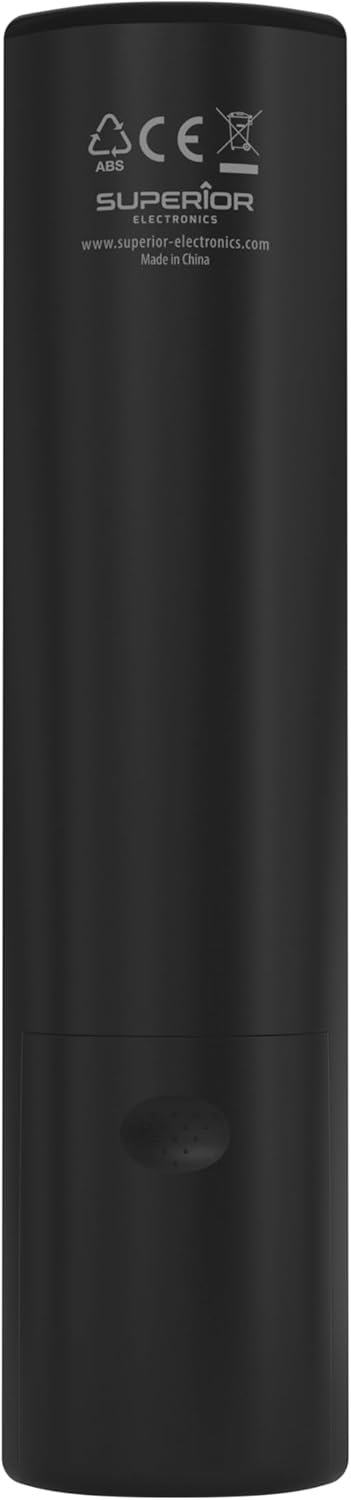
Image: The remote control with its approximate dimensions (4.8 cm width, 19.5 cm length) highlighted for reference.
Garantioplysninger
Specific warranty details for the Superior Electronics Ready5 Smart Universal Remote Control are typically provided with your purchase documentation or can be found on the official Superior Electronics webwebsted. Se venligst disse ressourcer for omfattende oplysninger om garantidækning, vilkår og betingelser.
Støtte
For further assistance, technical support, or additional product information, please visit the official Superior Electronics webwebstedet eller kontakt deres kundeserviceafdeling. Kontaktoplysninger findes normalt på produktemballagen eller producentens webwebsted.
Manufacturer: Superior Electronics
For mere information kan du besøge Superior Electronics Store on Amazon.


