Indledning
The ASTRO Gaming A50 Wireless Headset + Base Station Gen 4 provides an immersive audio and sound experience, delivering clear dialogue, music, and in-game sound. Designed for compatibility with Xbox Series X|S, Xbox One, PC, and Mac, this headset offers advanced features for competitive gaming.
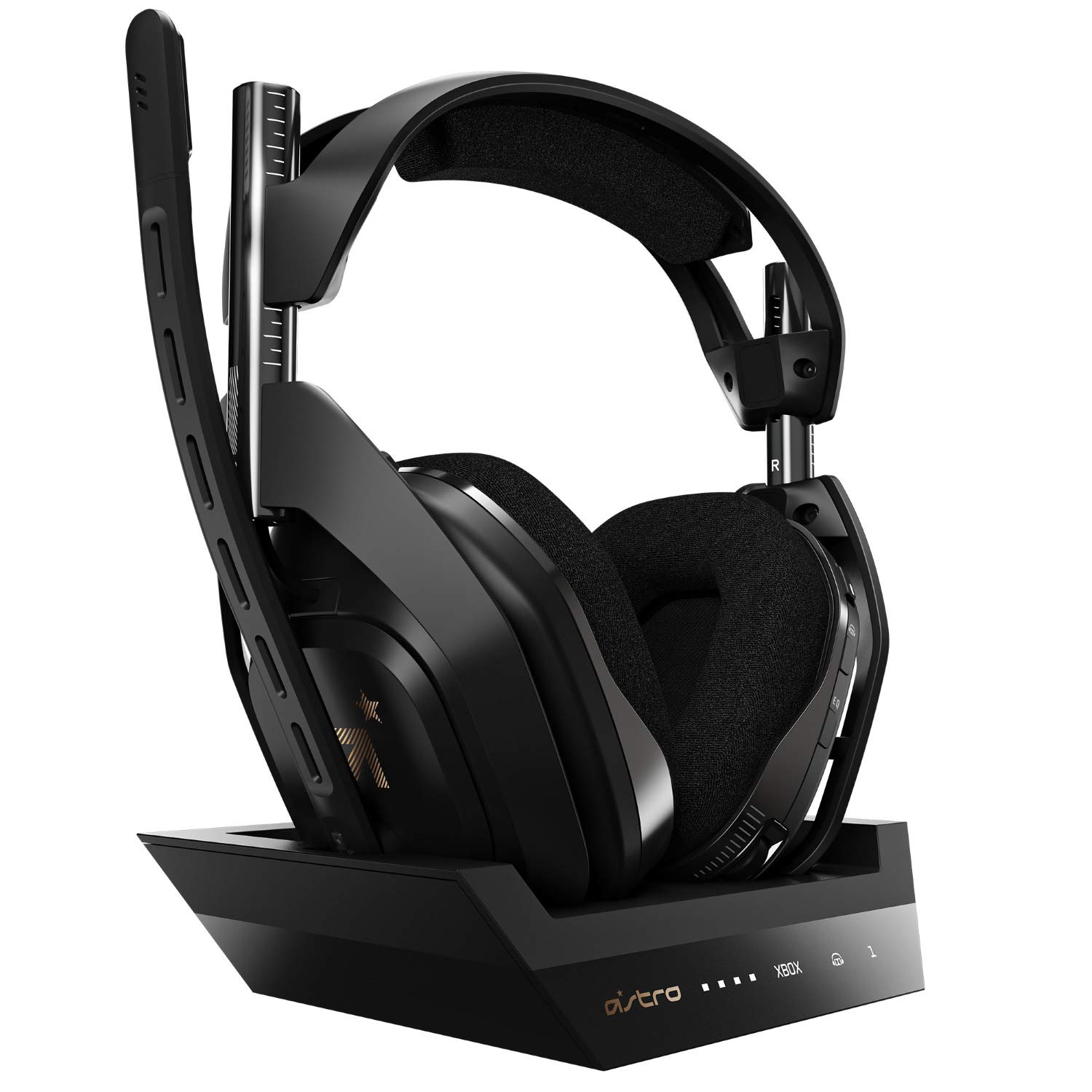
Figure 1: ASTRO Gaming A50 Wireless Headset and Base Station.
Nøglefunktioner
- Astro Audio V2: Immersive audio and sound experience that delivers dialogue, music, and in-game sound clearly.
- Dolby Audio: Delivers a cinematic, high-resolution gaming audio experience.
- Dolby Atmos (Xbox version only): Provides Object Audio for a more accurate and immersive sound experience.
- Game: Voice Balance: Gives the user total control over the mix of game and chat audio.
- ASTRO Command Center Software: Free software for complete control over audio experience, including voice communication and game audio settings. Available on Windows 10, Xbox One, and Mac.
- Batterilevetid: 15+ hour rechargeable lithium-ion battery.
- USB Sound Card Functionality (PC): Provides game: voice balance, game, and voice streaming without optical cables.
- Mod-sæt klar: Optional A50 mod kit allows users to add synthetic leather headband ear cushions for improved noise isolation (compatible with A50 wireless headset, Gen 4 only).
- Xbox-kompatibilitet: All current ASTRO Gaming products designed for Xbox One offer continuous compatibility on Xbox Series X.

Figure 2: Key features of the ASTRO A50 Headset including Flip-to-Mute Mic, Mod Kit Ready, Tuned with ASTRO Audio V2, Built-in MixAmp, and Dolby Audio.
Opsætning
Hvad er der i æsken
- ASTRO Gaming A50 Wireless Headset
- Base Station
- Opladningskabel (USB)

Figure 3: The ASTRO A50 Wireless Headset, Base Station, and included cables.
Første tilslutning og opladning
- Connect the Base Station to your console (Xbox Series X|S, Xbox One) or PC using the provided USB cable.
- Place the A50 Headset onto the Base Station. Ensure the headset is properly seated for charging. The LED indicators on the Base Station will show charging status.
- For PC use, the USB connection provides sound card functionality, eliminating the need for optical cables.
- Allow the headset to fully charge before first use. A full charge provides over 15 hours of battery life.

Figure 4: The ASTRO A50 Headset correctly placed on its Base Station for charging and connection.
Betjeningsvejledning
Audio Experience with ASTRO Audio V2
The ASTRO Audio V2 technology ensures a high-fidelity audio experience. This system is engineered to deliver clear dialogue, rich music, and precise in-game sound cues, enhancing your overall gaming and media consumption.

Figure 5: The ASTRO A50 Headset highlighting the ASTRO Audio V2 technology for superior sound.
Game: Voice Balance Control
Adjust the balance between game audio and voice chat using the dedicated controls on the headset. This feature allows you to prioritize what you hear, ensuring clear communication with teammates without missing critical in-game sounds.

Figure 6: Detail of the ASTRO A50 Headset's Game: Voice Balance control, allowing users to adjust audio mix.
ASTRO Command Center-software
Download and install the free ASTRO Command Center software on your Windows 10, Xbox One, or Mac device. This software provides comprehensive control over your audio settings, including equalizer presets, microphone levels, and stream output settings, allowing for personalized audio profiles.

Figure 7: Interface of the ASTRO Command Center Software for customizing audio settings.
Mikrofon funktionalitet
The headset features a flip-to-mute microphone. Simply flip the microphone boom arm upwards to mute your voice, and flip it down to unmute. This provides quick and intuitive control over your communication.

Figure 8: A user wearing the ASTRO A50 Headset, demonstrating the microphone's position.
Opretholdelse
Rensning
To maintain the longevity and performance of your headset, regularly wipe down the ear cushions and headband with a soft, dry cloth. Avoid using harsh chemicals or abrasive materials.
Mod Kit Installation (Optional)
The A50 Wireless Headset Gen 4 is compatible with optional Mod Kits. These kits allow you to replace the ear cushions and headband with synthetic leather versions for improved noise isolation and comfort. Refer to the Mod Kit's specific instructions for installation.

Figure 9: The ASTRO A50 Headset indicating areas where the optional Mod Kit can be installed.
Fejlfinding
If you encounter issues with your ASTRO A50 Wireless Headset, consider the following general troubleshooting steps:
- Ingen lyd/mikrofon virker ikke:
- Ensure the headset is fully charged and properly seated on the Base Station.
- Verify all cables are securely connected to the Base Station and your console/PC.
- Check the Game: Voice Balance control on the headset.
- Confirm the headset is selected as the default audio input/output device in your system settings (PC/Mac) or console settings (Xbox).
- Genstart din konsol/pc og headsettet.
- Forbindelsesproblemer:
- Ensure the Base Station is powered on and its indicator lights are active.
- Try re-pairing the headset with the Base Station (refer to the ASTRO Command Center software or online guides for specific steps).
- Move closer to the Base Station to rule out range issues.
- Softwareproblemer:
- Ensure your ASTRO Command Center software is up to date.
- Check for firmware updates for your headset and Base Station via the ASTRO Command Center.
For more detailed troubleshooting or specific error codes, please refer to the official ASTRO Gaming support webwebstedet eller den fulde brugermanual i PDF-format.
Specifikationer
| Feature | Detalje |
|---|---|
| Modelnavn | A50 |
| Forbindelsesteknologi | Bluetooth, Trådløs |
| Trådløs kommunikationsteknologi | Wi-Fi |
| Frekvensrespons | 20Hz - 20,000Hz |
| Hovedtelefonstik | 3.5 mm Jack |
| Batterilevetid | 15 timer |
| Varens vægt | 1.49 pund (675 gram) |
| Produktdimensioner | 7.28 x 3.48 x 7.17 tommer |
| Materiale | Kunstlæder |
| Inkluderede komponenter | Opladning Station |
| Kompatible enheder | Windows, Xbox Series X|S, Xbox One, Mac |
| UPC | 097855148155 |
| Fabrikant | Astro |
| Udgivelsesdato | 11. august 2019 |
Garantioplysninger
For detailed warranty information regarding your ASTRO Gaming A50 Wireless Headset + Base Station Gen 4, please refer to the warranty card included with your product packaging or visit the official ASTRO Gaming webGarantibetingelserne kan variere afhængigt af region og forhandler.
Extended protection plans may be available for purchase separately from various retailers. These plans are not part of the standard manufacturer's warranty.
Støtte
For further assistance, product registration, or to download the latest drivers and firmware, please visit the official ASTRO Gaming support resources:
- Officiel brugermanual (PDF): Download PDF
- ASTRO Gaming Store: Besøg butik
- ASTRO Gaming Official Website: (General website link not provided, so I'll omit a specific one and suggest searching)
Sørg altid for at bruge den nyeste firmware for optimal ydeevne og kompatibilitet.


