1. Introduktion
This manual provides instructions for the ECOWITT GW1101 Wi-Fi Weather Station, which includes the WS69 Outdoor 7-in-1 Sensor Array and the GW1100 Wi-Fi Gateway. This system allows for comprehensive monitoring of local weather conditions and data transmission to various online platforms.
2. Produktkomponenter
The ECOWITT GW1101 system consists of two primary components:
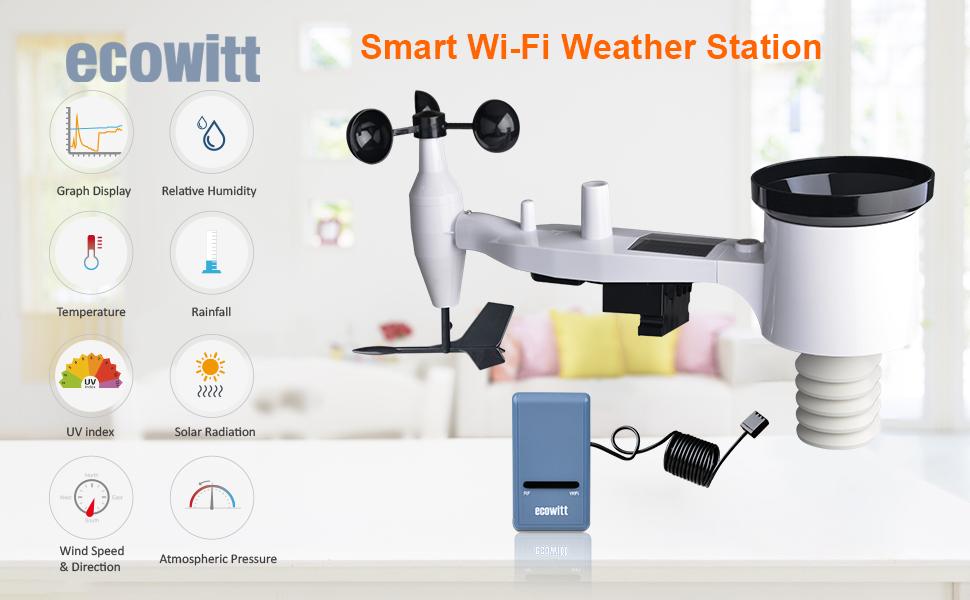
- WS69 Outdoor 7-in-1 Sensor Array: This unit measures outdoor temperature, humidity, wind direction, wind speed, rainfall, UV index, and solar light intensity. It is solar-powered with battery backup.
- GW1100 Wi-Fi Gateway: This device collects data from the outdoor sensor array and other compatible sensors, then transmits it to your local network and selected online weather services via Wi-Fi. It also includes an indoor temperature, humidity, and pressure sensor.

Billede: Overview of the ECOWITT GW1101 Wi-Fi Weather Station components, including the outdoor sensor array, Wi-Fi gateway, and a representation of the mobile application interface.
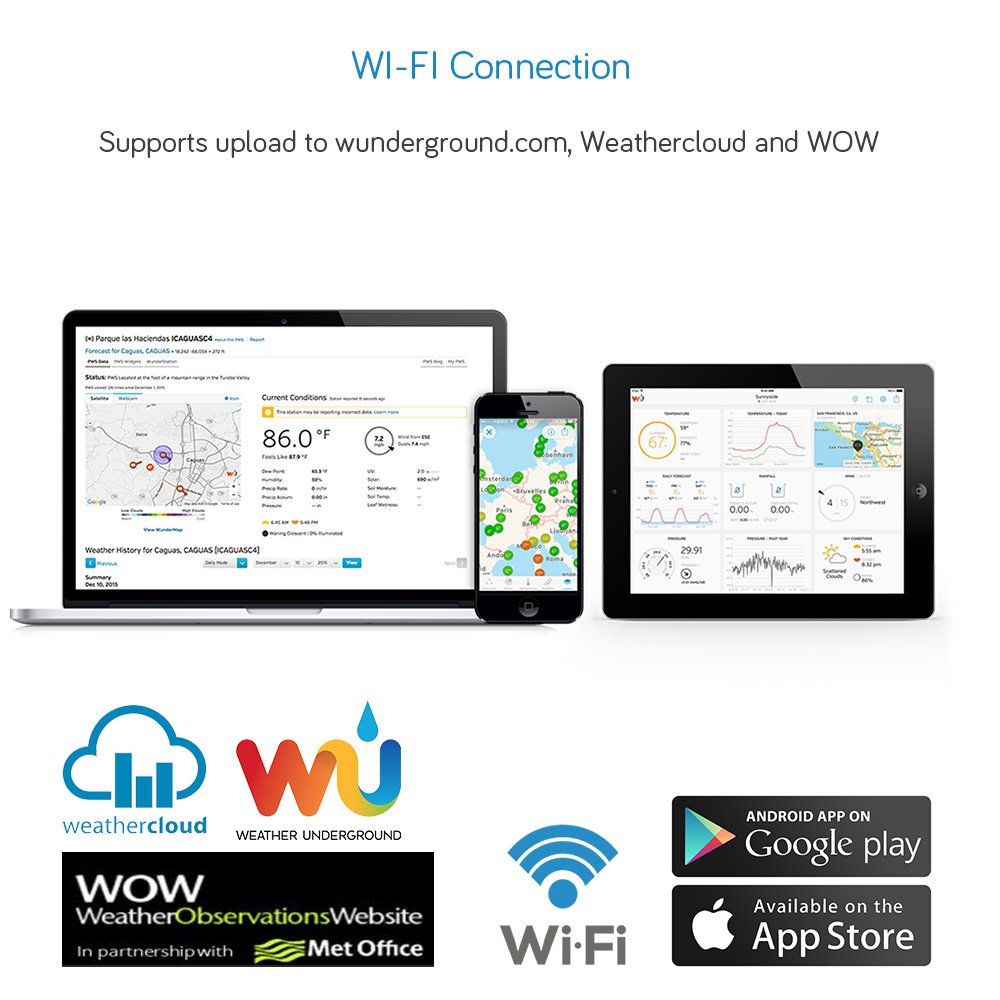
Image: Detailed diagram of the WS69 Outdoor 7-in-1 Sensor Array, highlighting its various components such as the wind speed sensor, UV/light sensor, solar panel, rain gauge, wind direction sensor, and thermo-hygrometer sensor.
3. Opsætningsvejledning
3.1 Udpakning og første inspektion
Carefully unpack all components and verify that all parts are present according to the packing list. Inspect for any visible damage.
3.2 WS69 Outdoor Sensor Array Assembly and Placement
- Attach Wind Cups and Wind Vane: Securely attach the wind speed cups and wind vane to the main sensor body.
- Installer batterier: The primary power source is the solar panel. Insert 2 x AA 1.5V batteries (lithium batteries recommended in cold climates below 0°C/32°F) into the battery compartment of the outdoor sensor array. These batteries serve as backup power.
- Montering:
- Choose an open location for the sensor array, free from obstructions that could affect wind, rain, or sunlight measurements.
- Mount the sensor array using the provided U-bolts and metal mounting plate onto a pole. Ensure the bubble level on the sensor array indicates a level installation for accurate rain measurement.
- The recommended mounting height is at least 1.5 meters (5 feet) above the ground.

Image: The WS69 Outdoor 7-in-1 Sensor Array installed on a pole outdoors, demonstrating a typical mounting scenario for optimal weather data collection.
3.3 GW1100 Wi-Fi Gateway Setup
- Tænd: Connect the GW1100 Wi-Fi Gateway to a USB power adapter (not included) using the provided USB cable. The gateway will power on.
- Download app: Download "WS"View Plus" or "Ecowitt" app from the Apple App Store or Google Play Store on your smartphone.
- Wi-Fi-konfiguration:
- Open the app and follow the on-screen instructions to connect the GW1100 gateway to your home Wi-Fi network.
- Ensure your smartphone is connected to the 2.4 GHz band of your Wi-Fi network during the setup process.
- Sensorparring: The GW1100 gateway should automatically detect and pair with the WS69 outdoor sensor array once both are powered on and within range. Verify sensor data appears in the app.

Image: The GW1100 Wi-Fi Gateway with its USB connection, illustrating how it connects to a power source. Note that a USB charger is required but not supplied.
4. Betjening
4.1 Viewmed live data
Once configured, live weather data from the WS69 outdoor sensor array and the GW1100's internal sensors can be viewed direkte på WSView Plus or Ecowitt mobile application. The app displays various parameters such as temperature, humidity, wind speed, wind direction, rainfall, UV index, and solar radiation.

Image: Mobile application interface showing current weather data and historical trends for temperature and humidity, as collected by the ECOWITT system.
4.2 Uploading Data to Online Services
The GW1100 gateway supports uploading sensor data to various online weather platforms, including Ecowitt.net, Weather Underground (WU), Weathercloud, and WOW (Weather Observations Website). This allows for remote monitoring and access to historical data graphs.
- Ecowitt.net: Register an account on Ecowitt.net and configure the gateway through the app to upload data. This platform provides detailed graphs and allows downloading of historical records. Email alerts can also be set up for various sensor readings.
- Tredjepartstjenester: Follow the instructions within the WSView Plus/Ecowitt app to connect your station to Weather Underground, Weathercloud, or WOW. You will typically need to provide your station ID and key for these services.

Image: Illustration of the data flow from the Ecowitt weather station to multiple online weather platforms, accessible via desktop and mobile devices.
4.3 Expanding Your System (Optional Sensors)
The GW1100 Wi-Fi Gateway is compatible with a range of additional ECOWITT sensors, allowing you to expand your weather monitoring capabilities. These include:
- WN31 (WH31) Multi-channel Temperature and Humidity Sensor (up to 8 units)
- WH51 Soil Moisture Sensor (up to 8 units)
- WH41 PM2.5 Air Quality Sensor (up to 4 units, requires gateway firmware V1.4.6 or above)
- WS90 Outdoor Sensor Array
- WH55 Water Leak Sensor
- WS68 Anemometer
- WH40 Rain Gauge Sensor
- WH43/45 Air Quality Sensor
- WN34 Thermometer
Ensure that any additional sensors operate on the same frequency (915 MHz for this model) as your GW1100 gateway.
Billede: En overview of the Ecowitt ecosystem, demonstrating how various optional sensors can integrate with the main gateway for expanded weather and environmental monitoring around a home.
5. Vedligeholdelse
5.1 Sensor Array Cleaning
- Regnmåler: Periodically check the rain collector for debris (leaves, insects) and clean as necessary to ensure accurate rainfall measurements.
- Vindsensorer: Ensure the wind cups and wind vane rotate freely. Remove any obstructions.
- Solpanel: Keep the solar panel clean to maximize charging efficiency for the backup batteries.
5.2 Udskiftning af batteri
The WS69 outdoor sensor array uses 2 x AA 1.5V batteries as backup power. Replace these batteries when the low battery indicator appears in the app or on connected display consoles. Lithium batteries are recommended for optimal performance in cold weather.
6. Fejlfinding
| Problem | Mulig årsag | Løsning |
|---|---|---|
| No data from outdoor sensor array |
|
|
| GW1100 gateway cannot connect to Wi-Fi |
|
|
| Unøjagtige regnaflæsninger |
|
|
7. Specifikationer
7.1 Generelt
- Model: ECOWITT GW1101 (includes GW1100 Gateway and WS69 Sensor Array)
- Mærke: ECOWITT
- Frekvens: 915 MHz (til sensorkommunikation)
- Wi-Fi: 2.4 GHz (for gateway internet connection)
7.2 WS69 Outdoor 7-in-1 Sensor Array
- Mål: Outdoor Temperature, Humidity, Wind Speed, Wind Direction, Rainfall, UV Index, Solar Radiation
- Opdateringsinterval: Hvert 16. sekund
- Strømkilde: Solar panel with 2 x AA 1.5V batteries (backup)
- Dimensioner: Cirka 44 x 17 x 27 cm
7.3 GW1100 Wi-Fi Gateway
- Interne sensorer: Indoor Temperature, Humidity, Barometric Pressure
- Forbindelse: Wi-Fi (2.4 GHz)
- Strømkilde: USB (adapter medfølger ikke)
- Understøttede platforme: Ecowitt.net, Weather Underground, Weathercloud, WOW
- Udvidelsesmuligheder: Supports multiple additional sensors (e.g., WN31, WH51, WH41)
8. Garanti og support
For warranty information and technical support, please refer to the official ECOWITT website or contact their customer service directly. Details are typically provided with the product packaging or available online.
Online ressourcer:


