1. Introduktion
Thank you for choosing the Majority Eversden Portable DAB/DAB+ Bluetooth Shower Radio. This manual provides essential information for setting up, operating, and maintaining your device. Please read it thoroughly before use and retain it for future reference.
2. Vigtige sikkerhedsinstruktioner
- Udsæt ikke enheden for ekstreme temperaturer, direkte sollys eller høj luftfugtighed.
- Ensure the USB-C port cover is securely closed when using the radio in wet environments to maintain its IPX5 water resistance.
- Do not immerse the radio in water. IPX5 rating protects against splashes and jets of water, but not submersion.
- Brug kun det medfølgende USB-C-kabel til opladning.
- Forsøg ikke at skille enheden ad eller ændre den. Dette vil ugyldiggøre garantien.
- Opbevares utilgængeligt for børn.
3. Pakkens indhold
Markér venligst feltet for følgende elementer:
- 1 x Majority Eversden Radio
- 1 x USB-C opladningskabel
- 1 x brugermanual
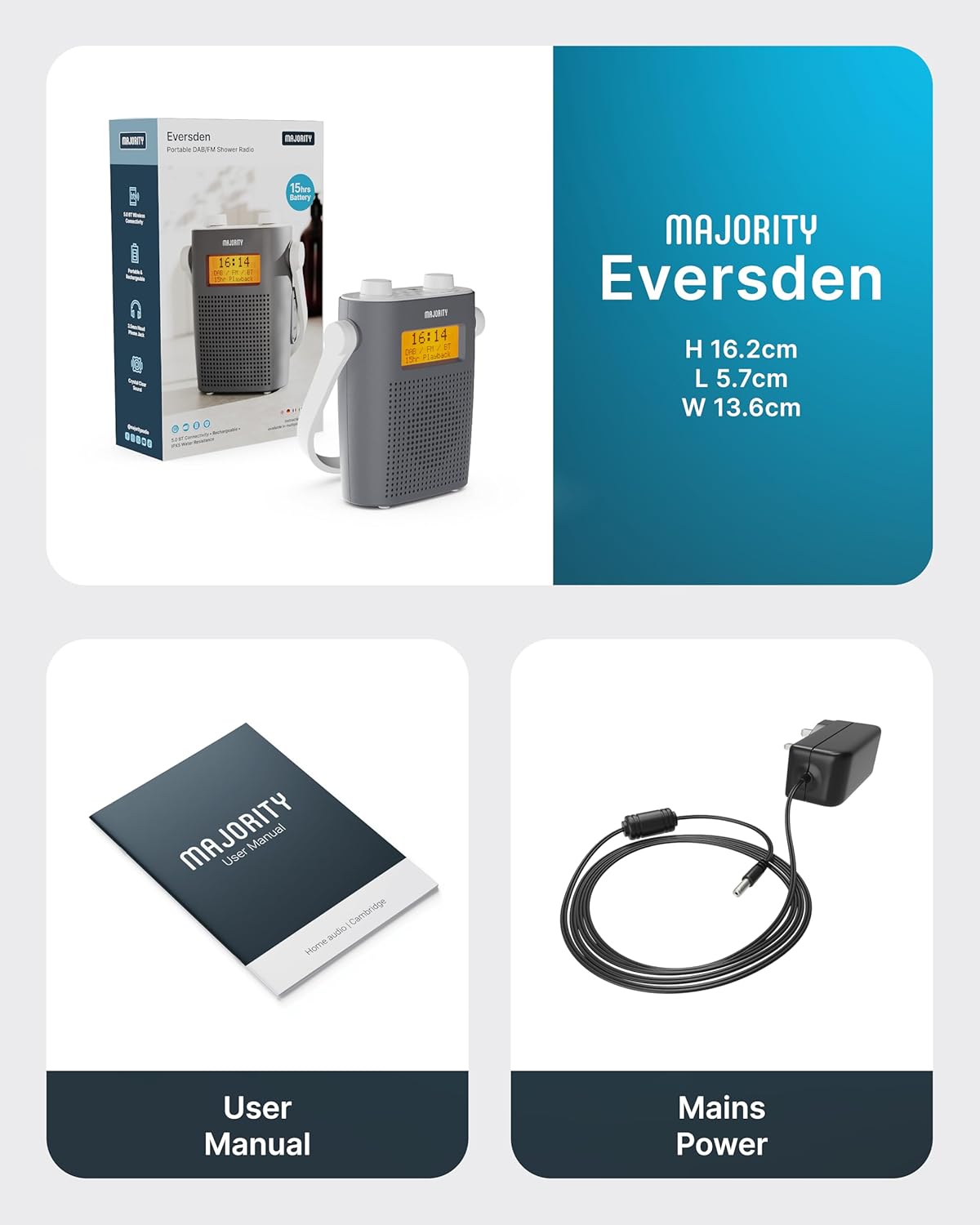
Image: Package contents showing the Majority Eversden radio, USB-C charging cable, and user manual.
4. Produktet er slutview
Familiarize yourself with the controls and features of your Majority Eversden radio.
Billede: Top view of the Majority Eversden radio, highlighting the control panel with various buttons and rotary knobs.
Kontrol og display:
- Power knap: Tænder/slukker radioen.
- Mode knap: Skifter mellem DAB-, FM- og Bluetooth-tilstande.
- Menu-knap: Accesses menu options for the current mode.
- Info knap: Displays information about the current station or track.
- Dimmer/Snooze Button: Adjusts display brightness or activates snooze for alarms.
- Preset/Recall Button: Gemmer og genkalder favoritstationer.
- Lydstyrkeknapper: Two rotary knobs for volume control and navigation/selection.
- LED display: Shows time, station information, mode, and battery status.
- Hovedtelefonstik: Til privat lytning.
- USB-C opladningsport: Til genopladning af det interne batteri.
5. Opsætning
5.1 Opladning af radioen
The Eversden radio features a rechargeable battery providing up to 15 hours of playback. Before first use, fully charge the radio.
- Locate the USB-C charging port on the side of the radio.
- Connect the supplied USB-C cable to the radio and the other end to a USB power adapter (not supplied) or a computer USB port.
- The LED display will indicate charging status. Once fully charged, disconnect the cable.
- Sørg for, at USB-C-portens dæksel er forsvarligt lukket efter opladning for at opretholde vandtætheden.

Image: The Majority Eversden radio displayed with text indicating '15 Hour Playtime' and 'Type-C Fast Charge', demonstrating its portability and charging capabilities.
5.2 Initial Power On and Automatic Scan
Upon first power-on, the radio will automatically scan for available DAB and FM stations.
- Tryk og hold på Power knap for at tænde for radioen.
- The radio will automatically enter DAB mode and begin scanning for stations. This process may take a few minutes.
- Når scanningen er færdig, vil radioen stille ind på den første tilgængelige station.
- To perform an FM scan, switch to FM mode using the Mode knap, then access the menu to initiate an auto-scan.
6. Betjeningsvejledning
6.1 Tænd/sluk
- For at tænde, tryk og hold nede Power knap.
- For at slukke, tryk og hold nede Power knap igen.
6.2 Valg af tilstand
Tryk på Mode knap repeatedly to cycle through DAB, FM, and Bluetooth modes.
6.3 Betjening af DAB-radio
- Sørg for, at radioen er i DAB-tilstand.
- Brug Lydstyrkeknapper to scroll through available stations. Press a knob to select.
- Tryk på Info knap til view details like program type, signal strength, and frequency.
- To perform a full scan for new stations, press the Menu-knap, navigate to 'Full Scan', and confirm.
6.4 FM-radiofunktion
- Skift til FM-tilstand ved hjælp af Mode knap.
- Brug Lydstyrkeknapper to manually tune to frequencies or to auto-scan for the next available station.
- Tryk på Info knap til view stationsinformation.
6.5 Bluetooth-betjening
Connect your smartphone or other Bluetooth-enabled device to stream audio wirelessly.
- Skift til Bluetooth-tilstand ved hjælp af Mode knap. The display will show 'Bluetooth Connected' or 'Pairing'.
- On your device, enable Bluetooth and search for 'Majority Eversden'.
- Select 'Majority Eversden' to pair. Once connected, you will hear a confirmation tone.
- Du kan nu afspille lyd fra din enhed via radioen.

Image: The Majority Eversden radio displaying 'Bluetooth Connected' next to a smartphone playing music, illustrating its wireless streaming capability.
6.6 Indstilling af alarmer
The radio features a dual alarm system.
- Tryk på Menu-knap and navigate to 'Alarm Setup'.
- Select 'Alarm 1' or 'Alarm 2'.
- Set the alarm time, source (DAB, FM, or Buzzer), and frequency (daily, once, weekends, weekdays).
- Confirm your settings. The alarm icon will appear on the display.
- Når en alarm lyder, skal du trykke på Dimmer/Snooze Button to snooze, or the Power knap at slukke.
6.7 Brug af forudindstillinger
Save up to 20 of your favorite DAB or FM stations for quick access.
- Sådan gemmer du en forudindstilling: Stil ind på den ønskede station. Tryk og hold nede Preset/Recall Button. Brug Lydstyrkeknapper to select a preset number (1-20) and press to confirm.
- Sådan genkaldes en forudindstilling: Tryk på Preset/Recall Button (do not hold). Use the Lydstyrkeknapper to scroll through saved presets and press to select.
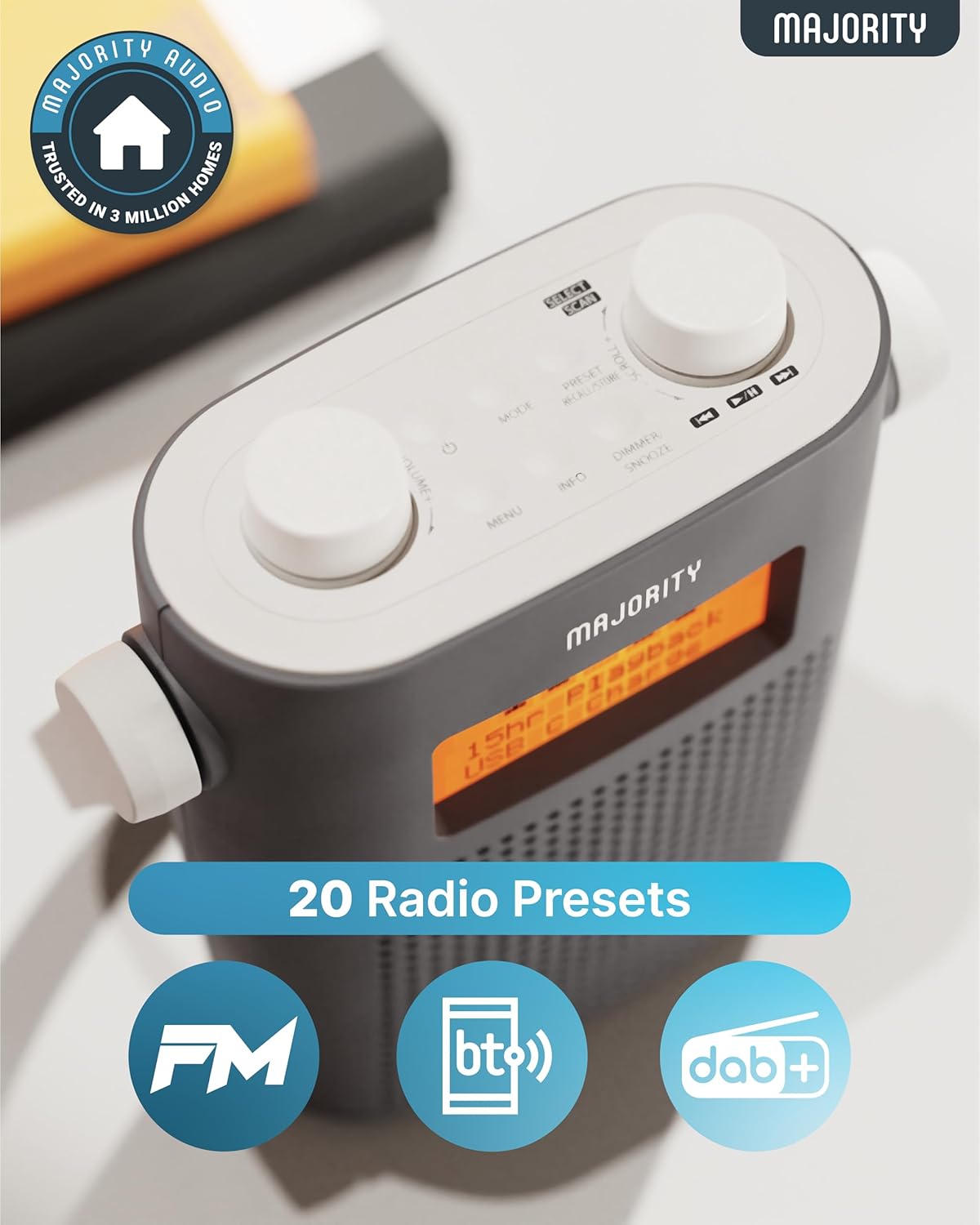
Image: A close-up of the Majority Eversden radio's top panel and display, emphasizing the 20 radio presets feature and compatibility with FM, Bluetooth, and DAB+.
6.8 Lydstyrkekontrol
Rotate the designated Volumenknap to increase or decrease the audio level.
6.9 Brug af hovedtelefoner
Connect standard 3.5mm headphones to the headphone jack for private listening. The internal speaker will automatically mute.
7. Vedligeholdelse
7.1 Rengøring
- Tør radioen af med en blød, damp klæde.
- Brug ikke slibende rengøringsmidler eller opløsningsmidler.
7.2 Vandtæthed (IPX5)
The Majority Eversden radio is IPX5 water-resistant, meaning it is protected against low-pressure water jets from any direction. This makes it suitable for use in environments like bathrooms or near water.
- Vigtig: Ensure the USB-C charging port cover is fully sealed when using the radio in wet conditions.
- Nedsænk ikke radioen i vand.
- Avoid exposing the radio to high-pressure water jets.
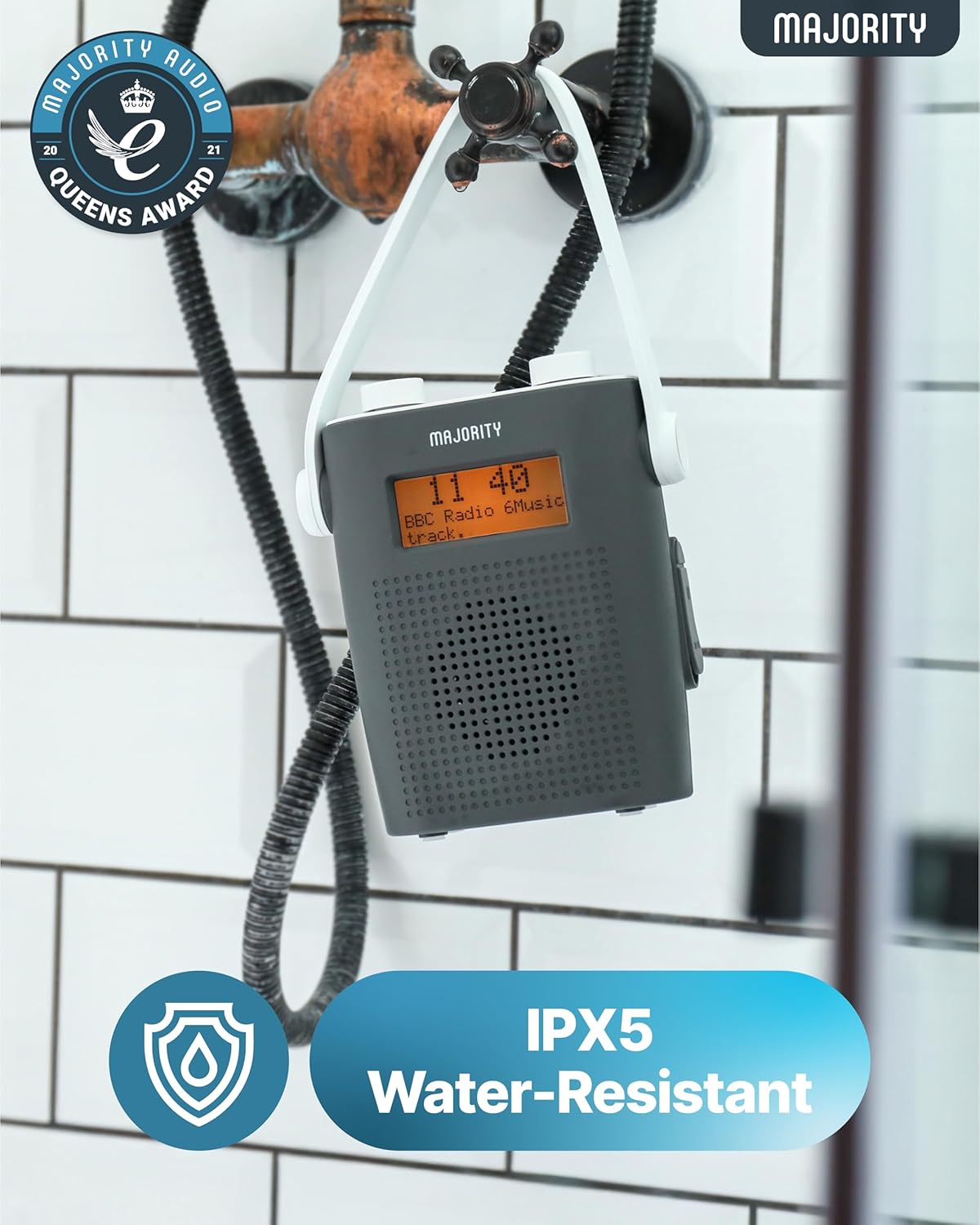
Image: The Majority Eversden radio hanging from a shower head, illustrating its IPX5 water-resistant design for use in humid environments.
8. Fejlfinding
If you encounter issues with your radio, please refer to the following common problems and solutions:
| Problem | Mulig årsag | Løsning |
|---|---|---|
| Ingen strøm | Batteriet er afladet. | Oplad radioen med det medfølgende USB-C-kabel. |
| No DAB/FM signal | Poor reception area; antenna not extended. | Relocate the radio or extend the antenna fully. Perform a full scan. |
| Bluetooth forbinder ikke | Radio not in pairing mode; device not discoverable. | Ensure the radio is in Bluetooth mode. Check your device's Bluetooth settings and try re-pairing. |
| Lydforvrængning | Volume too high; poor signal. | Reduce volume. For radio, try adjusting position or rescanning. |
9. Specifikationer
- Mærke: Flertal
- Model: Eversden (AR45)
- Farve: Grå
- Forbindelse: Bluetooth, FM
- Særlige funktioner: Portable, Rechargeable, Water Resistant (IPX5)
- Kompatible enheder: Hovedtelefoner
- Strømkilde: Batteridrevet
- Understøttede radiobånd: DAB, DAB+, FM
- Batterilevetid: Op til 15 timers afspilning
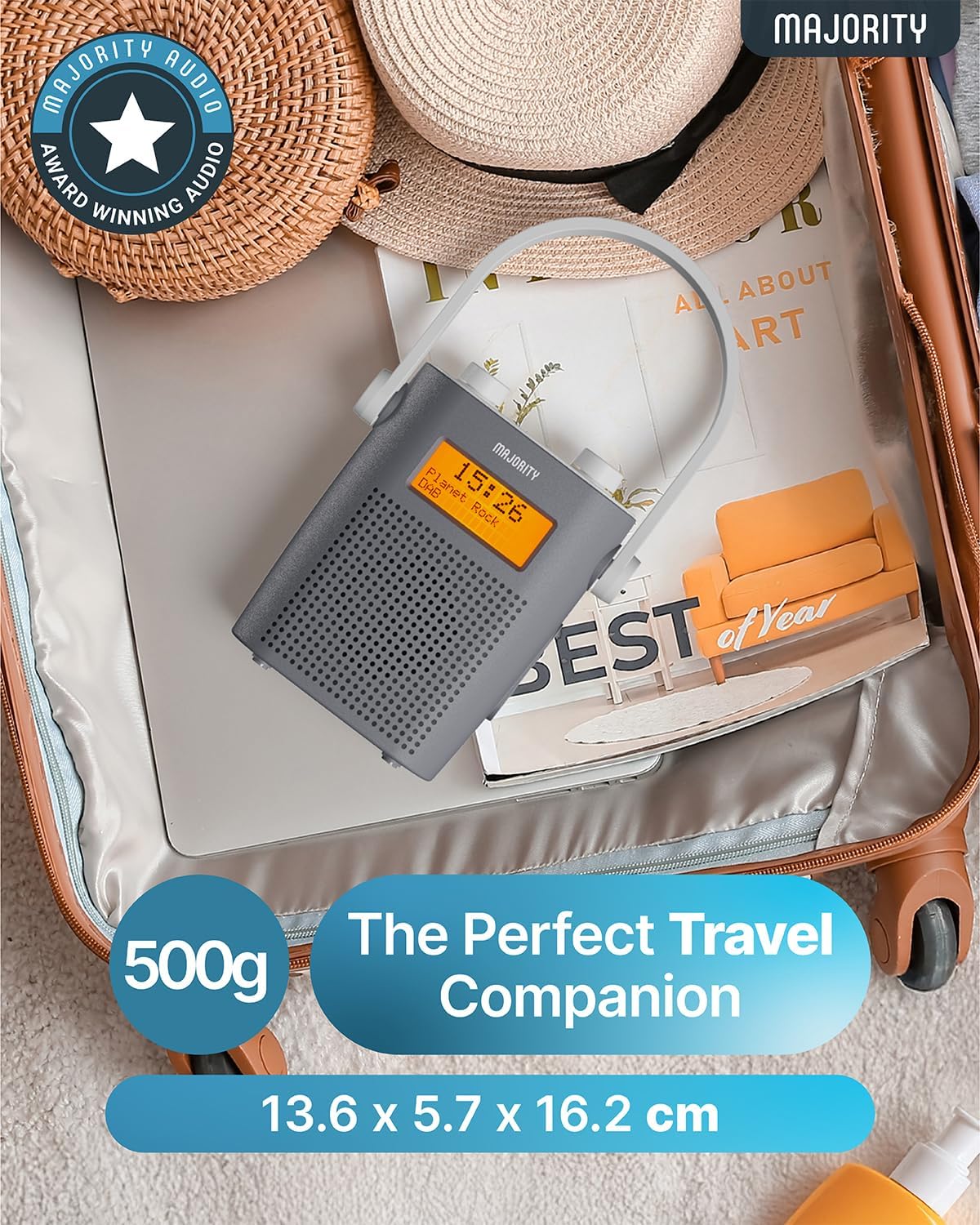
- Produktdimensioner: 5.3 cm (L) x 13.8 cm (B) x 15.9 cm (H)
10. Garanti og support
The Majority Eversden radio comes with a 3-års garanti, hvilket sikrer ro i sindet med dit køb.
For technical support, warranty claims, or further assistance, please visit the official Majority website or contact their customer service department. Details can typically be found on the manufacturer's webwebstedet eller i garantikortet, der følger med dit produkt.


