1. Introduktion
This manual provides comprehensive instructions for the setup, operation, and maintenance of your TechniSat TECHNISTAR S5 HD+ digital satellite receiver. Please read this manual thoroughly before using the device to ensure proper functionality and to maximize your viewing experience. The TECHNISTAR S5 HD+ is designed for receiving digital satellite television in HDTV quality, offering features such as integrated HD+ decryption, PVRReady for recording, and Timeshift functionality.
2. Sikkerhedsoplysninger
ADVARSEL: To reduce the risk of electric shock, do not open the device casing. Overlad al service til kvalificeret servicepersonale.
- Sørg for, at enheden er placeret på en stabil, plan overflade.
- Udsæt ikke enheden for regn eller fugt.
- Undgå at placere enheden i nærheden af varmekilder såsom radiatorer, varmeapparater, komfurer eller andre apparater (herunder ampløftere), der producerer varme.
- Brug kun tilbehør/tilbehør specificeret af producenten.
- Tag stikket ud af enheden under tordenvejr, eller når den ikke skal bruges i længere perioder.
- Hold ventilationsåbningerne fri for at forhindre overophedning.
3. Pakkens indhold
Bekræft at alle varer er til stede i pakken:
- 1 x TechniSat TECHNISTAR S5 HD+ Receiver
- 1 x fjernbetjening
- 1 x strømforsyningsenhed
- 1 x Brugermanual (dette dokument)
- 2 x AAA-batterier (til fjernbetjening)
4. Produktet er slutview
4.1 Frontpanel
The front panel of the TECHNISTAR S5 HD+ features essential controls and indicators.

Billede 4.1: Front view of the TechniSat TECHNISTAR S5 HD+ satellite receiver. It shows the display, power button, channel up/down buttons, and the HD+ logo.
- Vise: Viser kanalnummer eller tid.
- Power knap: Turns the device on/off or to standby.
- Channel Buttons (V / ^): Navigerer gennem kanaler.
- HD+ Logo: Indicates HD+ compatibility.
4.2 Bagpanel og tilslutninger
The rear panel provides all necessary ports for connecting the receiver to your television, satellite dish, and other devices.

Billede 4.2: Bag view of the TechniSat TECHNISTAR S5 HD+ satellite receiver, illustrating the various connection ports. These include Smartcard (Conax), CI+ slot, Ethernet, LNB (Sat-Eingang), USB, HDMI Out, A/V Out, S/PDIF Out, and Power input.
- Smartcard (Conax): Slot for Conax smartcards.
- CI+ slot: Common Interface Plus slot for CI+ modules (e.g., for HD+ or Sky).
- Ethernet: For network connection and UPnP streaming.
- LNB (Sat-Eingang): Input for the satellite dish cable (F-connector).
- USB: For connecting external storage devices (USB stick or hard drive) for PVRReady and Timeshift functions.
- HDMI -udgang: High-Definition Multimedia Interface output for connecting to your TV.
- A/V Out: Analog audio/video output (requires specific TechniSat adapter, optional).
- S/PDIF-udgang: Digital audio output (electrical).
- Magt: Input for the external power supply unit.
5. Opsætning
5.1 Tilslutning af modtageren
- Satellitforbindelse: Connect your satellite dish cable to the "LNB (Sat-Eingang)" port on the rear panel.
- TV-forbindelse: Connect the receiver to your TV using an HDMI cable. Insert one end into the "HDMI Out" port on the receiver and the other into an available HDMI input on your TV.
- Strømtilslutning: Connect the power supply unit to the "Power" input on the receiver, then plug the power adapter into a wall outlet.
- Valgfri tilslutninger:
- USB-lager: For recording and Timeshift, connect a USB stick or external hard drive to the "USB" port.
- Netværk: For UPnP and other network features, connect an Ethernet cable to the "Ethernet" port.
- CI+ Module: If you have a CI+ module (e.g., for HD+ or Sky), insert it into the "CI+ Slot".
5.2 First Installation (AutoInstall)
Upon first power-on, the receiver will guide you through an automatic installation process. This "AutoInstall" feature simplifies the initial setup, including channel search and basic settings.
- Tænd dit tv, og vælg den korrekte HDMI-indgang.
- Power on the TECHNISTAR S5 HD+.
- Follow the on-screen instructions to select your language, country, and perform a channel scan. The receiver will automatically search for available satellite channels.
- The ISIPRO feature will assist with automatic station search and updates.

Billede 5.2: TechniSat Comfort Services, highlighting features like SFI (Electronic Program Guide), ISIPRO (Program List Manager), AutoInstall (Easy First Installation), Password-protected User Profiles, and ISI Mode (Simplified Menus with Large Font).
6. Betjening af modtageren
6.1 Grundlæggende funktioner
Use the provided remote control to navigate menus and control the receiver.
Billede 6.1: The TechniSat remote control alongside a smartphone displaying the TechniSat Connect app interface, demonstrating both traditional and modern control methods.
- Kanalvalg: Use the number buttons or the CH+/CH- buttons to change channels.
- Lydstyrkekontrol: Use the VOL+/VOL- buttons.
- Menu navigation: Use the directional arrows and OK button to navigate through the on-screen menus.
- SFI (Service Information): Access the electronic program guide (EPG) to view programplaner og information.
- ISIPRO: This feature automatically manages and updates your channel list, ensuring you always have the latest channel lineup.
- ISI Mode: A simplified menu mode with larger fonts, useful for users who prefer a less complex interface or as a child safety feature.
6.2 Recording (PVRReady) and Timeshift
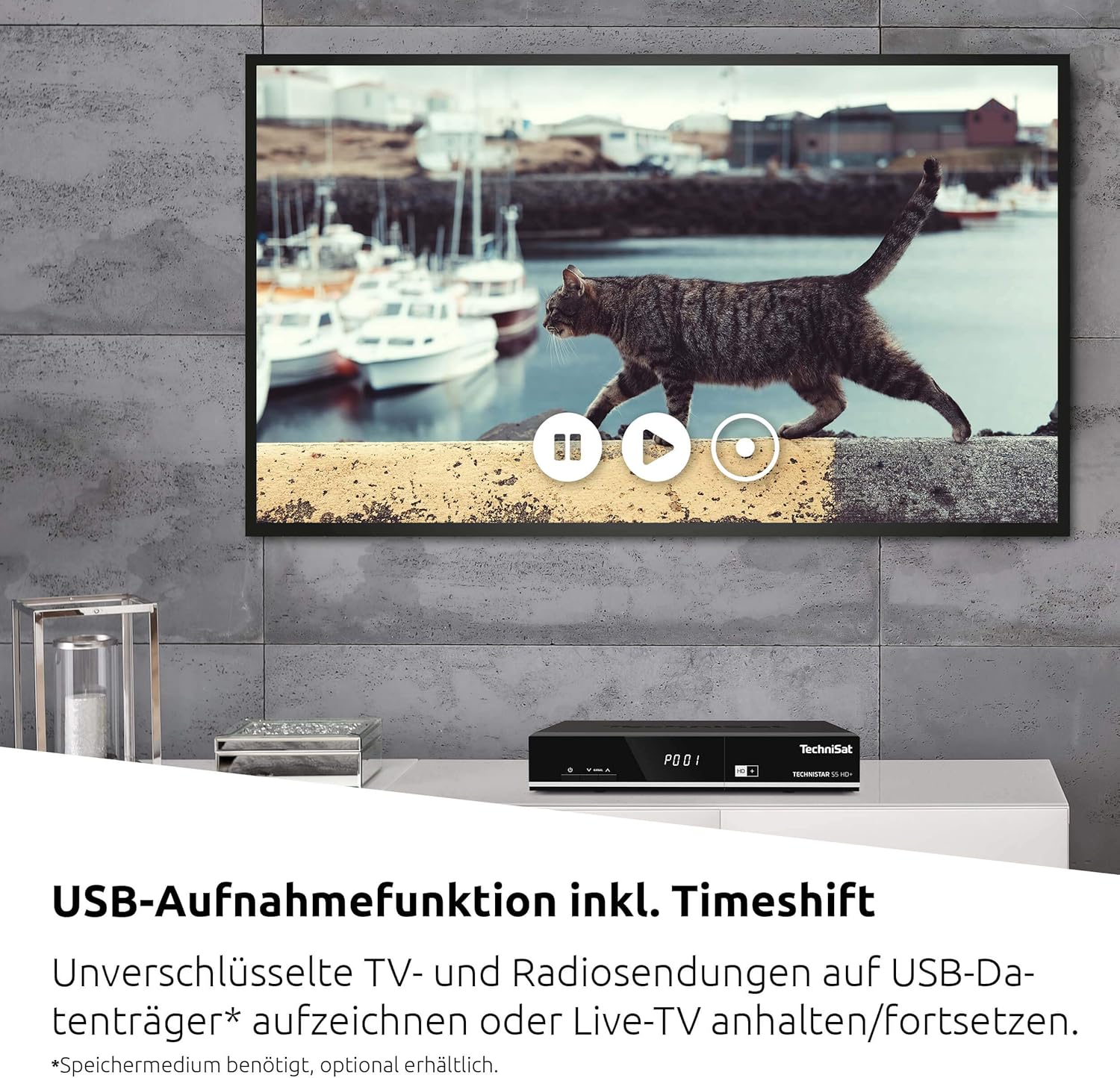
The TECHNISTAR S5 HD+ supports recording of unencrypted digital TV and radio programs to an external USB storage device (PVRReady). It also features Timeshift, allowing you to pause and resume live television.

Billede 6.2: A television screen displaying a paused live broadcast, demonstrating the Timeshift function. The on-screen controls for play, pause, and rewind are visible.
- At optage: Connect a USB storage device (formatted as FAT32 or NTFS). While watching a program, press the "Record" button on your remote control.
- Tidsforskydning: Press the "Pause" button during live TV to temporarily pause the broadcast. Press "Play" to resume from where you left off.
- Afspilning: Access recorded programs through the receiver's menu.
6.3 HD+ Features
The TECHNISTAR S5 HD+ includes an integrated decryption system for HD+.
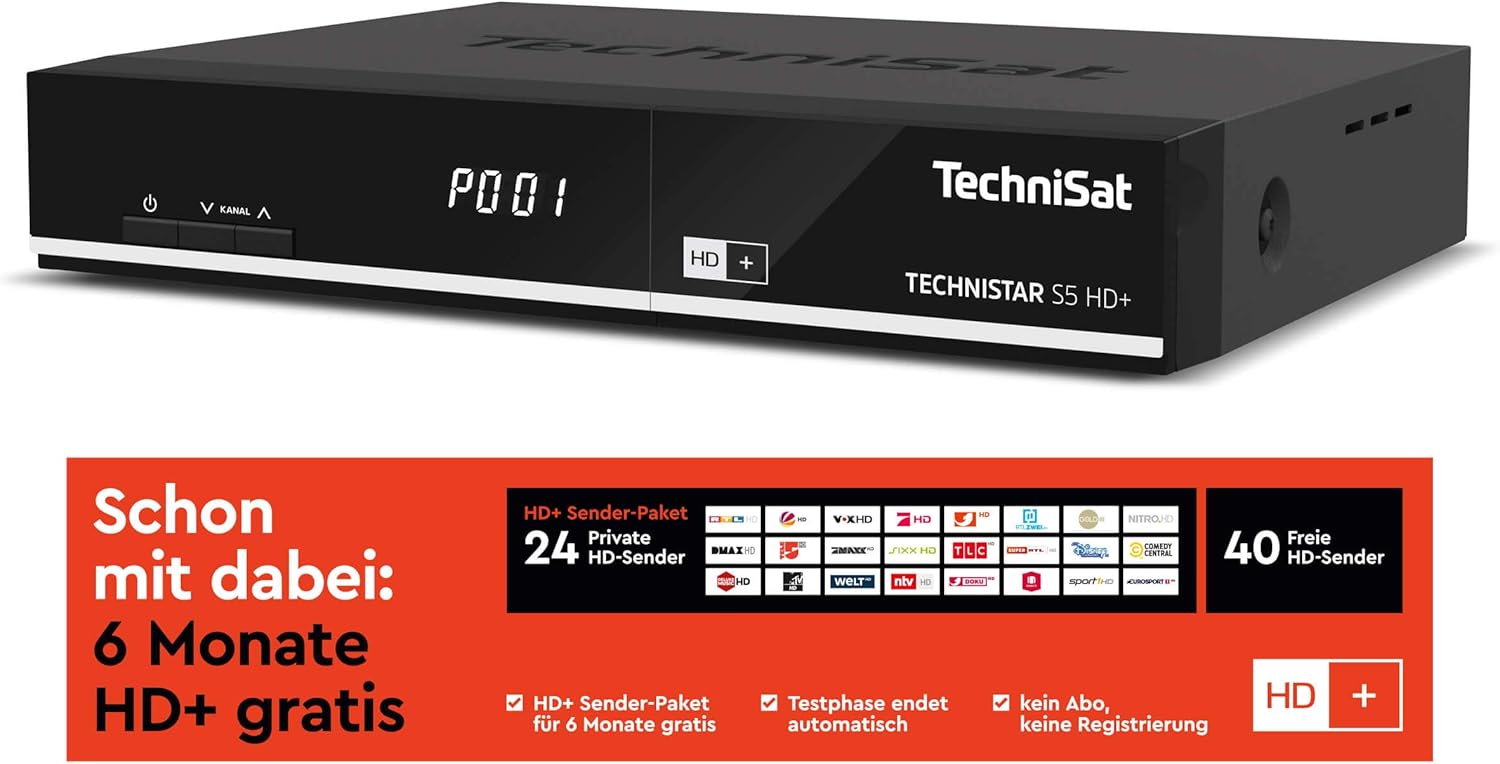
Billede 6.3: Information regarding the HD+ channel package, indicating 6 months of free HD+ access, 24 private HD channels, and 40 free HD channels. It also states that the test phase ends automatically with no registration required.
- The device comes with 6 months of free HD+ access for 23 HD quality channels.
- Additional pay-TV offers, such as Sky, can be accessed via the CI+ interface with a compatible CI+ module and subscription.
6.4 TechniSat Connect App
The TechniSat Connect app can be used as a universal remote control for your receiver, offering convenient control from your smartphone or tablet.
- Download the TechniSat Connect app from your device's app store.
- Ensure your smartphone/tablet and the receiver are connected to the same local network.
- Follow the app's instructions to pair it with your TECHNISTAR S5 HD+.
7. Vedligeholdelse
- Rensning: Disconnect the power before cleaning. Use a soft, dry cloth to clean the exterior of the receiver. Do not use liquid or aerosol cleaners.
- Ventilation: Sørg for, at ventilationsåbningerne på enheden ikke er blokerede for at forhindre overophedning.
- Softwareopdateringer: Periodically check the TechniSat website or the receiver's menu for available software updates to ensure optimal performance and access to new features.
8. Fejlfinding
If you encounter issues with your TECHNISTAR S5 HD+, refer to the following common solutions:
- Intet billede/lyd:
- Check all cable connections (HDMI, LNB, power).
- Sørg for, at dit tv er indstillet til den korrekte HDMI-indgang.
- Verify the receiver is powered on and not in standby mode.
- Intet satellitsignal:
- Kontroller LNB-kablets forbindelse.
- Sørg for, at din parabolantenne er korrekt justeret.
- Perform a new channel scan via the receiver's menu.
- Fjernbetjeningen virker ikke:
- Check and replace the batteries (2x AAA).
- Sørg for, at der ikke er nogen forhindringer mellem fjernbetjeningen og receiveren.
- Optagelsesproblemer:
- Ensure the USB storage device is properly connected and has sufficient free space.
- Verify the USB device is formatted correctly (FAT32 or NTFS).
- Note that only unencrypted programs can be recorded.
For more detailed troubleshooting or persistent issues, please consult the full online manual on the TechniSat webwebsted eller kontakt kundesupport.
9. Specifikationer
| Mærke | TechniSat |
| Modelnummer | 0000/4716 |
| Farve | Neutral (sort) |
| Forbindelsesteknologi | Ethernet, HDMI, USB |
| Samlet USB-porte | 1 |
| Total HDMI-porte | 1 |
| Lydudgangstilstand | Omgive |
| Voltage | 5 volt |
| Frekvensområde | 950 MHz - 2150 MHz |
| Varens vægt | 600 gram |
| Inkluderede komponenter | Fjernbetjening |
| Batterier | 2 AAA (inkluderet) |
| Softwareopdateringer garanteret indtil | Information ikke tilgængelig |
| Tilgængelighed af reservedele | Information ikke tilgængelig |
10. Garanti og support
For detailed information regarding warranty terms, software updates, and spare parts availability, please refer to the official TechniSat website or contact TechniSat customer support directly. Keep your proof of purchase for warranty claims.
TechniSat Official Webwebsted: www.technisat.com


