1. Introduktion
This manual provides detailed instructions for the Soundcore Liberty True Wireless Earbuds, Model A3912. These earbuds feature Graphene-enhanced sound, extended battery life, a secure GripFit design, and Bluetooth 5.0 connectivity for a seamless audio experience.
2. Hvad er der i æsken
- Soundcore Liberty Total-Wireless Earphones
- Liberty Charging Case
- 4 × GripFit Jackets (various sizes)
- 3 × EarTips (various sizes)
- Mikro-USB-kabel

Image: Soundcore Liberty True Wireless Earbuds with their open charging case.
3. Opsætning
3.1 Opladning af øretelefoner og etuiet
Before first use, fully charge the earbuds and the charging case. The charging case provides additional power for extended listening.
- Placer begge ørepropper i opladningsetuiet.
- Connect the Micro-USB cable to the charging case and a power source.
- LED-indikatorerne på etuiet viser opladningsstatus.

Image: Graphic illustrating 100-hour playtime with the charging case.

Image: A person's hands placing an earbud into the charging case, with text indicating 15 minutes of charge provides 2 hours of listening.
3.2 Valg af den rigtige pasform
For optimal sound quality and comfort, choose the ear tips and GripFit jackets that best suit your ears. Experiment with different sizes to find the most secure and comfortable fit.
- Attach the desired ear tips and GripFit jackets to the earbuds.
- Insert the earbuds into your ears and gently twist to lock them in place.
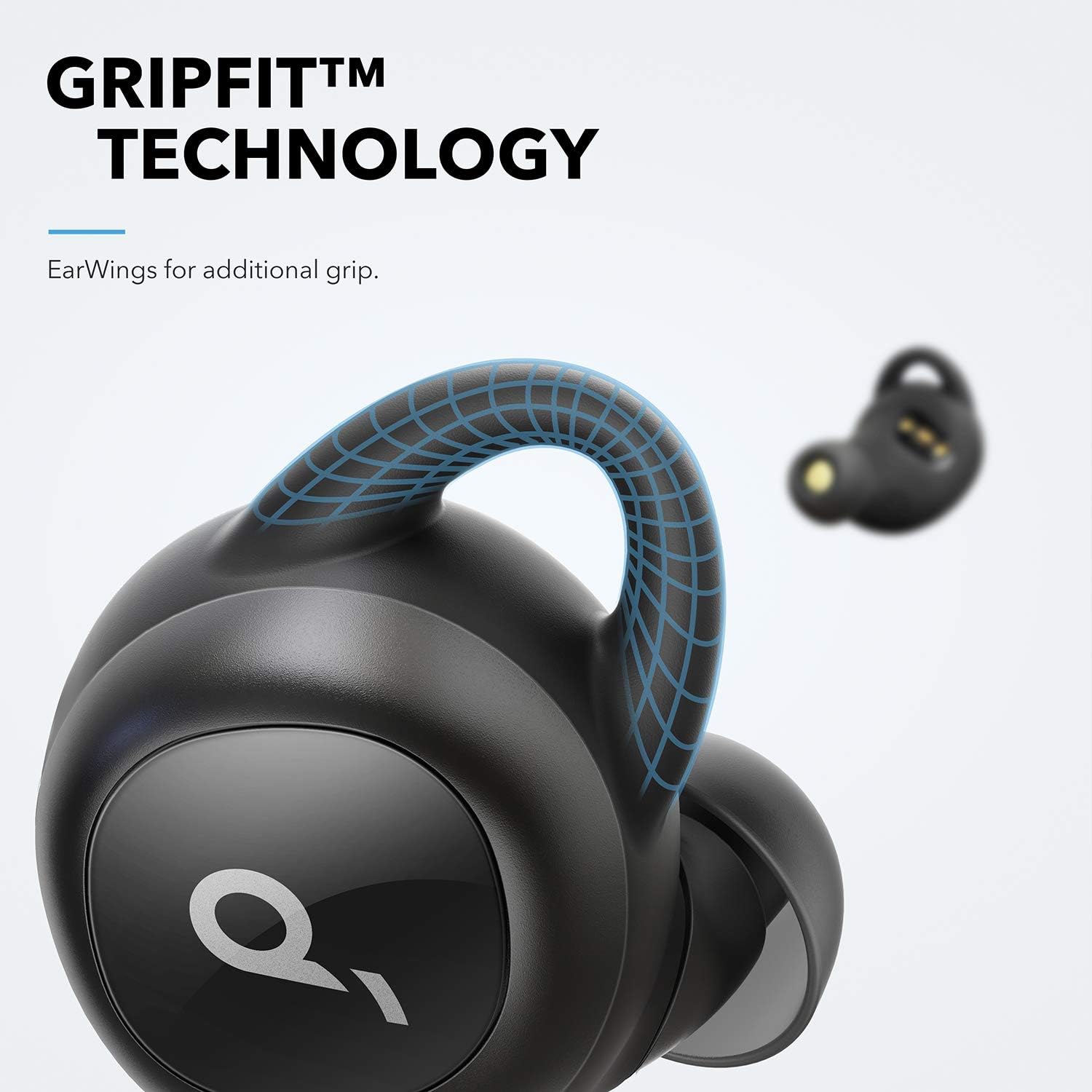
Image: Close-up of an earbud highlighting the GripFit technology for a secure fit.
3.3 Bluetooth Pairing (Push and Go)
The Soundcore Liberty earbuds feature 'Push and Go' technology for effortless pairing.
- Fjern begge ørepropper fra opladningsetuiet. De vil automatisk gå i parringstilstand.
- On your device (smartphone, tablet, etc.), open the Bluetooth settings.
- Select "Soundcore Liberty" from the list of available devices to connect.
- After the initial setup, the earbuds will automatically connect to your device when removed from the case and disconnect when returned.
4. Betjeningsvejledning
4.1 Tænd/sluk
- Tænd: Fjern ørepropper fra opladningsetuiet.
- Sluk: Sæt øretelefonerne tilbage i opladningsetuiet.
4.2 Lydafspilning og opkald
The earbuds provide high-quality audio and stereo calls. Use the touch controls for various functions.
- Afspil/pause: Et enkelt tryk på begge øretelefoner.
- Næste nummer: Tryk to gange på den højre øretelefon.
- Forrige nummer: Dobbelttryk på venstre øretelefon.
- Besvar/afslut opkald: Et enkelt tryk på begge øretelefoner.
- Afvis opkald: Tryk på en af øretelefonerne, og hold den nede i 2 sekunder.
- Aktiver stemmeassistent: Press and hold either earbud for 1 second.

Image: Soundcore Liberty Earbuds shown next to a smartphone with a call interface, indicating stereo call functionality.
4.3 Graphene Enhanced Sound
The earbuds utilize Graphene-coated drivers for precision oscillation, delivering superior sound across the entire frequency range with crystal clarity and a delicately tuned sound signature.

Image: A cutaway diagram illustrating the Graphene-enhanced sound driver technology.
5. Vedligeholdelse
5.1 Rengøring
Rengør dine ørepropper og opladningsetui regelmæssigt for at sikre optimal ydeevne og hygiejne.
- Brug en blød, tør og fnugfri klud til at tørre ørepropperne og opladningsetuiet af.
- Fjern ørepropperne, og rengør dem med mild sæbe og vand. Tør dem derefter grundigt, inden de sættes på igen.
- Sørg for, at opladningskontakterne på både ørepropper og etuiet er rene og tørre.
5.2 Sweat Resistance
The Soundcore Liberty earbuds are IPX5 rated, offering protection against sweat and light splashes, making them suitable for workouts and outdoor activities. However, they are not designed for submersion in water.
Image: A woman exercising outdoors in light rain, wearing the Soundcore Liberty Earbuds, emphasizing their sweat-resistant design (IPX5 rating).
6. Fejlfinding
6.1 Earbuds Not Pairing or Only One Earbud Working
If your earbuds are not pairing correctly or only one earbud is producing sound, a reset may resolve the issue. Follow these steps carefully:
- Place both earbuds into the charging case. Ensure the case has sufficient charge. Keep them in the case for at least 10 seconds.
- Remove both earbuds and hold one in each hand. Locate the button on each earbud.
- Press the button on each unit simultaneously for 5 seconds. The LEDs will briefly flash red once. Release the buttons immediately after the red flash.
- Press the button on each unit again simultaneously for 8 seconds. The LEDs will briefly flash pink once. Release the buttons immediately after the pink flash.
- Place the earbuds back into the case for at least 10 seconds.
- On your connected Bluetooth device (phone, etc.), delete or 'forget' the "Soundcore Liberty" device from your Bluetooth menu.
- Take both earbuds out of the case at the same time.
- Wait approximately 15 seconds, then open your device's Bluetooth settings and scan for new devices.
- Select "Soundcore Liberty" to re-pair. This process resets the earbuds, reconnects them to each other, and then pairs them to your Bluetooth device.
6.2 Other Connectivity Issues
- Sørg for, at din enheds Bluetooth er aktiveret.
- Sørg for, at øretelefonerne er opladet.
- Keep your device within the effective range of the earbuds (typically 10 meters or 33 feet).
- Undgå fysiske forhindringer mellem ørepropperne og din enhed.
7. Specifikationer
| Feature | Detalje |
|---|---|
| Modelnavn | Soundcore Liberty |
| Varemodelnummer | A3912 |
| Forbindelsesteknologi | Bluetooth 5.0 |
| Øreplacering | In Ear |
| Formfaktor | In Ear |
| Støjkontrol | Lydisolering |
| Kontrolmetode | Røre |
| Vandmodstandsniveau | Vandtæt (IPX5) |
| Varens vægt | 3.52 ounce |
| Produktdimensioner | 4.76 x 6.81 x 2.44 tommer |
| Batterier | 1 Lithium Polymer batterier påkrævet |
| Fabrikant | Anker |
8. Officiel produktvideo
Video: En officiel produktvideoasing the Soundcore Liberty True Wireless Earbuds, highlighting their features and design.
9. Garanti og support
For garantioplysninger, teknisk support eller yderligere assistance, besøg venligst den officielle Soundcore-side. webwebstedet eller kontakt deres kundeservice. Gem din købsbevis til garantikrav.
Producent: Anker


