Indledning
The SecuX V20 is a secure hardware wallet designed for managing your digital assets, including cryptocurrencies and NFTs. It features a military-grade secure element and a user-friendly interface to ensure the safety and accessibility of your funds.
Opsætning
To begin using your SecuX V20 wallet, follow these steps:
- Unboxing and Verification: Ensure the packaging is tamper-evident. Each SecuX V20 device is shipped with tamper-resistant packaging and a unique code for verification.
- Første gang tændt: Connect the device via USB-C to a power source to charge it. The device will power on automatically.
- Sprogvalg: On the 2.8-inch full-color touch screen, select your preferred language.
- Device Verification: Visit the official SecuX website and follow the instructions to verify the integrity of your device and its firmware. This typically involves scanning a QR code displayed on the wallet screen.
- Firmwareopdatering: If prompted, update the device firmware to the latest version. This can usually be done via a microSD card or USB connection.
- Wallet Creation or Import: Choose to create a new wallet or import an existing one using your seed phrase. Follow the on-screen prompts to set up your PIN code and record your recovery phrase securely.
Operating the SecuX V20 Wallet
The SecuX V20 is designed for convenient and secure management of your digital assets.
Intuitive Touch Screen Interface
The 2.8-inch full-color touch screen allows for easy navigation and interaction. An on-screen keyboard is provided for PIN entry and other inputs. On-screen verification of addresses protects against malware that might attempt to redirect your funds.

Figure 1: Interacting with the intuitive touchscreen of the SecuX V20 wallet.
Managing Assets
You can browse your portfolio and account balances directly on your hardware wallet. The device supports a wide range of cryptocurrencies and tokens.

Figure 2: The SecuX V20 wallet displaying a diverse range of supported coins and tokens.
Sending and Receiving Transactions
To send or receive coins and tokens, connect your wallet to the dedicated SecuX mobile app via Bluetooth or to your computer via USB. All transactions require hands-on device authorization and on-screen verification of details to prevent errors and protect against malicious attacks.
DApps and NFT Support
The SecuX V20 supports MetaMask and WalletConnect, providing easy access to decentralized applications (DApps). It also offers NFT support for managing your digital collectibles.
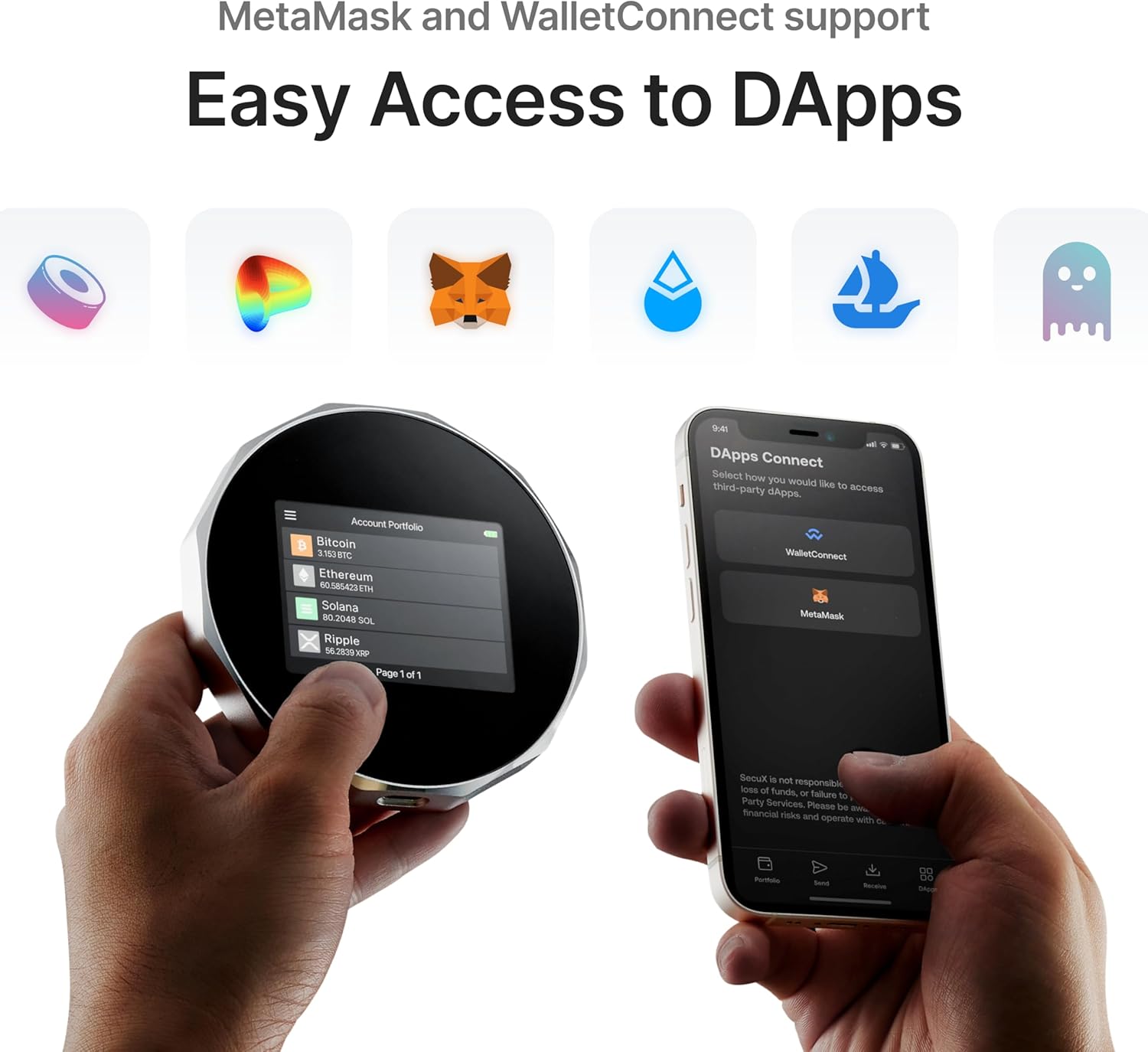
Figure 3: Easy access to DApps via the SecuX V20 wallet and mobile app.
Sikkerhedsfunktioner
The SecuX V20 incorporates multiple layers of security to protect your digital assets.
- Military-Grade Secure Element: The wallet utilizes a CC EAL 5+ certified secure element chip to store your private keys, making them safe and unassailable.
- Tamper-Resistant Packaging: The device comes in packaging designed to show any signs of tampering, ensuring the product's integrity upon arrival.
- Dynamic Keypad PIN Protection: For PIN entry, a dynamic keypad is implemented to prevent breaking into the device through fingerprint tracing. The wallet automatically resets if there are more than 5 unsuccessful PIN entry attempts.
- Hands-on Clear-Sign: All transactions require physical authorization on the device, with clear display of transaction details on the large touchscreen. This prevents malware from altering transaction information.
- Hardware-Based Encryption: Your private keys are stored offline within the device, making them immune to hacking threats and phishing attacks.

Figure 4: The Infineon EAL5+ SE secure element chip provides military-grade security.
Forbindelse
The SecuX V20 offers flexible connectivity options:
- USB-C: Connects to your Windows, Mac, or Linux computer (via Chrome browser) for charging and transactions.
- Bluetooth: Connects to iOS devices (iPhone, iPad) and Android devices (Android 8.1 or later) using the dedicated SecuX mobile app. Bluetooth is used only for sending signed transactions to the blockchain; your private keys never leave the device.
Supported Assets
The SecuX V20 supports a wide array of digital assets:
- Cryptocurrencies: Bitcoin (BTC), Ethereum (ETH), XRP, Ripple, Litecoin (LTC), Bitcoin Cash, Digibyte, Dash, Binance (BNB), Dogecoin, GRS, Stellar Lumens (XLM).
- Tokens: Over 1,000 ERC-20 tokens and BSC tokens.
- NFTs: Supports various NFT standards.
Opretholdelse
- Opladning: The device is equipped with a USB-C port for easy charging. It includes a Lithium Polymer battery.
- Firmwareopdateringer: Regularly check for and install firmware updates to ensure optimal security and access to the latest features. Updates are designed to be streamlined for user convenience.
Fejlfinding
For any challenges or questions regarding your SecuX V20, a dedicated support team is available to provide guidance.
- Transaction/Network Fees: SecuX does not profit from transaction or network fees. These fees are determined by the blockchain networks and vary based on traffic volume.
- Private Key Storage: Your private key is securely stored within the device itself and is never uploaded to SecuX servers. Only you have access to your digital assets.
Specifikationer
| Feature | Detalje |
|---|---|
| Modelnavn | V20 |
| Farve | grå |
| Produktdimensioner | 3.86" D x 3.86" B x 0.59" H |
| Stående skærm displaystørrelse | 2.8 tommer |
| Varens vægt | 4.2 ounce |
| Batterier | 1 Lithium Polymer batterier (medfølger) |
| Hardware platform | Mac, PC |
| Forbindelsesteknologi | Bluetooth |
| Speciel funktion | Krypteret |
| Hardware-interface | USB 3.2 Gen 1 |
Officielle produktvideoer
SecuX Brand Video
Denne video giver en overview of the SecuX brand and its commitment to secure digital asset management.
SecuX V20 Video for CES
A promotional video showcasing the SecuX V20's features and design, originally presented at CES.
Garanti og support
SecuX offers dedicated support for its products. Should you encounter any challenges or have questions, please refer to the official SecuX webwebsted for kontaktoplysninger eller supportressourcer.


