1. Introduktion
This manual provides detailed instructions for the installation, operation, and maintenance of your Anlapus FULL HD 1080P H.265+ Surveillance Kit. This system includes an 8-channel DVR with a pre-installed 1TB hard drive, 4 bullet cameras, and 4 dome cameras, designed to provide comprehensive security monitoring for your property.

Figure 1.1: Anlapus 8-channel DVR surveillance system components.
2. Pakkens indhold
Bekræft, at alle nedenstående varer er inkluderet i din pakke. Hvis der mangler eller er beskadigede varer, bedes du kontakte kundesupport.
- 1x 8-Channel DVR (with 1TB HDD pre-installed)
- 4x 1080P Bullet Surveillance Cameras
- 4x 1080P Dome Surveillance Cameras
- 8x 60ft BNC Video Cables
- 3x Power Adapters (12V 2A)
- 2x 1-til-4 strømfordelere
- 1 x USB mus
- 1x Brugsanvisning (dette dokument)
- 8x Mounting Screw Bags
- 8x Warning Stickers

Figure 2.1: Contents of the Anlapus surveillance kit package.
3. Produktfunktioner
- Full HD 1080P opløsning: Captures clear and detailed images with 2.0-megapixel quality.
- Avanceret H.265+ videokomprimering: Reducerer file sizes by up to 50% compared to H.264, allowing for longer recording times and more efficient storage.
- Forbedret nattesyn: Equipped with 24 IR LEDs and an IR-CUT filter, providing clear black and white night vision up to 24 meters (80 feet).
- IP66 Vejrbestandighedsklassificering: Cameras are designed for both indoor and outdoor use, capable of withstanding various extreme weather conditions.
- Bevægelsesdetektering og advarsler: Configurable motion detection zones with instant email alerts and push notifications to your smartphone.
- Flere optagetilstande: Supports 24/7 continuous recording, motion-activated recording, scheduled recording, and manual recording.
- Fjernadgang: View live feeds og optagede fodsportage from anywhere using the free mobile application on your smartphone or tablet.
- Pre-installed 1TB Hard Drive: Ready for immediate use, eliminating the need to purchase and install a separate hard drive.

Figure 3.1: Day and Night Vision.
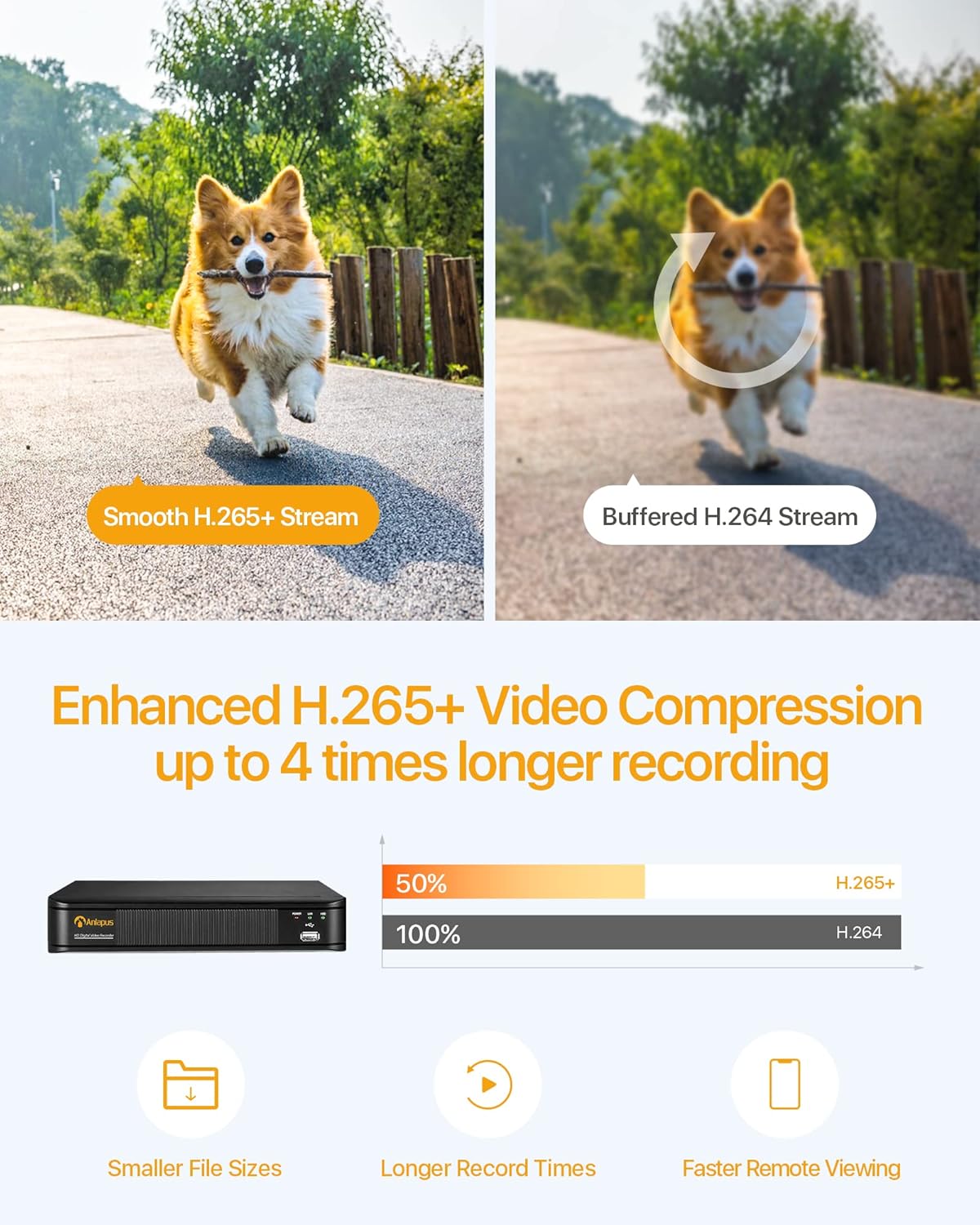
Figure 3.2: H.265+ Video Compression Benefits.

Figure 3.3: Day and Night Surveillance Example.

Figure 3.4: All-Weather Protection and Applications.
4. Systemkomponenter overview
4.1 DVR (Digital Video Recorder)
The DVR is the central unit for recording, storing, and managing video footage from all connected cameras. It features multiple video input ports, audio input/output, VGA and HDMI outputs for display, and USB ports for mouse control and data backup.
4.2 Surveillance Cameras
The kit includes both bullet and dome cameras. Both types offer 1080P resolution, night vision capabilities, and IP66 weatherproof housing. Bullet cameras are typically used for directional surveillance, while dome cameras offer a more discreet appearance and are often vandal-resistant.

Figure 4.1: Camera and DVR Connection Diagram.
5. Opsætningsvejledning
5.1 Første tilslutning
- Tilslut kameraer: Use the provided BNC video cables to connect each camera to the 'VIDEO IN' ports on the back of the DVR.
- Strømkameraer: Use the power adapters and 1-to-4 power splitters to provide power to all cameras.
- Connect DVR to Display: Connect the DVR to a monitor or TV using either an HDMI or VGA cable.
- Connect DVR to Network: Connect the DVR's 'NETWORK' port to your router using an Ethernet cable for remote access.
- Tilslut USB-mus: Sæt USB-musen i en af DVR'ens USB-porte for at navigere.
- Power On DVR: Connect the DVR to its power adapter and plug it into an electrical outlet. The system will boot up.

Figure 5.1: Simple Connection for Mobile Access.
5.2 Opsætning af mobilapp
- Download app: Søg efter the official Anlapus security app on Google Play Store or Apple App Store and install it on your smartphone.
- Registrer konto: Åbn appen, og følg instruktionerne på skærmen for at registrere en ny brugerkonto.
- Tilføj enhed: Scan the QR code displayed on your DVR's monitor or manually enter the device ID to add your DVR to the app.
- View Kameraer: Når du har tilføjet det, kan du view live feeds from your cameras and access recorded footage på afstand.
6. Betjeningsvejledning
6.1 Optagelsestilstande
Your DVR supports several recording modes:
- Continuous Recording (24/7): Records continuously, overwriting the oldest footage når harddisken er fuld.
- Optagelse af bevægelsesdetektering: Optager kun, når der registreres bevægelse, hvilket sparer lagerplads.
- Planlagt optagelse: Indstil specifikke tidspunkter for optagelse.
- Manuel optagelse: Start og stop optagelse manuelt.
Configure these settings via the DVR's main menu using the USB mouse.

Figure 6.1: 24/7 Recording View.
6.2 Bevægelsesdetektion og advarsler
The system can be configured to detect motion and send alerts:
- Konfigurer detektionszoner: In the DVR settings, define specific areas within the camera's view til bevægelsesdetektering.
- Indstil følsomhed: Juster bevægelsesdetektionens følsomhed for at minimere falske alarmer.
- Aktiver advarsler: Activate email alerts and push notifications through the DVR settings and mobile app. When motion is detected, you will receive an alert on your smartphone.

Figure 6.2: Motion Detection and Smartphone Alert.

Figure 6.3: Smart Motion Detection Features.
6.3 Remote Access & Playback
Access your surveillance system from anywhere:
- Levende View: Open the mobile app to view live videostreams fra alle tilsluttede kameraer.
- Afspilning: Use the app's playback function to review optaget footage stored on the DVR's hard drive. You can select specific dates and times.
- Multi-enhed Viewing: The system supports simultaneous viewing on multiple devices, including smartphones, tablets, and desktop computers.

Figure 6.4: Mobile App Playback Interface.

Figure 6.5: Multi-Device Remote Viewing.
7. Vedligeholdelse
- Rene kameraer: Rengør kameralinserne regelmæssigt med en blød kludamp klud for at sikre en klar billedkvalitet. Undgå slibende rengøringsmidler.
- Tjek kabler: Ensure all cables are securely connected and free from damage. Replace any damaged cables immediately.
- DVR-ventilation: Sørg for, at DVR'en er placeret et godt ventileret område for at forhindre overophedning. Hold ventilationsåbningerne fri for blokeringer.
- Firmwareopdateringer: Tjek producentens webwebstedet regelmæssigt for firmwareopdateringer for at sikre optimal ydeevne og sikkerhed.
- Data backup: Sikkerhedskopier regelmæssigt vigtige fødevarertage from the DVR's hard drive to an external USB device.

Figure 7.1: USB Data Backup.
8. Fejlfinding
- Intet videosignal: Check all cable connections between cameras and DVR, and between DVR and display. Ensure cameras and DVR are powered on.
- Dårlig billedkvalitet: Clean camera lenses. Ensure cameras are properly focused (if adjustable). Check cable integrity.
- Ingen fjernadgang: Verify the DVR is connected to the internet. Check network settings on the DVR and ensure your router is functioning correctly. Confirm the mobile app is properly configured and the device is added.
- Bevægelsesdetektion virker ikke: Review motion detection settings in the DVR menu. Adjust sensitivity and detection zones. Ensure alerts are enabled in both DVR and mobile app settings.
- DVR optager ikke: Check hard drive status in DVR settings. Ensure recording schedules or motion detection settings are correctly configured.
For yderligere assistance, se venligst supportsektionen eller kontakt kundeservice.
9. Specifikationer
| Mærke | Anlapus |
| Modelnummer | AJ-AM8A4B-4W441E-106202S |
| Video opløsning | 1080p fuld HD |
| Videokomprimering | H.265 + |
| DVR-kanaler | 8 kanaler |
| Lagerkapacitet | 1 TB harddisk (forudinstalleret) |
| Kamera type | Bullet and Dome Cameras |
| Night Vision Range | Op til 24 meter (80 fod) |
| Vejrbestandig vurdering | IP66 |
| Forbindelsesteknologi | Kablet |
| Strømkilde | Cable Electric (12 Volts DC) |
| Produktmål (L x B x H) | 19.99 x 19.99 x 19.99 cm (DVR) |
| Varens vægt | 7.36 kilograms (total package) |
| Fabrikant | Anlapus |
10. Garanti og support
The manufacturer, ZOSI (parent company of Anlapus), provides the following support and warranty:
- 30-dages tilfredshedsgaranti: If you are not satisfied, you may be eligible for a refund or exchange within 30 days.
- Livstids teknisk assistance: Comprehensive technical support is available for the lifetime of the product.
- 2-års garanti: Produktet er dækket af 2 års garanti mod fabrikationsfejl.
For technical support or warranty claims, please refer to the contact information provided with your product packaging or visit the official Anlapus/ZOSI webwebsted.


