Indledning
This manual provides detailed instructions for the operation and maintenance of your Sharp Atomic Desktop Clock, model 8541847930. Please read this manual thoroughly before use to ensure proper functionality and longevity of your device.
Produktegenskaber
- Atomisk tidssynkronisering: Automatically synchronizes with the WWVB radio broadcast for precise timekeeping.
- Indendørs temperaturdisplay: Shows the current indoor temperature.
- Kalender og ugedagsvisning: Always know the current date and day.
- On-Demand Blue Backlight: Illuminates the display for 5 seconds with a press of a button.
- Alsidig placering: Designed for both wall mounting and tabletop use.
- Batteridrevet: Requires 3 x AAA batteries (not included) for operation.
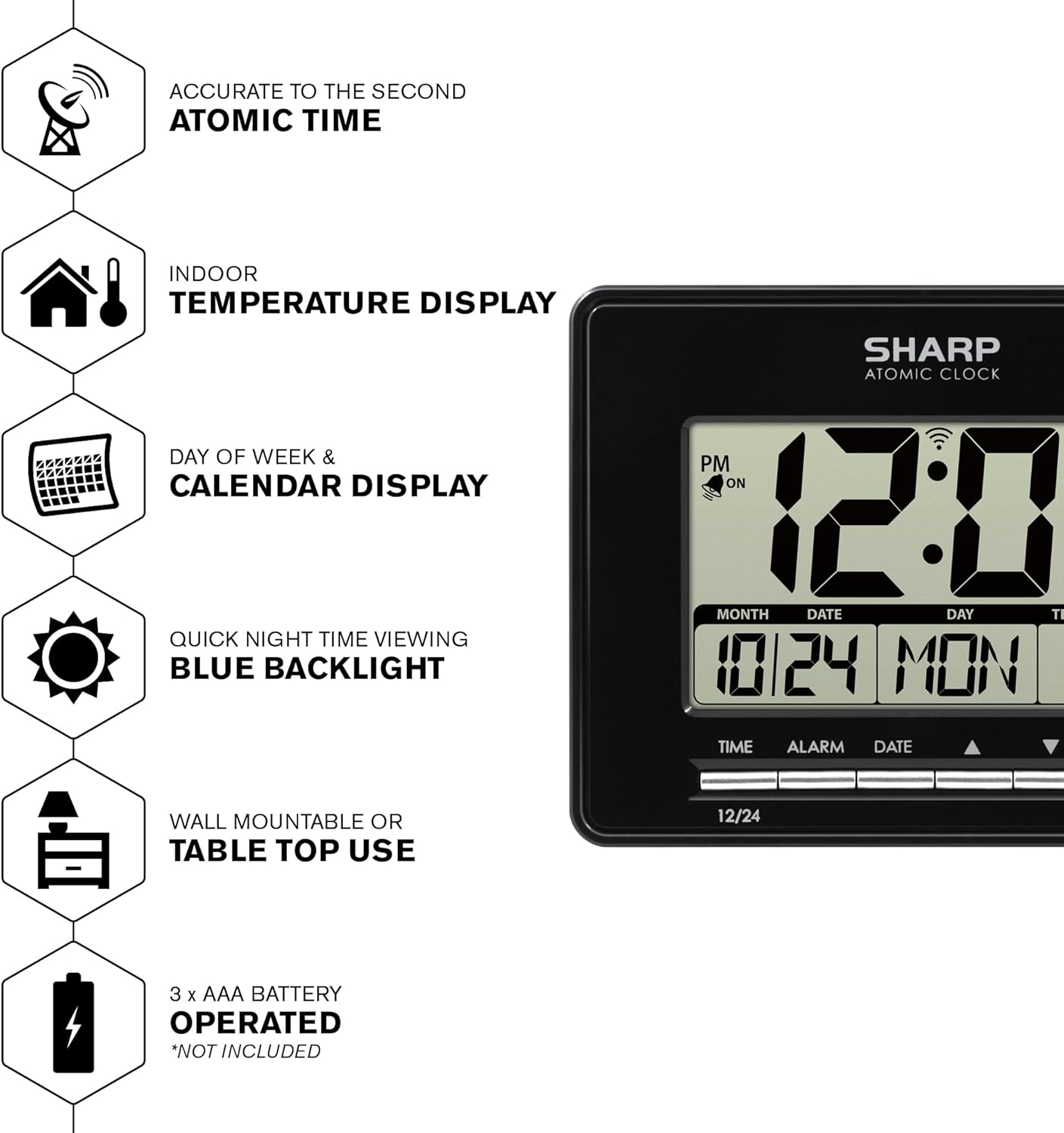
Key features of the Sharp Atomic Desktop Clock.
Opsætning
Installation af batteri
Locate the battery compartment on the back of the clock. Insert 3 AAA batteries, ensuring correct polarity (+/-) as indicated inside the compartment. Batteries are not included and must be purchased separately.
Initial Power-On and Atomic Time Setting
Upon battery installation, the clock will automatically begin searching for the WWVB radio (atomic) signal. The atomic signal indicator (a flashing antenna icon) will appear on the screen during this 7-minute search. If a signal is successfully received, the indicator will stop flashing and the time will set automatically. If the initial attempt fails, the clock typically receives the signal overnight. Allow up to 48 hours for full synchronization. For optimal reception, place the clock near a window and away from large metal objects or other electronic devices that may cause interference.

The Sharp Atomic Desktop Clock ready for setup.
Betjeningsvejledning
Display overview
The large LCD display provides clear visibility of the current time, date, day of the week, and indoor temperature. The atomic indicator confirms successful signal reception, and an alarm indicator shows when the alarm is active.

Detaljeret view of the clock's display and indicators.
Baggrundsbelysningsfunktion
To activate the blue backlight for easy viewing in low light conditions, press the SNOOZE button located on the top of the clock. The backlight will illuminate the entire display for 5 seconds. The backlight will also automatically activate when the alarm sounds.

Pressing the snooze button activates the backlight for night time viewing.
Setting Time Manually (if atomic signal is unavailable)
While the clock is designed for atomic synchronization, manual time setting is possible if needed or if the atomic signal is consistently unavailable in your location. Refer to the full instruction manual included in the product packaging for detailed steps on manual time, alarm, and date adjustments.
Alarm indstilling
The clock features an alarm function. Consult the comprehensive manual for instructions on how to set, activate, and deactivate the alarm, as well as snooze functionality.
Opretholdelse
Rensning
To clean the clock, gently wipe the surface with a soft, dry cloth. Do not use abrasive cleaners, chemical solvents, or spray directly onto the clock, as these may damage the display or casing.
Udskiftning af batteri
Replace batteries when the display dims, becomes erratic, or the clock ceases to function. Always replace all three AAA batteries simultaneously with new, high-quality alkaline batteries to ensure optimal performance.
Fejlfinding
Clock Not Setting Automatically / Poor Atomic Signal Reception
Ensure the clock is placed in an area with good reception, away from large metal objects, electronic devices (like TVs, computers, microwaves), or concrete walls that may cause interference. Atomic signals are often stronger at night. Allow up to 48 hours for the clock to receive the signal. If issues persist, try relocating the clock to a different part of the room or near a window.

Understanding atomic clock signal reception.
Skærmen er svag eller tom
Check battery installation and ensure batteries are inserted with correct polarity. Replace with fresh AAA batteries if necessary, as low battery power can cause a dim or blank display.
Forkert temperaturaflæsning
Ensure the clock is not exposed to direct sunlight, placed near heat sources (e.g., radiators, lamps), or air conditioning vents, as these can affect the internal temperature sensor and provide inaccurate readings. The clock measures indoor temperature only.
Specifikationer
- Mærke: Skarp
- Model: 8541847930
- Skærmtype: Digital LCD
- Strømkilde: 3 x AAA batterier (medfølger ikke)
- Dimensioner: Cirka 6.45 cm (B) x 5 cm (H)
- Monteringstype: Vægmontering, bordplade
- Vægt: Cirka 1.01 pund
- Særlige funktioner: Atomic Time Synchronization, Indoor Temperature Display, Alarm Function, On-Demand Backlight

Product dimensions for the Sharp Atomic Desktop Clock.
Garanti og support
For detailed warranty information, product registration, and technical support, please refer to the documentation included with your product packaging. You may also visit the official Sharp website for further assistance. Please retain your purchase receipt as proof of purchase for any warranty claims.


