Indledning
This manual provides detailed instructions for the installation, operation, and maintenance of your Topvision Top808 8-Camera 1080P Lite DVR Security System. Please read this manual thoroughly before using the product to ensure proper setup and functionality. Keep this manual for future reference.
The Topvision Top808 system includes an 8-channel 1080P Lite DVR and eight 2MP 1080P bullet cameras, designed for both indoor and outdoor surveillance with night vision capabilities.
Pakkens indhold
Bekræft at alle varer er til stede i din pakke:
- 1x Topvision XDVR-1008 8-Channel 1080P Lite DVR
- 8x Topvision TCB200 2MP 1080P Bullet Cameras (Indoor/Outdoor)
- 8x 18-meter BNC Video/Power Cables
- 1x Power Adapter for DVR
- 1x Power Adapter for Cameras
- 1x 8-way Power Splitter for Cameras
- 1 x USB mus
- Brugervejledning (dette dokument)
- Mounting Screws and Plugs for Cameras

Billede: Overview of the Topvision Top808 security system kit, showing the DVR, eight cameras, cables, power adapters, and a mouse. Icons indicate 2MP resolution, indoor/outdoor use, mobile app compatibility, and night vision.
Opsætning og installation
1. Hard Drive Installation (Optional, Not Included)
The DVR requires a 3.5-inch SATA hard drive (up to 8TB, WD Purple recommended) for recording. If you plan to record video, install a hard drive before powering on the DVR.
- Skru DVR'ens topdæksel af og fjern det.
- Tilslut SATA-datakablet og strømkablet fra DVR'en til harddisken.
- Fastgør harddisken til DVR-kabinettet med de medfølgende skruer.
- Sæt topdækslet på igen, og fastgør det med skruer.
2. Tilslutning af DVR'en

Billede: Foran og bagpå views of the Topvision DVR, highlighting BNC video inputs, audio inputs/outputs, HDMI, VGA, LAN, and USB ports.
- Tilslut kameraer: Attach one end of each 18-meter BNC cable to a camera and the other end to a BNC video input port on the back of the DVR.
- Connect Power to Cameras: Connect the camera power cables to the 8-way power splitter, then connect the power splitter to the camera power adapter. Plug the adapter into a power outlet.
- Tilslut skærm: Connect a monitor to the DVR using either an HDMI or VGA cable (cables not included).
- Tilslut mus: Sæt USB-musen i en af USB-portene på DVR'en.
- Tilslut netværk (valgfrit): Til fjernbetjening viewTilslut et Ethernet-kabel fra DVR'ens LAN-port til din router.
- Power On DVR: Connect the DVR power adapter to the DVR and then to a power outlet. The system will boot up.
3. Kameraplacering

Billede: Nærbillede view of multiple Topvision 1080P bullet cameras, emphasizing their 2MP resolution and night vision capabilities for indoor/outdoor use.
- Monter kameraer på de ønskede steder, og sørg for et klart synsfelt view.
- The cameras are designed for both indoor and outdoor use.
- Adjust the camera angle and focus as needed after installation.
Betjeningsvejledning
1. Initial Setup Wizard
Ved første opstart vil DVR'en guide dig gennem en indledende opsætningsguide. Følg instruktionerne på skærmen for at:
- Set language, date, and time.
- Opret en administratoradgangskode.
- Configure network settings (DHCP recommended for ease of use).
- Format the hard drive (if installed).
2. Lev View
Efter opsætningen vil DVR'en vise live-indholdet view fra alle tilsluttede kameraer på skærmen. Du kan skifte mellem enkeltkamera-visning view, multi-camera view, and sequence display using the on-screen menu or mouse controls.
3. Optagelse
The DVR supports continuous recording, scheduled recording, and motion-detection recording. Configure recording settings via the DVR's main menu:
- Gå til Main Menu > Record > Record Schedule to set up recording times.
- Gå til Hovedmenu > Alarm > Bevægelsesdetektering to enable and configure motion detection for specific cameras.
4. Afspilning
Til review optaget footage:
- Gå til Hovedmenu > Afspilning.
- Select the date and time range, and the cameras you wish to view.
- Brug afspilningsknapperne (afspil, pause, spol frem, spol tilbage) til at navigere gennem fodsporenetage.
5. Fjernbetjening Viewing (Mobile App)
To access your security system remotely via a smartphone or tablet:
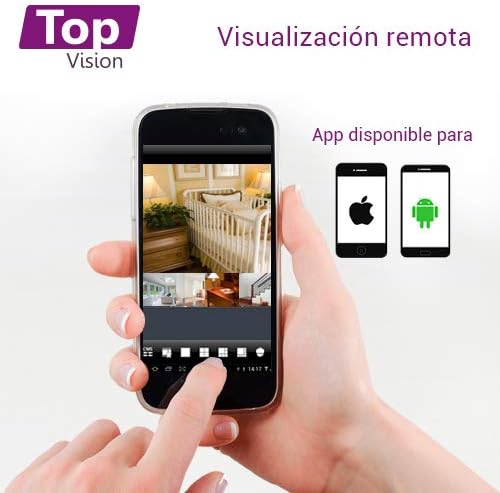
Image: A smartphone screen displaying live camera feeds, illustrating the remote viewing capability of the Topvision security system via a mobile application available for both Android and iOS.
- Ensure the DVR is connected to your network via an Ethernet cable.
- Download a compatible third-party surveillance app (e.g., XMEye, Danale, or similar apps recommended by Topvision support) from your device's app store (Android or iOS).
- Registrer en konto i appen.
- Add your DVR device to the app using its serial number or QR code (found in the DVR's network settings).
- Når du har tilføjet det, kan du view live feeds, playback recordings, and receive alerts remotely.
Opretholdelse
- Rensning: Gently wipe cameras and DVR with a soft, dry cloth. Avoid harsh chemicals.
- Firmwareopdateringer: Periodically check the Topvision webwebstedet eller kontakt support for tilgængelige firmwareopdateringer for at sikre optimal ydeevne og sikkerhed.
- Harddiskens tilstand: Monitor the hard drive status through the DVR's menu. Replace if errors are detected.
- Kabelforbindelser: Periodically inspect all cable connections for secure fit and signs of wear or damage.
Fejlfinding
- Intet videosignal:
- Kontroller alle BNC-kabelforbindelser mellem kameraer og DVR.
- Ensure cameras are receiving power from the power adapter and splitter.
- Verify the monitor is correctly connected to the DVR via HDMI/VGA and is set to the correct input.
- DVR optager ikke:
- Bekræft, at en harddisk er installeret og korrekt tilsluttet.
- Check if the hard drive has been formatted (Main Menu > HDD > HDD Manage).
- Verify recording schedules are configured correctly (Main Menu > Record > Record Schedule).
- Check hard drive status for errors or full capacity.
- Fjern ViewVirker ikke:
- Sørg for, at DVR'en er forbundet til internettet via et Ethernet-kabel.
- Check network settings on the DVR (Hovedmenu > Netværk) to ensure it has an IP address.
- Verify the mobile app is correctly configured with the DVR's device ID.
- Check your router's firewall settings if connection issues persist.
- Dårlig billedkvalitet:
- Clean camera lenses if dirty.
- Ensure sufficient lighting for optimal day vision.
- For night vision, ensure no obstructions are blocking the infrared LEDs.
Specifikationer
| Komponent | Specifikation |
|---|---|
| DVR Model | XDVR-1008 |
| Video input | 8 Channels (BNC) + 1 IP Channel |
| Video opløsning | 1080P Lite |
| Kamera model | TCB200 |
| Kameraopløsning | 2 MP (1080P) |
| Linse | 2.8 mm |
| Nattesyn | Infrarøde lysdioder |
| Opbevaring | Supports 1x SATA HDD up to 8TB (not included) |
| Video output | HDMI, VGA (simultaneous) |
| Forbindelse | Kabelbaseret (Ethernet til netværk) |
| Dimensions (DVR) | 30 x 25 x 7 cm |
| Weight (System) | 5.85 kg |
Garantioplysninger
Topvision products are covered by a limited warranty. Please refer to the warranty card included with your product or visit the official Topvision webwebstedet for detaljerede vilkår og betingelser. Gem din købsbevis til garantikrav.
Kundesupport
For technical assistance, troubleshooting, or product inquiries, please contact Topvision customer support. Refer to the contact information provided in your product packaging or on the official Topvision webwebsted.
Online resources such as FAQs and video tutorials may also be available on the Topvision support page.


