1. Introduktion
Tak for købetasing the astrum ST370 Wireless Barrel Speaker. This manual provides essential information for the safe and efficient operation of your device. Please read it thoroughly before use and retain it for future reference.
The astrum ST370 is a portable wireless speaker designed for outdoor use, offering robust sound with deep bass. It features multiple connectivity options including Bluetooth, FM radio, USB, Micro SD card, and AUX input, powered by a rechargeable battery.
2. Sikkerhedsoplysninger
- Udsæt ikke højttaleren for vand, fugt eller ekstreme temperaturer.
- Undgå at tabe eller udsætte højttaleren for kraftige stød.
- Do not attempt to disassemble, repair, or modify the device. This will void the warranty.
- Hold højttaleren væk fra varmekilder, direkte sollys og brandfarlige materialer.
- Brug kun det medfølgende opladningskabel eller et tilsvarende certificeret kabel.
- Brug ikke højttaleren ved for høj lydstyrke i længere tid ad gangen for at undgå høreskader.
- Bortskaf produktet og dets batteri på en ansvarlig måde i henhold til lokale regler.
3. Pakkens indhold
Markér venligst feltet for følgende elementer:
- 1 x astrum ST370 Wireless Speaker
- 1 x ladekabel
- 1 x AUX-kabel
- 1 x brugermanual
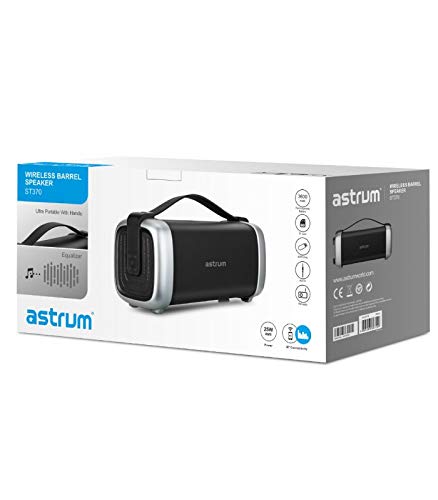
Image: The retail packaging for the astrum ST370 Wireless Barrel Speaker, showing the speaker and its key features.
4. Produktet er slutview
Familiarize yourself with the components and controls of your astrum ST370 speaker.
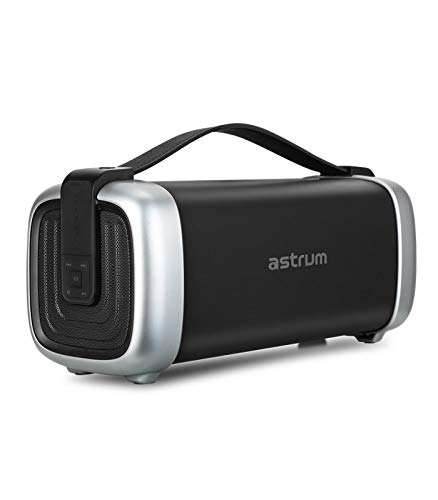
Billede: Forside view of the astrum ST370 Wireless Barrel Speaker, showcasing its black body, silver end caps, and integrated carrying handle.
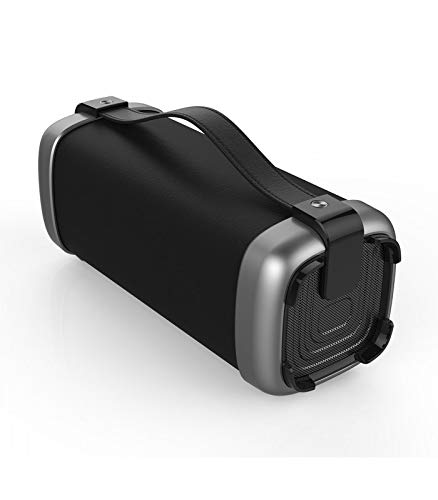
Billede: Vinklet view of the astrum ST370 speaker, highlighting the textured side panel and the robust carrying handle.
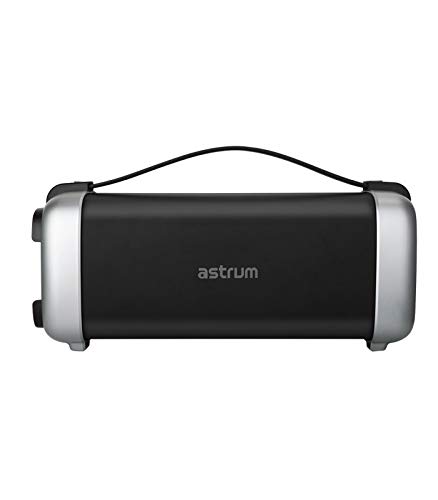
Billede: Forside view of the astrum ST370 speaker, displaying the control panel on the side with various buttons.
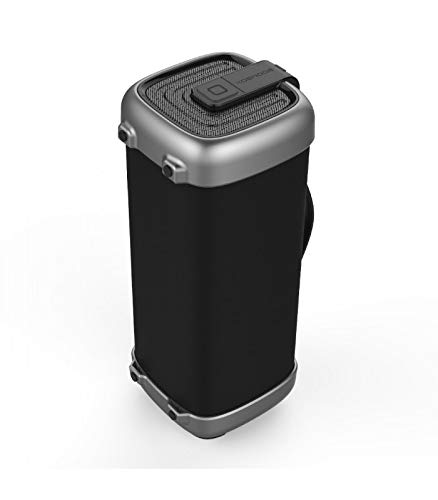
Billede: Side profile of the astrum ST370 speaker, illustrating its compact barrel design and stable base.
Controls and Ports (Refer to images for location)
- Power knap: Tænder eller slukker for højttaleren.
- Mode knap: Switches between Bluetooth, FM, USB, Micro SD, and AUX modes.
- Afspil/pause knap: Afspiller eller sætter lyd på pause.
- Knap til lydstyrke op / Næste nummer: Øger lydstyrken eller springer til næste spor.
- Knap til lydstyrke ned / forrige nummer: Sænker lydstyrken eller går til det forrige spor.
- USB-port: Til afspilning fra USB-drev.
- Micro SD -kortplads: Til afspilning af Micro SD-kort.
- AUX-indgang: Til tilslutning af eksterne lydenheder via 3.5 mm kabel.
- Opladningsport: Til tilslutning af ladekablet.
5. Opsætning
5.1 Opladning af højttaleren
- Tilslut det medfølgende opladningskabel til højttalerens opladningsport.
- Tilslut den anden ende af opladningskablet til en USB-strømadapter (medfølger ikke) eller en computers USB-port.
- Opladningsindikatorlampen lyser typisk rødt under opladning.
- Once fully charged, the indicator light may change color or turn off. Disconnect the speaker from the power source.
Note: For optimal batterilevetid skal højttaleren oplades helt inden første brug.
5.2 Tænd/sluk
- For at tænde: Press and hold the Power Button for a few seconds until you hear an audible prompt or see an indicator light.
- For at slukke: Press and hold the Power Button again for a few seconds until the speaker powers down.
6. Betjeningsvejledning
6.1 Bluetooth-tilstand
- Power on the speaker. It will automatically enter Bluetooth pairing mode, indicated by a flashing LED light and an audible prompt.
- Aktiver Bluetooth på din smartphone, tablet eller anden Bluetooth-aktiveret enhed.
- Søg efter available devices and select "ST370" from the list.
- Once paired, the speaker will provide an audible confirmation, and the LED light will stop flashing.
- Du kan nu afspille lyd fra din enhed via højttaleren.
6.2 FM-radiotilstand
- Press the Mode Button repeatedly until you enter FM Radio mode.
- To auto-scan for stations, press and hold the Play/Pause Button. The speaker will scan and save available FM stations.
- Use the Volume Up/Next Track and Volume Down/Previous Track buttons to navigate between saved stations.
6.3 USB / Micro SD Card Playback
- Insert a USB drive or a Micro SD card (with pre-loaded audio files) i den respektive port/slot.
- The speaker will automatically detect the storage device and switch to USB or Micro SD mode, beginning playback. If not, press the Mode Button to select the correct mode.
- Use the Play/Pause, Next Track, and Previous Track buttons to control playback.
6.4 AUX-indgangstilstand
- Connect one end of the provided 3.5mm AUX cable to the speaker's AUX input port.
- Connect the other end of the AUX cable to the audio output jack of your external device (e.g., MP3 player, laptop).
- Press the Mode Button until you enter AUX mode.
- Styr afspilning og lydstyrke direkte fra din tilsluttede eksterne enhed.
6.5 Volume and Playback Control
- Lydstyrkejustering: Tryk kort på knapperne Lydstyrke op (+) eller Lydstyrke ned (-).
- Spornavigation: Long press the Volume Up (+) button for the next track, and long press the Volume Down (-) button for the previous track (in Bluetooth, USB, or Micro SD modes).
- Afspil/pause: Tryk kort på Play/Pause-knappen.
7. Vedligeholdelse
7.1 Rengøring
- Wipe the speaker's exterior with a soft, dry, lint-free cloth.
- Brug ikke slibende rengøringsmidler, opløsningsmidler eller kemiske spraymidler.
- Undgå at fugt kommer ind i åbninger.
7.2 Opbevaring
- Opbevar højttaleren et køligt, tørt sted væk fra direkte sollys og ekstreme temperaturer.
- Hvis batteriet opbevares i en længere periode, skal det oplades til cirka 50% hver par måneder for at opretholde batteriets tilstand.
8. Fejlfinding
| Problem | Mulig årsag | Løsning |
|---|---|---|
| Højttaleren tænder ikke. | Lavt batteri. | Oplad højttaleren helt. |
| Kan ikke parres via Bluetooth. | Speaker not in pairing mode; Bluetooth disabled on device; too far from speaker. | Ensure speaker is in Bluetooth mode; enable Bluetooth on your device; move device closer to speaker (within 10 meters). |
| Ingen lyd. | Volume too low; incorrect mode selected; cable not connected properly (AUX). | Increase volume; press Mode button to select correct input; check AUX cable connection. |
| FM-radiomodtagelsen er dårlig. | Svagt signal. | Flyt højttaleren til et sted med bedre modtagelse. |
9. Specifikationer
| Modelnavn | ST370 |
| Udgangseffekt | 25 watt |
| Forbindelsesteknologi | Bluetooth, Auxiliary, USB, Wireless |
| Særlige funktioner | Portable, Wireless, FM Radio, Micro SD Card Support |
| Strømkilde | Batteridrevet |
| Batteriets gennemsnitlige levetid | 8 timer |
| Kontrolmetode | Røre |
| Subwoofer diameter | 4 tommer |
| Diskant-diameter | 1 tommer |
| Produktmål (LxBxH) | 32.7 x 13 x 14.2 cm |
| Varens vægt | 1.45 kg |
| Farve | Sort |
| Anbefalede anvendelser | Udendørs |
10. Garanti og support
The astrum ST370 Wireless Barrel Speaker comes with a 1 års garanti fra købsdatoen. Gem venligst din købsbevis i tilfælde af garantikrav.
For technical support, troubleshooting assistance beyond this manual, or warranty inquiries, please visit the official astrum website or contact their customer service department. Contact details can typically be found on the brand's official webwebstedet eller på din produktemballage.
Fabrikant: Astrum Holdings Ltd, Unit-1618, Asia Trade Centre, 79 Lei Muk Road, Kwai Chung, New Territories, Hong Kong
Importør: Astrum Electronics India Pvt Ltd, Plot No.80&81, Gajulamandyam, Renigunta Mandal, Chittoor, Tirupati, Andhra Pradesh-517547


