1. Introduktion
Welcome to the user manual for your RugGear RG910 Rugged 8-inch Tablet. This document provides essential information for setting up, operating, maintaining, and troubleshooting your device. The RG910 is engineered for demanding environments, offering superior durability and connectivity for outdoor work and extreme conditions.
Please read this manual carefully to ensure proper use and to maximize the lifespan of your tablet.
2. Produktet er slutview
The RugGear RG910 is a robust tablet featuring an 8-inch WUXGA touchscreen, designed to withstand harsh conditions. It incorporates advanced sealing technology for high water and dust resistance, and is built to endure drops and impacts.

Figur 2.1: Forside view of the RugGear RG910 rugged tablet, showcasing dens holdbare design og display.
Key features include Push-to-Talk (PTT) functionality, a long-lasting 6000 mAh battery, and an Android 8 (Oreo) operating system optimized for performance and power efficiency. The device is IP68 certified, allowing submersion in water up to 1.2 meters for 60 minutes, and is drop-resistant up to 1.5 meters.

Figure 2.2: Infographic highlighting the RG910's reliable performance, PTT capability, long battery life, Android 8 optimization, IP68 rating, and dual stereo speakers.
Connectivity options include 4G LTE, Wi-Fi 802.11b/g/n, and Bluetooth 4.0. It also features 8MP and 2MP cameras, GPS, A-GPS, GLONASS, and Beidou for navigation. The display is protected by Corning Gorilla Glass for enhanced durability and readability in sunlight.
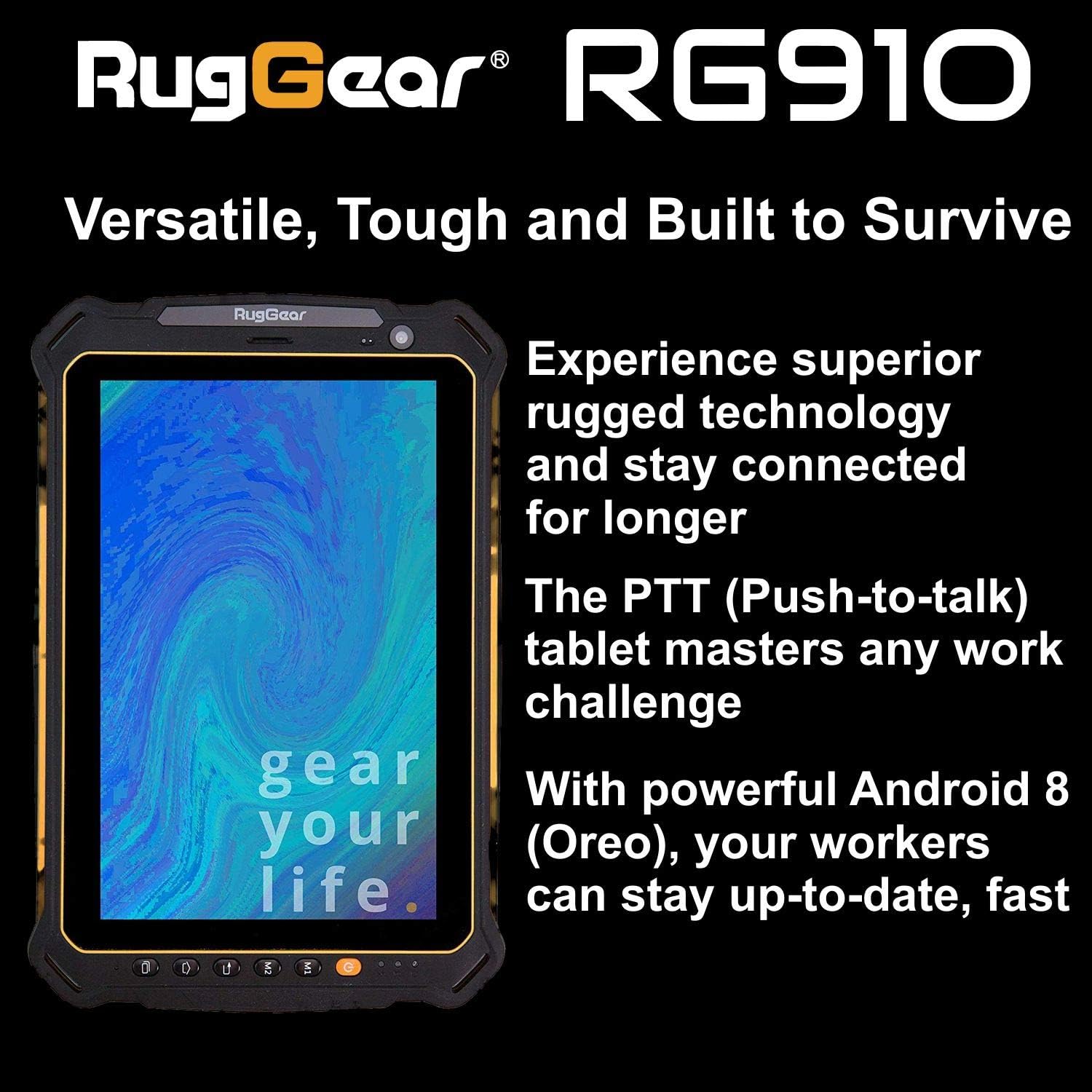
Figure 2.3: The RugGear RG910 tablet being used, illustrating its robust construction and suitability for various tasks.
3. Opsætning
3.1 Opladning af enheden
Before initial use, fully charge the tablet using the provided charger and USB cable. Connect the charger to a power outlet and the USB cable to the tablet's charging port. The charging indicator will show the charging status.
3.2 Inserting SIM and Micro-SD Cards
- Locate the SIM/Micro-SD card slot cover on the side of the tablet.
- Åbn forsigtigt dækslet.
- Insert the Nano-SIM card into the designated slot with the gold contacts facing down, ensuring it is correctly oriented.
- If using, insert a Micro-SD card (up to 64GB) into its dedicated slot.
- Close the cover securely to maintain the device's water and dust resistance.
3.3 Første opstart og opsætning
Press and hold the Power button until the RugGear logo appears. Follow the on-screen instructions to complete the initial setup, which includes selecting your language, connecting to a Wi-Fi network, and setting up your Google account.
4. Betjeningsvejledning
4.1 Tænd/sluk
- For at tænde: Tryk og hold tænd/sluk-knappen nede, indtil skærmen lyser.
- For at slukke: Tryk på tænd/sluk-knappen, og hold den nede, indtil strømindstillingerne vises, og vælg derefter 'Sluk'.
- For at genstarte: Press and hold the Power button until the power options appear, then select 'Restart'.
4.2 Grundlæggende navigation
The RG910 uses a capacitive touchscreen. Use standard Android gestures:
- Tryk på: Vælg et element, eller åbn et program.
- Stryg: Rul gennem lister eller skift mellem startskærme.
- At klemme: Zoom ind eller ud på billeder og web sider.
- Langt tryk: Få adgang til kontekstmenuer eller flyt ikoner.
4.3 Push-to-Talk (PTT)-funktionalitet
The RG910 supports Push-to-Talk (PTT) communication. A dedicated PTT button may be present on the device. Consult your service provider or PTT application instructions for specific setup and usage details.
4.4 Kamerabetjening
To use the cameras:
- Åbn Kamera-appen fra startskærmen eller app-skuffen.
- Tryk på skærmen for at fokusere.
- Tryk på udløserknappen for at tage et billede eller starte/stoppe videooptagelse.
- Skift mellem forreste og bageste kamera ved hjælp af kamera-til/fra-ikonet.
4.5 Forbindelse
- Wi-Fi: Gå til Indstillinger > Netværk og internet > Wi-Fi at oprette forbindelse til tilgængelige netværk.
- 4G LTE: Ensure your SIM card is inserted and mobile data is enabled in Indstillinger > Netværk og internet > Mobilnetværk.
- Bluetooth: Aktivér Bluetooth i Indstillinger > Forbundne enheder > Bluetooth at parre med andre enheder.
5. Vedligeholdelse
5.1 Rengøring af enheden
To clean your tablet, use a soft, damp cloth. Avoid using harsh chemicals, abrasive cleaners, or solvents, as these can damage the device's ruggedized coating and seals. Ensure all port covers are securely closed before cleaning with moisture.
5.2 Vand- og støvafvisende (IP68)
The RG910 is IP68 certified, meaning it is protected against dust ingress and can withstand submersion in fresh water up to 1.2 meters for 60 minutes. To maintain this rating:
- Ensure all port covers (USB, SIM/Micro-SD slot) are firmly closed before exposure to water or dust.
- Do not expose the device to salt water, chlorinated water, or other liquids.
- If the device gets wet, dry it thoroughly with a clean cloth before opening any covers or charging.
5.3 Pleje af batterier
- Undgå ekstreme temperaturer, da disse kan forringe batteriets ydeevne.
- Brug kun den originale eller certificerede kompatible oplader og kabel.
- Batteriet må ikke punkteres, skilles ad eller ændres.
5.4 Softwareopdateringer
Søg regelmæssigt efter og installer softwareopdateringer for at sikre optimal ydeevne, sikkerhed og adgang til nye funktioner. Gå til Indstillinger > System > Systemopdatering.
6. Fejlfinding
This section addresses common issues you might encounter with your RugGear RG910 tablet.
| Spørgsmål | Mulig løsning |
|---|---|
| Enheden tænder ikke | Sørg for, at batteriet er opladet. Tilslut opladeren, og vent et par minutter, før du forsøger at tænde den igen. Hvis den ikke reagerer, kan du udføre en tvungen genstart ved at holde tænd/sluk-knappen nede i 10-15 sekunder. |
| Skærmen reagerer ikke | Genstart enheden. Hvis problemet fortsætter, skal du sørge for, at skærmen er ren og tør. |
| Kan ikke oprette forbindelse til Wi-Fi/4G | Check Wi-Fi settings and ensure the network password is correct. For 4G, verify SIM card insertion, mobile data is enabled, and you have network coverage. Restart the tablet. |
| Batteriet aflades hurtigt | Reduce screen brightness, close unused applications, disable unnecessary connectivity features (Bluetooth, GPS), and check for background app activity in settings. |
| Device is slow or freezes | Close background applications. Clear cache for problematic apps. Restart the device. Consider a factory reset if the issue is persistent (back up data first). |
7. Specifikationer
Detailed technical specifications for the RugGear RG910 tablet:
| Feature | Beskrivelse |
|---|---|
| Mærke | RugGear |
| Modelnummer | 98300000 |
| Operativsystem | Android 8 (Oreo) |
| Vise | 8-inch WUXGA (1920 x 1200 pixels) with Corning Gorilla Glass |
| Processor | Qualcomm Snapdragon 625 |
| VÆDDER | 3 GB |
| Intern opbevaring | 32 GB (expandable up to 64 GB via Micro-SD) |
| Batteri | 6000 mAh Lithium-ion |
| Forbindelse | 4G LTE, Wi-Fi 802.11b/g/n, Bluetooth 4.0, GPRS |
| Kameraer | Bagpå: 8 MP, Foran: 2 MP |
| Navigation | GPS, A-GPS, GLONASS, Beidou |
| Holdbarhed | IP68 certified (water/dust resistant), Drop-resistant up to 1.5 meters |
| Dimensioner (L x B x H) | 21.3 x 14.1 x 2 cm |
| Vægt | 906 gram |
| Særlige funktioner | Ruggedized Construction, Push-to-Talk (PTT) functionality, Adjustable back strap |
| Model årgang | 2018 |
8. Garanti og support
Your RugGear RG910 tablet is covered by a manufacturer's warranty. Please refer to the warranty card included with your product packaging for specific terms and conditions, including warranty duration and coverage details. For technical support, service, or further assistance, please contact RugGear customer service or your authorized dealer.


