Indledning
This manual provides comprehensive instructions for the Arteck 2.4G Wireless Keyboard and Mouse Combo. Designed for optimal comfort and efficiency, this ultra-compact, slim, stainless steel full-size keyboard and ergonomic mouse are compatible with various devices including computers, desktops, PCs, laptops, and Windows 10/8/7 operating systems. Both devices feature built-in rechargeable batteries for extended use.
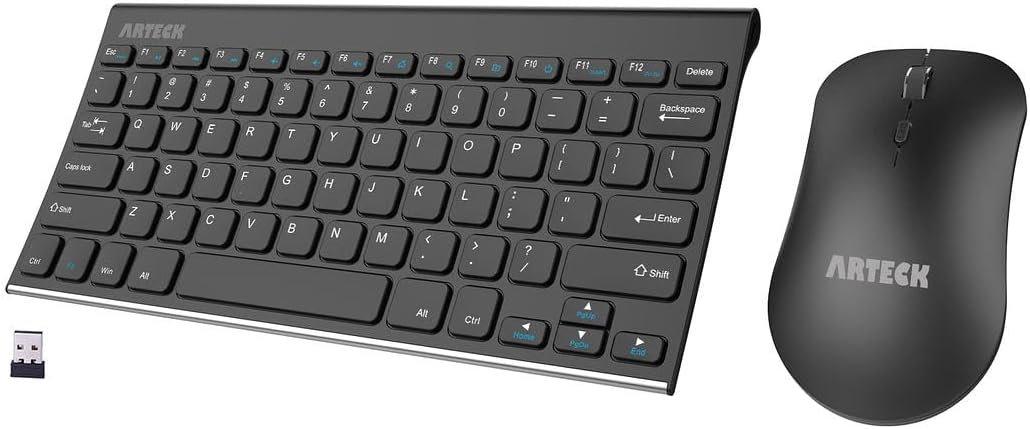
Figure 1: Arteck 2.4G Wireless Keyboard and Mouse Combo with USB receiver.
Funktioner
- Nem opsætning: Simply insert the nano USB receiver (stored inside at the back of the mouse) into your computer and use the keyboard and mouse instantly.
- One USB Receiver for All: Use the Keyboard and the Mouse with the same receiver, to save the USB port in your computer.
- Long Life Rechargeable Battery: Rechargeable lithium battery with an industry-high capacity lasts for 6 months for the keyboard and 4 months for the mouse with single charge (based on 2 hours non-stop use per day).
- Ergonomisk design: Stainless steel keyboard material gives heavy duty feeling, low-profile keys offer comfortable typing. Ergonomic mouse reduce stress and use more comfortably.
- Stille skrivning: Den hviskende-stille, lav-profile keys bring a whole new level of comfort to your fingertips.
- Adjustable Mouse DPI: The mouse DPI switch allows you to change the speed of the moving cursor (800 / 1000 / 1200 DPI).
- Genvejstaster: Gain quick access to common functions, such as volume level, playback control, copy paste text, and more, with Windows-dedicated hot keys.

Figure 2: Ergonomic mouse design highlighting adjustable DPI and silent clicking.
Opsætningsvejledning
- Find USB-modtageren: The nano USB receiver is conveniently stored inside the back compartment of the wireless mouse. Gently open the battery cover on the underside of the mouse to retrieve it.
- Indsæt modtageren: Plug the USB receiver into an available USB port on your computer, desktop, PC, or laptop.
- Tænd enheder:
- For the keyboard, locate the power switch on the back edge and slide it to the "ON" position.
- For the mouse, locate the power switch on the underside and slide it to the "ON" position.
- Automatisk forbindelse: The keyboard and mouse will automatically connect to your device. No additional drivers are required.

Figure 3: Illustration of the easy setup process, showing the USB receiver and its storage location in the mouse.

Figur 4: Bagside view of the keyboard showing the power switch and silicone non-slip pads.
Betjeningsvejledning
Tastaturbrug
- Indtastning: Den lavproffefile taster giver en behagelig og rolig skriveoplevelse.
- Funktionstaster (F1-F12): These keys often have secondary functions (media control, volume, etc.) when pressed in combination with the Fn key. Refer to your operating system's settings for specific hotkey functionalities.
- Windows Hot Keys: Dedicated hot keys provide quick access to common Windows functions.
Brug af mus
- Bevægelse: Flyt musen hen over en flad overflade for at styre markøren.
- Klik: Left-click for selection, right-click for context menus. The mouse features silent clicking for a quiet environment.
- DPI-justering: Press the DPI switch button (located behind the scroll wheel) to cycle through 800, 1000, and 1200 DPI settings. This adjusts the cursor sensitivity and speed.
- Scrollhjul: Brug scrollhjulet til lodret rulning i dokumenter og web sider.
Opretholdelse
Opladning af batteriet
Both the keyboard and mouse are equipped with built-in rechargeable lithium-polymer batteries. Use the provided USB charging cable to recharge them.
- Connect the small end of the USB charging cable to the charging port on the keyboard/mouse.
- Tilslut den større ende af USB-opladerkablet til en USB-strømkilde (f.eks. en computers USB-port eller en USB-vægadapter).
- An indicator light will typically show charging status (e.g., red for charging, off or green for fully charged).
- A full charge provides approximately 6 months of use for the keyboard and 4 months for the mouse (based on 2 hours non-stop use per day).
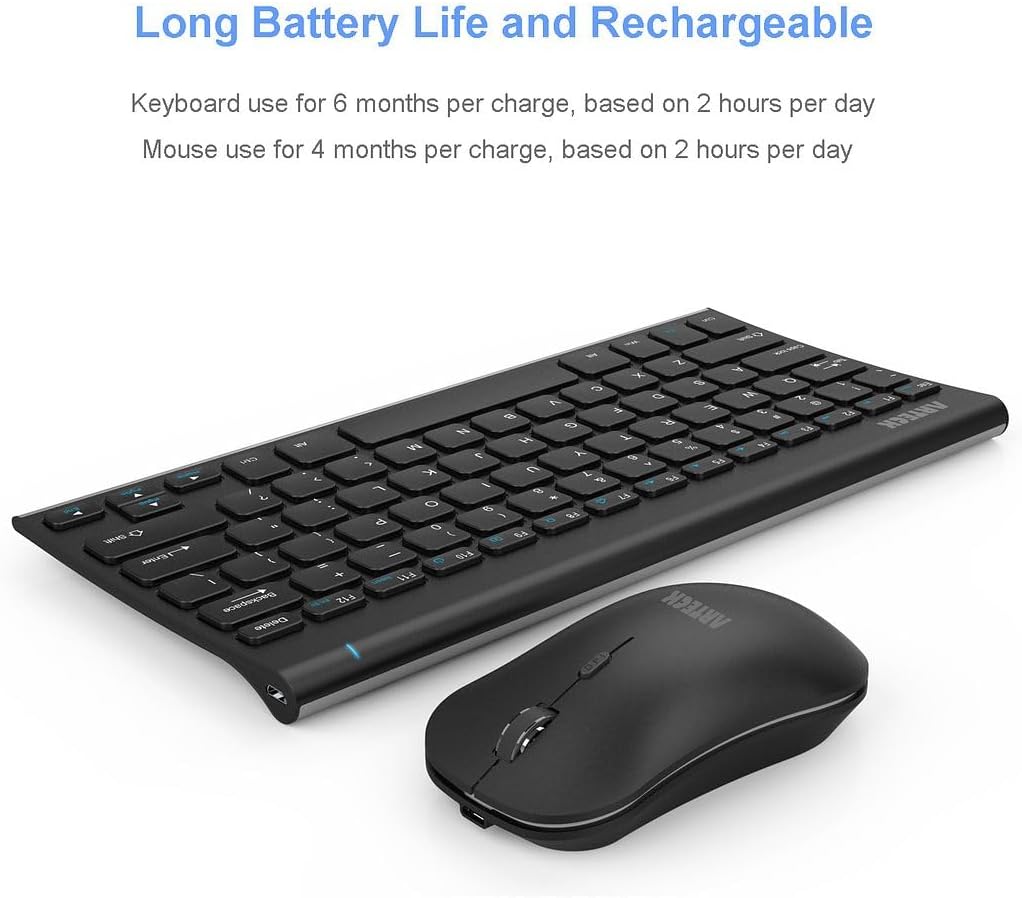
Figure 5: Visual representation of the long battery life for both keyboard and mouse.
Rensning
- Ensure both devices are powered off before cleaning.
- Brug en blød, fnugfri klud lidt dampafsluttes med vand eller en mild rengøringsopløsning.
- Avoid excessive moisture and do not spray cleaners directly onto the devices.
- For keyboard keys, a can of compressed air can be used to remove dust and debris.
Fejlfinding
| Problem | Mulig årsag | Løsning |
|---|---|---|
| Tastatur/mus reagerer ikke | Low battery; USB receiver not properly connected; Devices not powered on; Interference. | Charge the devices; Re-insert the USB receiver firmly; Ensure power switches are ON; Move closer to the receiver or away from other wireless devices. |
| Forsinket eller uregelmæssig markørbevægelse | Low battery; Surface issues for mouse; Wireless interference; Incorrect DPI setting. | Charge the mouse; Use the mouse on a non-reflective, opaque surface; Reduce interference; Adjust mouse DPI. |
| Taster skrives ikke korrekt | Low battery; Software issue; Debris under keys. | Charge the keyboard; Restart your computer; Clean the keyboard with compressed air. |
| Kan ikke oprette forbindelse til enheden | USB receiver not recognized; Out of range. | Try a different USB port; Ensure devices are within 33 feet (10 meters) of the receiver. |
Specifikationer
| Attribut | Detalje |
|---|---|
| Mærke | Arteck |
| Modelnummer | HW086MW162 |
| Forbindelsesteknologi | 2.4G USB trådløs |
| Kompatible enheder | Laptop, Personal Computer, Television (Windows 10/8/7) |
| Tastaturmål | 11.06 x 5.28 x 0.55 tommer (28 x 13.5 x 1.4 cm) |
| Tastaturvægt | 10.2 oz (310 g) |
| Musens dimensioner | 4.45 x 2.44 x 1.3 tommer (11.3 x 6.2 x 3.3 cm) |
| Musens vægt | 2.84 oz (80.5 g) |
| Batteritype | 1 lithium-ion batteri (medfølger) |
| Særlige funktioner | Compact, Rechargeable, Ergonomic Design, Silent Clicking, Adjustable DPI |
| Farve | Sort |

Figure 6: Detailed dimensions of the Arteck keyboard and mouse.
Garanti og support
Arteck provides a 24 måneders garanti for dette produkt, hvilket sikrer ro i sindet med hensyn til dets kvalitet og ydeevne.
For any warranty claims, technical support, or customer service inquiries, please contact Arteck directly:
- E-mail: support@arteck.com
Please have your model number (HW086MW162) and purchase details ready when contacting support.


